2Slides Team
14 min read

Quick answer: Divide pixels by DPI to get inches. A 4K 3:4 poster from 2Slides Photo Effect Tools is 3584 × 4800 pixels, so it prints at 12 × 16 inches at 300 DPI, or 24 × 32 inches at 150 DPI. The 2K version (1792 × 2400) prints at 6 × 8 inches at 300 DPI, or 12 × 16 at 150 DPI. Choose 4K for wall posters and small type.
"Will it print well?" is a question of arithmetic, not taste. Print size depends on two numbers: how many pixels the image has, and how many of them the printer puts in each inch.
This guide uses the real output sizes of our photo effects. Each makes a poster with your original photo on one half and the same scene redrawn in a medium on the other, in one of four shapes: 3:4, 2:3, 4:5 or 3:2. Below are the maximum print sizes, the frames that fit, how A-series paper behaves, and when 4K is worth twice the credits.
Print size in inches equals the image's pixel width (or height) divided by the DPI you print at. To get centimeters, multiply the inches by 2.54. So 2400 pixels printed at 300 DPI is 8 inches, or 20.3 cm. At 150 DPI, the same 2400 pixels stretch to 16 inches, or 40.6 cm.
DPI (dots per inch, often used interchangeably with PPI, pixels per inch) is how densely the image is laid onto paper. Higher DPI means finer detail and a smaller print.
You can run it backward too. A print size times your target DPI gives the pixels you need. A 12 × 16 inch print at 300 DPI needs 3600 × 4800 pixels, which is almost exactly the 4K 3:4 output.
At 300 DPI, a 2K effect prints at roughly 6 × 8 inches, the size of a small photo print. 4K doubles each side, giving roughly 12 × 16 inches. At 150 DPI, each size doubles again: 2K reaches about 12 × 16 inches and 4K about 24 × 32 inches.
| Format | Tier | Pixels | At 300 DPI (in) | At 300 DPI (cm) | At 150 DPI (in) | At 150 DPI (cm) |
|---|---|---|---|---|---|---|
| 3:4 | 2K | 1792 × 2400 | 5.97 × 8.00 | 15.2 × 20.3 | 11.95 × 16.00 | 30.3 × 40.6 |
| 3:4 | 4K | 3584 × 4800 | 11.95 × 16.00 | 30.3 × 40.6 | 23.89 × 32.00 | 60.7 × 81.3 |
| 2:3 | 2K | 1696 × 2528 | 5.65 × 8.43 | 14.4 × 21.4 | 11.31 × 16.85 | 28.7 × 42.8 |
| 2:3 | 4K | 3392 × 5056 | 11.31 × 16.85 | 28.7 × 42.8 | 22.61 × 33.71 | 57.4 × 85.6 |
| 4:5 | 2K | 1856 × 2304 | 6.19 × 7.68 | 15.7 × 19.5 | 12.37 × 15.36 | 31.4 × 39.0 |
| 4:5 | 4K | 3712 × 4608 | 12.37 × 15.36 | 31.4 × 39.0 | 24.75 × 30.72 | 62.9 × 78.0 |
| 3:2 | 2K | 2528 × 1696 | 8.43 × 5.65 | 21.4 × 14.4 | 16.85 × 11.31 | 42.8 × 28.7 |
| 3:2 | 4K | 5056 × 3392 | 16.85 × 11.31 | 42.8 × 28.7 | 33.71 × 22.61 | 85.6 × 57.4 |
Which effects use which format:
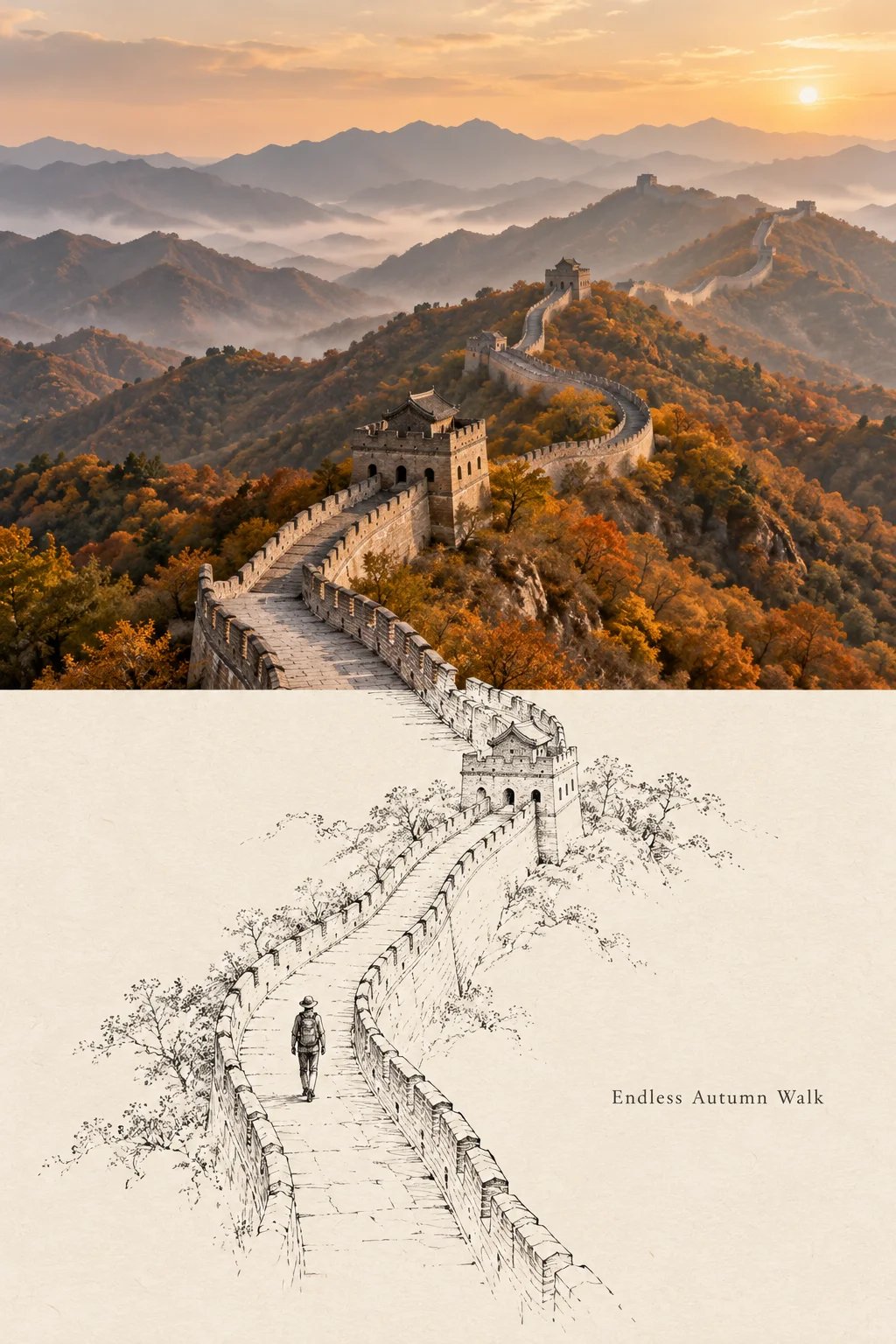
A 2:3 effect: the Great Wall's rampart and watchtower carry straight on into pen line, with a walker following it down the page. At 4K, this format fills a 12 × 18 inch frame at about 281 DPI.
A frame fits without cropping when its proportions match the image's. 3:4 effects fit 12 × 16 and 18 × 24 inch frames. 4:5 effects fit 8 × 10 and 16 × 20. 2:3 effects fit 4 × 6, 12 × 18 and 24 × 36. The 3:2 landscape effects fit the same 2:3 frames turned sideways.
The table shows the DPI you get when the image fills each frame. To find it, divide the image's pixels by the frame's inches along the side that limits the fit.
| Frame | Proportion | Best-matching format | DPI at 2K | DPI at 4K | Cropping |
|---|---|---|---|---|---|
| 4 × 6 in | 2:3 | 2:3 (or 3:2 sideways) | about 421 | about 843 | None |
| 8 × 10 in | 4:5 | 4:5 | about 230 | about 461 | None |
| 11 × 14 in | 11:14 | 4:5 (closest) | about 165 | about 329 | About 2.5% of the width |
| 12 × 16 in | 3:4 | 3:4 | about 149 | about 299 | None |
| 12 × 18 in | 2:3 | 2:3 (or 3:2 sideways) | about 140 | about 281 | None |
| 16 × 20 in | 4:5 | 4:5 | about 115 | about 230 | None |
| 18 × 24 in | 3:4 | 3:4 | about 100 | about 199 | None |
| 24 × 36 in | 2:3 | 2:3 (or 3:2 sideways) | about 70 | about 140 | None |
"None" means near-exact: the output sizes are a hair off the exact ratios (1792 × 2400 is 0.747, not 0.750), so a lab may trim under 1%. Mismatches cost more. A 3:4 poster in an 8 × 10 frame loses about 6.7% of its height, and a 2:3 poster about 16%, enough to cut into a caption.
A-series paper has a proportion of about 1 : 1.414, and none of our formats match it exactly. 3:4 and 2:3 are the closest, each losing about 5% to cropping. Most people print with a thin white border instead. At 2K, A4 gets about 205 DPI. At 4K, A3 gets about 290 DPI and A2 about 205.
| Paper | Size | 3:4 or 2:3 at 2K | 3:4 or 2:3 at 4K | 4:5 at 2K | 4:5 at 4K |
|---|---|---|---|---|---|
| A4 | 210 × 297 mm (8.27 × 11.69 in) | about 205 DPI | about 410 DPI | about 197 DPI | about 394 DPI |
| A3 | 297 × 420 mm (11.69 × 16.54 in) | about 145 DPI | about 290 DPI | about 139 DPI | about 279 DPI |
| A2 | 420 × 594 mm (16.54 × 23.39 in) | about 103 DPI | about 205 DPI | about 99 DPI | about 197 DPI |
These figures assume the image fills the sheet, which crops about 5.3% of a 3:4 poster's width, 5.1% of a 2:3 poster's height, or 12% of a 4:5 poster's width. To keep the whole poster, ask for "fit to page" and accept a narrow border on two sides.
It depends on how close people stand. 300 DPI is the usual target for prints people hold in their hands, like photos, postcards and cards. Posters on a wall are seen from farther away, so most print shops accept lower DPI for them, and very large posters viewed from across a room can go lower still.
This is general print practice, not a fixed rule:
If unsure, ask your print lab what it recommends for that paper, and order a small test print first.
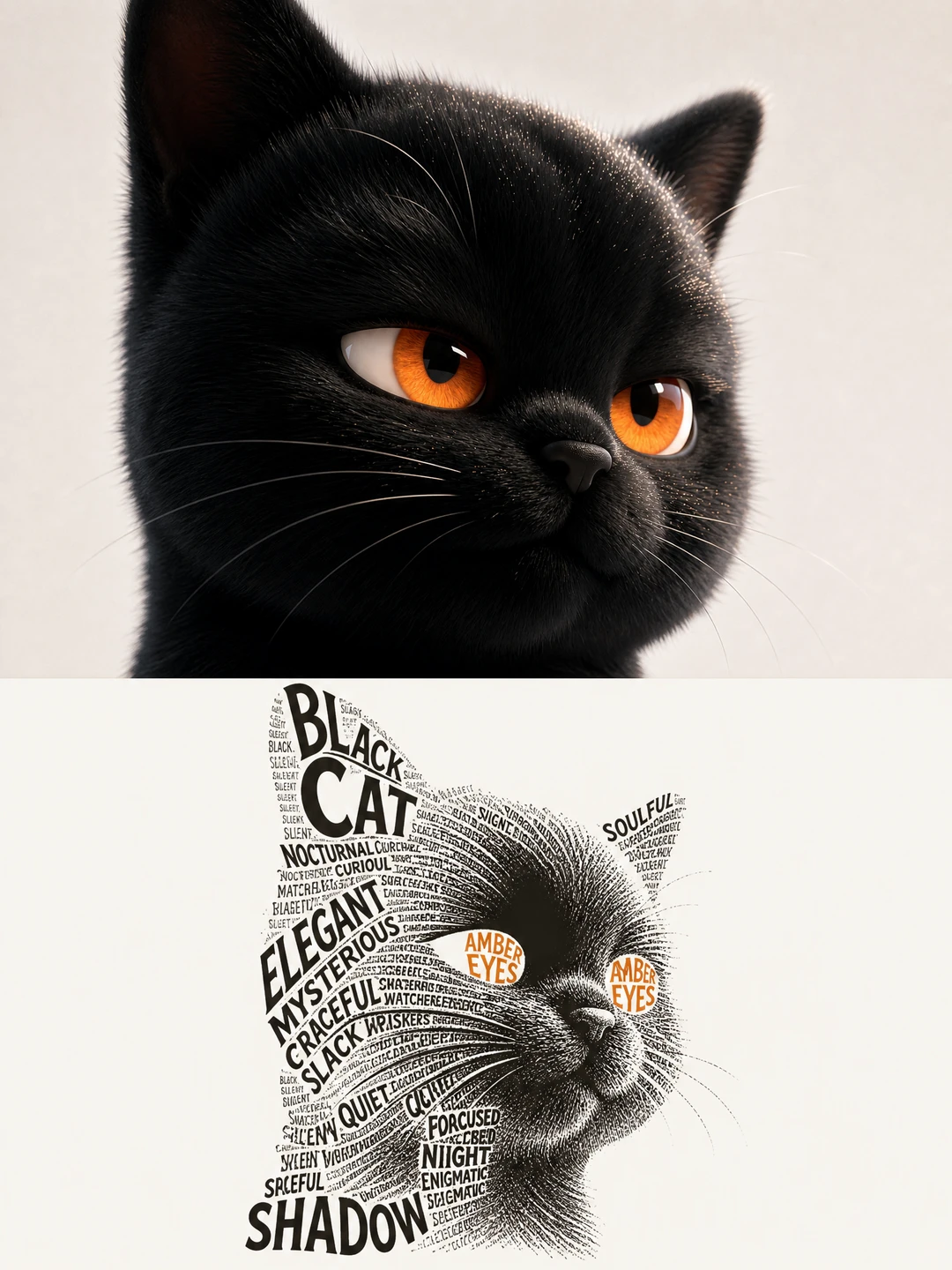
A calligram is the case where 4K matters most: dense type makes the shadow side of the cat, and AMBER EYES sits where the eyes are.
4K costs 200 credits, about $0.50, compared with 100 credits for 2K. It's worth it when you'll print larger than about 8 × 10 inches or A4, when the effect has small type or tiny details, or when you plan to crop. For screens, social posts and small prints, 2K is enough.
Choose 4K when:
Stick with 2K when:
Each generation is a fresh roll, so the 4K run won't be an exact enlargement of your 2K keeper. Budget for it as a new attempt.
Pick the effect for your photo first, then choose the resolution for the print you plan. Each effect page shows its format, real samples and full prompt before you sign in, so you can match it to a frame before spending credits.
Photo tips, taken from the effects' own notes:
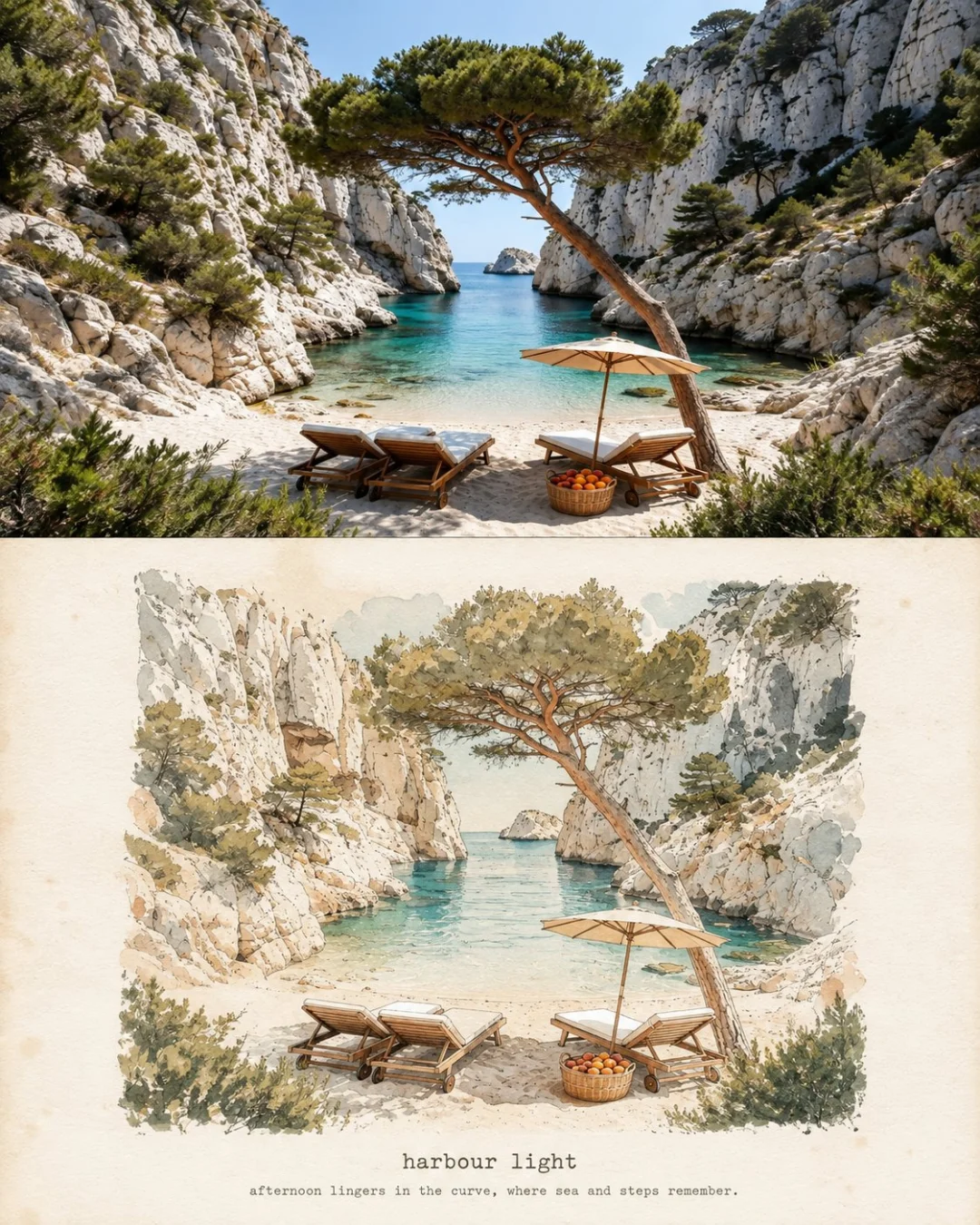
A 4:5 effect fits an 8 × 10 frame without cropping. Here the turquoise water drops to two flat washes, and the rock keeps its ledges.

The 3:2 landscape format suits 12 × 18 or 24 × 36 frames turned sideways. The terraces flatten into stacked bands of green cloth.
It depends on the image's shape and your target DPI. A 4K 3:4 image (3584 × 4800 pixels) prints at about 12 × 16 inches at 300 DPI, or 24 × 32 inches at 150 DPI. A 4K 2:3 image (3392 × 5056) prints at about 11.3 × 16.9 inches at 300 DPI.
For a poster on a wall that people view from a few steps away, 150 DPI is widely accepted in print practice. For prints people hold or study up close, aim nearer 300 DPI. Images with small text need the higher end.
4K has twice the pixels on each side, so it prints twice as wide and twice as tall at the same DPI. On 2Slides, a 2K 3:4 poster prints well at about 6 × 8 inches, and a 4K one at about 12 × 16 inches, both at 300 DPI. 4K costs 200 credits instead of 100.
Yes. A 4K 3:4 or 2:3 poster on A3 gets about 290 DPI, which is sharp even up close. A 2K poster on A3 gets about 145 DPI, fine on a wall but softer up close. Neither format matches A-series proportions exactly, so use "fit to page" with a thin border or accept about 5% cropping.
At 300 DPI, 8 × 10 inches needs 2400 × 3000 pixels. A 2K 4:5 effect (1856 × 2304) gives about 230 DPI at that size, which looks good in a frame. A 4K 4:5 effect gives about 461 DPI.
Print size is pixels ÷ DPI. At 2K, our effects print sharply at about 6 × 8 inches and fill a 12 × 16 frame at about 150 DPI. At 4K, they reach about 12 × 16 inches at 300 DPI, which makes 200 credits worth it for wall prints and type-heavy effects. To compare styles before choosing, see all 35 AI photo-to-art styles compared. For the format where 4K matters most, start with the Calligram Word Art Poster.
Create stunning AI-powered presentations in seconds. Transform your ideas into professional slides with 2slides AI Agent.
Try For FreeSlaytlar için AI Ajanınız. Akıllı sunum oluşturma ile zaman kazanın, daha hızlı parlayın.




© 2026 2slides. Tüm hakları saklıdır.