Watercolor Journal Poster
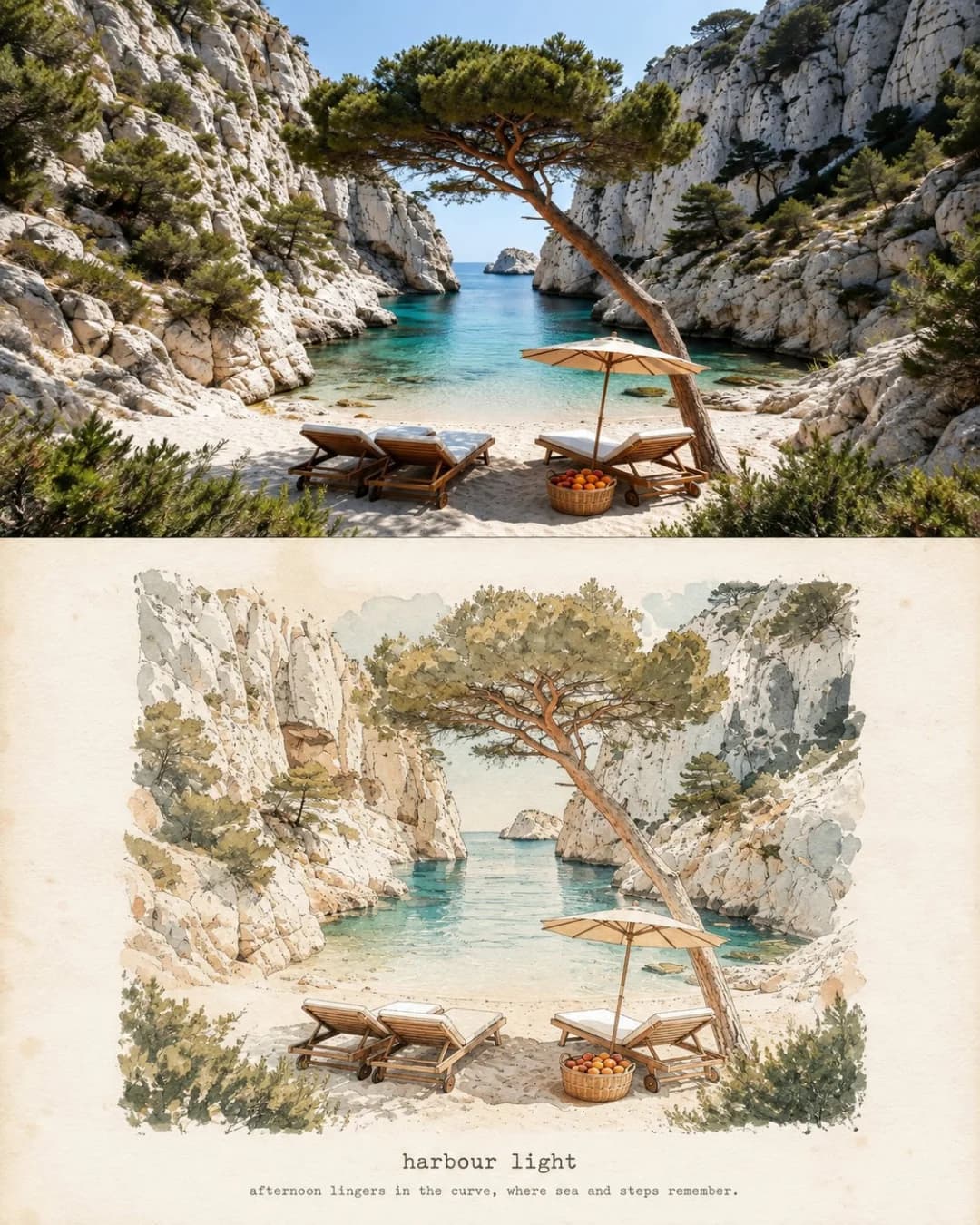
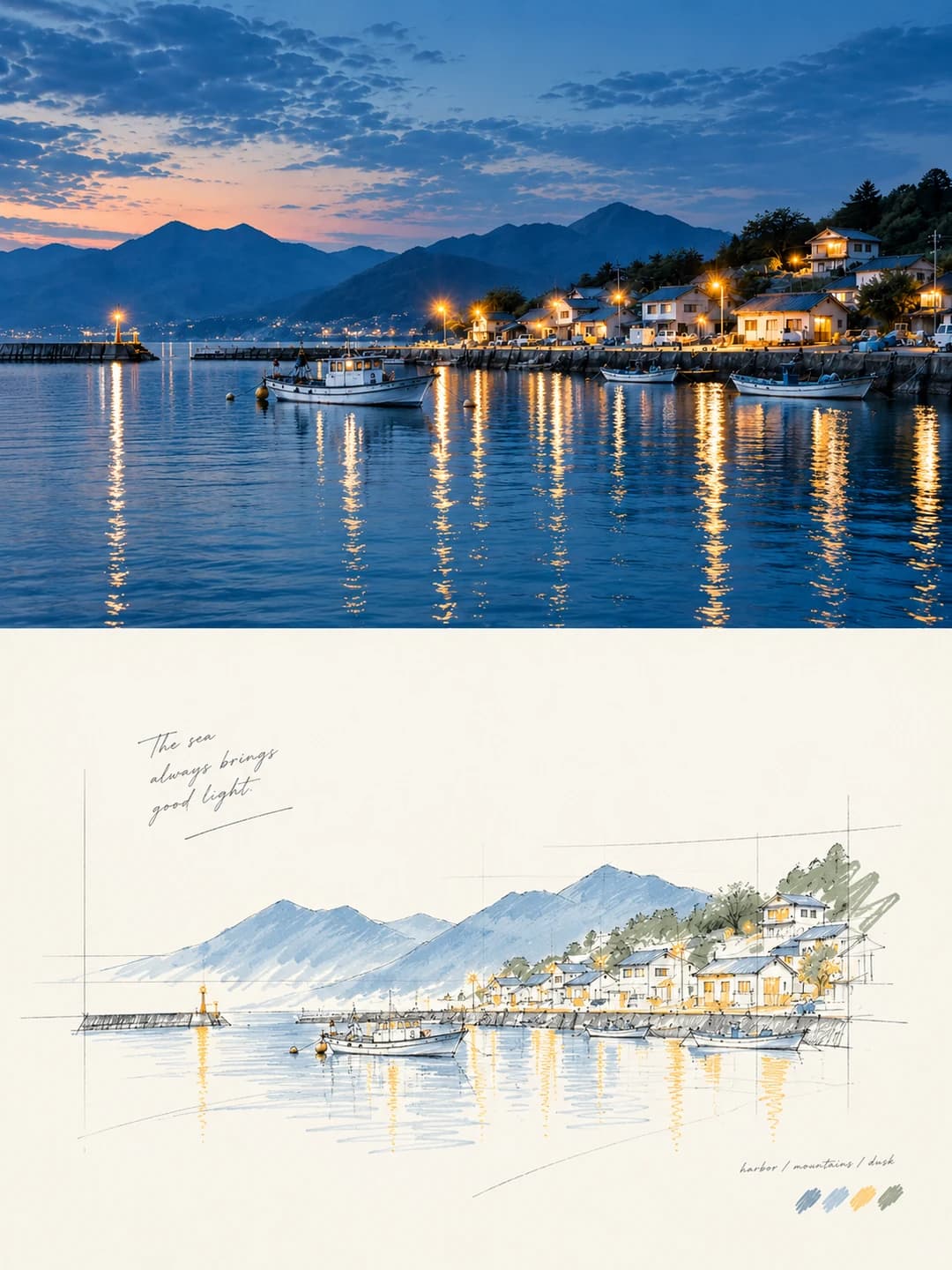
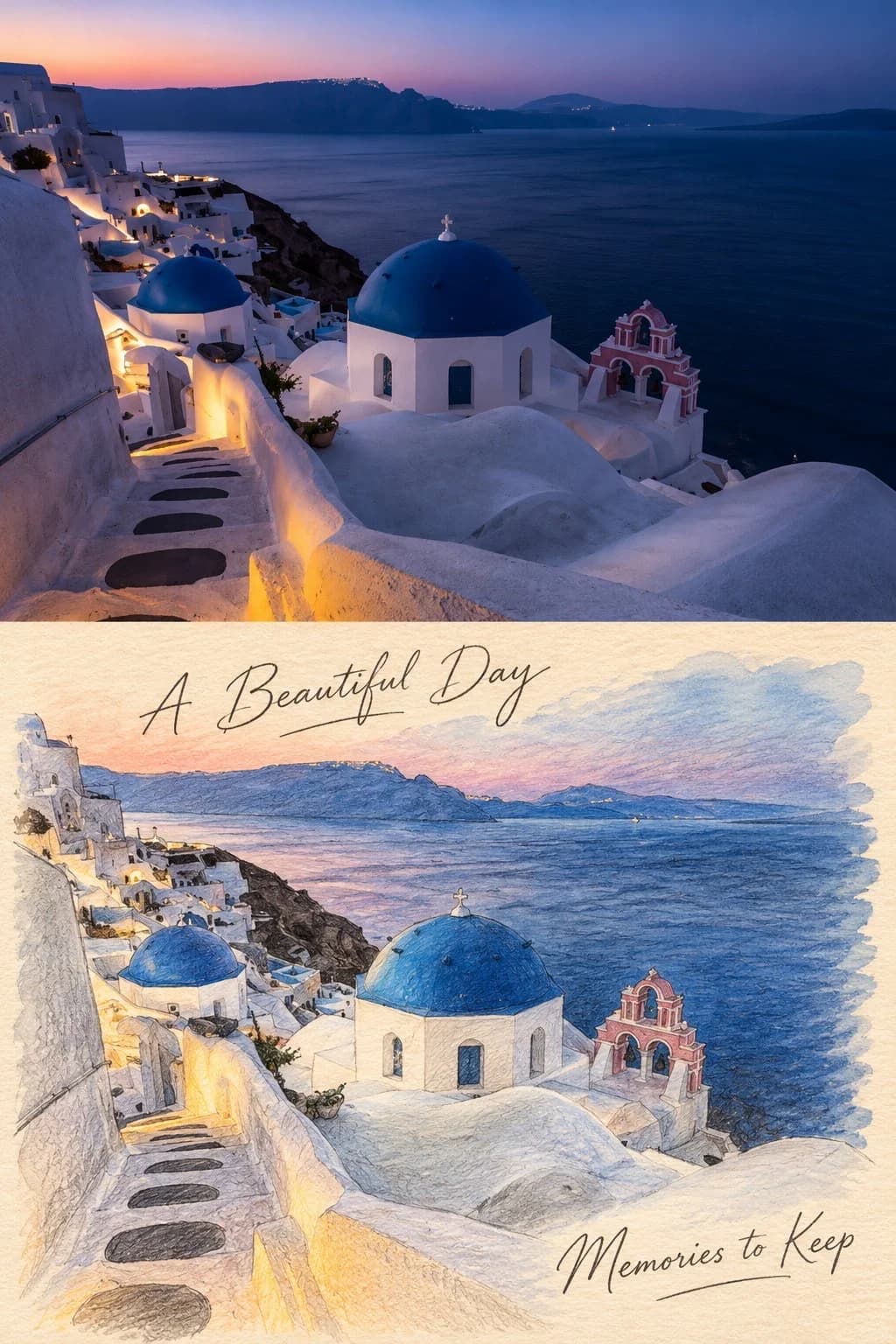
Your travel photo above, the same scene as a pen-and-wash journal sketch below
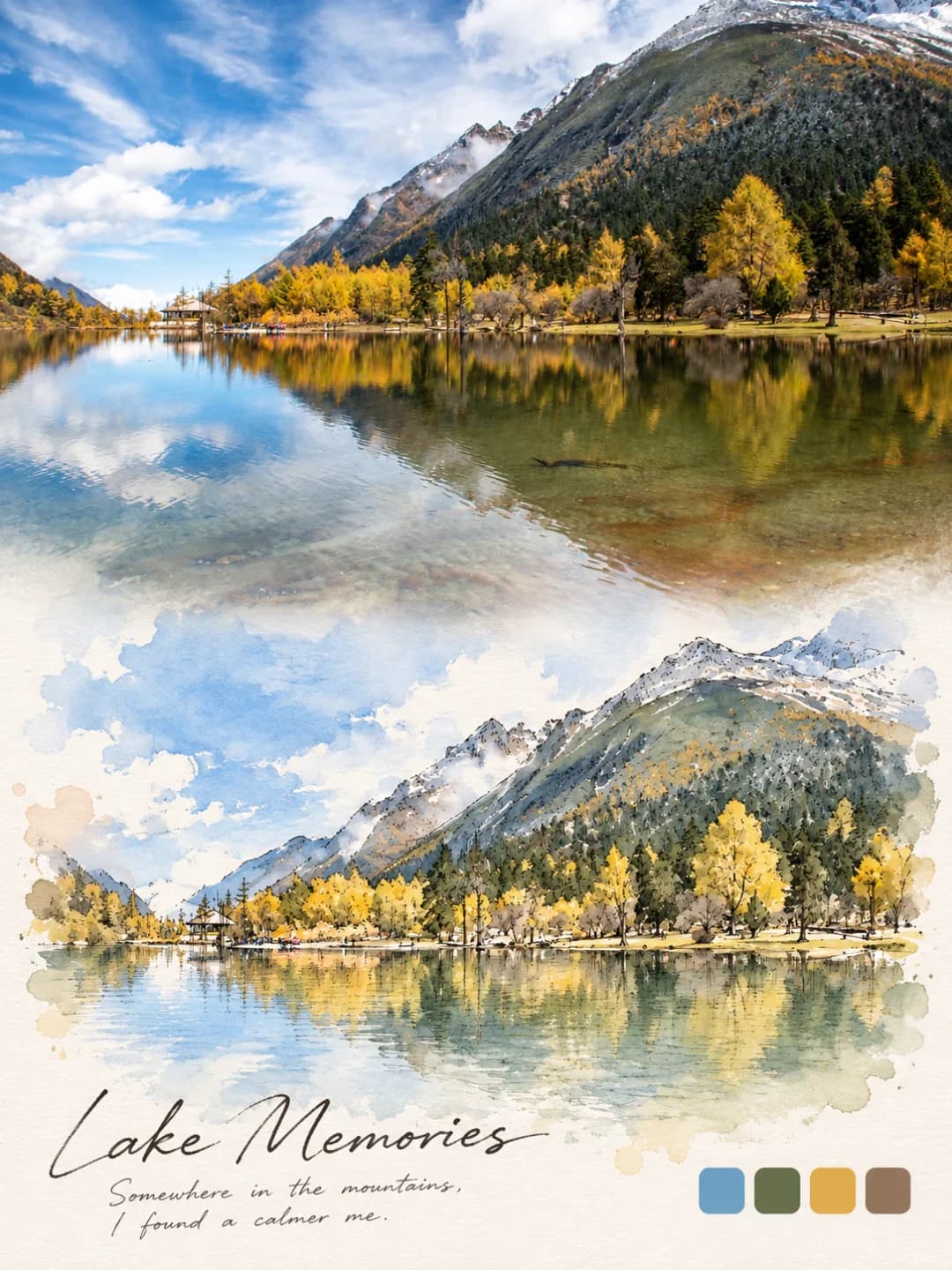
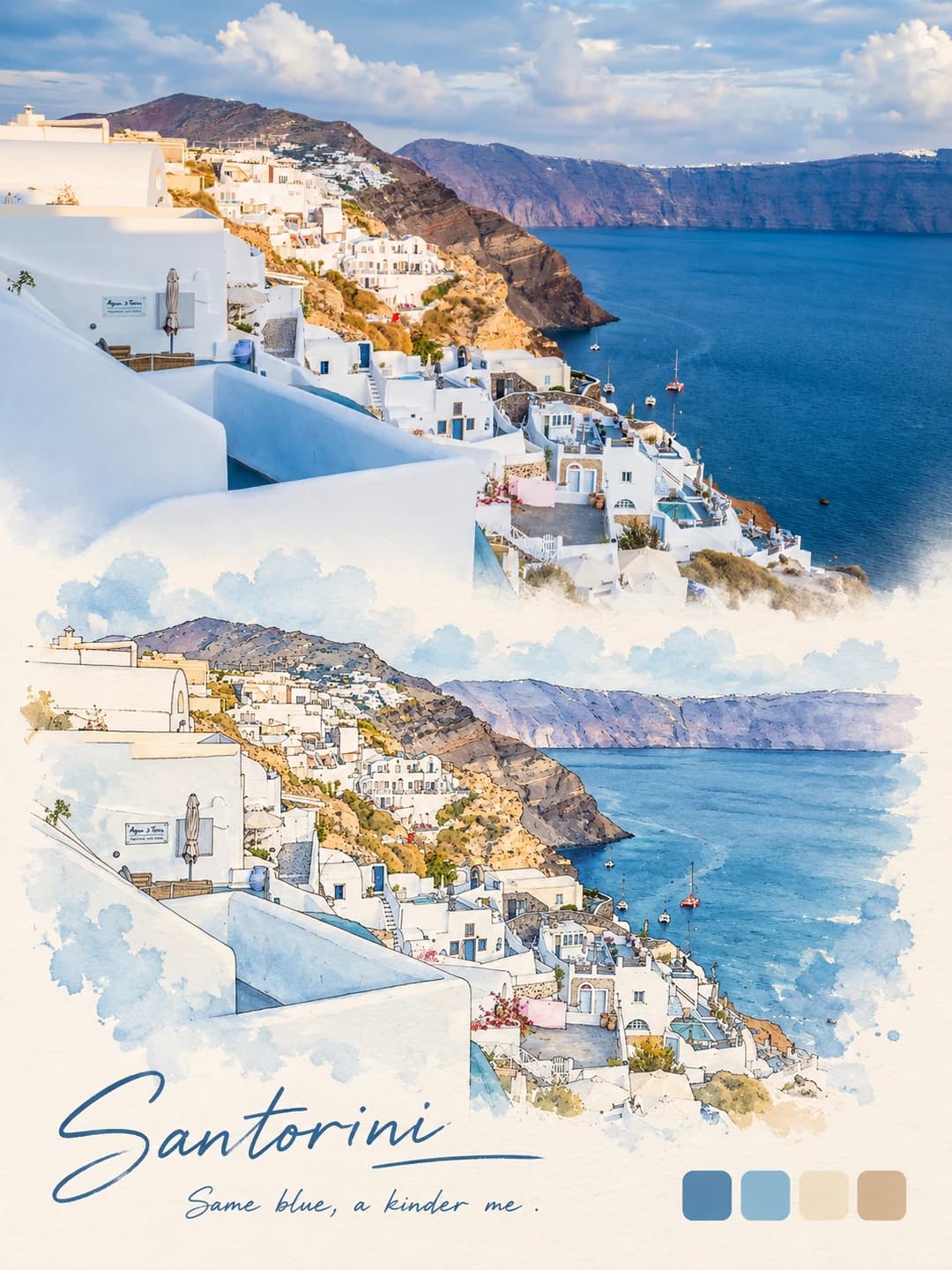
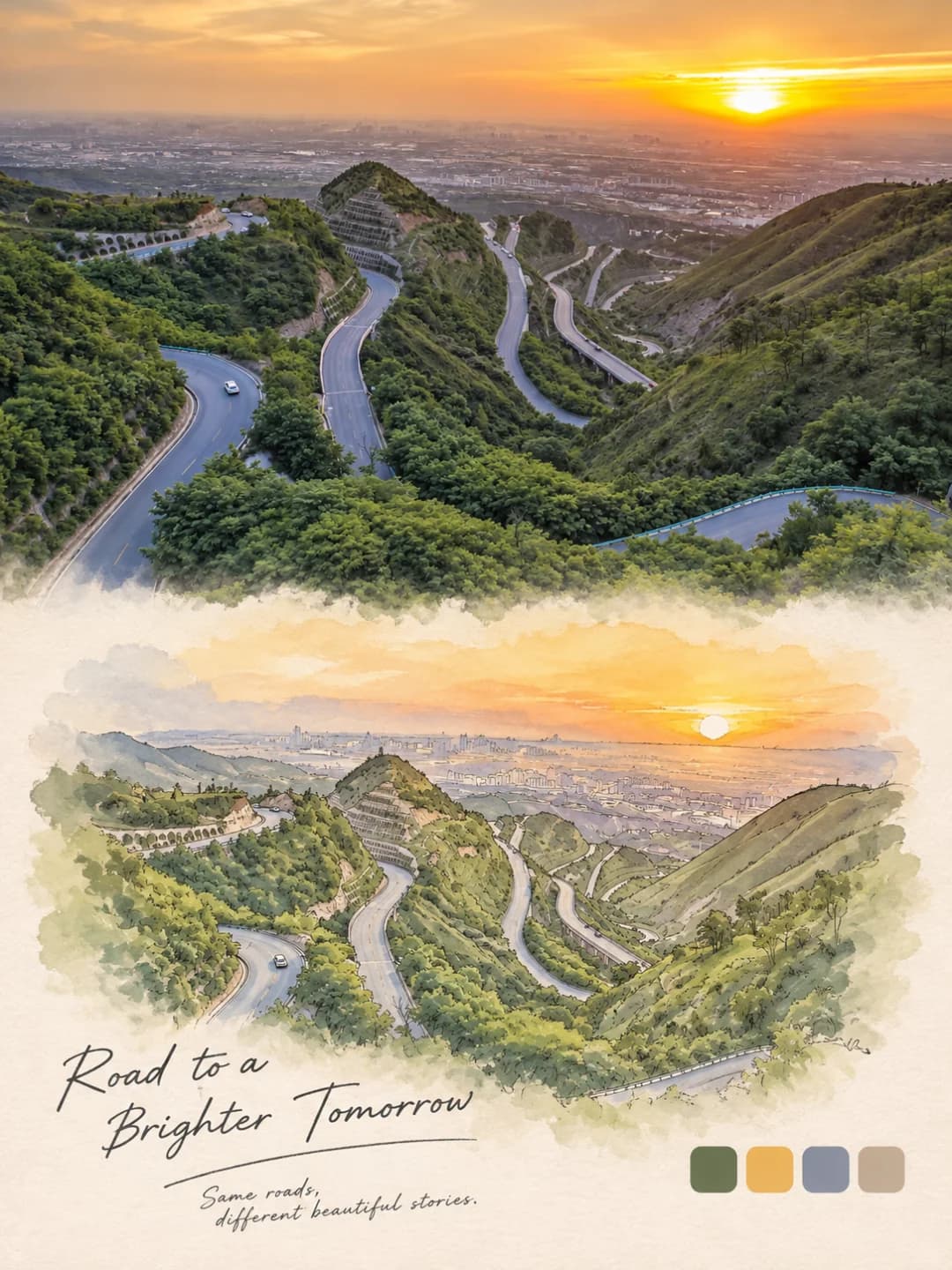
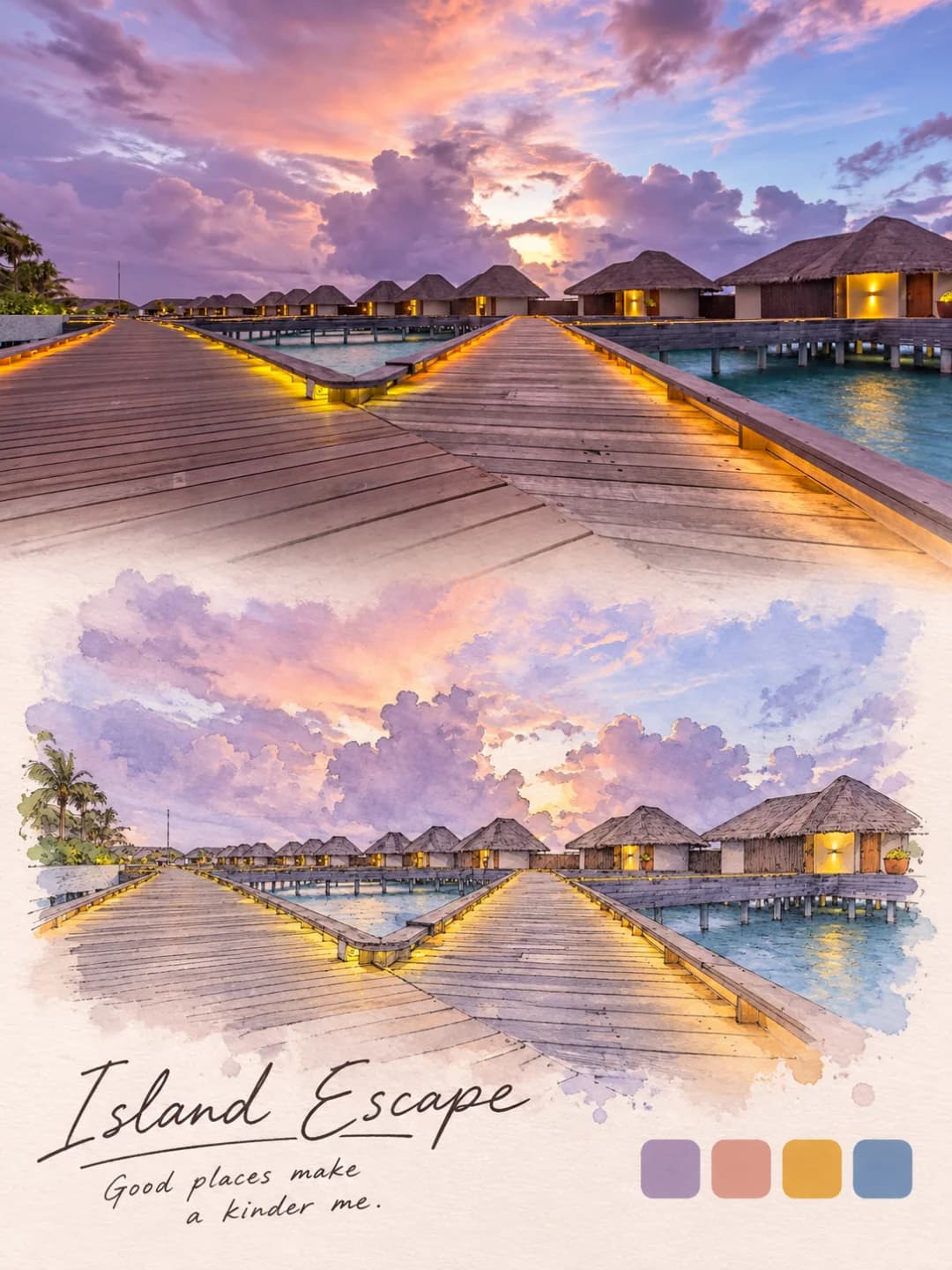
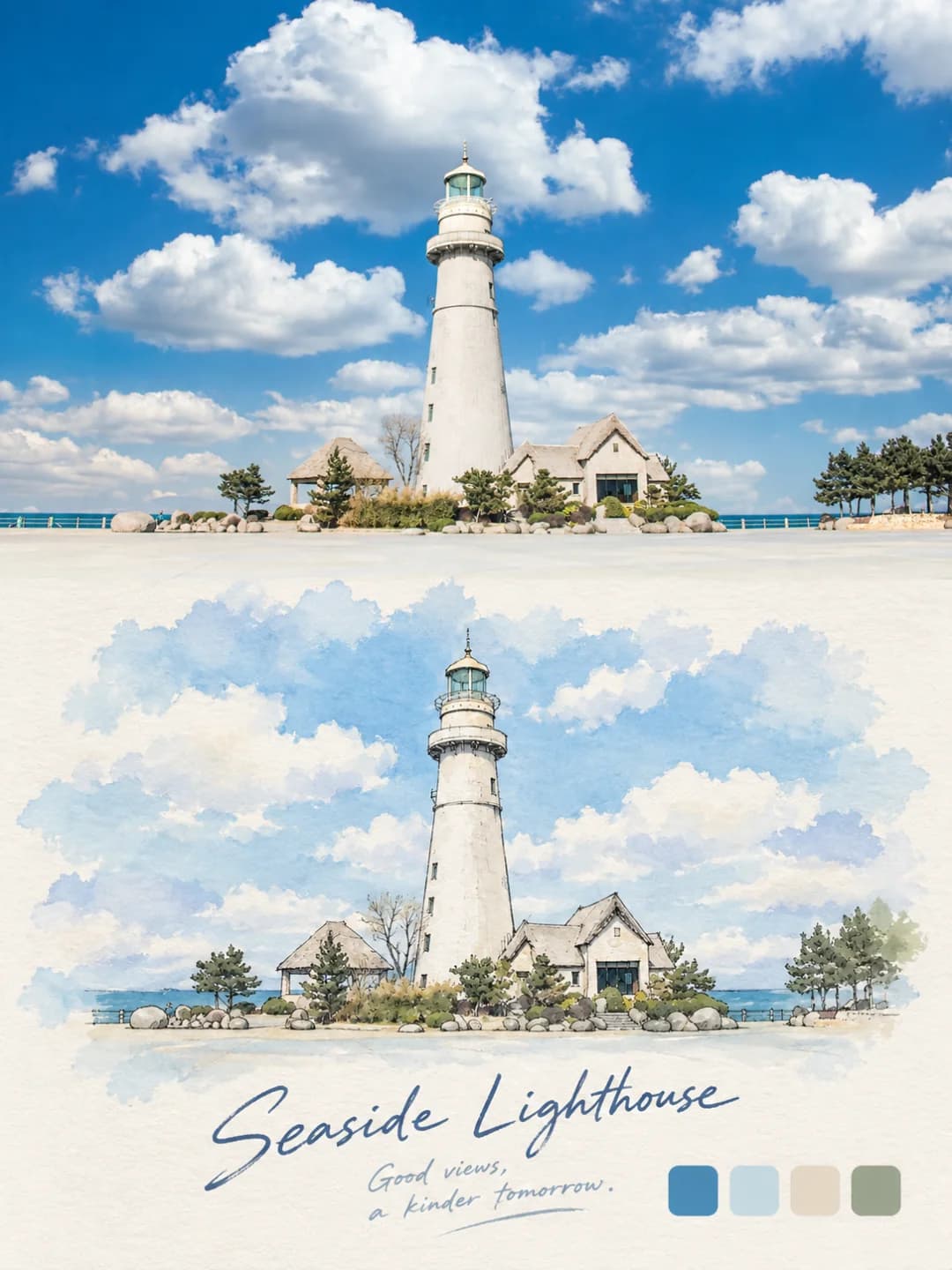
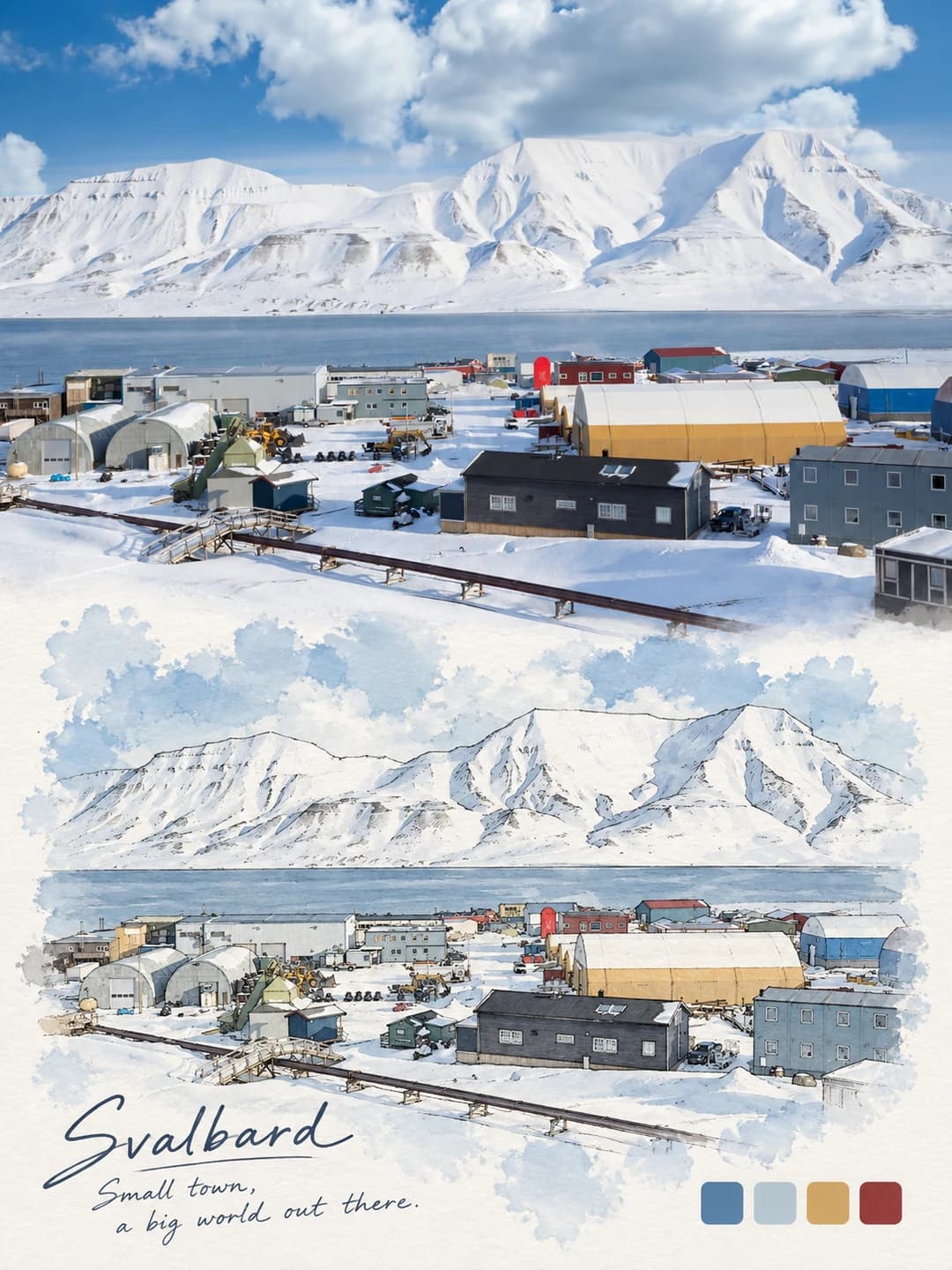
Upload a landscape travel photo and get back a 3:4 poster: the photo across the top half, and underneath the same view redrawn in fine black pen and soft watercolor, bleeding out into textured paper. A loose handwritten title sits in the margin, next to four swatches of the photo's main colours.
100 credits per image · about a minute · New accounts get 500 credits — 5 free images.
Try it with your own photo
New accounts get 500 credits — 5 free images.
Examples
Every image below was made with the prompt on this page.
What is a Watercolor Journal Poster?
A watercolor journal poster is a 3:4 vertical frame split exactly in half. The top half is your photo with a light, refined grade. The bottom half is the same scene drawn like a page from a travel sketchbook: thin black pen outlines, pale translucent watercolor washes, and ragged blooms of colour that fade into the paper instead of stopping at a border. The paper tone follows the photo — warm for a sunny scene, cool for snow, deeper for night. In the lower corner sit four rounded swatches holding the four main colours of your photo, and the open paper carries a handwritten title with a short line beneath it.
Which photos work well?
Scenic travel photos with a clear view and readable structure: lakes and mountains, coastlines, lighthouses, whitewashed towns, winding roads, water villas at dusk. Photos with a distinct palette make the best swatches.
Which photos struggle?
Close-up portraits, crowds, busy interiors and very dark shots. The sketch half simplifies everything into pen lines and pale washes, so faces lose their likeness and a dark photo gives little colour to wash with. It also needs a landscape-shaped photo; a tall portrait gets cropped hard to fill the top half.
How to turn a photo into a Watercolor Journal Poster
- 1
Pick an effect
Browse the samples on each tool page to see exactly what you will get before you spend anything.
- 2
Upload your photo
JPEG, PNG or WebP, up to 12 MB. Your photo stays private and is never used to train anything.
- 3
Add your own caption
Most effects let you set the text that appears in the final image, in any language.
- 4
Download the result
You get a high-resolution image, yours to use. 2K is 100 credits, 4K is 200.
The prompt behind this tool
This is the full prompt, translated into English. Copy it and use it with any image model that accepts a reference photo.
A premium 3:4 vertical design poster, made from the uploaded photo on its own — no combining several images. Split the frame strictly 1:1 top and bottom, 50% each. The top half keeps the original photo: preserve the subject's identity, structure, pose, real texture, natural light and original colour mood, with only a light, refined colour grade, so it reads like an art-magazine or exhibition image. The surroundings may be extended naturally to fit the frame, but never stretch, distort or change the subject. The bottom half redraws the same photo at the same proportions as a pen-and-wash travel-journal illustration: light outlines in fine black pen, soft, translucent, low-saturation watercolour washes, and irregular watercolour blooms around the scene that fade gradually outwards. No hard frame, no cut or dividing line, no harsh creases, no vertical split, no partitions. The paper margin around the illustration takes its tone from the photo's mood — deeper for a night scene, warm for a warm daylight scene, cool for a cold landscape — and the scene blends smoothly into it. In the bottom-right corner place four rounded-square colour swatches, each a flat solid colour taken strictly from the four main tones of the original photo, with no unrelated extra colours. Simple and soothing, with a faint watercolour-paper grain, clean and soft overall.

Leave open space at the bottom and add a handwritten English title that suits the scene, with a short handwritten English line beneath it, in a loose, casual hand — nothing that looks like a digital font.

The open space must not feel cut off from the picture and should keep the paper texture. Add no extra decoration.
Frequently asked questions
Will it change my photo?
- The top half is meant to stay your photo. The prompt tells the model to keep the subject's identity, structure, pose, texture, light and colour, apply only a light grade, and extend the surroundings if needed rather than stretch or distort anything. It fills exactly the upper half of the frame.
What does the lower half look like?
- A page from a travel sketchbook. The same view is redrawn with fine black pen outlines and pale, translucent watercolor, and the colour blooms out irregularly into the paper instead of ending at a frame or a dividing line. The paper has a faint cold-press grain.
What are the four colour squares?
- Swatches of the four main colours in your photo, placed as rounded squares in the lower-right corner. The prompt asks for flat solid colours taken only from the photo, with nothing extra — a lake photo might give sky blue, pine green, gold and brown.
Can I choose the title?
- Yes, and it is the more reliable route. Type a title and an optional short line and they are written by hand exactly as given, with no other text added. Leave them blank and the model writes its own English title and line to suit the scene.
What language can the title be in?
- The creator's design uses loose handwritten English, and a blank title stays in English. A supplied title is drawn as given, so other languages work, though handwritten Latin script is what the look is built around. Keep it short.
Why does the paper colour change between posters?
- The margin around the sketch takes its tone from the photo: warm cream for a sunny or golden-hour scene, cool white for snow, deeper for a night shot. That is what makes the sketch look as if it belongs on the page.
What size do I get?
- A 3:4 vertical poster. 2K is 100 credits and 4K is 200, and generation usually takes 60 to 90 seconds.
What happens to my photo?
- It is stored privately so the generator can read it, deleted on a schedule, never shown to other users and never used to train a model. You can't swap in your own prompt, but the full prompt is on this page.