Torn Paper Reveal Poster
Your photo above, and below it a tear in the paper that opens onto the same scene
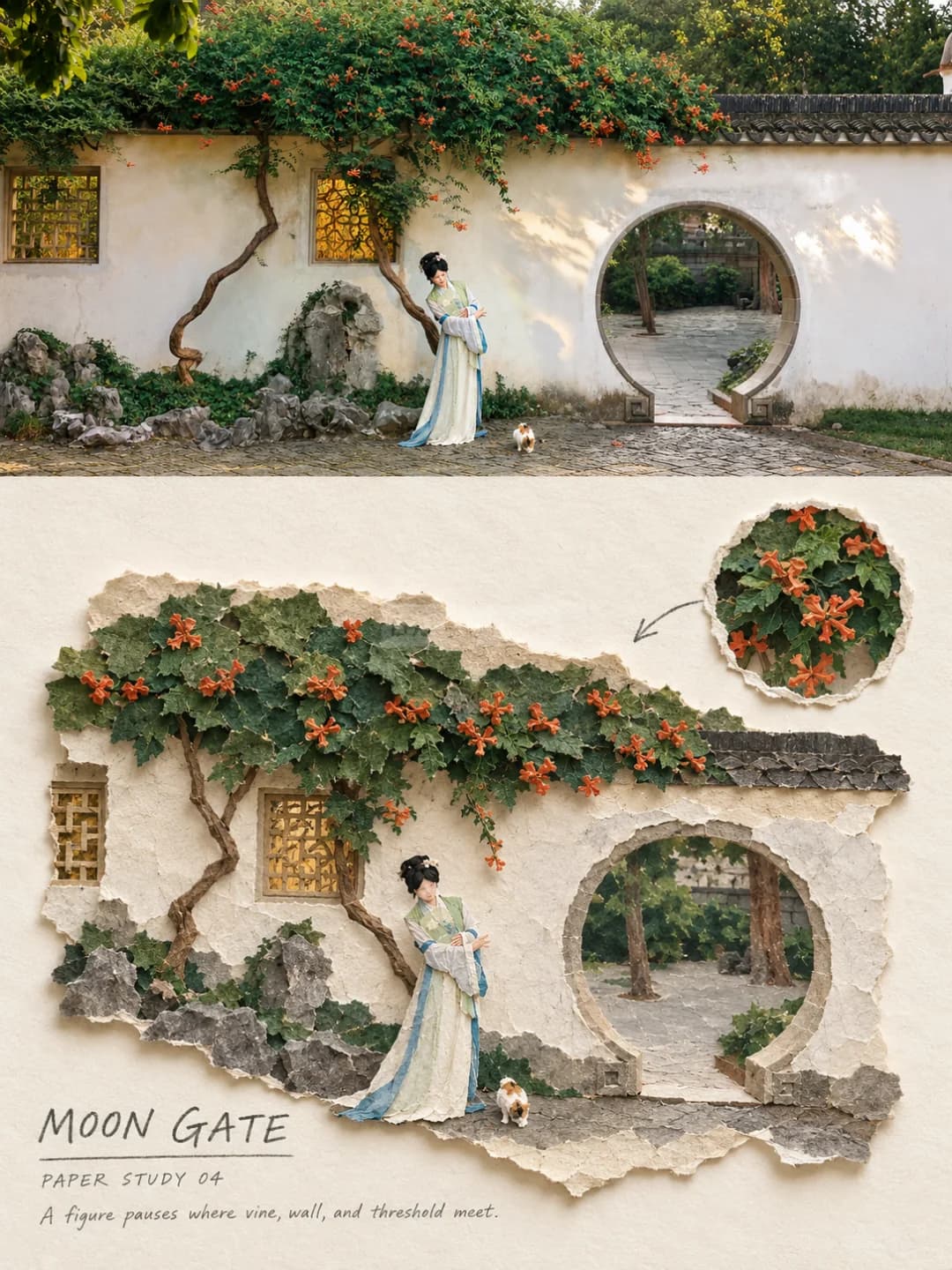
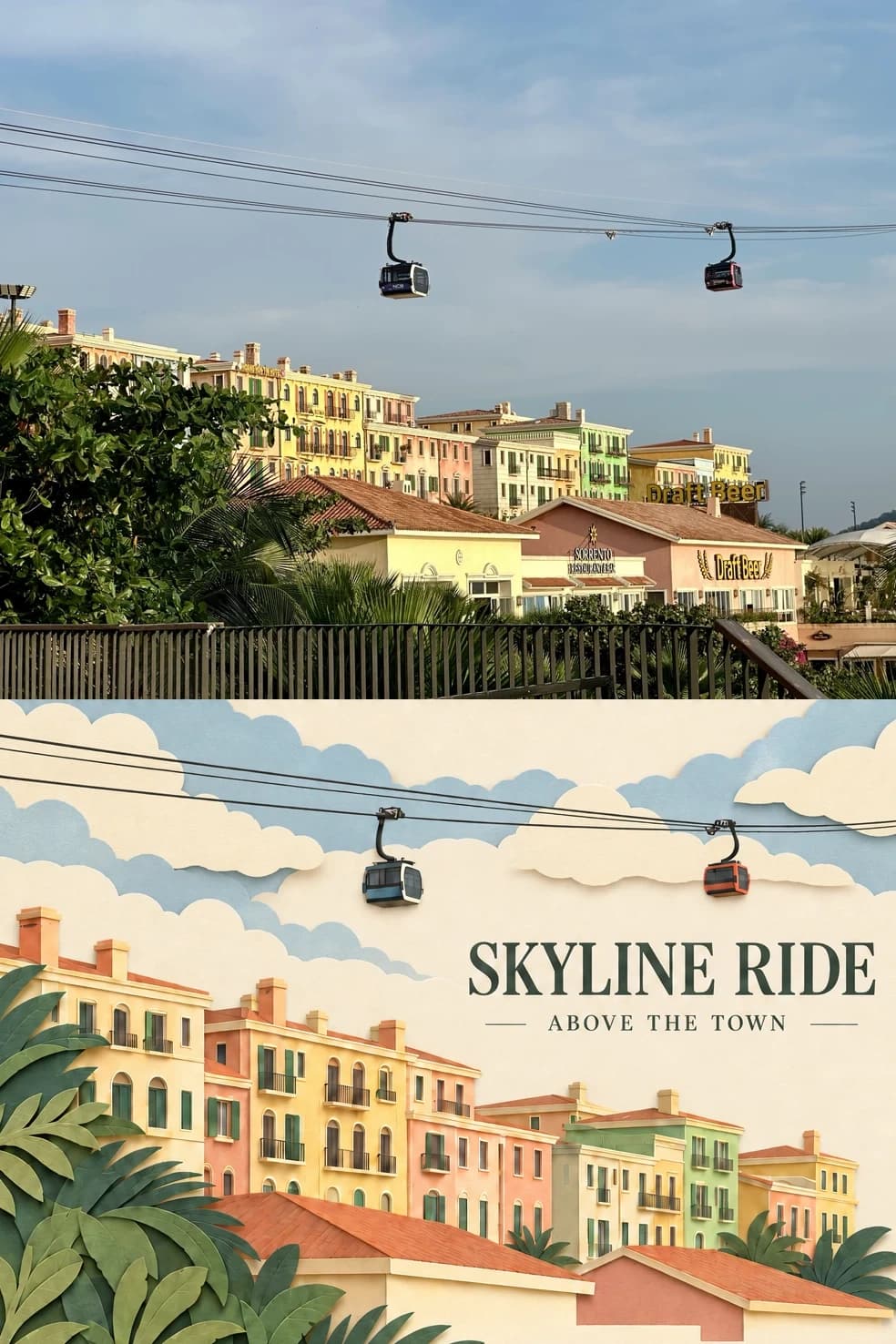
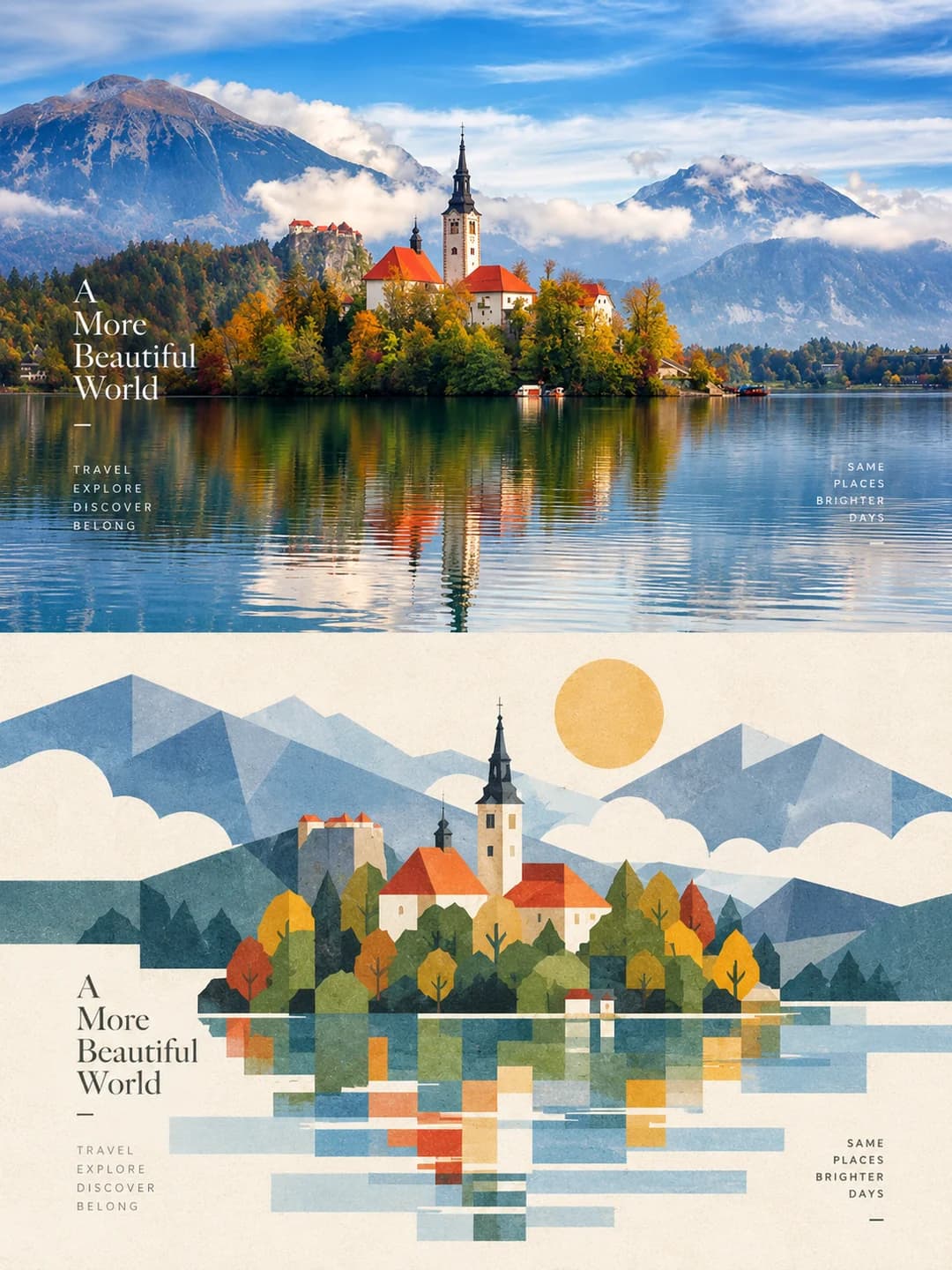
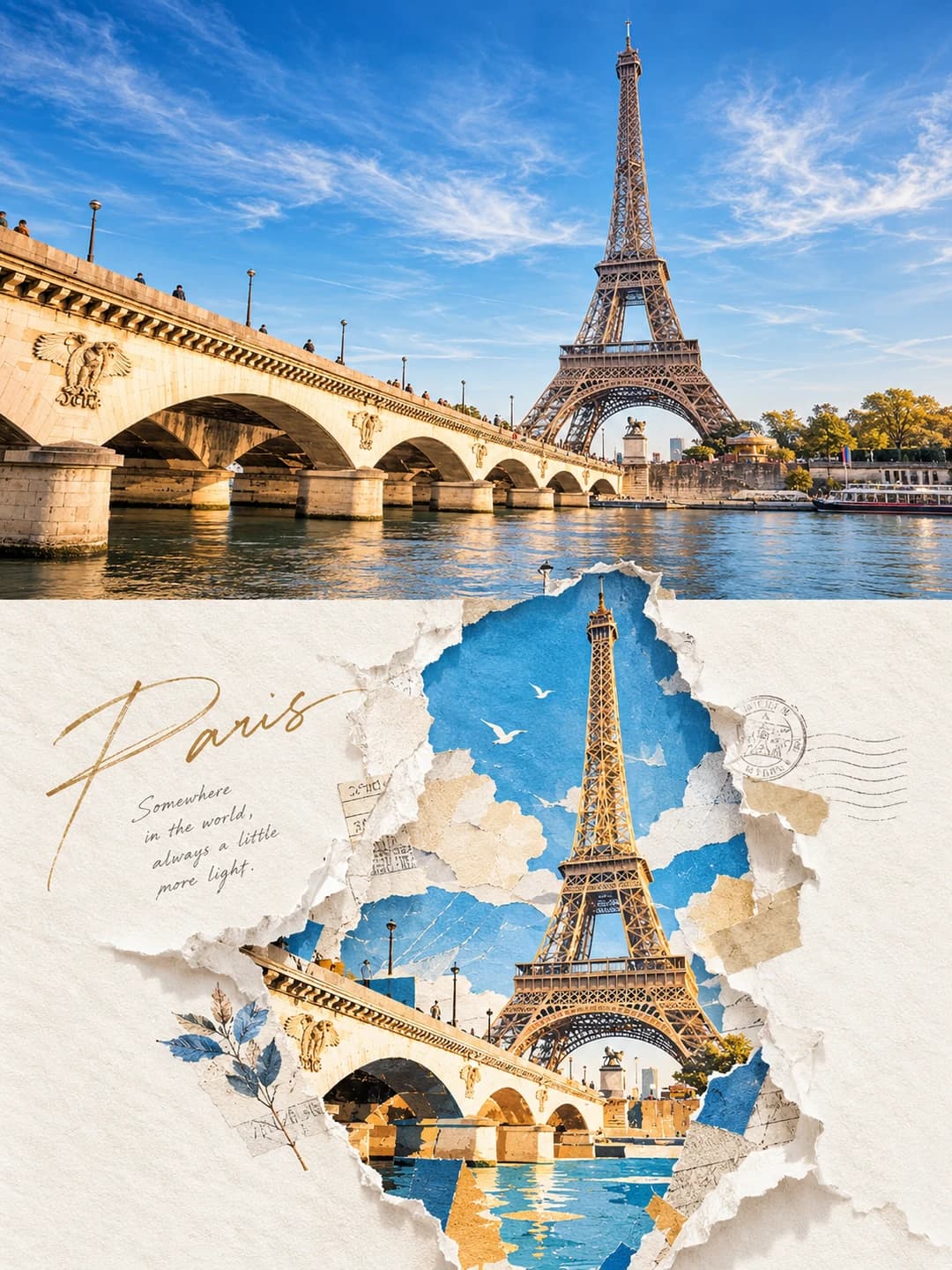
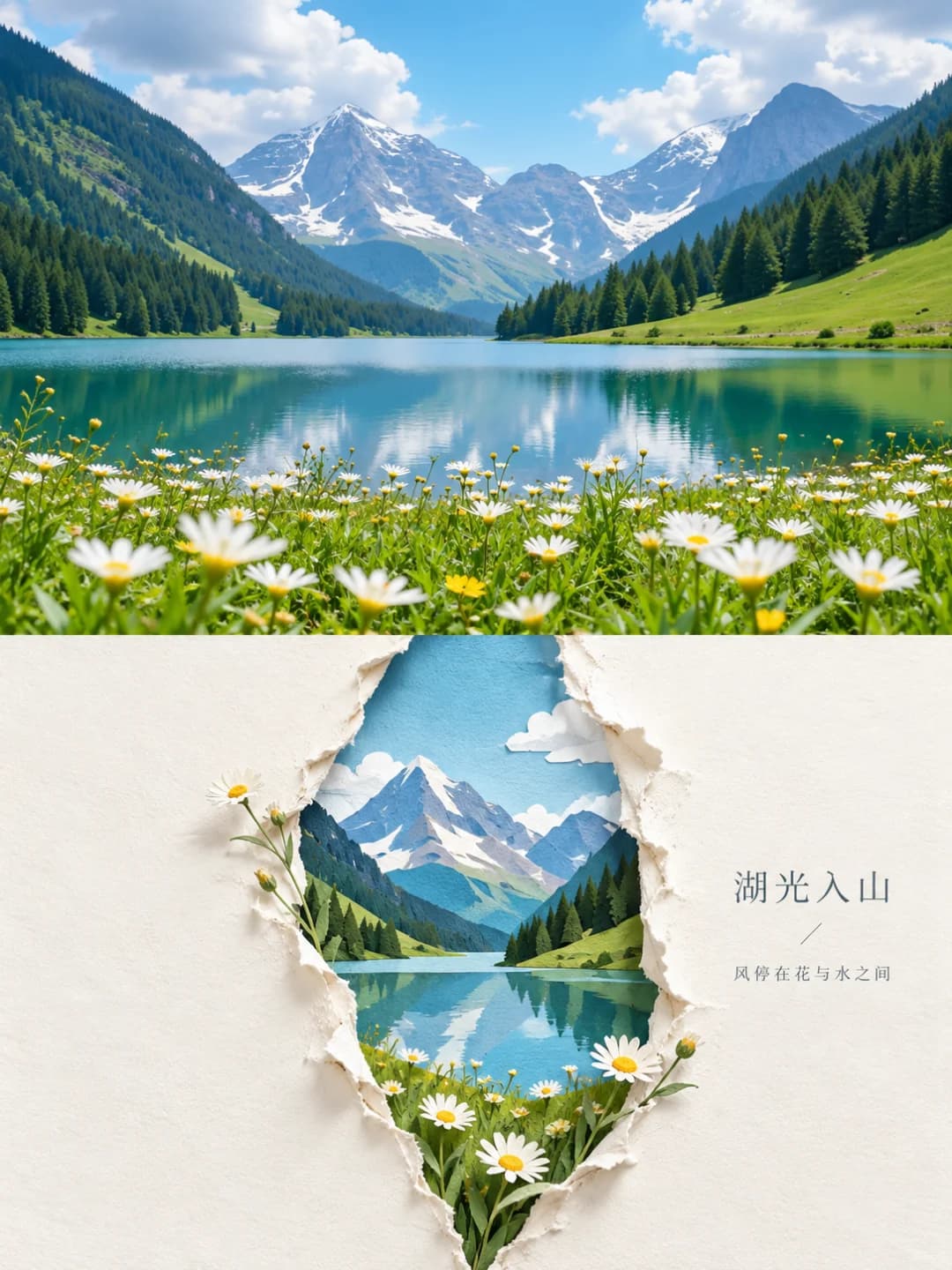
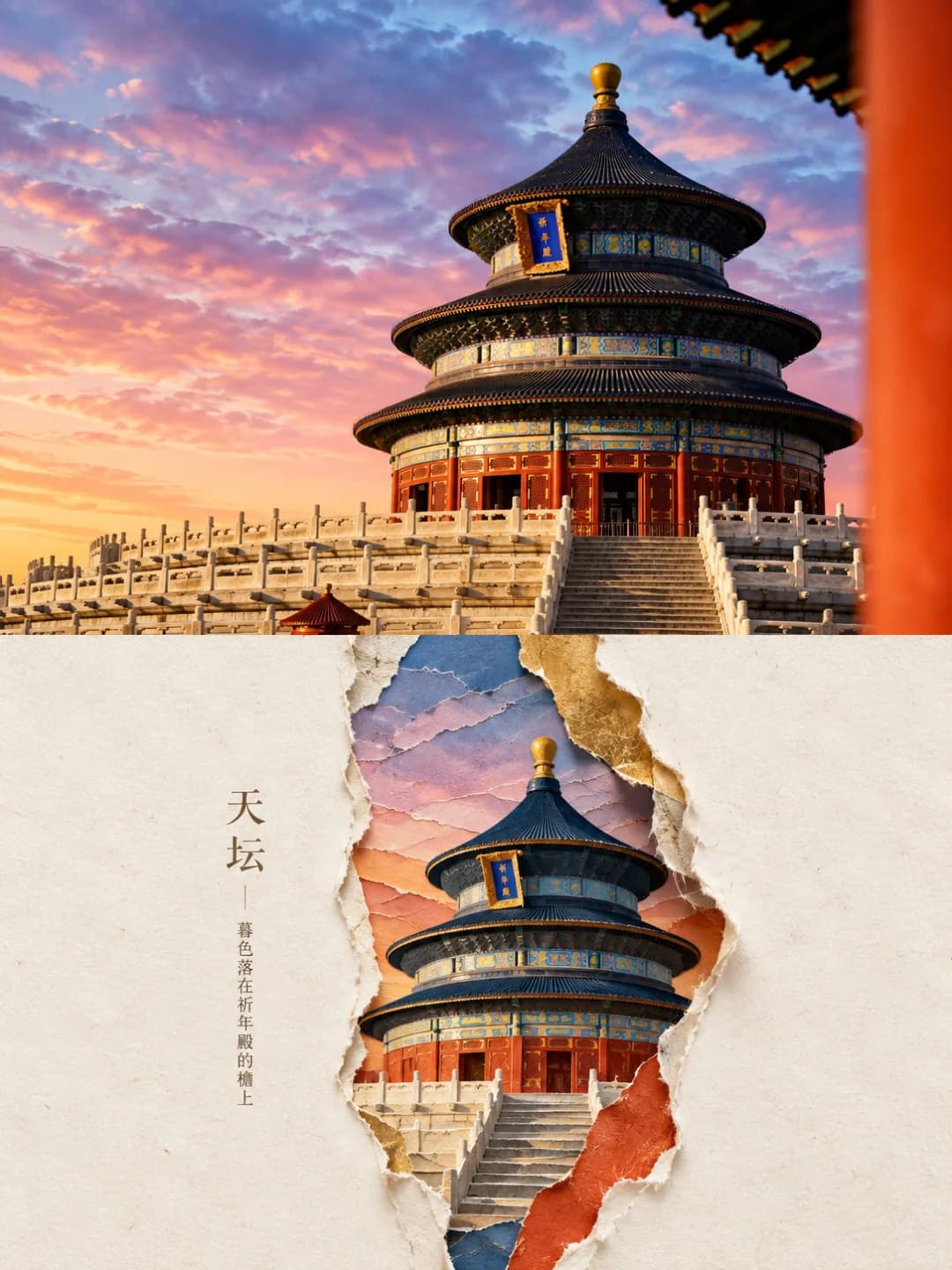
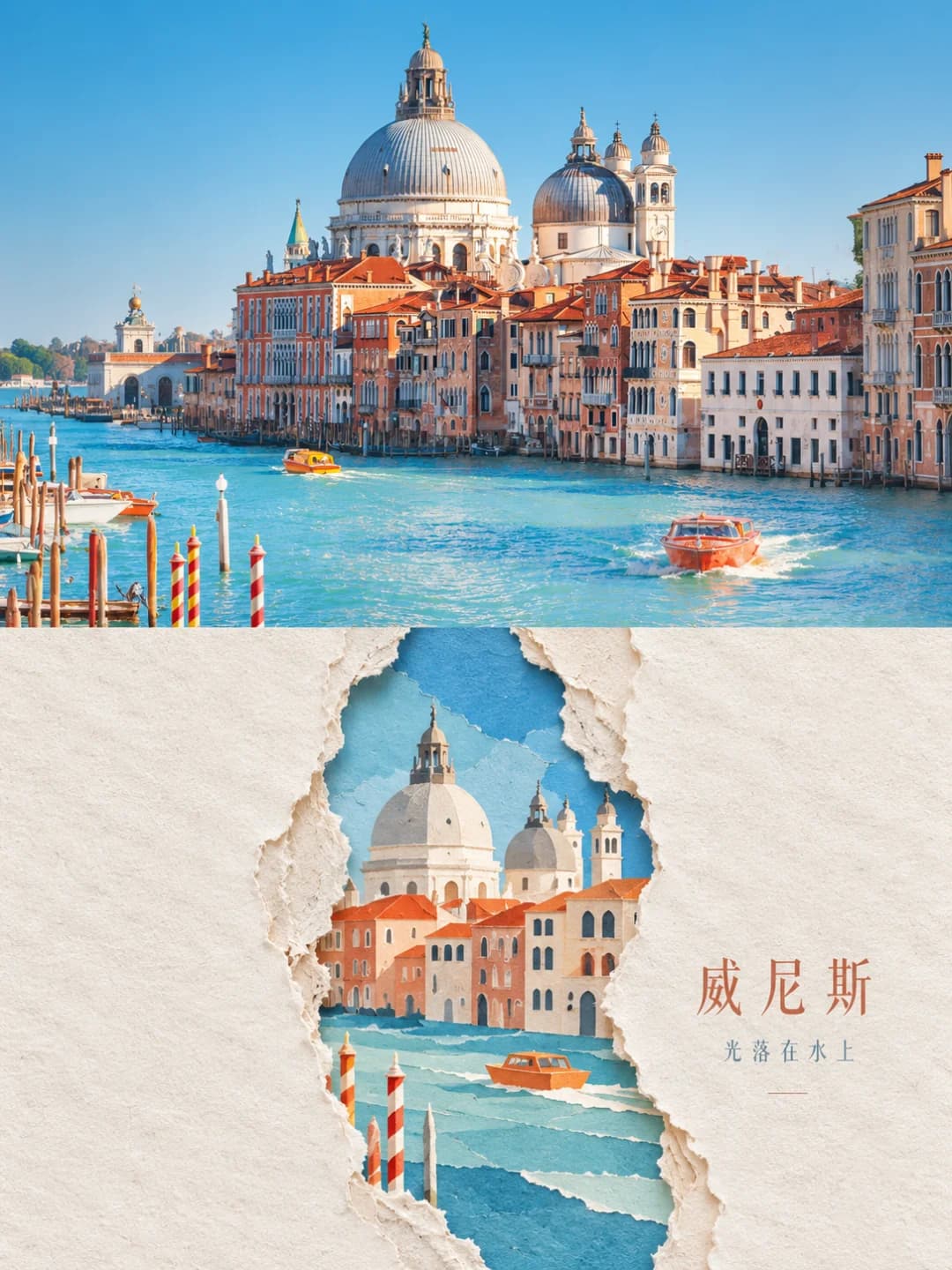
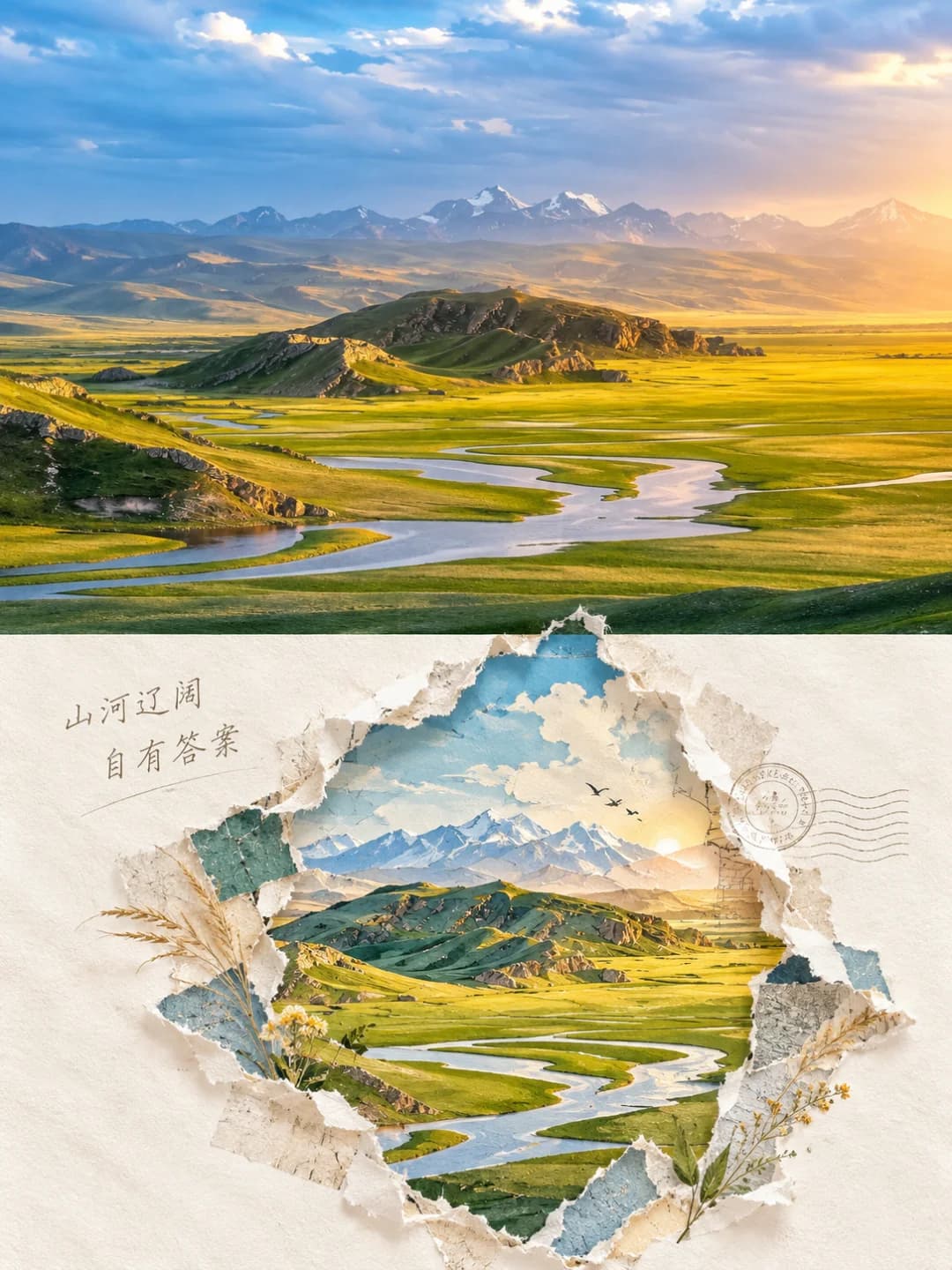
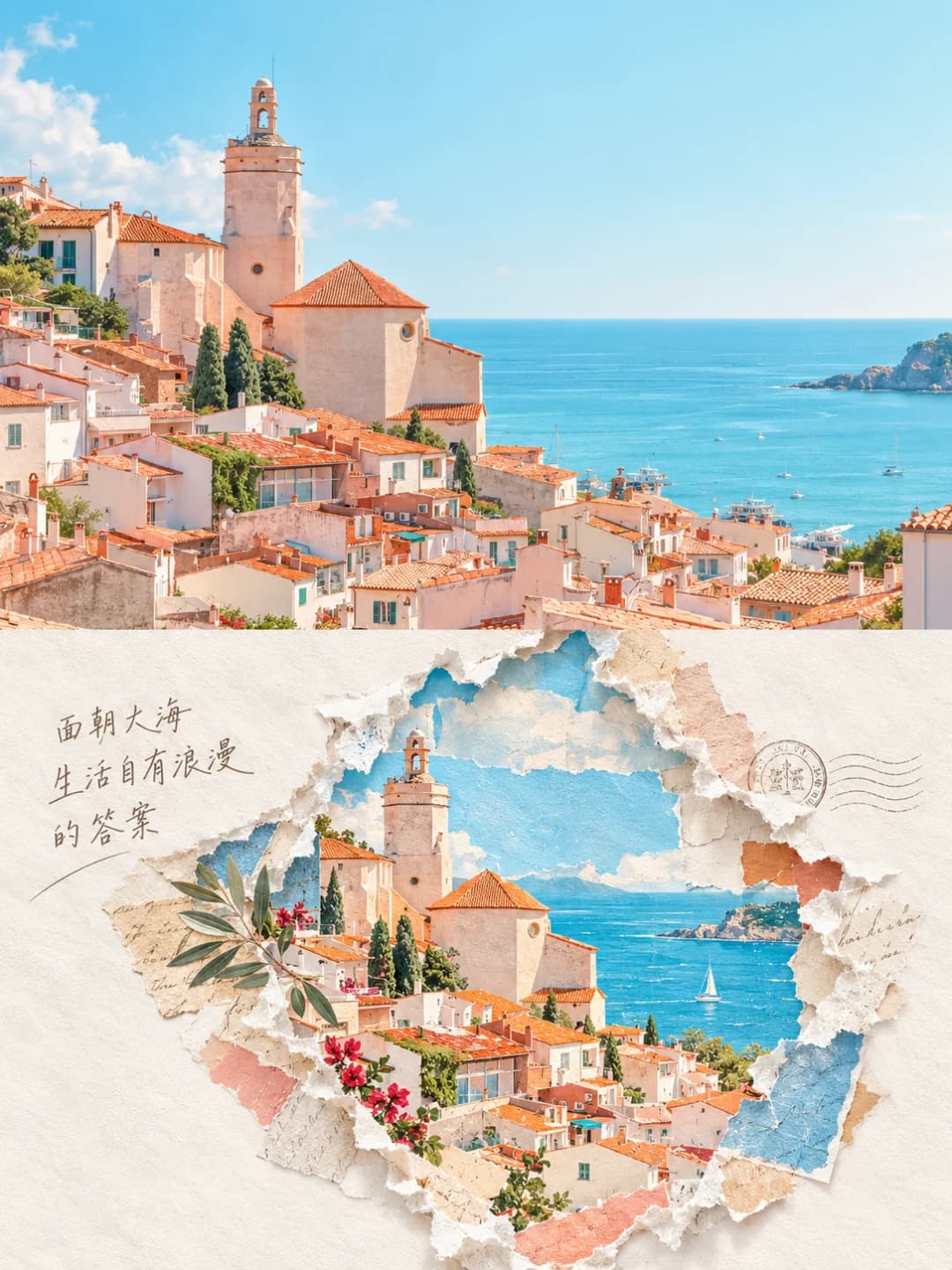
Upload a landscape travel photo and get back a 3:4 poster: the photo across the top half, and underneath a sheet of cream paper ripped open to reveal the same place, rebuilt from torn scraps and flat blocks of colour. A short line of text sits quietly in the white space beside the tear.
100 credits per image · about a minute · New accounts get 500 credits — 5 free images.
Try it with your own photo
New accounts get 500 credits — 5 free images.
Examples
Every image below was made with the prompt on this page.
What is a Torn Paper Reveal Poster?
A torn paper reveal poster is a 3:4 vertical frame split exactly in half. The top half is your photo with a light grade. The bottom half is mostly empty warm-white paper with one ragged tear through the middle, its edges showing fibre, curl and thickness. Through the tear you see the scene from your photo — not copied, but rebuilt from simplified outlines, geometric colour blocks and layered paper pieces, using two to four colours taken from the photo. A few elements, like a branch or a spire, may poke past the edge. A short caption sits in the margin; there is no headline stack.
Which photos work well?
Travel photos with one recognisable subject and a clear silhouette: a landmark tower or temple, a domed skyline over water, a snow peak above a lake, a hillside town by the sea, a winding river across grassland. Strong, simple colours give the best paper blocks.
Which photos struggle?
Portraits, crowds and busy street scenes. The tear only has room for a few key shapes, so a scene that depends on detail or many people comes back thin, and faces are reduced to paper shapes. It also wants a landscape-shaped photo; a tall portrait gets cropped hard to fill the top half.
How to turn a photo into a Torn Paper Reveal Poster
- 1
Pick an effect
Browse the samples on each tool page to see exactly what you will get before you spend anything.
- 2
Upload your photo
JPEG, PNG or WebP, up to 12 MB. Your photo stays private and is never used to train anything.
- 3
Add your own caption
Most effects let you set the text that appears in the final image, in any language.
- 4
Download the result
You get a high-resolution image, yours to use. 2K is 100 credits, 4K is 200.
The prompt behind this tool
This is the full prompt, translated into English. Copy it and use it with any image model that accepts a reference photo.
You are a senior graphic designer and digital collage artist. Using the photo I upload, create one premium 3:4 vertical design poster, as a single image.
Split the whole frame strictly into two zones, top and bottom, 50% each.
The top half faithfully keeps the original photo: preserve the subject's identity, pose, structure, real texture, natural light and original colour mood, with only a light, refined grade. The background may be extended naturally if needed, but never stretch, distort or change the subject.
The bottom half must not copy the photo. Instead, take the most recognisable outlines, poses, structures, colours and narrative relationships from the photo and redesign them as a centred torn-paper digital collage.
Put one vertical, irregular tear with real ragged paper edges in the middle of the frame, as the single core visual of the bottom half. Inside the tear, rebuild the subject from simplified outlines, geometric blocks of colour, layered paper pieces and abstract collage, so it is recognisable at a glance but clearly redesigned. Only a few key elements may break slightly past the edge of the tear.
Leave a great deal of empty space in the bottom half — less is better than more. Keep the paper mostly warm white, off-white and pale grey-white, and take two to four core colours from the photo above, brightened, purified and recombined.
Stress a real paper-craft feel: paper grain, fibres, ragged edges, curling, stacked thickness and soft shadows. The whole thing is a refined digital collage — no cartoon look, cheap 3D, slick vector feel or photo-filter look.

Add only a very small amount of text — a short Chinese word or phrase — placed quietly in the empty space or beside the tear, never a stack of commercial headlines.

The final result should have: an art-magazine feel, contemporary graphic design, a torn-paper reveal, geometric colour-block reconstruction, a huge amount of white space and real paper texture.
Strictly avoid: combining several images, redrawing the whole photo, keeping too much background, an overfilled bottom half, piled-up elements, a tear that doesn't stand out, a cartoon style, heavy 3D, a template look, and too much text.
Output the final 3:4 PNG directly, as one image, with no design notes or code.
Frequently asked questions
Will it change my photo?
- The top half is meant to stay your photo. The prompt asks the model to keep the subject's identity, pose, structure, texture, light and colour, apply only a light grade, and extend the background if it has to rather than stretch or distort anything.
Is the bottom half just my photo with a torn edge?
- No, and the prompt forbids that. The scene inside the tear is rebuilt from simplified outlines, flat colour blocks and layered paper scraps, so it reads as the same place at a glance but is clearly a redesign rather than a copy.
Why is so much of the poster empty paper?
- That is the design. The prompt asks for a huge amount of white space and says less is better than more; the tear is meant to be the only focal point in the lower half, with the paper around it warm white, off-white or pale grey.
Is the tear always a vertical slit?
- The prompt asks for a vertical, irregular tear in the middle. In practice it is sometimes a tall slit and sometimes a wider ragged opening, as in several of the creator's own examples; either way it stays centred and its edges show fibre, curl and thickness.
Can I choose the text?
- Yes, and it is the more reliable route. Type a short title and an optional small line and they are set exactly as given, with nothing else added. Leave them blank and the model writes its own short Chinese phrase to suit the scene.
What language can the text be in?
- Any. A blank field gives a short Chinese phrase, because that is what the original prompt asks for, but a supplied string is written as given — the Paris sample uses English. Keep it short; this look is built around a few quiet words.
Where do the colours come from?
- From your photo. The prompt takes two to four core colours from the top half, brightens and purifies them, and uses them for the paper pieces inside the tear, against a mostly warm-white sheet.
What size do I get, and what happens to my photo?
- A 3:4 vertical poster: 2K (1792 × 2400) for 100 credits or 4K for 200, usually in 60 to 90 seconds. Your photo is stored privately for the generator, deleted on a schedule and never used for training. You can't swap in your own prompt, but the full prompt is on this page.