Geometric Collage Poster
Your photo on top, the same subject rebuilt below from a few large flat shapes
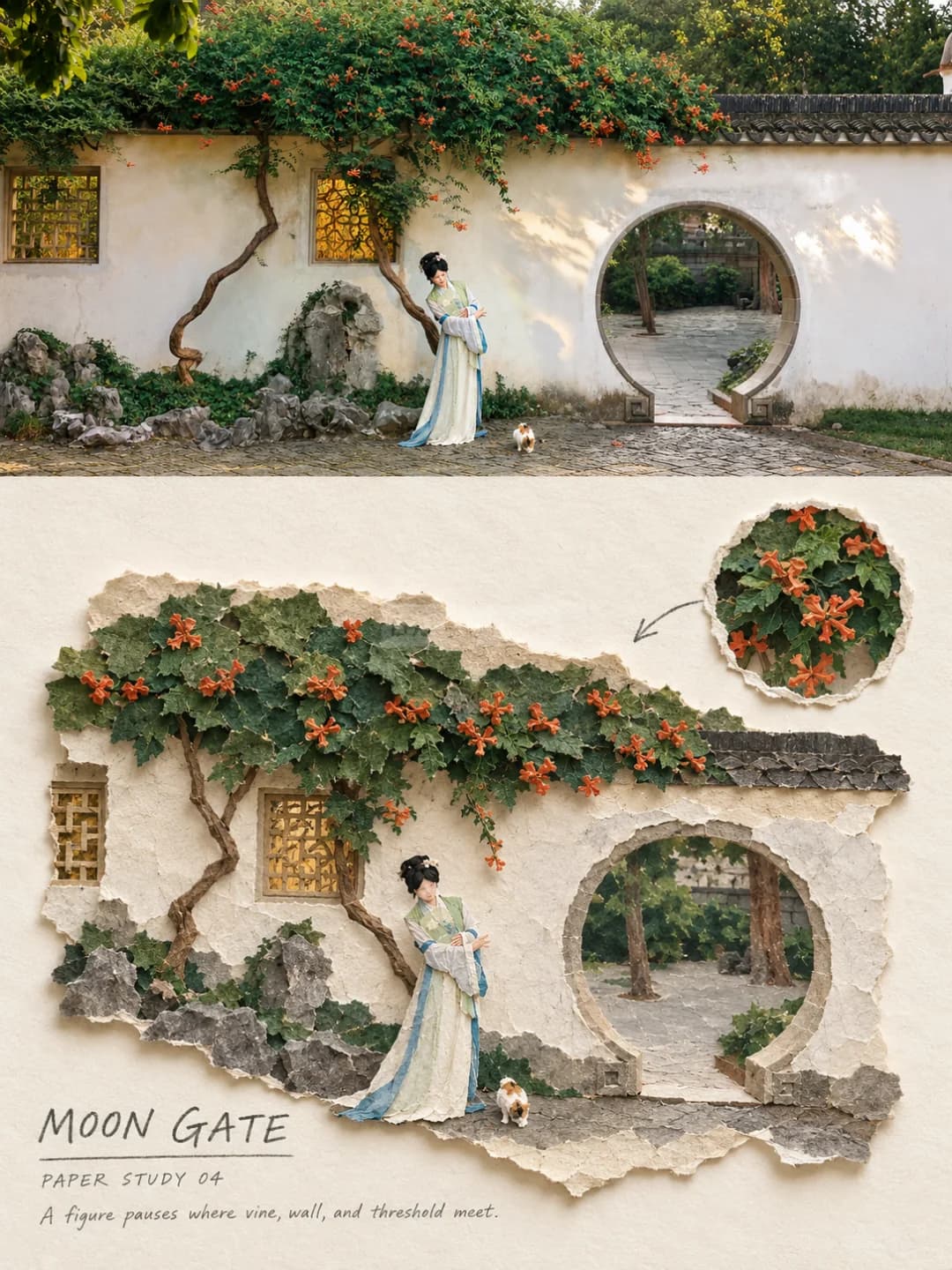
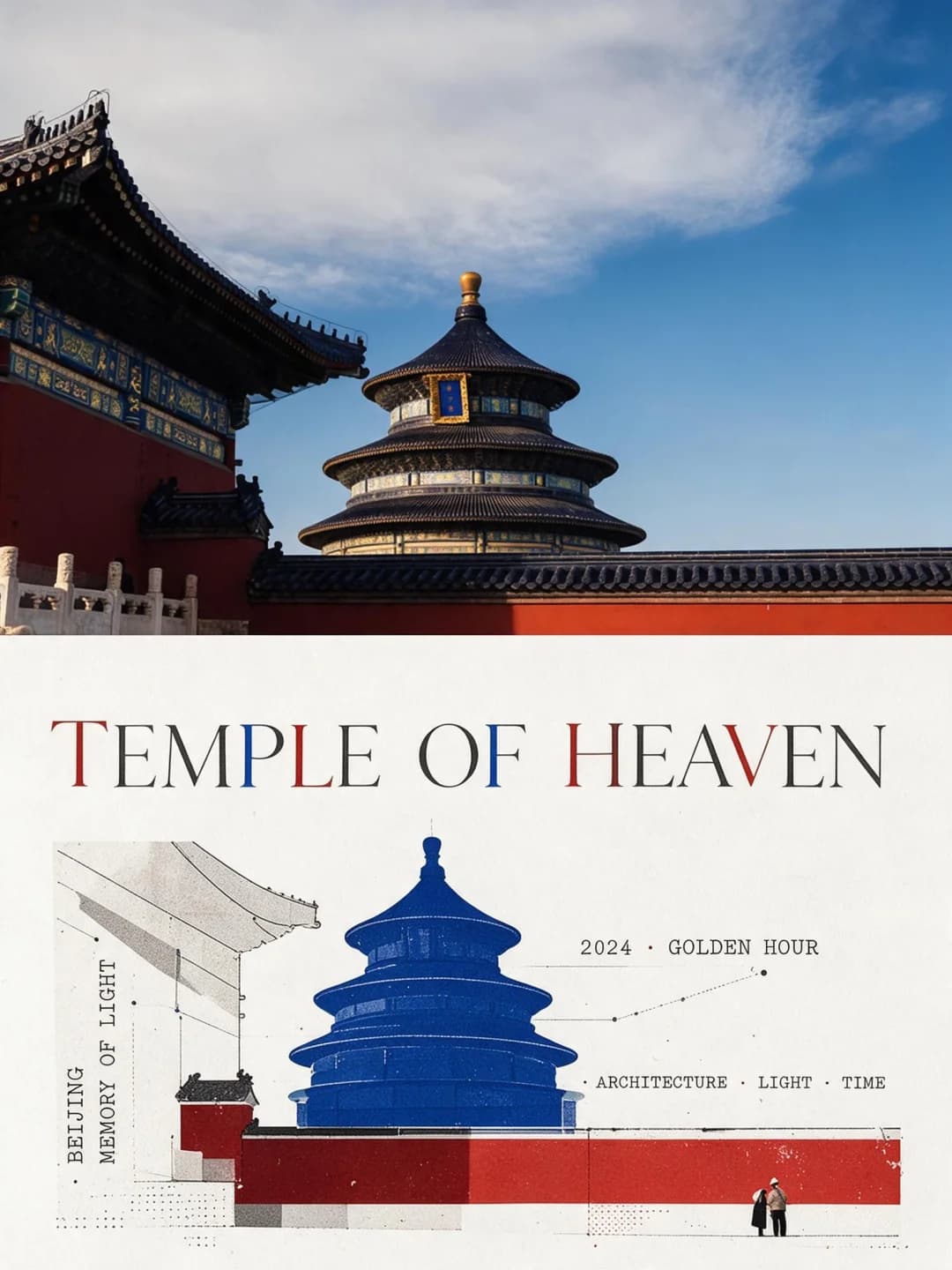
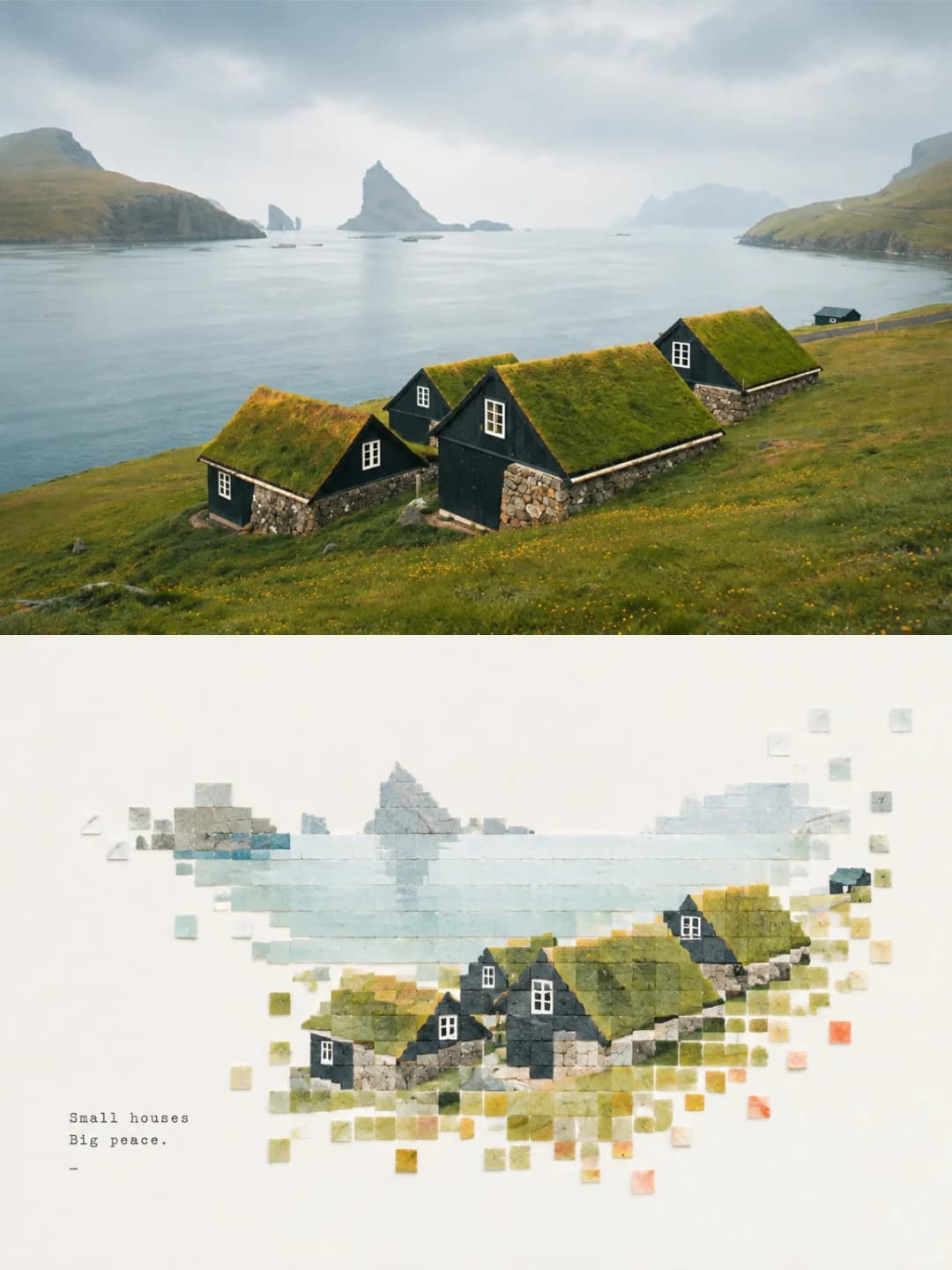
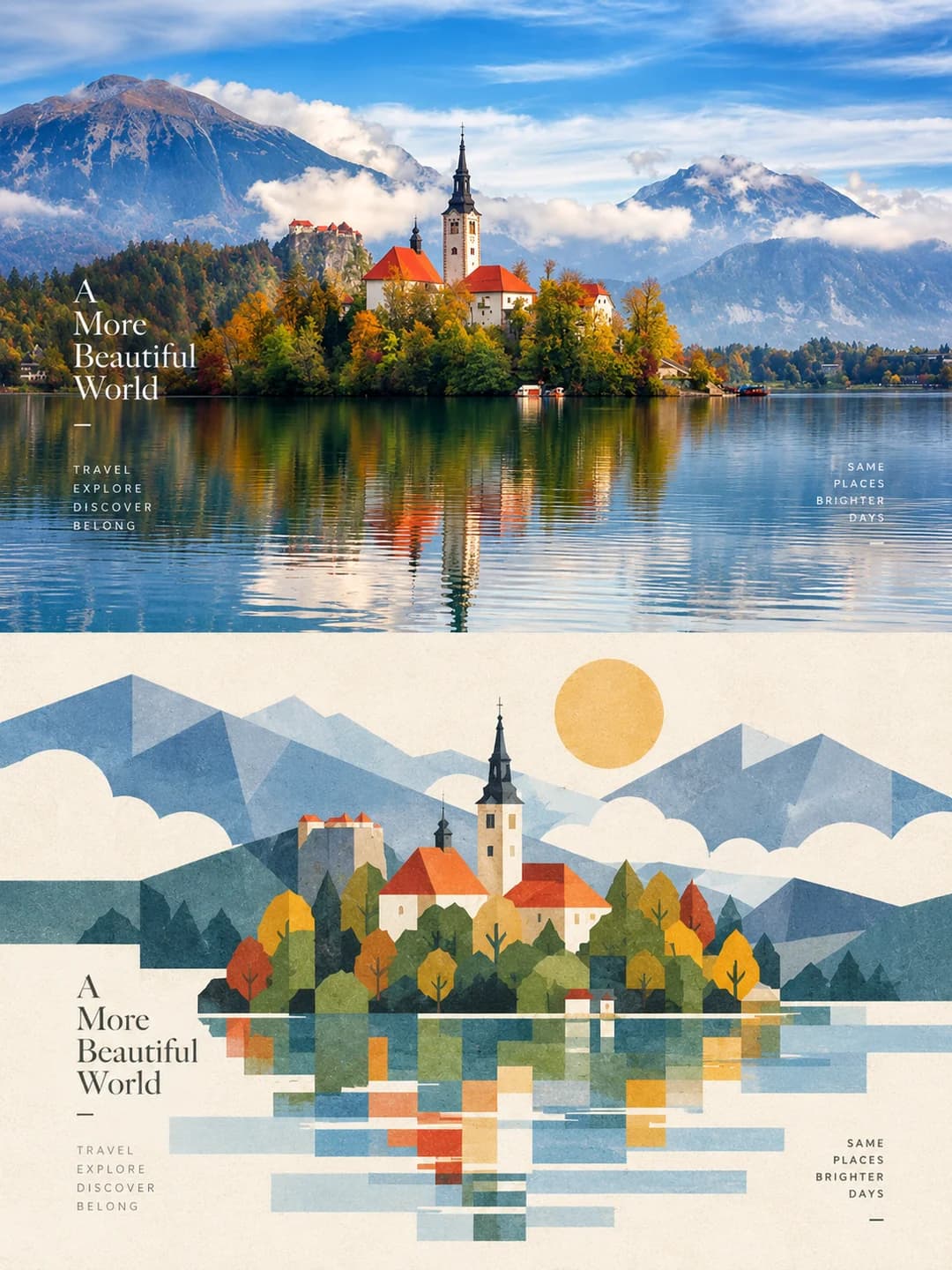
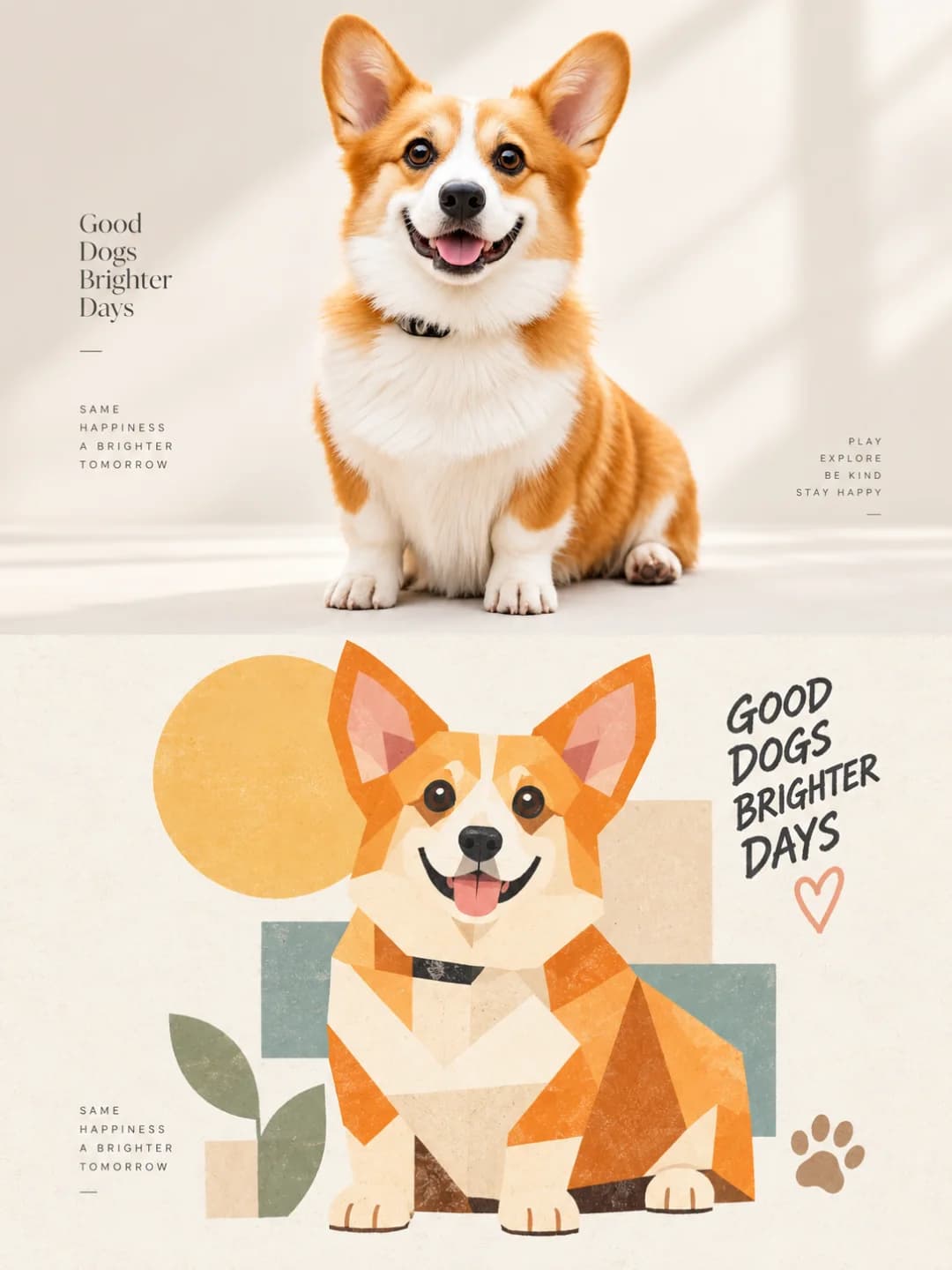
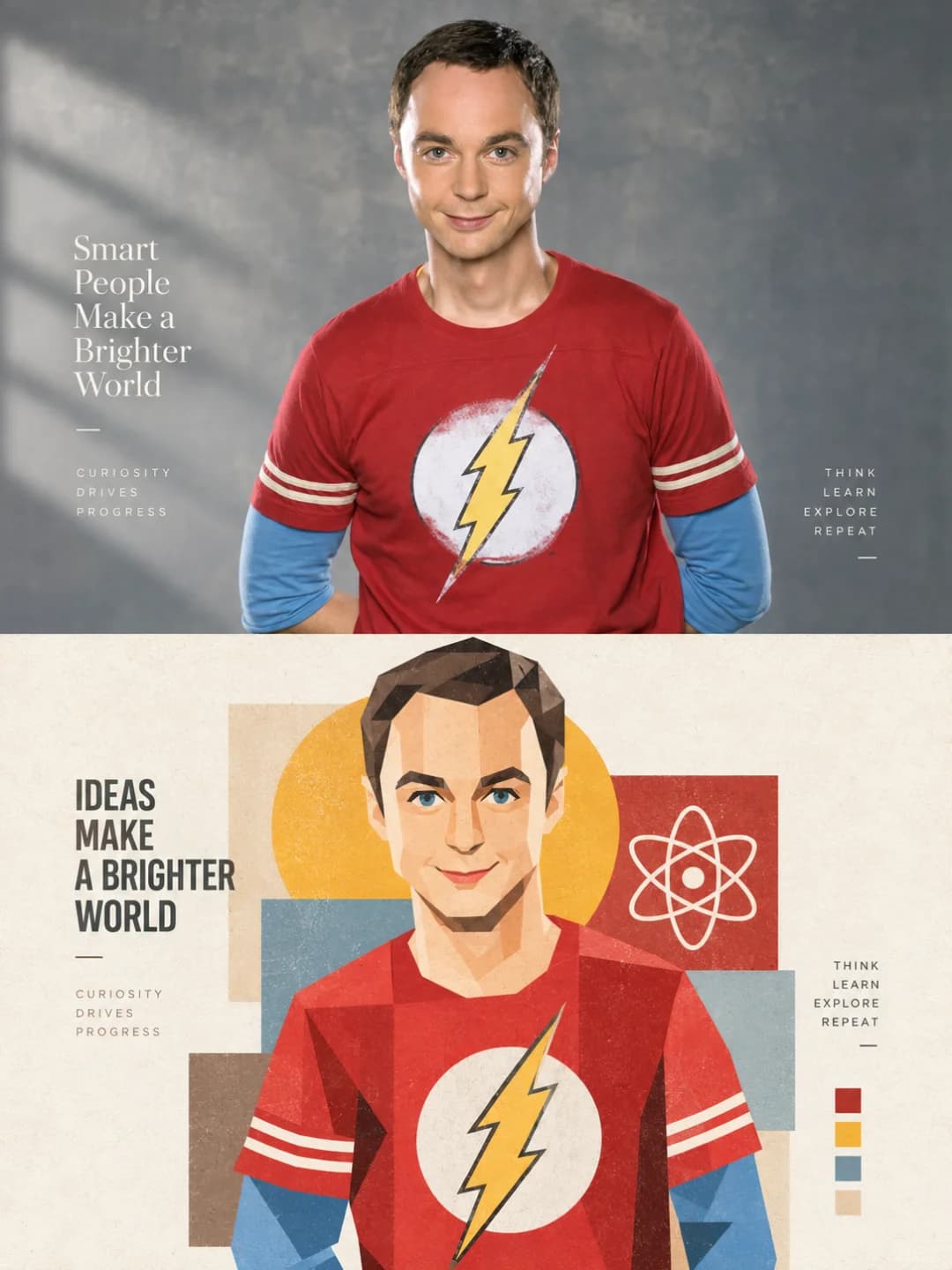
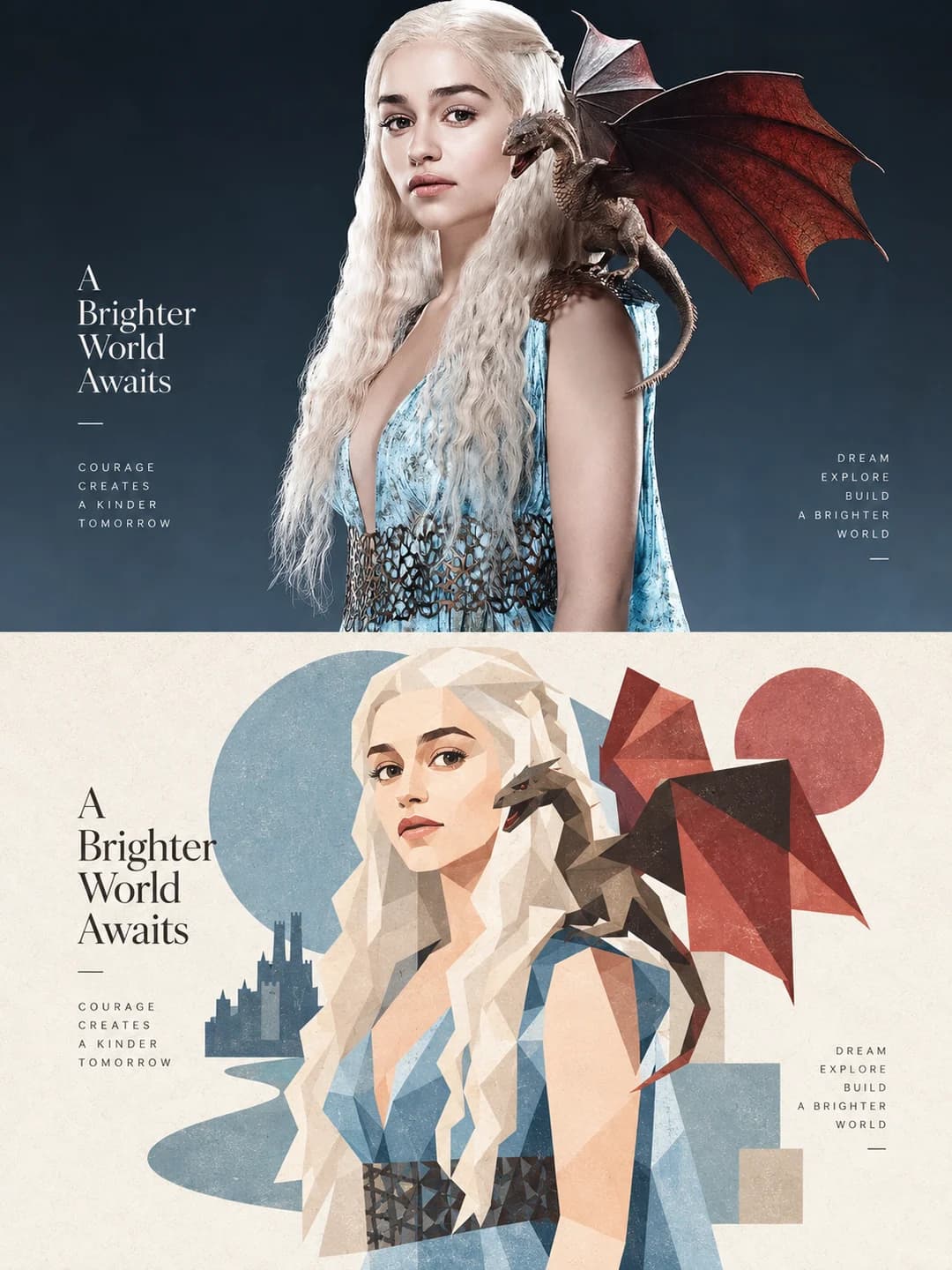
Upload a photo and get back a 3:4 poster: your photograph across the top, the same subject redesigned underneath as modernist geometric collage — a handful of big rectangles, circles and triangles in a soft palette pulled from your own image.
100 credits per image · about a minute · New accounts get 500 credits — 5 free images.
Try it with your own photo
New accounts get 500 credits — 5 free images.
Examples
Every image below was made with the prompt on this page.
What is a Geometric Collage Poster?
A geometric collage poster splits a 3:4 frame into two halves of exactly equal height. The top half is your photograph, preserved in subject, posture, proportion, clothing and setting, with only restrained grading. The bottom half redesigns the same subject as modernist geometric deconstruction and paper collage: a small number of large, whole shapes — rectangles, circles, rounded squares, triangles, ellipses — overlapped for rhythm rather than chopped into fragments. The background is deleted down to one to three identifying elements, the palette is two to four colours taken from your photo, and a short headline sits in the white space.
Which photos work well?
Unusually broad for this set. Landscapes and architecture work, but so do portraits and pets — because the lower half rebuilds from a few large planes rather than many small ones, a face or an animal keeps its structure. Subjects with a clear silhouette against a simple background come back strongest.
Which photos struggle?
Scenes whose interest is fine detail or density: crowds, dense foliage, intricate patterns, busy interiors. The prompt deletes the background down to one to three elements and explicitly forbids chopping the subject into many small colour fragments, so a photo that is all texture has almost nothing left to rebuild from.
How to turn a photo into a Geometric Collage Poster
- 1
Pick an effect
Browse the samples on each tool page to see exactly what you will get before you spend anything.
- 2
Upload your photo
JPEG, PNG or WebP, up to 12 MB. Your photo stays private and is never used to train anything.
- 3
Add your own caption
Most effects let you set the text that appears in the final image, in any language.
- 4
Download the result
You get a high-resolution image, yours to use. 2K is 100 credits, 4K is 200.
The prompt behind this tool
This is the full prompt, translated into English. Copy it and use it with any image model that accepts a reference photo.
From the single photograph I upload, create one high-end art design poster in a vertical 3:4 format. Each photo produces its own separate piece; never collage several images together. Divide the frame horizontally into two zones of strictly equal height, 50% each, setting up a visual contrast between "real image × geometric artistic reconstruction".

Top zone — the real image
Work from the original photograph as the only source. Preserve as completely as possible the subject, the identifying features, the posture, the proportions, the clothing, the architectural structure, the animal's form, the relationships between objects and the character of the setting. Do not redesign the subject and do not casually add or remove important elements. Keep the quality of real photography, the natural light and the original colour mood, applying only restrained high-end grading so the image carries the feel of an art magazine, travel photography or an exhibition print. The edges of the scene may be extended naturally to suit the 3:4 composition, but stretching, distorting, replacing or reshaping the subject is forbidden.

Bottom zone — geometric visual echo
Take the most recognisable contours, posture, structure and visual hooks from the photograph above and redesign them as modernist geometric deconstruction plus paper-collage illustration. Do not reproduce the photograph realistically, and do not let it become ordinary cartoon or vector illustration. Instead, rebuild the subject from a small number of large, whole shapes — rectangles, circles, rounded squares, triangles, ellipses and irregular geometric blocks. Emphasise blockiness, modularity, overlapping shapes, the relationship between positive and negative form, and visual rhythm. Avoid chopping the subject into many small fragments of colour.

Delete the complicated background and keep only one to three key elements that help identify the original scene. Keep the subject at a moderate scale with a large amount of clean white space around it. It may sit off-centre according to the original's centre of gravity, be partly cropped, or be arranged out of alignment, so the lower zone reads as an independent art poster rather than a filter over the photograph.

Material and colour
Use flat fields of colour, paper collage, a light printmaking grain and a high-end print texture, with edges that carry a slight natural handmade quality. Avoid smooth vector, 3D, plastic texture and over-retouching. Extract two to four core colours from the original photograph and build a unified colour system from them, lifted and purified a little, favouring soft modern tones — cream white, warm beige, misty blue, grey-green, coral orange, warm brown, soft violet. Colour should be clear but never harsh; avoid dirty greys, dark browns, fluorescents and cheap candy colours.

Typography
Type is not the subject. By default add just one short English headline plus one group of very small supporting text. Do not repeat the headline and do not write long passages of copy. Set it in a refined magazine-style serif or a minimal sans serif, keeping it away from the subject and using the white space to position it.

The final result: real photography × geometric visual echo, large-plane deconstruction, restrained collage, soft high-end colour, paper grain, generous white space, modern editorial design and the quality of an art magazine cover. The two halves must clearly correspond, while telling the same picture in two completely different visual languages.
Frequently asked questions
Will it change the people or the subject in my photo?
- Not in the top half. The prompt lists identity, posture, proportions, clothing, architectural structure and animal form as things to preserve as completely as possible, and forbids stretching, distorting, replacing or reshaping the subject. The lower half is a redesign by definition — the subject is rebuilt from large flat shapes there.
Can I choose the headline?
- Yes, and it is the more reliable path. Type your own headline and supporting line and the model sets them exactly as written, once. Leave them blank and it writes its own short English headline from the scene, which is a coin toss on wording.
What language can the headline be in?
- Any — the model sets whatever string you hand it, although the prompt's default when you leave it blank is English. The style suits short lines: three or four words for the headline, a few small words for the supporting group.
Does this work on faces?
- Better than most effects in this set. Because the lower half rebuilds from a few large planes rather than many small fragments, a face keeps its structure and stays recognisable. Expect a likeness in the spirit of a low-poly portrait, not a photographic one.
Where do the colours come from?
- From your photo. The prompt extracts two to four core colours from the original and builds one unified system from them, lifted and purified towards soft modern tones — cream, warm beige, misty blue, grey-green, coral. It explicitly rules out dirty greys, dark browns, fluorescents and candy colours.
What size do I get?
- 2K is 1792 × 2400 pixels: sharp at about 6 × 8 in (15 × 20 cm) and fine on a wall at about 12 × 16 in (30 × 40 cm). 4K doubles that and costs 200 credits instead of 100.
Can I use my own prompt instead?
- Not in this tool — it runs one fixed prompt. The full text is published on this page, so you can copy it and run your own variations anywhere that accepts image prompts.
What happens to my photo?
- It is stored privately so the generator can read it, and deleted on a schedule. It is never made public, never shown to other users, and never used to train a model.