Palette Knife Painting Poster
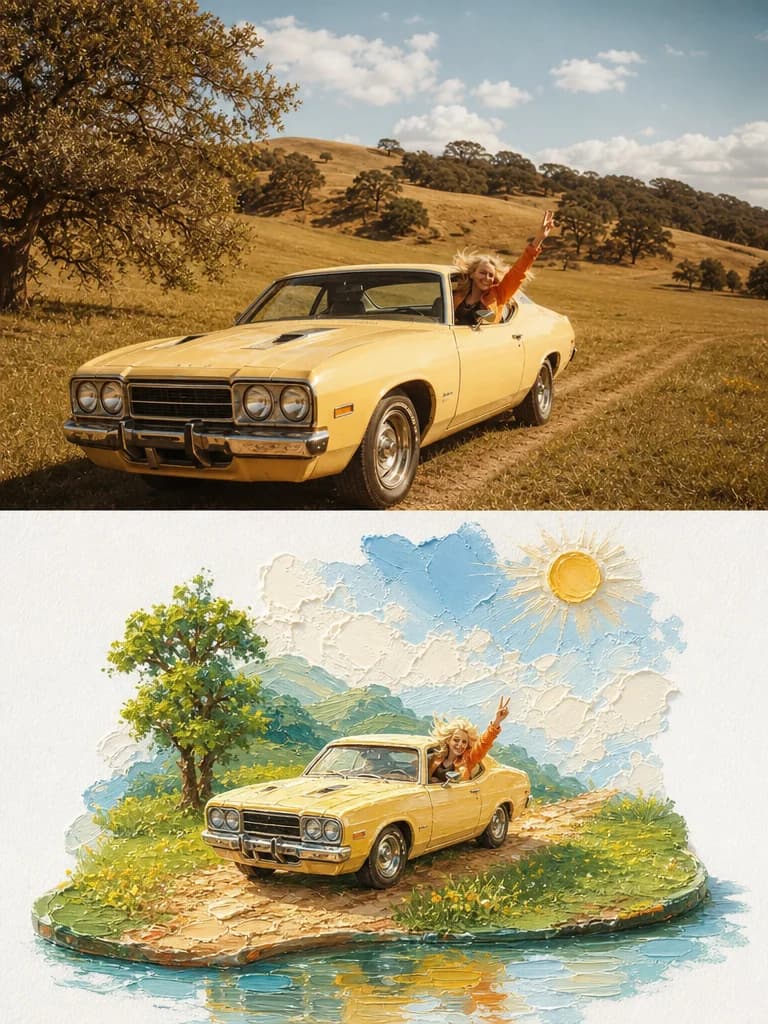
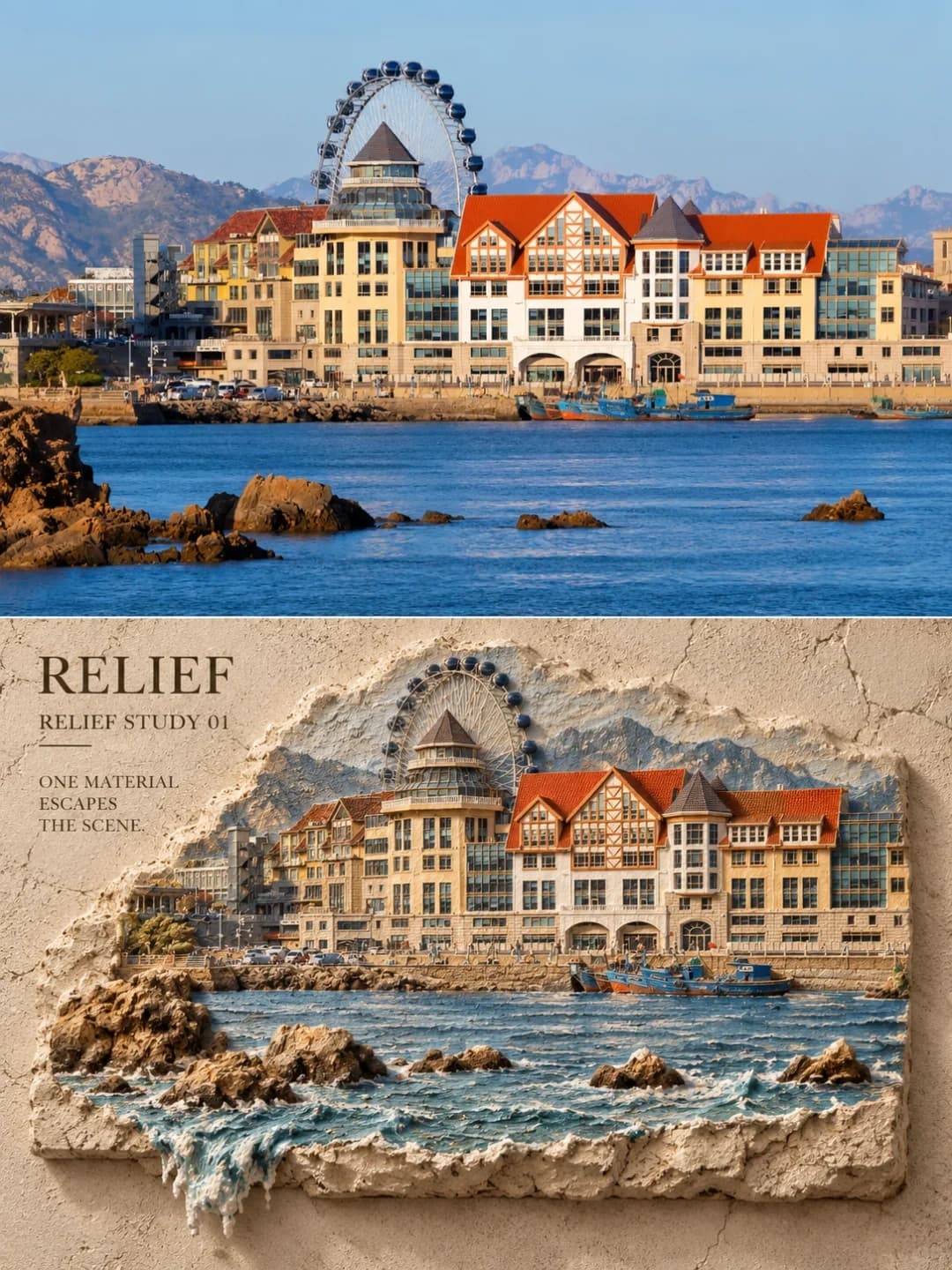
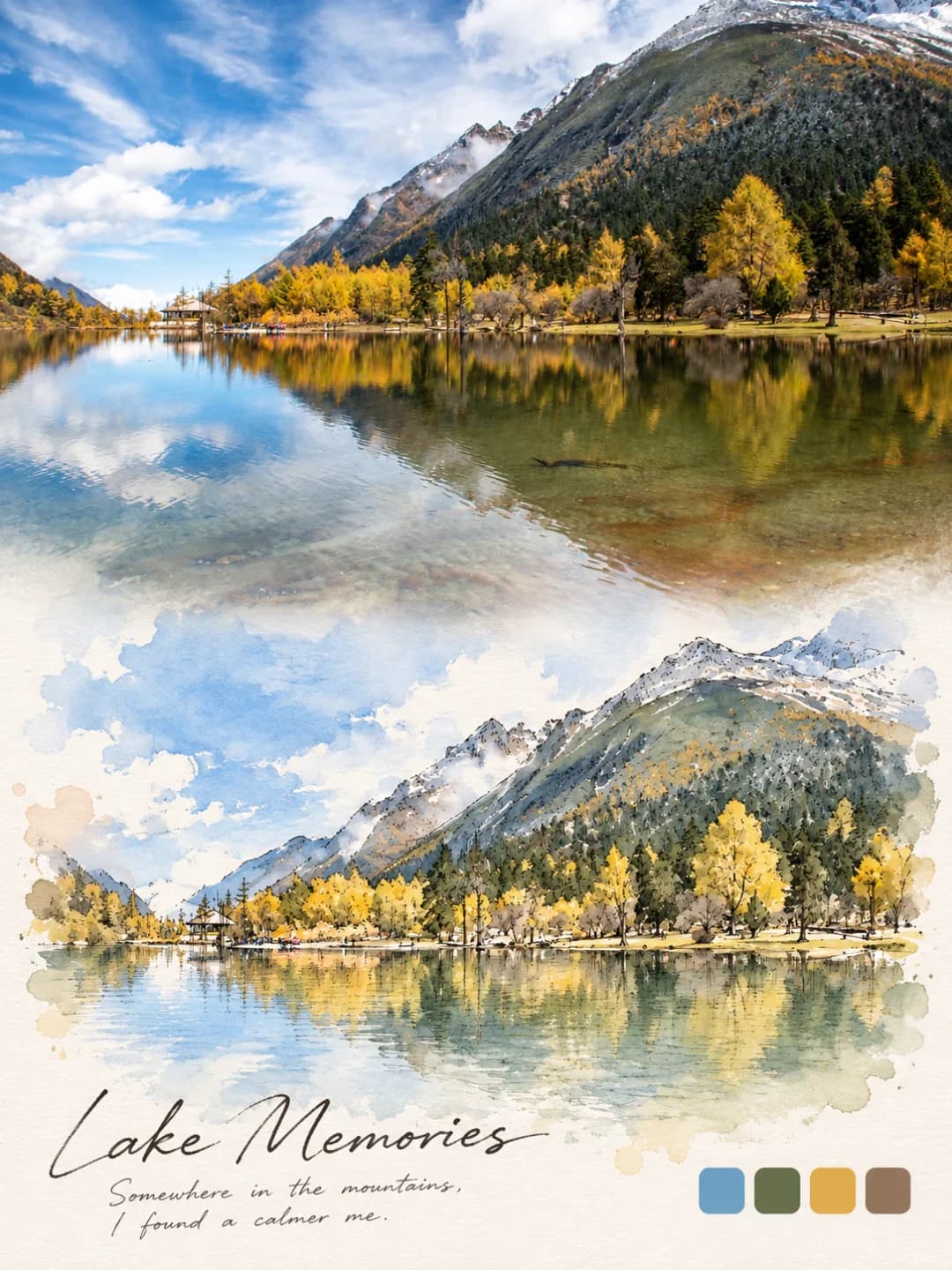
Your photo above, and below it the same moment sculpted in thick oil paint
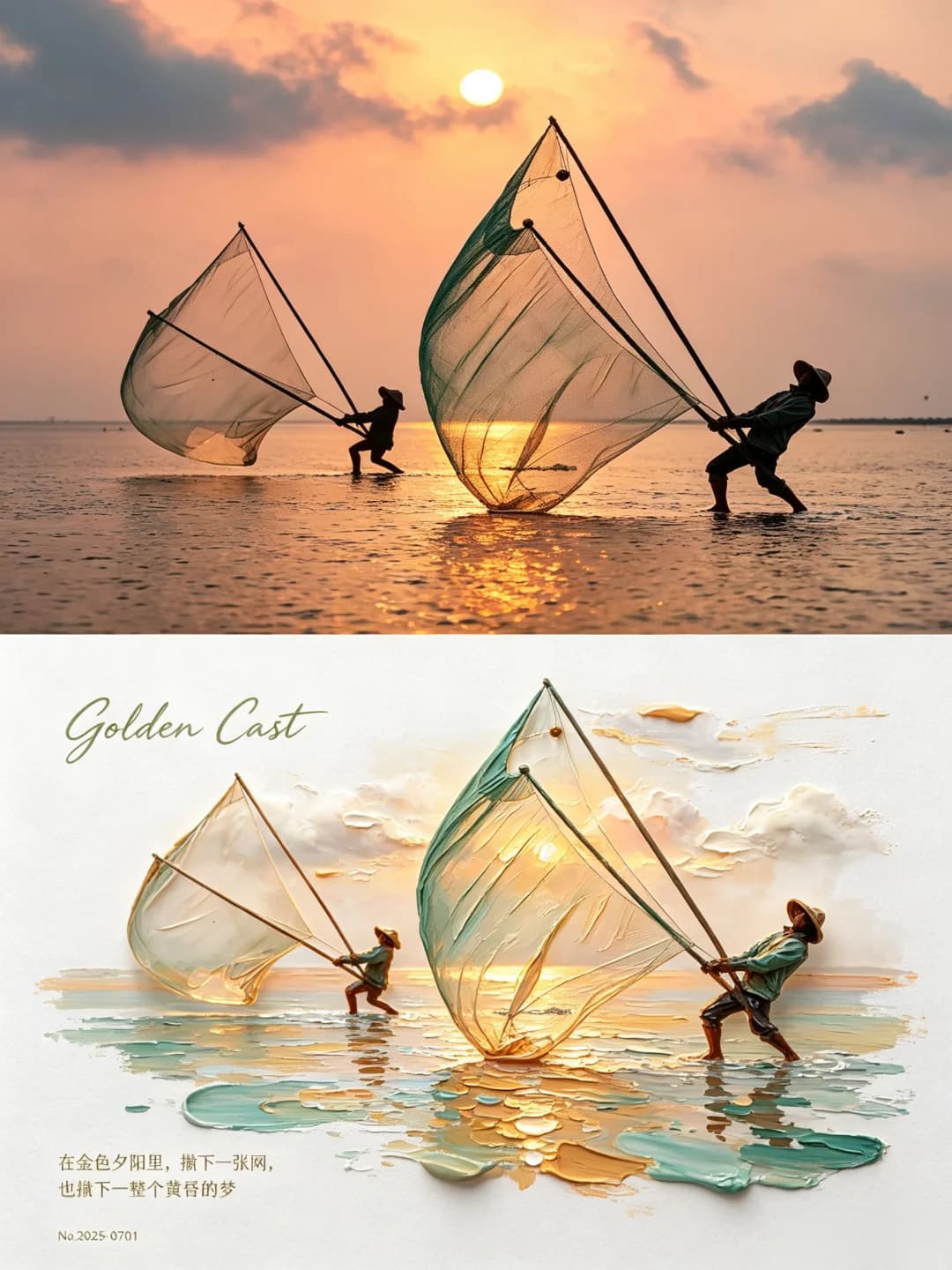
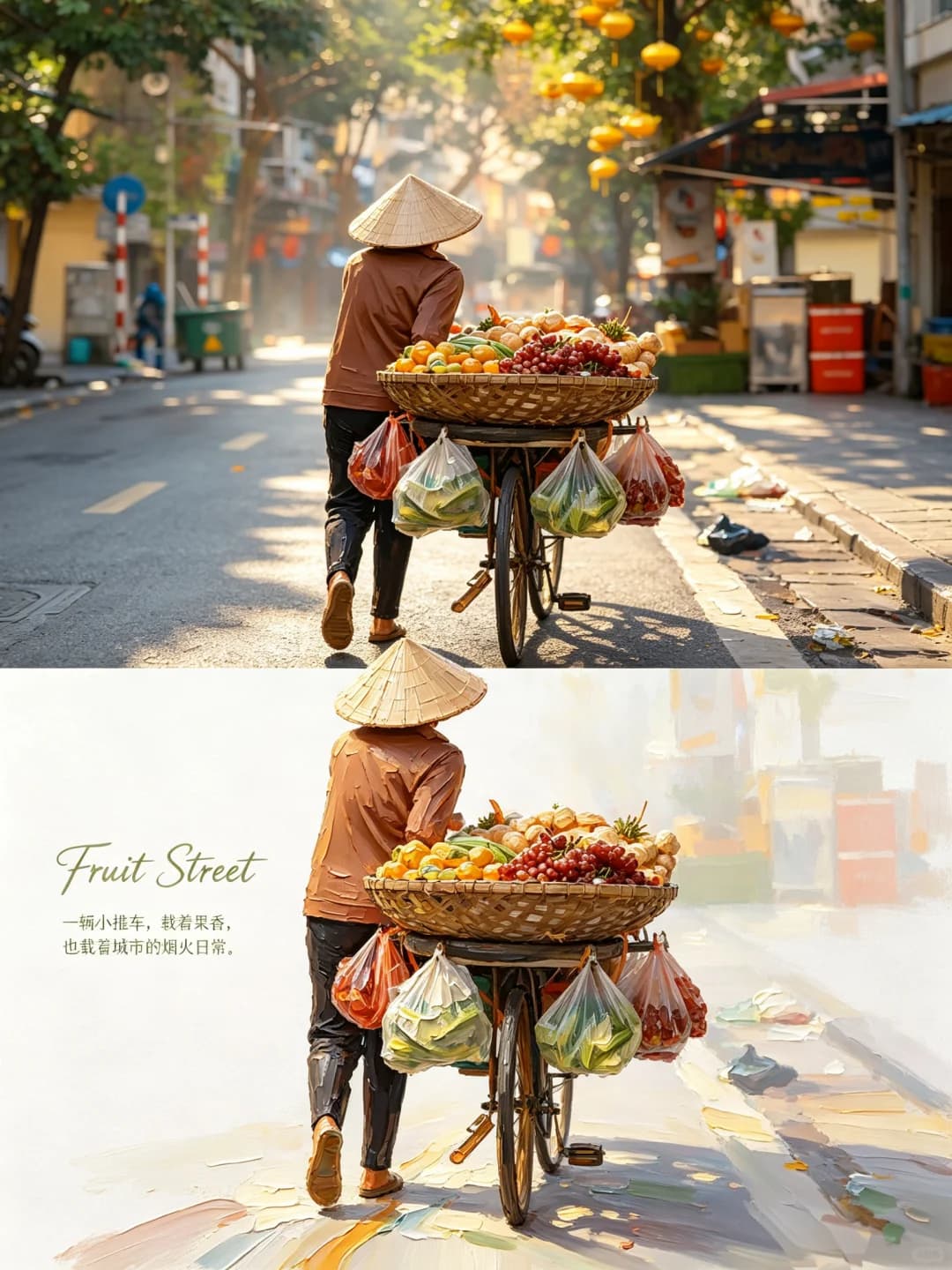
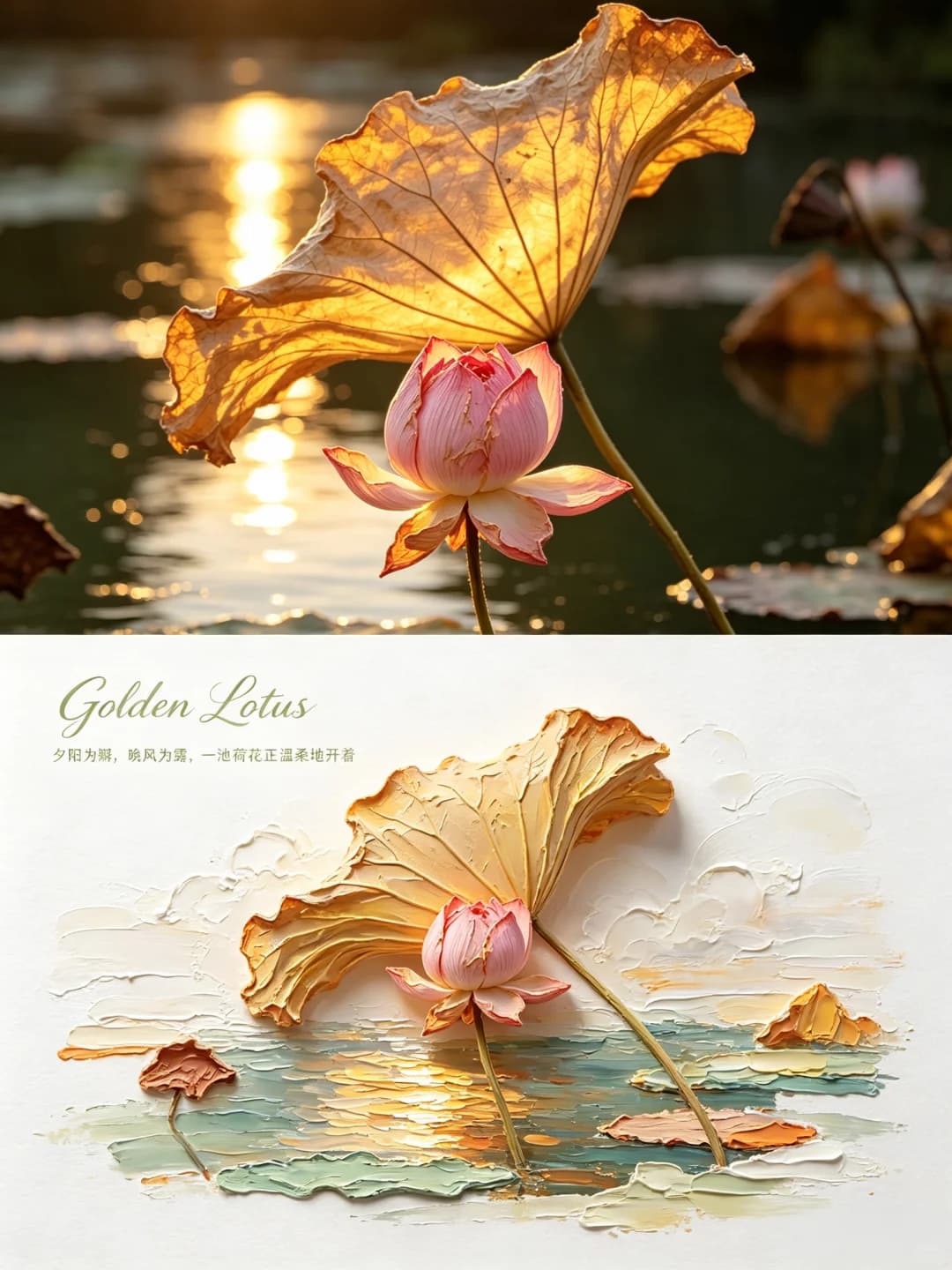
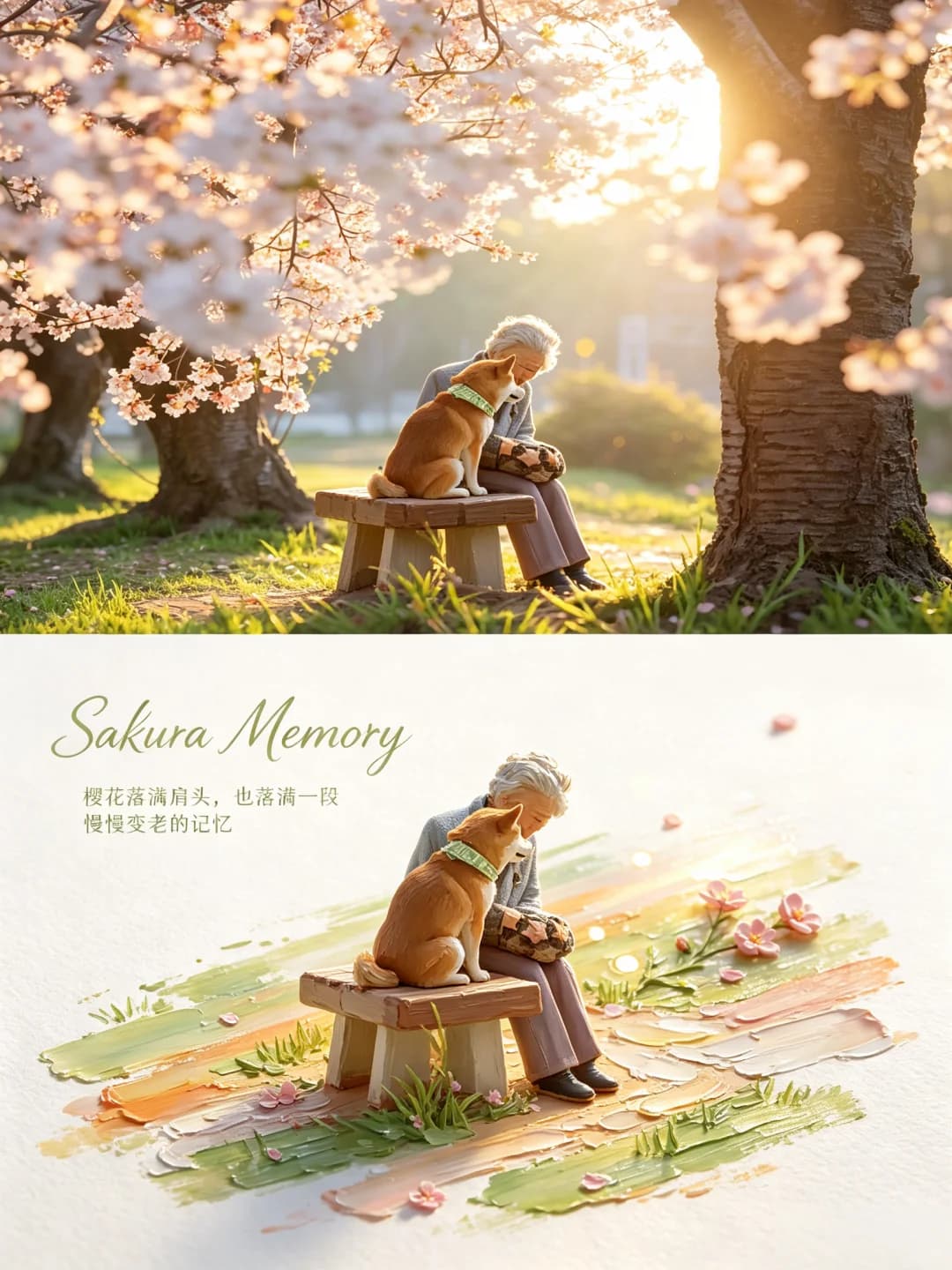
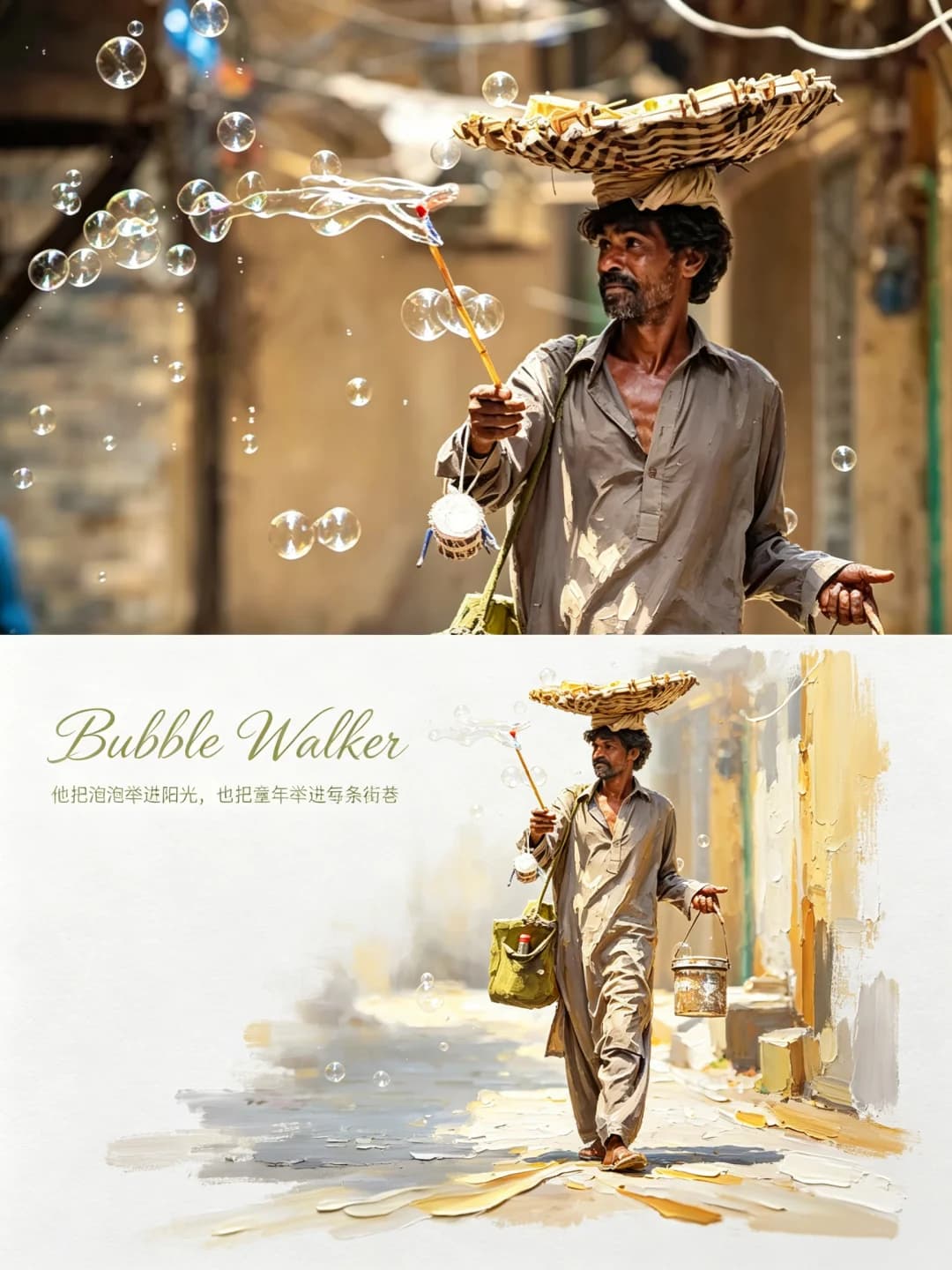
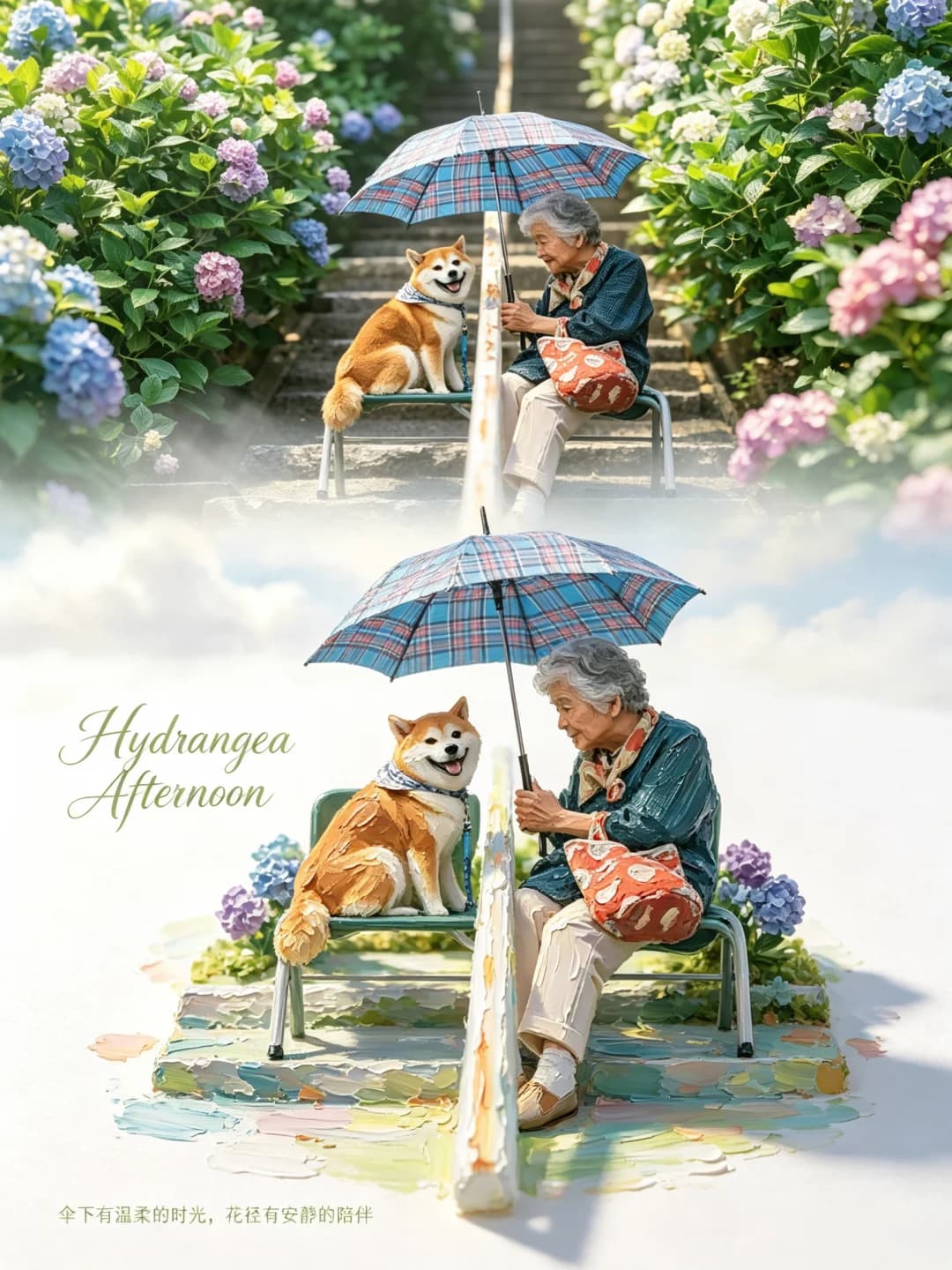
Upload a photo of people, animals or a single striking subject and get back a 3:4 poster: the photo across the top half, and underneath the same subject rebuilt as a small, raised impasto painting on white paper, standing on a smear of translucent colour. An English script title and a short Chinese line sit in the white space.
100 credits per image · about a minute · New accounts get 500 credits — 5 free images.
Try it with your own photo
New accounts get 500 credits — 5 free images.
Examples
Every image below was made with the prompt on this page.
What is a Palette Knife Painting Poster?
A palette knife painting poster is a 3:4 vertical frame split exactly in half. The top half is your photo with a light, magazine-style grade. The bottom half is mostly bright white textured paper, with your subject rebuilt as a miniature in thick oil paint — visible build-up, palette-knife scrapes, raised ragged edges — standing on a translucent band of colour that reads as water, a road or a beam of light. The colours are the most vivid ones from your photo, brightened. A handwritten English script title and a short line in a thin Song typeface finish it. It is the captioned sibling of the Oil Painting Diorama Poster.
Which photos work well?
Photos where a person, a pair or an animal is doing something readable: fishermen hauling nets, a street vendor pushing a cart, a grandmother and her dog on a bench, a lotus against the light. Clear poses, one or two subjects and bright, warm light work best.
Which photos struggle?
Crowds, group shots and photos where the subject is small against a busy background. The miniature only has room for one or two figures, so extra people get merged or dropped, and faces are painted in a few knife strokes rather than kept. Dark, grey or night photos also fight the prompt, which forces a bright, sunny palette. It wants a landscape-shaped photo; a tall portrait gets cropped hard to fill the top half.
How to turn a photo into a Palette Knife Painting Poster
- 1
Pick an effect
Browse the samples on each tool page to see exactly what you will get before you spend anything.
- 2
Upload your photo
JPEG, PNG or WebP, up to 12 MB. Your photo stays private and is never used to train anything.
- 3
Add your own caption
Most effects let you set the text that appears in the final image, in any language.
- 4
Download the result
You get a high-resolution image, yours to use. 2K is 100 credits, 4K is 200.
The prompt behind this tool
This is the full prompt, translated into English. Copy it and use it with any image model that accepts a reference photo.
3:4 vertical composition, split strictly 1:1 top to bottom, each half taking 50% of the height. One poster, not several images combined.
Top half: keep the original photo. Fully preserve the identity, structure, proportions, realistic texture, natural light and native colour mood of the people or animals in it, with a delicate, high-end colour grade, to the standard of an art magazine or exhibition photography. The sky, ground and surroundings may be extended naturally; never stretch, distort or alter the subject.
Bottom half: take the core theme, the subject's outline and pose, and the story between the people in the photo, and rebuild them as a 3D impasto oil-painting miniature landscape. Don't copy the photo mechanically — turn the subject into a delicate, three-dimensional miniature scene, with heavy stacked brushstrokes, many layers of colour and a strong, sculptural sense of volume. Keep the subject's key features, and adjust angle and proportion slightly to suit a miniature.
Bottom-half composition: large areas of negative space, the subject centred and slightly to the right on a diagonal axis. Bright white textured painting paper as the ground, with a translucent impasto band of colour carrying the subject; the band can read as ground, a path, water, a beam of light or an abstract slice of landscape. Let the subject and the band interact naturally, adding reflections on water, soft spots of light and trailing oil strokes. In the background keep only natural motifs that suit the theme — clouds, sunlight, thin mist — for a light, poetic sense of depth.
Painted texture: impasto oil, a real miniature-model effect, translucent soft light. Clearly visible paint build-up, palette-knife scrapes and rough, raised paint edges, so it feels hand-painted. Add thick layers on the water, clouds, colour band and highlights; the subject should be three-dimensional and finely made, with the raised texture of real oil paint.
Colour rules: take the brightest, most alive native colours from the photo above and remix them, never an averaged grey. Lift the overall brightness and colour purity, using fresh natural hues — clear sky blue, lake green, young-grass green, warm yellow, coral orange, peach pink — with a warm–cool contrast for a soothing mood. Use plenty of clean warm white as breathing space; the main colours are vivid but not harsh, with touches of warm orange, gold and pale pink as sunlight. The overall mood is sunny, fresh, warm, relaxed and full of life. No dull, dirty colours, faded low-saturation tones, murky Morandi palettes, dark-brown filters, neon or cheap candy colours.

Around it, add a handwritten flourish in English script, and a short Chinese line describing the scene in a thin Song typeface (Source Han Serif Light).

Strictly avoid: combining several images, a wrong split, bad proportions, a distorted subject, stretching, blur, low quality, unflattering people, deformed faces, missing limbs, dull dirty tones, faded vintage filters, murky Morandi tones, dark-brown filters, neon, cheap candy colours, flat vector, cartoon or anime, 3D render, plastic texture, smooth strokeless surfaces, no paint build-up, no palette-knife marks, cluttered extra objects, watermarks, garbled text, duplicated people, compressed images and black borders.
Frequently asked questions
Will it change the people in my photo?
- The top half is meant to stay your photo — the prompt asks for identity, proportions, texture, light and colour to be kept, with only a grade and a natural extension of sky or ground if needed. The bottom half is allowed to adjust angle and proportion slightly to suit a miniature, so expect a likeness in paint, not a copy.
How is this different from the Oil Painting Diorama Poster?
- They share the same idea: photo on top, thick-paint miniature below. This version comes from a later rewrite of that prompt. It adds an English script title and a Chinese line, stricter colour rules that ban dull, Morandi and dark-brown tones, and a long list of things to avoid. The diorama poster has no text at all.
Can I choose the text?
- Yes, and it is the more reliable route. Type a script title and an optional short line and they are set exactly as given, with nothing else added. Leave them blank and the model writes its own English script word and Chinese line to suit the scene.
What language can the text be in?
- The title is styled as English script, so short English words look best there. The small line is set in a thin Song typeface and is meant for Chinese, but any language you type is written as given. Keep both short — a few words, not a paragraph.
Why is the palette always so bright?
- The prompt insists on it. It takes the most vivid colours from your photo rather than an average, lifts brightness and purity, and bans grey, faded, Morandi, dark-brown, neon and candy tones. A moody or night photo will come back sunnier than it was.
What is the band of colour under the subject?
- A translucent smear of thick paint that the subject stands on. Depending on the photo it becomes water, a road, a stair, grass or a beam of light, and it is where most of the reflections and knife marks go.
What size do I get, and how long does it take?
- A 3:4 vertical poster: 2K (1792 × 2400) for 100 credits or 4K for 200. It usually takes 60 to 90 seconds.
What happens to my photo, and can I use my own prompt?
- Your photo is stored privately for the generator, deleted on a schedule and never used for training. You can't swap in your own prompt, but the full prompt is on this page if you want to run it elsewhere.