
2Slides Team
16 min read

A research to presentation pipeline takes a topic in and returns a sourced deck out. A search API (Tavily or Exa) collects 10 to 20 sources, an LLM writes a 12-slide brief with numbered citations, and the 2Slides API turns the brief into a deck: POST /api/v1/slides/generate for an editable PPTX at 10 credits per page (120 credits, about $0.30, for 12 slides), or create-pdf-slides for image-designed slides at 10 + 100 credits per page. It suits consulting teams, analysts and research ops who ship the same deck weekly.
Key takeaways
GET /api/v1/themes/search, then POST /api/v1/slides/generate.{ success, data: { jobId, status, downloadUrl } }, so one parser handles both submit and poll.You run a consulting practice, a research desk or a content operation, and someone asks for "a quick deck on the European battery recycling market" every few days. The research takes an hour, the deck takes two more, and it is the same 12 slides every time: summary, market size, players, trends, risks, recommendations, sources. If you already own an n8n instance or a Python scheduler, the recipe needs no new infrastructure.
Do not use this recipe for client-final deliverables that need bespoke analysis. It produces a sourced first draft in minutes; a human still reads the sources and decides what to say.
| Step | Tool | What happens | 2Slides endpoint / credits |
|---|---|---|---|
| 1. Trigger | n8n Schedule or Form, cron, or a CLI argument | A topic string enters the pipeline | none |
| 2. Search | Tavily /search or Exa /search | 10 to 20 URLs with titles and text snippets | none |
| 3. Brief | OpenAI or Claude | A 12-slide outline, each stat tagged [n], plus a sources list | none |
| 4. Theme | GET /api/v1/themes/search?query=consulting | Returns candidate themeId values | free, 6 req/min |
| 5. Deck | POST /api/v1/slides/generate (or create-pdf-slides) | Brief becomes a PPTX (or PDF + page images) | 10 credits/page (or 10 + 100/page) |
| 6. Poll | GET /api/v1/jobs/{jobId} every 5 to 10 s | Wait for status: "success" | free, 10 req/min |
| 7. Deliver | Google Drive upload, Slack message | Team gets a link and the sources file | none |
The deck is only as good as the sources, so spend your effort here. Tavily returns results with extracted page content, which is what an LLM needs to cite rather than recall. Exa does the same with semantic search. Ask for 10 to 20 results and restrict to the last 12 months when the topic is time-sensitive.
Store each result as { id, url, title, published, snippet } and number the ids from 1. Those ids become the citation markers on the slides, so keep the same array through the whole run.
curl -s https://api.tavily.com/search \
  -H "Content-Type: application/json" \
  -d '{
    "api_key": "'"$TAVILY_API_KEY"'",
    "query": "European battery recycling market size 2026",
    "search_depth": "advanced",
    "max_results": 15,
    "include_raw_content": false
}'The prompt does three jobs: fix the slide structure, force every number to carry a citation id, and forbid numbers that do not appear in the sources. Ask for plain text, not JSON, because the text goes straight into userInput of the 2Slides call.
A structure that works for most consulting briefs is 12 slides: 1 title, 2 executive summary, 3 market size, 4 to 5 key players, 6 to 7 trends, 8 to 9 risks, 10 to 11 recommendations, 12 sources. Keep 3 to 5 bullets per slide; Fast PPT templates are designed around that density.
You are a research analyst. Using ONLY the numbered sources below, write a 12-slide
briefing on: {topic}.
Slides: 1 Title, 2 Executive summary, 3 Market size, 4-5 Key players, 6-7 Trends,
8-9 Risks, 10-11 Recommendations, 12 Sources.
Rules:
- Every number, percentage or date must end with its source id in brackets, e.g. "EUR 4.2B by 2030 [3]".
- If the sources do not contain a figure, write "no reliable figure found" instead of estimating.
- Slide 12 lists every cited id as "[n] Title, Publisher, URL".
- 3 to 5 bullets per slide, each under 20 words. Start each slide with "Slide N: <heading>".
Sources:
{sources}Fast PPT decks are built from designed templates, and the themeId decides the look. Search the library once for "consulting" or "corporate", pick one or two ids, and hard-code them in the pipeline. Searching on every run only spends rate-limit budget.
curl -s "https://2slides.com/api/v1/themes/search?query=consulting&limit=5" \
  -H "Authorization: Bearer $SLIDES_API_KEY"
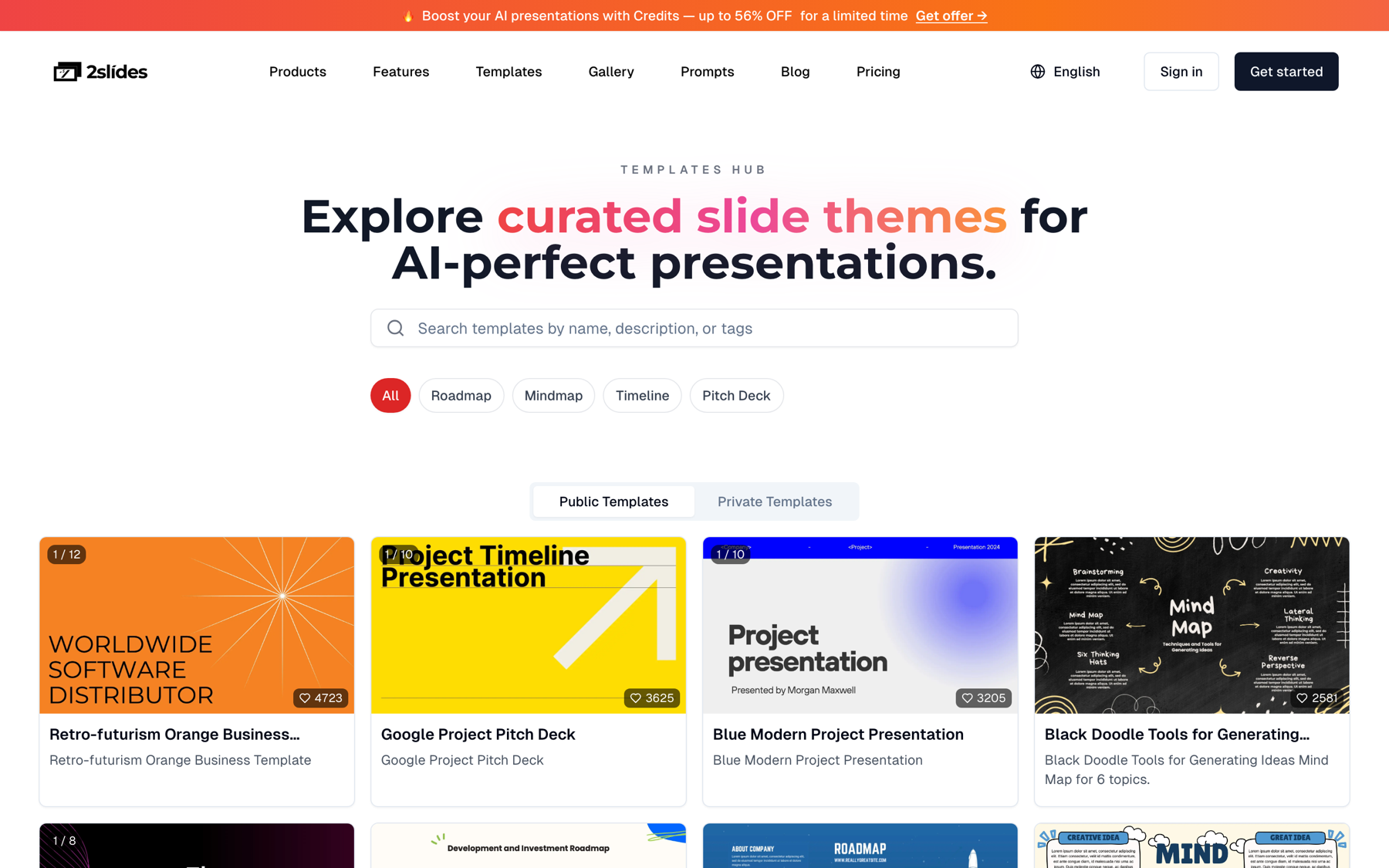
The response lists each theme with its themeId, name and preview. To browse visually, the Templates Hub shows the same 1,500+ templates.
Two paths. For an editable PPTX a consultant can restyle in PowerPoint, call generate. It defaults to sync, so a 12-slide deck comes back with a downloadUrl in one call in about 30 seconds. When batching several topics, pass mode: "async" and poll instead.
curl -s -X POST https://2slides.com/api/v1/slides/generate \
  -H "Authorization: Bearer $SLIDES_API_KEY" \
  -H "Content-Type: application/json" \
  -d '{
    "userInput": "Slide 1: European Battery Recycling Market 2026\n...\nSlide 12: Sources\n[1] ...",
    "themeId": "THEME_ID_FROM_SEARCH",
    "responseLanguage": "English",
    "mode": "async"
  }'
Response:
{ "success": true, "data": { "jobId": "job_9f3a...", "status": "pending" } }For a premium, image-designed version (PDF plus per-page images), call create-pdf-slides with the same brief. Set page: 12 to match the brief, or page: 0 to let the planner choose.
curl -s -X POST https://2slides.com/api/v1/slides/create-pdf-slides \
  -H "Authorization: Bearer $SLIDES_API_KEY" \
  -H "Content-Type: application/json" \
  -d '{
    "userInput": "Slide 1: European Battery Recycling Market 2026\n...",
    "designStyle": "consulting deck, navy and white, dense data slides, one chart per slide",
    "aspectRatio": "16:9",
    "resolution": "2K",
    "page": 12,
    "contentDetail": "standard",
    "responseLanguage": "English"
  }'
Both paths return the same envelope. Poll GET https://2slides.com/api/v1/jobs/{jobId} every 5 to 10 seconds until data.status is success or failed, then fetch data.downloadUrl.
n8n is the fastest way to make this a scheduled Tavily n8n presentation job that non-engineers can trigger from a form. Seven standard nodes are enough.
/search with the topic, max_results: 15.{ userInput, themeId, responseLanguage: "English", mode: "async" } from the LLM text.POST https://2slides.com/api/v1/slides/generate with header Authorization: Bearer {{ $env.SLIDES_API_KEY }}. Keep the key in n8n credentials, never in the node body.GET /api/v1/jobs/{{ $json.data.jobId }} and an IF node: success continues, pending or processing loops back to Wait, failed posts the error to Slack.data.downloadUrl as binary) then Google Drive upload and a Slack message with the Drive link and the topic.Add a second Google Drive upload for the sources.json from Step 1; the reviewer will want the full snippets, not just the Sources slide. Credentials and error branches are covered in n8n + 2Slides: automate presentation workflows.
For a team that prefers a cron job, one Python file does the same work. This version uses Tavily and OpenAI; swap in Exa or Claude by changing one function.
import os, time, json, requests

TAVILY = os.environ["TAVILY_API_KEY"]
OPENAI = os.environ["OPENAI_API_KEY"]
SLIDES = os.environ["SLIDES_API_KEY"]
BASE = "https://2slides.com/api/v1"
H = {"Authorization": f"Bearer {SLIDES}", "Content-Type": "application/json"}

def search(topic, n=15):
    r = requests.post("https://api.tavily.com/search", json={
        "api_key": TAVILY, "query": topic, "search_depth": "advanced", "max_results": n})
    r.raise_for_status()
    return [{"id": i + 1, "url": s["url"], "title": s["title"], "snippet": s["content"]}
            for i, s in enumerate(r.json()["results"])]

def write_brief(topic, sources):
    src = "\n".join(f"[{s['id']}] {s['title']} | {s['url']}\n{s['snippet']}" for s in sources)
    prompt = open("brief_prompt.txt").read().format(topic=topic, sources=src)
    r = requests.post("https://api.openai.com/v1/chat/completions",
        headers={"Authorization": f"Bearer {OPENAI}"},
        json={"model": "gpt-4.1", "messages": [{"role": "user", "content": prompt}], "temperature": 0.2})
    r.raise_for_status()
    return r.json()["choices"][0]["message"]["content"]

def pick_theme(query="consulting"):
    r = requests.get(f"{BASE}/themes/search", headers=H, params={"query": query, "limit": 5})
    r.raise_for_status()
    return r.json()["data"]["themes"][0]["themeId"]

def generate_deck(brief, theme_id, language="English"):
    r = requests.post(f"{BASE}/slides/generate", headers=H, json={
        "userInput": brief, "themeId": theme_id,
        "responseLanguage": language, "mode": "async"})
    r.raise_for_status()
    body = r.json()
    assert body["success"], body
    return body["data"]["jobId"]

def wait_for(job_id, every=8, timeout=600):
    start = time.time()
    while time.time() - start < timeout:
        d = requests.get(f"{BASE}/jobs/{job_id}", headers=H).json()["data"]
        if d["status"] == "success":
            return d["downloadUrl"]
        if d["status"] == "failed":
            raise RuntimeError(f"job {job_id} failed: {d}")
        time.sleep(every)
    raise TimeoutError(job_id)

if __name__ == "__main__":
    topic = "European battery recycling market 2026"
    sources = search(topic)
    brief = write_brief(topic, sources)
    url = wait_for(generate_deck(brief, pick_theme()))
    slug = topic.lower().replace(" ", "-")
    open(f"{slug}.pptx", "wb").write(requests.get(url).content)
    json.dump({"topic": topic, "sources": sources, "brief": brief},
              open(f"{slug}.sources.json", "w"), indent=2)
The script writes two files per run: the PPTX and a .sources.json with the source list and brief text. The JSON is the audit trail when a partner asks where slide 3's figure came from. For batches, keep submissions under 6 per minute.
Automated consulting deck generation fails in one predictable way: a confident number on slide 3 that no source contains. The deck generator only formats what it receives, so the controls belong in the LLM step and a check after it.
[n]. Reject the brief (and re-run the LLM call) if a regex finds a number followed by "%", "B", "M" or a year without a bracketed id on the same line.[7] in the brief with only 6 sources means the model invented a reference. Fail the run.[n] Title, Publisher, URL for every cited id. It is the slide a reviewer reads first..sources.json (or the Drive upload in n8n) keeps the snippets the model saw, so a reviewer can compare slide text with the original passage.The scripted pipeline is right for scheduled, repeatable topics. For a one-off deep dive, an agent session does the same steps interactively. Connect the hosted 2Slides MCP server to Claude Code with one command, then ask the agent to research the topic with its web search tool, write the cited brief, call themes_search for a consulting theme, and call slides_generate with the brief. The MCP exposes 7 tools, including jobs_get for polling, on the same key and credits as the REST API.
claude mcp add --transport http 2slides "https://2slides.com/api/mcp?apikey=YOUR_KEY"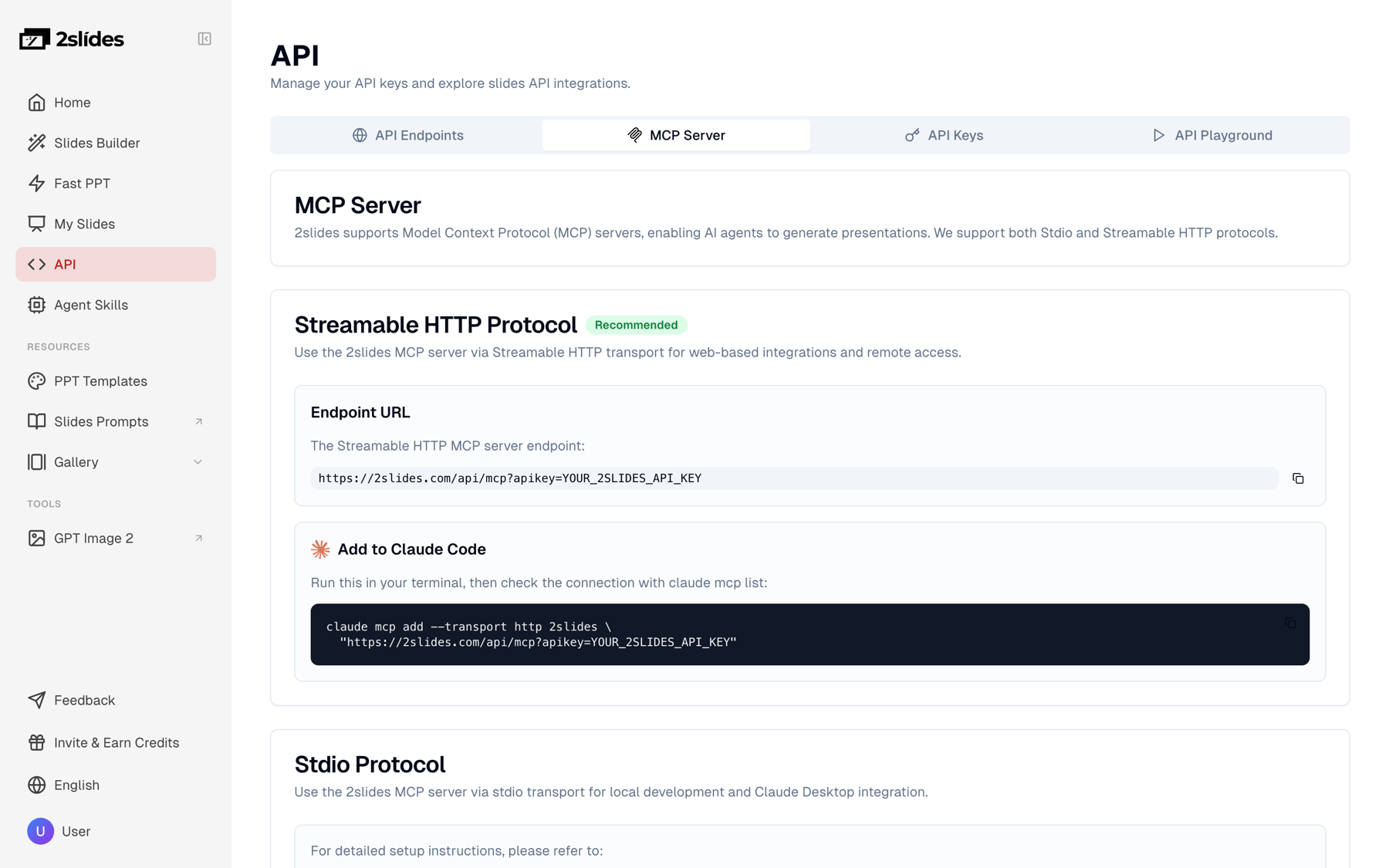
In Codex, Cursor or another agent that prefers skills, install the Agent Skill from the skills page instead; it teaches the same endpoints and the same submit, poll, download loop. See Agent Skills vs MCP servers for presentations for the trade-offs and How to use Claude MCP to generate presentations for the step-by-step setup.
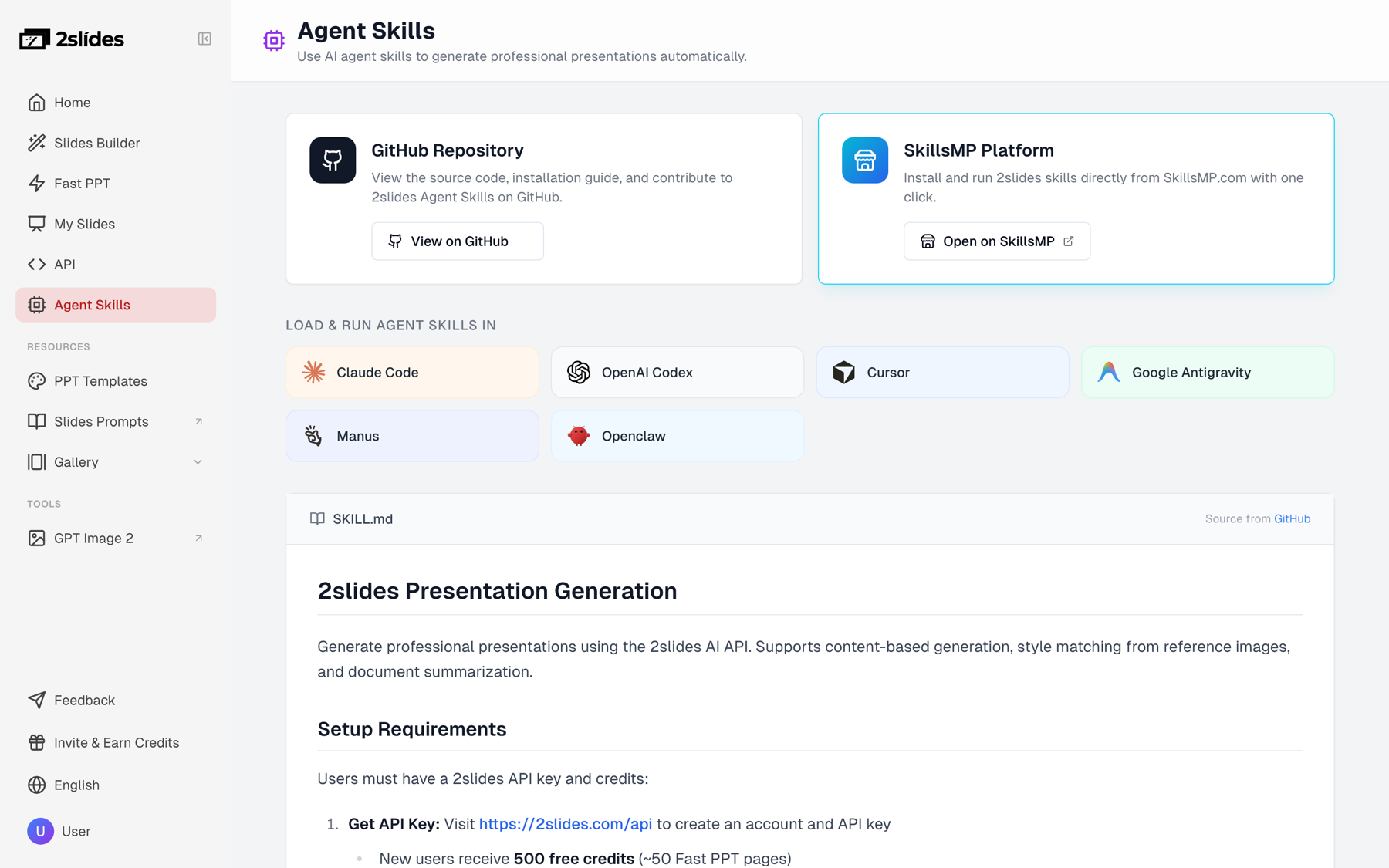
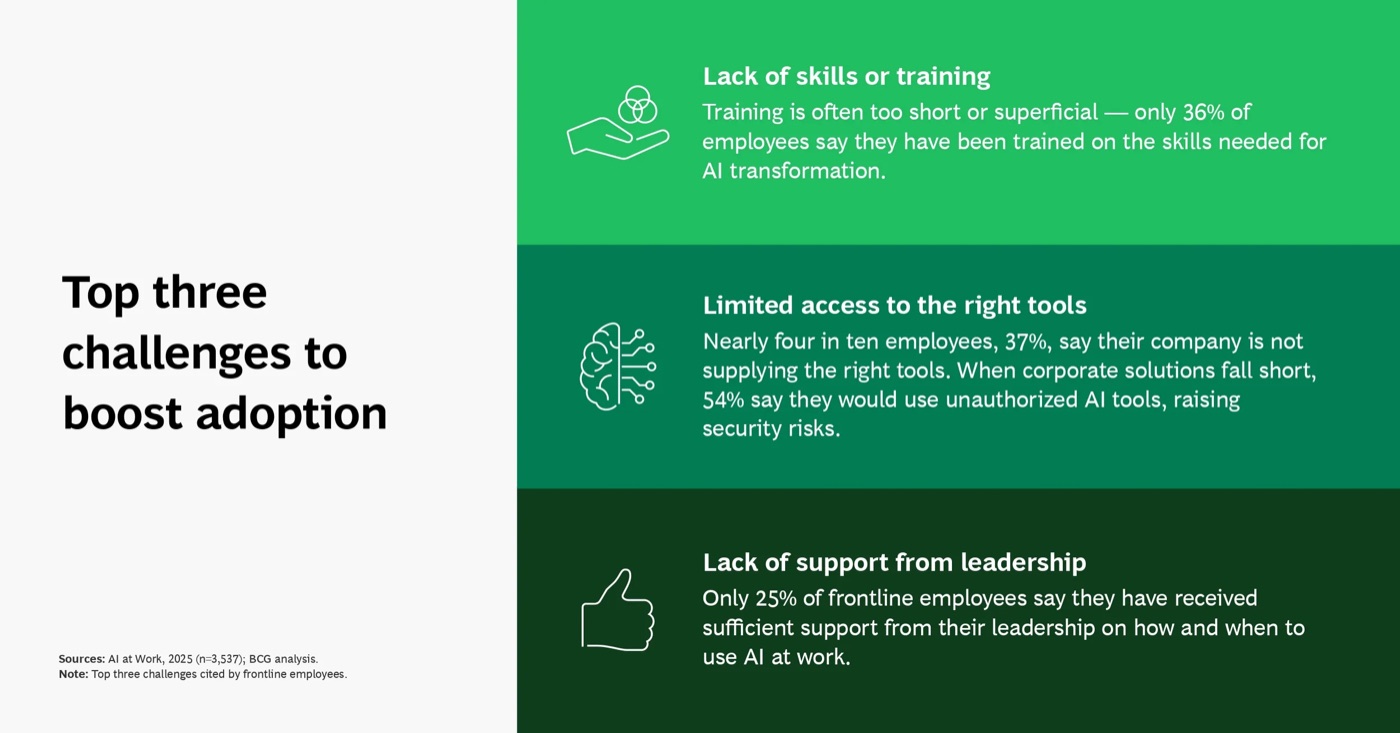
The 2Slides Gallery hosts reference decks such as BCG's "AI at Work 2025", which opens with a one-line thesis and closes with methodology and sources, the same shape as the 12-slide brief above. These gallery decks are real-world references hosted on 2Slides, not API output. Use them as design inspiration, or pass a page image URL as referenceImageUrl to create-like-this so the image-designed path derives its type, color and layout from the reference.

For a wider look at which tools fit consulting work, see Best AI presentation tools for consultants. Gamma's API page documents a comparable n8n + Tavily + OpenAI recipe; its API keys require a Pro plan, while 2Slides keys work on any account. 2Slides is our product, so weigh that comparison accordingly.
Credits are pay-as-you-go: $5 buys 2,000 credits ($0.0025 per credit) and $80 buys 40,000 ($0.002 per credit). Search API and LLM fees are billed by their providers and excluded below.
| Volume | Fast PPT generate (12 slides = 120 credits) | Image-designed create-pdf-slides (12 slides at 2K = 1,210 credits) |
|---|---|---|
| 20 decks / month | 2,400 credits, about $6.00 ($9.50 pack covers it) | 24,200 credits, about $48 to $61 depending on pack |
| 500 decks / month | 60,000 credits, about $120 (two $80 packs) | 605,000 credits, about $1,210 at $0.002 per credit |
New accounts receive 500 free credits, which is 4 full Fast PPT test decks before you buy anything.
generate fits when the consultant will edit the deck in PowerPoint, when volume is high (500 decks a month costs about $120), and when a template look is acceptable. It returns in about 30 seconds.create-pdf-slides fits when the deck goes to a client as a read-only PDF and needs a designed, one-idea-per-slide look. Cost is roughly 10 times higher per deck.create-like-this fits when the firm has a house style: pass one branded slide image as referenceImageUrl and every run inherits it.generate-narration at 210 credits per page. Useful for an internal research briefing video, not for the Fast PPT path.jobs budget.generate-narration only accepts jobs from create-pdf-slides or create-like-this. Fast PPT jobs are rejected.page: 0 means auto-detect, not zero pages. On create-pdf-slides, set page: 12 when the brief is already 12 slides, or page: 0 to let the planner decide.responseLanguage takes "Spanish" or "German", not "es" or "de".userInput. Summarize first; the brief, not the raw sources, goes to 2Slides.About $0.30 for the 2Slides part of a 12-slide Fast PPT deck (120 credits at $0.0025 per credit), or about $3.03 for a 12-slide image-designed deck at 2K (1,210 credits). Add one search API call and one LLM completion, billed by their providers. At 500 decks a month the Fast PPT path costs about $120 in credits.
Yes. Pass responseLanguage as a language name such as "Spanish" or "Japanese"; 20+ languages are supported. The cleanest setup writes the brief in English and lets 2Slides translate at generation time, so citations and source URLs stay identical across language versions of the same deck.
You do not need n8n. The Python script in Step 6 does the same job from a cron entry, and an agent session with the 2Slides MCP or skill does it interactively. n8n earns its place when non-engineers should trigger runs from a form and you want Google Drive and Slack delivery without writing those integrations.
Constrain the prompt and validate the output. Require every figure to end with a [n] source id, tell the model to write "no reliable figure found" instead of estimating, and reject any brief whose ids exceed the source count. Store the sources file next to the deck so a reviewer can check each slide against its passage.
Yes, with create-like-this. Pass a public URL of one of your existing branded slides as referenceImageUrl and the image-designed pipeline derives its colors, type and layout from it. Cost is the same as create-pdf-slides: 10 planning credits plus 100 credits per page at 2K. For an editable PPTX, choose the closest theme from themes/search instead.
Create stunning AI-powered presentations in seconds. Transform your ideas into professional slides with 2slides AI Agent.
Try For FreeYour AI Agent for slides. Save time, shine faster with intelligent presentation creation.




© 2026 2slides. All rights reserved.