
2Slides Team
17 min read

The best AI presentation tools for consultants in 2026 split into three jobs: storylining (ChatGPT or Claude), drafting slides into your firm template (Microsoft Copilot in PowerPoint, 2Slides Fast PPT, Plus AI) and building exhibits that hold up to a partner review (think-cell, now with its own AI assistant). No single tool writes a client-ready consulting deck. The fastest teams use an LLM to build the ghost deck, generate an editable PPTX draft into the house template, and keep analysts in charge of every number.
Key takeaways
Most AI presentation makers are built for marketing decks. A consulting deck is a different object. A partner reads it in the order of the headlines, and if the headlines alone do not tell the story, the deck goes back.
The conventions every tool should be judged against:
Judge every tool below by one question: does it help you get to an approved storyline and on-template slides faster, without inventing facts?
| Tool | Best consulting job | Output | Firm template support | Watch out for |
|---|---|---|---|---|
| ChatGPT / Claude | Storylining, hypothesis trees, action titles, SCQA | Text | None (text only) | Invented numbers if you let it "fill in" data |
| Microsoft Copilot in PowerPoint | Drafting inside PowerPoint from a Word doc or prompt | Native PPTX | Yes, via Brand kit and Organization Asset Library | Per-user license; quality depends on template setup |
| think-cell (+ Assist) | Waterfalls, Mekkos, Gantt, Excel-linked charts | Native PowerPoint objects | Works inside your master | Assist is early access; core product is not a deck generator |
| 2Slides Fast PPT | Ghost deck to editable on-template draft, batch via API | Editable PPTX | Private theme from your uploaded .pptx (about 48 hours to set up) | Fills template slots; complex charts still need think-cell or Excel |
| 2Slides Create Slides Like This | Matching the look of a reference slide for workshops or pitch materials | Designed image slides, PDF, MP4 | Style match from a reference image | Slides are images, not editable text boxes |
| Plus AI | AI slides inside Google Slides and PowerPoint | Native slides | Custom templates on Team and Enterprise tiers | Template features gated to higher plans |
| Gamma | Fast first drafts, web-style decks, internal pre-reads | Web deck, PPTX/PDF export | Custom themes; less control over a strict master | Export fidelity to PowerPoint varies with complex layouts |
| Beautiful.ai | Smart layouts that auto-adjust, team theme libraries | Web deck, PPTX export | Custom branded themes on Team plan | Per-seat pricing; constrained layouts by design |
| UpSlide | Brand compliance and Excel-to-PowerPoint links in finance and advisory teams | Add-in inside Office | Yes, firm-wide content libraries | Built for banking, PE and advisory; enterprise sale |
A few notes on the less obvious entries.
think-cell is not an AI deck generator, and you still need it. It is the PowerPoint add-in most strategy consultants learn in their first week, because it builds waterfalls, Marimekko charts, stacked bars with CAGR arrows and Gantt charts as native objects that link to Excel. In 2026 the company added think-cell Assist, which creates slides from a prompt and uploaded files, edits existing slides through chat, and turns Excel data into think-cell charts. As of October 2026 it is in early access and bundled with think-cell's AI Suite packages rather than the standard Suite license. If your firm already licenses think-cell, ask whether Assist is enabled before buying something else.
Copilot in PowerPoint is the default answer at firms on Microsoft 365. Microsoft's documentation says Copilot learns from your template's sample slides and layouts, and you can add the firm template to a Brand kit or pull it from your Organization Asset Library. The catch is setup: someone has to build a template with good sample slides, and every user needs a Microsoft 365 Copilot license. For a full head-to-head, see 2Slides vs Microsoft Copilot in PowerPoint.
UpSlide is a specialized option for finance-adjacent firms. It is a Microsoft 365 add-in for banking, PE and advisory teams: Excel-linked charts, a shared content library and AI review that flags off-brand elements. Think brand control, not deck generation.
Gamma and Beautiful.ai are fine for internal pre-reads and proposals. Both produce attractive decks quickly. For client deliverables that must sit in a strict firm master, test a PPTX export of a real 20-slide deck before committing. As of October 2026, Beautiful.ai's Team plan is listed at $40 per user per month billed annually. Gamma publishes several tiers; check its pricing page, because figures in third-party reviews disagree.
2Slides has two product flows, and consultants should use them for different things.
Fast PPT is the one for client work. You paste structured content (your approved storyline), pick a template, and get a real editable PPTX with native text boxes. Each template slide carries placeholder slots, and the AI fills those slots rather than redesigning the layout, so a two-column "issue / implication" slide stays two columns. You can upload your firm's branded .pptx as a private template; the 2Slides team converts it into a private theme, usually within about 48 hours. The details are in on-brand AI slides with template fill. Cost is 10 credits per page.
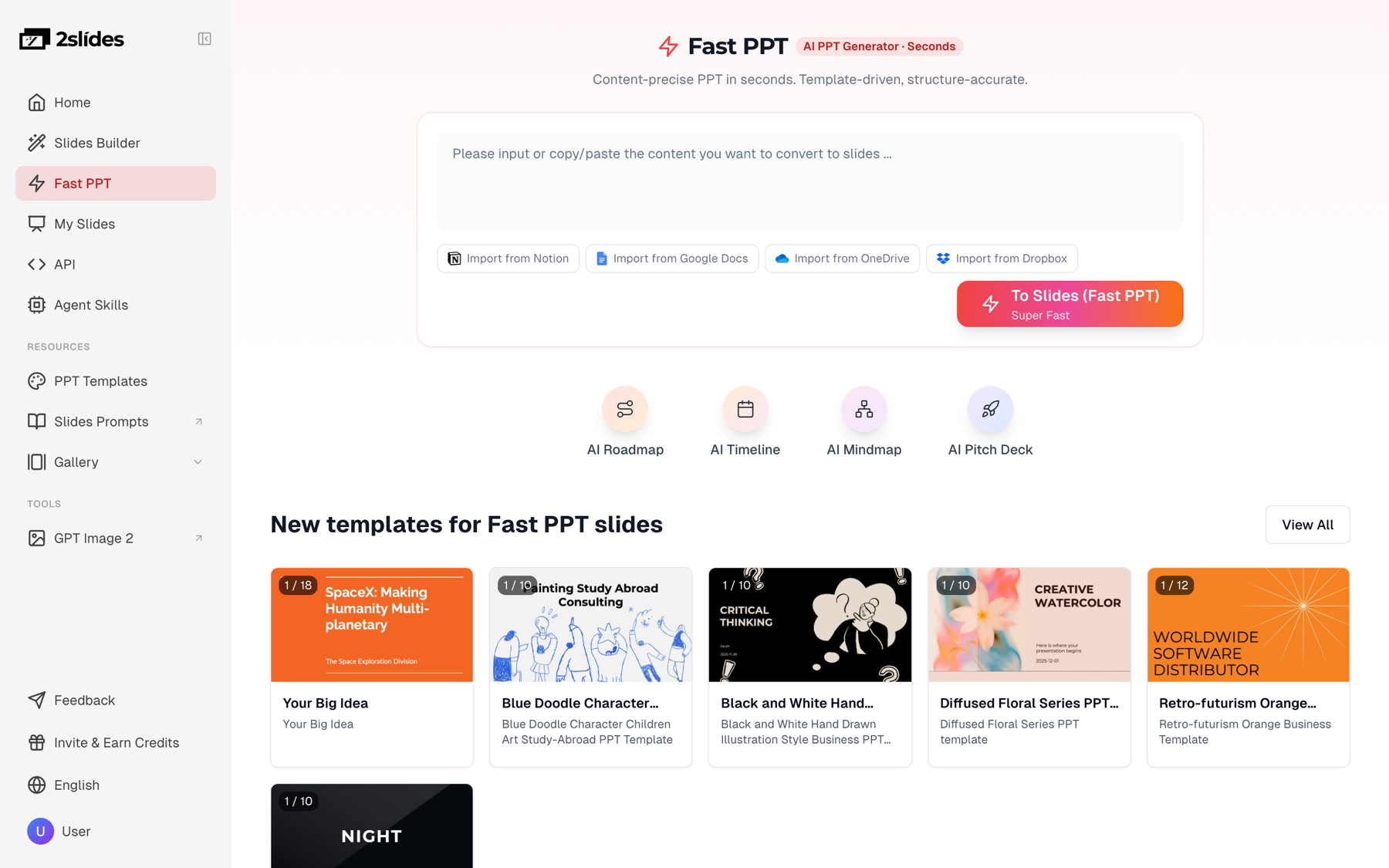
Figure 1: Fast PPT turns a pasted storyline into an editable PPTX in the template you choose.
The Workspace flow produces designed slides as images: Create Slides from File (PDF, DOCX, XLSX/CSV, Markdown, TXT) and Create Slides Like This, which matches the style of a reference image. These look polished and support AI narration and MP4 export, which is useful for workshop pre-work, training modules or a recorded readout. They are not editable text boxes, so they are the wrong choice for a deck a manager will mark up line by line.
There is also a REST API and an MCP server, which matters when you produce the same deck structure for many clients or portfolio companies. More on that below.
This is where AI saves the most time on day one of an engagement.
You are a strategy consultant. Turn this hypothesis tree into a ghost deck.
Governing question: Should [Client] enter the US mid-market segment by 2028?
Rules:
- 14 to 18 slides. Slide 2 is an SCQA executive summary.
- Every title is a full-sentence hypothesis, max 15 words, written as if proven.
- Under each title: "Exhibit:" (chart type, e.g., waterfall, Mekko, bar),
  "Data needed:" and "Source:" (e.g., client CRM, expert calls, survey).
- Group slides under 3 to 4 key-line arguments, pyramid principle.
- Do NOT invent numbers. Use [X%] placeholders for every figure.After 15 expert or customer interviews, you have 40 pages of notes. The pattern:
The counts are the analyst's responsibility. Spot-check every "8 of 15" against the notes before it goes on a slide.
Be realistic about what AI does with a model. It can read a CSV, summarize trends and propose which chart makes the point. It should not be the thing that draws a waterfall you will defend in front of a CFO.
The working split: the model stays in Excel, charts are built in think-cell or native Excel charts linked to the model, and AI writes the action title and the "so what" bullets around each exhibit. The guide to turning Excel data into slides with AI covers the file upload route if you want a quick visual summary for an internal check-in.
CDD timelines are brutal: a buy-side report in two to four weeks, with a market model, a customer survey, expert calls and a red-flag readout. AI helps with structure and prose. It does not help with the parts the investment committee will actually interrogate.
What AI can draft:
What analysts own, every time:
Treat AI output on a CDD deck the way you would treat a first-year analyst's draft: useful scaffolding, checked line by line.
Retainer work, portfolio monitoring for a PE client, monthly operating reviews across 12 business units: the structure repeats and only the data changes. That is a batch job, not a manual one.
With the 2Slides API, you send each client's approved text to POST /api/v1/slides/generate with the firm's theme, poll GET /api/v1/jobs/{id}, and drop the PPTX into the right engagement folder.
curl -s -X POST https://2slides.com/api/v1/slides/generate \
  -H "Authorization: Bearer $SLIDES_API_KEY" \
  -H "Content-Type: application/json" \
  -d '{
    "userInput": "Slide 1: Portfolio Co. A, September 2026 operating review\nSlide 2: Revenue grew 6% QoQ, driven by enterprise renewals\n...",
    "themeId": "YOUR_FIRM_THEME_ID",
    "responseLanguage": "English",
    "mode": "async"
  }'
Generation is rate-limited to 6 requests per minute per key, so 12 decks take a couple of minutes of queueing. The full pattern, including a research step with citations, is in the research-to-deck pipeline for consulting. For recurring client reviews specifically, the QBR deck guide shows a structure that works well as an API template. The same operations are available through the MCP server and Agent Skills if your team works in Claude Code or Cursor.
Here is a realistic run, start to finish, for a three-week diagnostic.
Source material the team has by week 2:
Step 1: Storyline in Claude or ChatGPT. The team pastes the tree plus a one-page summary of the analysis (written by the analyst, with the numbers already checked) and asks:
Write a 15-slide storyline for a steering committee readout.
Answer first: churn in mid-market is driven by onboarding length, not price.
Structure: title, SCQA exec summary, 3 sections (onboarding, product fit,
pricing), recommendations, next steps.
Each slide: action title (max 15 words), 3 to 4 supporting bullets,
exhibit description, source line.
Use ONLY the figures in the summary below. If a figure is missing,
write [TBD] instead of estimating.
[analyst summary pasted here]
Step 2: Partner edit. The engagement manager rewrites four titles, cuts one slide and moves pricing to the appendix. Fifteen minutes.
Step 3: Generate in Fast PPT. The approved storyline goes into Fast PPT with the firm theme. 15 pages at 10 credits per page is 150 credits, roughly $0.38 at the $5 pack rate. The team gets an editable PPTX with titles, bullets and source lines in the right placeholders.
What the team still does by hand:
Net effect: the first on-template draft exists the same afternoon the storyline is approved, instead of the next morning. The analytical work did not get shorter; the formatting did.
Consulting engagements run under NDAs and master services agreements that usually restrict where client data can go. Before you upload anything:
2Slides makes no SOC 2, HIPAA or other certification claim. For client-confidential material, use it with de-identified source text, or with content your firm and client have cleared. The full checklist is in are AI presentations safe for confidential data.
Honest limits, so you pick correctly:
If your deliverable is an equity research or valuation deck sourced from live market data, a finance-specialist agent is a better fit than any general deck tool; see best AI tools for investment research decks.
There is no single best one. Most consultants combine an LLM (ChatGPT or Claude) for storylining, a drafting tool that respects the firm template (Copilot in PowerPoint, 2Slides Fast PPT or Plus AI), and think-cell for charts. Choose the drafting tool based on what your firm already licenses and whether you need editable PPTX output.
AI can produce slides with action titles, one message per slide and source lines if you give it that structure explicitly. It will not produce the analysis behind them. Write the headlines first, then generate into your template.
Several tools have free tiers. 2Slides gives new accounts 500 free credits, enough for about 50 Fast PPT pages. ChatGPT and Claude free tiers work for storylining. Copilot and think-cell are paid.
Yes, for structure, action titles and executive summary prose. Market sizing, survey results, expert call synthesis and the investment view must come from analysts and be checked line by line. Keep target and deal information out of any tool your firm has not approved.
Only if your engagement terms and your firm's AI policy allow that tool. Default to codenames and de-identified content, and read each vendor's data handling terms. A ghost deck rarely needs real client data.
Yes. think-cell Assist creates and edits slides through chat and turns Excel data into think-cell charts. As of October 2026 it is in early access and included with think-cell's AI Suite packages, not the standard Suite license.
Ready to turn an approved storyline into an editable, on-template deck? Start with Fast PPT and your 500 free credits.
Create stunning AI-powered presentations in seconds. Transform your ideas into professional slides with 2slides AI Agent.
Try For FreeYour AI Agent for slides. Save time, shine faster with intelligent presentation creation.


© 2026 2slides. All rights reserved.