
2Slides Team
17 min read

The best AI presentation tool for marketing teams is the one that matches each deck in your inventory to the right output: an editable PPTX in your brand template for anything leadership or a client will edit, a designed deck built from your actual GA4 or ads export for performance reports, and image-first slides or MP4 for social and async recaps. 2Slides covers all three from one credit balance: Fast PPT fills a brand template at 10 credits per page, Create Slides from File turns a CSV into a report deck at about 100 credits per page, and the API automates the weekly ones. No per-seat pricing, so the whole team shares one plan.
Key takeaways
A performance marketer presenting to the CMO, a strategist pitching a new client, and a social lead posting a carousel need different things from a tool. Start by listing what you actually ship each month:
| Deck | Audience | Must be editable? | Data-heavy? | Best 2Slides route |
|---|---|---|---|---|
| Campaign strategy / creative brief | New client, account lead | Yes | Low | Fast PPT in brand or client template |
| Monthly performance report | Leadership, CMO, CFO | Usually | High | Create Slides from File from CSV, or Fast PPT with your numbers |
| Product launch / GTM | Cross-functional, exec | Yes | Medium | Fast PPT; key visual slides via Create Slides Like This |
| Sales enablement handoff | Sales team | Yes | Medium | Fast PPT |
| Webinar deck | External audience | Sometimes | Low | Designed slides, optional narration |
| Social carousels | LinkedIn, Instagram | No | Low | Create Slides Like This or API, 4:5 or 9:16 |
| Localized regional versions | Regional teams | Yes | Same as source | Any route, change output language |
The rule of thumb: if someone downstream will open the file and change a number, use Fast PPT, which outputs native text boxes. If the deck is consumed as-is (a carousel, a recap video, a keynote-style webinar), the image-designed Workspace flow looks better and supports narration and MP4. Those slides are images, not editable text boxes, so do not use them for anything a client will redline.
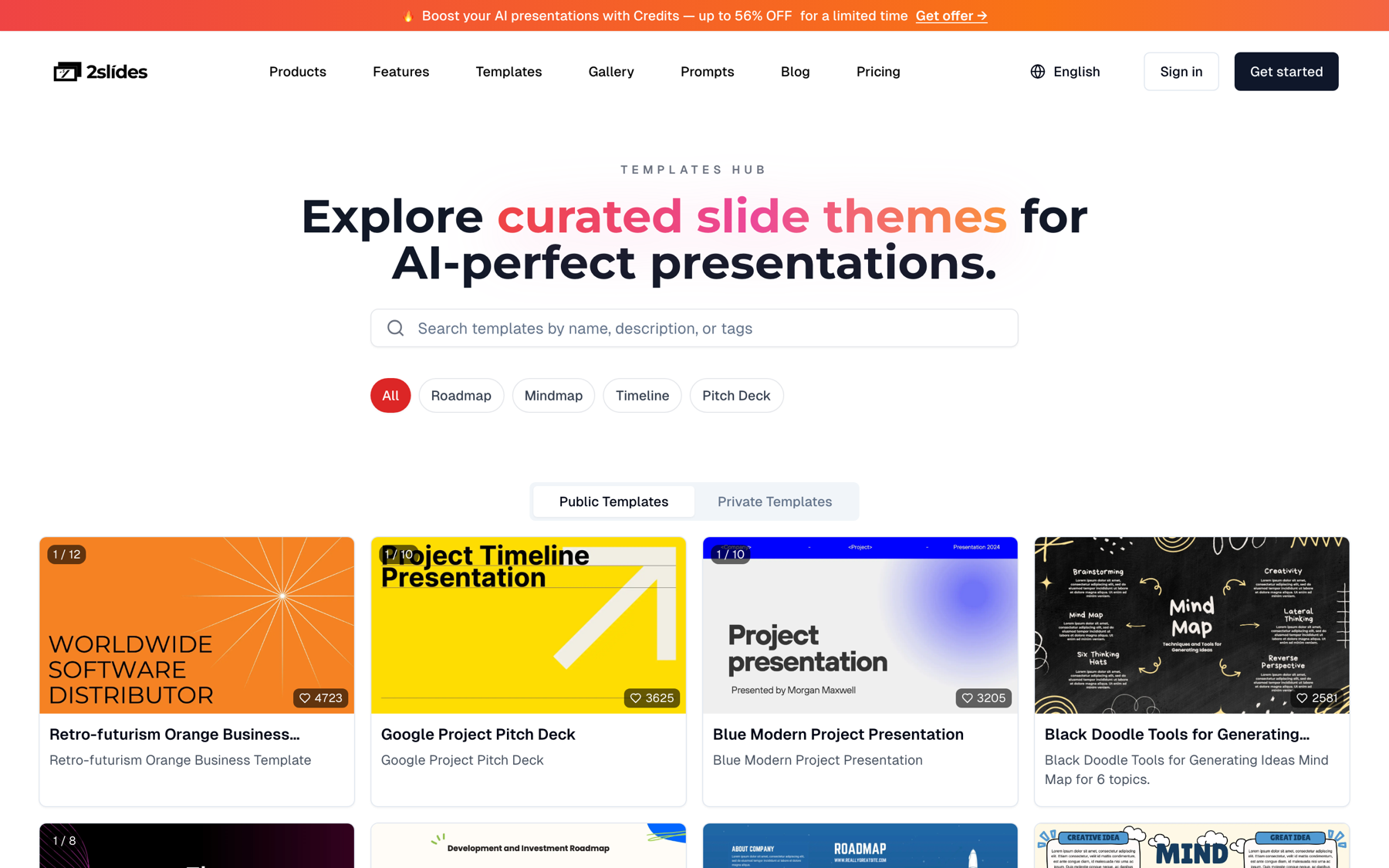
Figure 1: The 2Slides template library. Marketing teams typically standardize on two or three templates, or onboard their own branded PPTX as a private theme.
For a new-client campaign strategy deck, marketers want a strategist's structure, the agency's or client's look, and a file the account team can keep editing. That points to a template-fill tool, not a design-from-scratch generator.
Structure that works for a new-client campaign strategy deck (12 to 16 slides):
2Slides route: Fast PPT with your agency template (or the client's, onboarded as a private theme). Paste your brief and research notes, set the page count, and you get an editable PPTX in roughly a minute. Example prompt:
Campaign strategy deck for a new client: a regional plant-based snack brand
launching in 3 new US metros in Q1. Objective: 15% aided awareness lift among
25-44 urban shoppers in 12 weeks. Budget $420K. Channels: paid social, CTV,
retail media, creator partnerships. Include audience insight, 3 creative
territories with sample headlines, channel roles, budget split, KPI framework
by funnel stage, and a launch timeline. 14 slides. Tone: confident, plain English.
What you still do by hand: swap in real concept boards, check every competitor claim, and match the budget split to the media plan. The strategy is still yours. For more on making template fills respect your layout, see on-brand AI slides with template fill.
Leadership wants three answers: did we hit the number, why, and what changes. The deck builder that works for performance teams reads your actual export instead of paraphrasing a prompt, because tools that only see text tend to invent statistics.
Structure for a monthly leadership performance deck (10 to 12 slides):
2Slides route: Create Slides from File accepts CSV and XLSX, analyzes the actual values, and builds a designed deck from what the data says. If leadership expects an editable PPTX in the corporate template, calculate the numbers yourself and feed them into Fast PPT instead. The spreadsheet to presentation guide covers how the analysis step works.
Source material. A growth marketer exports two files on the 2nd of the month:
ga4_sept.csv: sessions, engaged sessions, key events, and revenue by default channel group, September vs. Augustads_sept.csv: spend, clicks, conversions, CPA, and ROAS by campaign across Google Ads and Meta, plus the monthly plan columnShe uploads both files to Create Slides from File with this instruction:
Build a 12-slide monthly marketing performance report for the leadership team.
Lead with blended CPA vs. the $48 target and paid revenue vs. plan. Rank channels
by ROAS, explain the two biggest month-over-month changes using the data, flag
any campaign more than 20% over its CPA target, and end with a budget
reallocation recommendation and next month's tests. Executive tone, no jargon.
What she gets. A 12-page designed deck at 2K: headline slide, KPI scorecard, spend pacing, channel ranking, change drivers, campaign outliers, recommendation, plan. Downloadable as PDF and per-page PNG.
Credit math.
| Item | Calculation | Credits | Cost on $5 pack (2,000 credits) | Cost on Pro (10,000 for $12.50) |
|---|---|---|---|---|
| Deck generation | 10 planning + 12 × 100 | 1,210 | about $3.03 | about $1.51 |
| Optional narration | 12 × 210 | 2,520 | about $6.30 | about $3.15 |
| Editable alternative (Fast PPT, her numbers) | 12 × 10 | 120 | about $0.30 | about $0.15 |
What she still does by hand. Checks every number on the scorecard against the source files (the AI ranks and summarizes; she owns the figures), adds context the CSV cannot know (a tracking outage, a promo calendar shift), and decides whether the reallocation recommendation is politically viable. Budget 20 to 30 minutes of review. Any number that reaches the CFO gets checked twice.
If the CMO prefers to watch rather than read, add narration and export an MP4. Executives who skip the deck often watch a four-minute recap. The narrated campaign report recipe shows how to automate that weekly.
Launch decks travel: product, sales, support, and execs all edit them. Keep them in Fast PPT so every team can update their section.
Structure: launch goal and date; product and the problem it solves; target segments and ICP; positioning statement and messaging pillars; competitive positioning; pricing and packaging; channel plan and launch sequence (pre-launch, launch week, sustain); enablement plan; success metrics; risks; owners and RACI.
2Slides route: Fast PPT for the body. For two or three hero slides, use Create Slides Like This with your campaign key visual as the reference, then drop the PNGs into the PPTX.
When the campaign goes live, sales needs a short deck that translates marketing language into talk tracks: who we are targeting, the message, the offer, objection handling, and where the assets live. Eight to ten slides, editable, in the sales template. Fast PPT handles this; the sales enablement deck guide has a full structure and prompts.
Webinars run 15 to 25 content slides plus intro, polls, and a CTA. If the speaker will tweak slides, use Fast PPT. For a keynote-style look, or an on-demand MP4 with AI narration later, use the designed Workspace flow. The webinar deck guide covers both.
Carousels are images by nature, so the image-designed flow is the right fit. Create Slides Like This takes a reference image (a past top-performing carousel or your brand key visual) and generates new slides in that style, with custom aspect ratios: 4:5 for LinkedIn and Instagram feed, 9:16 for Stories and Reels, 1:1 for square. A 7-page carousel at 2K is 710 credits. Teams publishing several a week usually automate it: see automate social media carousels with the API.
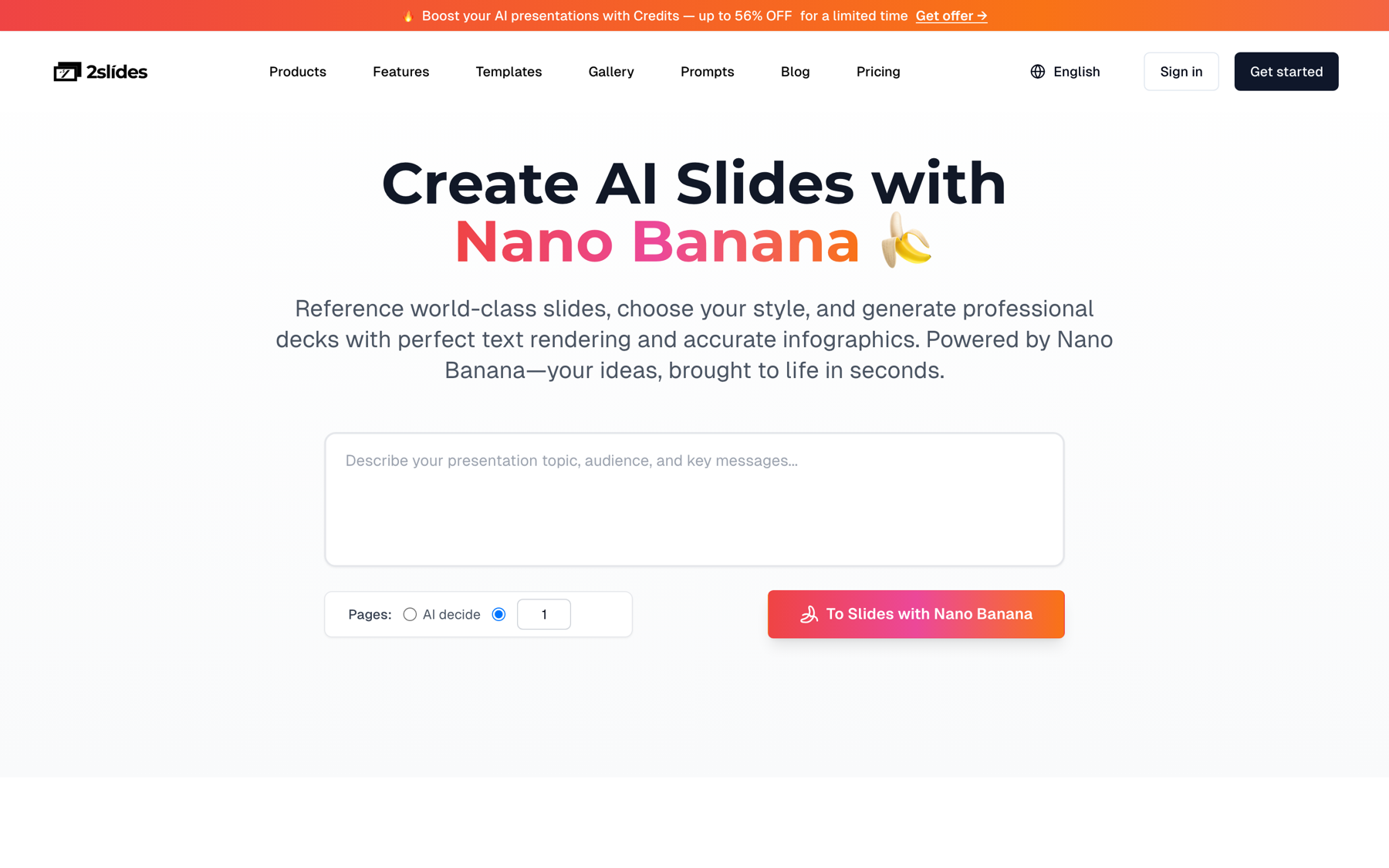
Figure 2: The designed-slides workflow, used for carousels, webinar hero slides, and narrated recaps.
Regional teams need the same deck in their language and template. 2Slides generates in 20+ languages: set the output language per deck, or pass responseLanguage (such as "German") through the API. Generate from the approved English source, and have a native-speaking marketer in each region review claims, legal lines, and idioms. Details in create slides in 19 languages.
This is the question behind most "brand-consistent AI slides" searches, and the honest answer is that no AI tool keeps you on brand by itself. Brand consistency is a governance system; the tool is where you enforce it. Here is the system that works:
1. One locked master per audience. Pick at most three templates: client-facing, internal, and social. In 2Slides, upload your branded PPTX (up to 50MB) in the Private Templates area; the team converts it into a private Fast PPT theme, typically within about 48 hours. After that, every Fast PPT deck fills that exact layout. There is no instant "type your hex codes" brand kit in 2Slides; branding comes from the template.
2. Color and type rules written down. Primary and secondary palette with hex values, which colors may carry text, heading and body fonts, minimum sizes. Check text-on-background pairs against the WCAG 2.2 contrast minimum (4.5:1 for normal text) before locking the template, because a brand color that fails contrast fails on every slide.
3. Approved image sources. List where imagery may come from: your DAM, licensed stock, AI-generated (and under what rules). For Create Slides Like This, keep a small library of approved reference images so nobody styles a client deck from a random Pinterest pin.
4. A named reviewer. Every external deck gets one brand check (template, logo, colors, imagery) and one claims check (numbers, competitor statements, legal lines). When the brand refreshes, update the private template once and retire the old one.
Every tool below can produce a decent marketing deck. They differ in how they enforce brand and what file you end up with. Features are as of October 2026 and summarized conservatively from each vendor's documentation; check current plans before you buy.
| Tool | How brand is enforced | Output marketers edit | Strongest fit | Watch out for |
|---|---|---|---|---|
| 2Slides | Private brand template (Fast PPT); reference-image style matching (Workspace) | Editable PPTX (Fast PPT); PDF, PNG, MP4 (Workspace) | Mixed inventory: editable decks, data reports, carousels, narrated recaps, API automation | No live co-editing canvas; designed slides are images, not editable text |
| Canva | Brand Kit (colors, fonts, logos) plus Brand Templates whose elements admins can lock, per Canva's help center | Canva designs; PPTX export | Teams already doing social and print in Canva | Brand controls sit on team-oriented paid plans; PPTX exports can need cleanup |
| Beautiful.ai | Custom company theme, option to require it, custom template library, role permissions on the Team plan | Beautiful.ai decks; PowerPoint import/export | Teams that want strict design rules applied automatically | Per-seat pricing adds up for large teams |
| Gamma | Custom themes with your colors, fonts, and logo, shareable across a workspace | Gamma cards; PPTX and PDF export | Fast, web-native narrative decks and pages | Card layout does not always map cleanly to a corporate PPTX master |
| Microsoft Copilot in PowerPoint | Builds from your corporate template; can pull on-brand images from an organizational asset library, per Microsoft's guidance | Native PowerPoint | Microsoft 365 shops with governed templates | Requires Copilot licensing and well-built templates with clear layout names |
| Pitch | Custom templates with brand colors and uploaded fonts in a shared library, per Pitch's help center | Pitch decks; PPTX/PDF export | Collaborative teams presenting from the browser | Best experience stays inside Pitch |
Choose something else if your team lives in Canva for every asset (its brand controls are hard to beat for social work), if you run Microsoft 365 with governed templates and Copilot licenses, or if you need real-time co-editing, where Pitch and Gamma shine.
A tool that fills your agency template and returns an editable PPTX the account team can keep refining. Fast PPT does that for about $0.38 per 15-page deck; add two or three key visual slides from Create Slides Like This using the client's imagery. Inside a Microsoft 365 environment with a client-supplied template, Copilot in PowerPoint is a reasonable alternative. Agencies producing recurring client reports, not just pitches, should look at white-label client report decks with the API.
Here is a realistic month for a five-person marketing team, using one shared balance:
| Deck | Route | Volume | Credits |
|---|---|---|---|
| New-client strategy decks | Fast PPT, 15 pages | 2 | 300 |
| Monthly leadership report | Create from File, 12 pages | 1 | 1,210 |
| Narrated leadership recap | Narration, 12 pages | 1 | 2,520 |
| Launch / GTM deck | Fast PPT, 20 pages | 1 | 200 |
| Sales enablement handoff | Fast PPT, 12 pages | 1 | 120 |
| Webinar deck | Fast PPT, 25 pages | 1 | 250 |
| Social carousels | Create Like This, 7 pages | 4 | 2,840 |
| Localized launch deck | Fast PPT, 20 pages × 4 languages | 4 | 800 |
| Total | 8,240 |
That fits inside the Pro plan's 10,000 monthly credits at $12.50/month (or $11/month billed yearly), with no per-seat fee. Lighter months can run on credit packs. New accounts start with 500 free credits. Full numbers on the pricing page.
Recurring decks (weekly recaps, per-region versions, per-client reports) belong in automation. The 2Slides API uses a Bearer key that draws on the same credits. A minimal Fast PPT call:
curl -s -X POST https://2slides.com/api/v1/slides/generate \
  -H "Authorization: Bearer $SLIDES_API_KEY" \
  -H "Content-Type: application/json" \
  -d '{
    "userInput": "Weekly paid media recap, week 41: blended CPA $46 vs $48 target...",
    "themeId": "YOUR_PRIVATE_THEME_ID",
    "responseLanguage": "English",
    "mode": "async"
  }'
Poll GET /api/v1/jobs/{id} until the status is success, then download the PPTX. For narrated video recaps, chain create-pdf-slides with generate-narration instead, since Fast PPT jobs cannot be narrated. Generation endpoints allow 6 requests per minute per key, so queue large runs. The same operations work through Zapier, Make, n8n, or the 2Slides MCP server if your team already uses an AI agent.
For campaign strategy decks, choose a tool that fills your brand template and outputs an editable PPTX, such as 2Slides Fast PPT (10 credits per page). For campaign creative, carousels, and recap videos, an image-designed tool that matches a reference visual works better.
One that reads your actual GA4 and ads exports rather than a typed summary. 2Slides Create Slides from File analyzes CSV and XLSX values and builds a 12-page report for about 1,210 credits. Always verify the scorecard numbers before presenting.
Lock one template per audience, document color and type rules (with contrast checks), restrict image sources, and assign a reviewer to every external deck. In 2Slides, onboard your branded PPTX as a private theme so every Fast PPT deck uses it.
Yes. 2Slides charges by credits, not seats, so a team shares one balance. The Pro plan is $12.50/month for 10,000 credits, which covers a typical month of strategy decks, a leadership report, carousels, and localized versions.
Yes, if it was made in the Workspace flow (Create from File or Create Like This). Add AI narration at about 210 credits per page and export a 16:9 or 9:16 MP4. Fast PPT decks cannot be narrated.
Not entirely. Canva remains strong for day-to-day social and print design with brand controls. 2Slides is stronger for editable PPTX decks in your template, data-driven reports, narrated recaps, and API automation. Many teams use both.
Start with the deck you rebuild most often: open Fast PPT with your brand template, or upload last month's export to Create Slides from File and see your leadership report drafted in minutes.
Create stunning AI-powered presentations in seconds. Transform your ideas into professional slides with 2slides AI Agent.
Try For FreeYour AI Agent for slides. Save time, shine faster with intelligent presentation creation.


© 2026 2slides. All rights reserved.