
2Slides Team
18 min read

To automate marketing report presentations, run a Monday cron that pulls campaign metrics, asks an LLM for an 8-slide narrative, and calls three 2Slides endpoints: create-pdf-slides for an image-designed 16:9 recap deck, generate-narration in multi mode for a two-voice track, and download-slides-pages-voices for per-page PNG and WAV files that ffmpeg stitches into an MP4. An 8-page 2K deck costs 810 credits (about $2), narration adds 1,680 credits (about $4.20), so a narrated weekly recap lands near $6 per client. Built for marketing ops, growth engineers, and agencies.
Key takeaways
create-pdf-slides (10 + 100 credits per page at 2K), generate-narration (210 credits per page), and download-slides-pages-voices (free).generate) cannot be narrated; for video, start from create-pdf-slides or create-like-this.Marketing ops leads who rebuild the same recap deck every Monday, growth engineers who already have the metrics in a warehouse, and agencies that owe a weekly update to 20, 50, or more clients. The pain is the same: the numbers are ready by 6 a.m., the deck is ready by lunch, and half the stakeholders never open it.
Do not use this recipe if stakeholders need to edit the slides in PowerPoint afterward; the image-designed pipeline produces a finished PDF plus page images, not native PPTX. For editable weekly decks, the Fast PPT path in Automate weekly reports with Zapier and 2Slides fits better.
| Step | Tool | What happens | 2Slides endpoint / credits |
|---|---|---|---|
| 1. Trigger | Cron (GitHub Actions, Cloud Scheduler, cron on a VM) | Fires Monday 06:00 in the client's timezone | none |
| 2. Pull metrics | Google Ads, Meta, GA4 export, or a warehouse SQL query | One JSON object per client: spend, plan, conversions, CPA, top channels, top creatives | none |
| 3. Write the narrative | Your LLM of choice | Returns 8 titled sections: headline result, spend vs. plan, top channels, creative winners, audience notes, tests, risks, next week's plan | none |
| 4. Generate the deck | 2Slides | Image-designed 16:9 deck at 2K with your brand designStyle | POST /api/v1/slides/create-pdf-slides, 810 credits for 8 pages |
| 5. Add narration | 2Slides | Two speakers alternate through the deck | POST /api/v1/slides/generate-narration, 1,680 credits for 8 pages |
| 6. Fetch assets | 2Slides | ZIP with pages/page_01.png, voices/page_01.wav, and transcript.txt | POST /api/v1/slides/download-slides-pages-voices, free |
| 7. Assemble and deliver | ffmpeg on your worker, or Workspace Export | H.264 MP4 posted to Slack, email, or a client portal | ffmpeg: free; Workspace Generate Video: 20 credits per page |
Every 2Slides call uses the same Authorization: Bearer $SLIDES_API_KEY header, and every asynchronous job is polled at GET /api/v1/jobs/{jobId}.
Create a key at 2slides.com/api under the API Keys tab. New accounts get 500 free credits with no subscription, enough to run this pipeline once end to end before buying a pack. Store the key as SLIDES_API_KEY in your scheduler's secret store, never in a browser or a shared notebook, and confirm it with the echo endpoint before scheduling anything.
curl -s https://2slides.com/api/v1/echo \
  -H "Authorization: Bearer $SLIDES_API_KEY"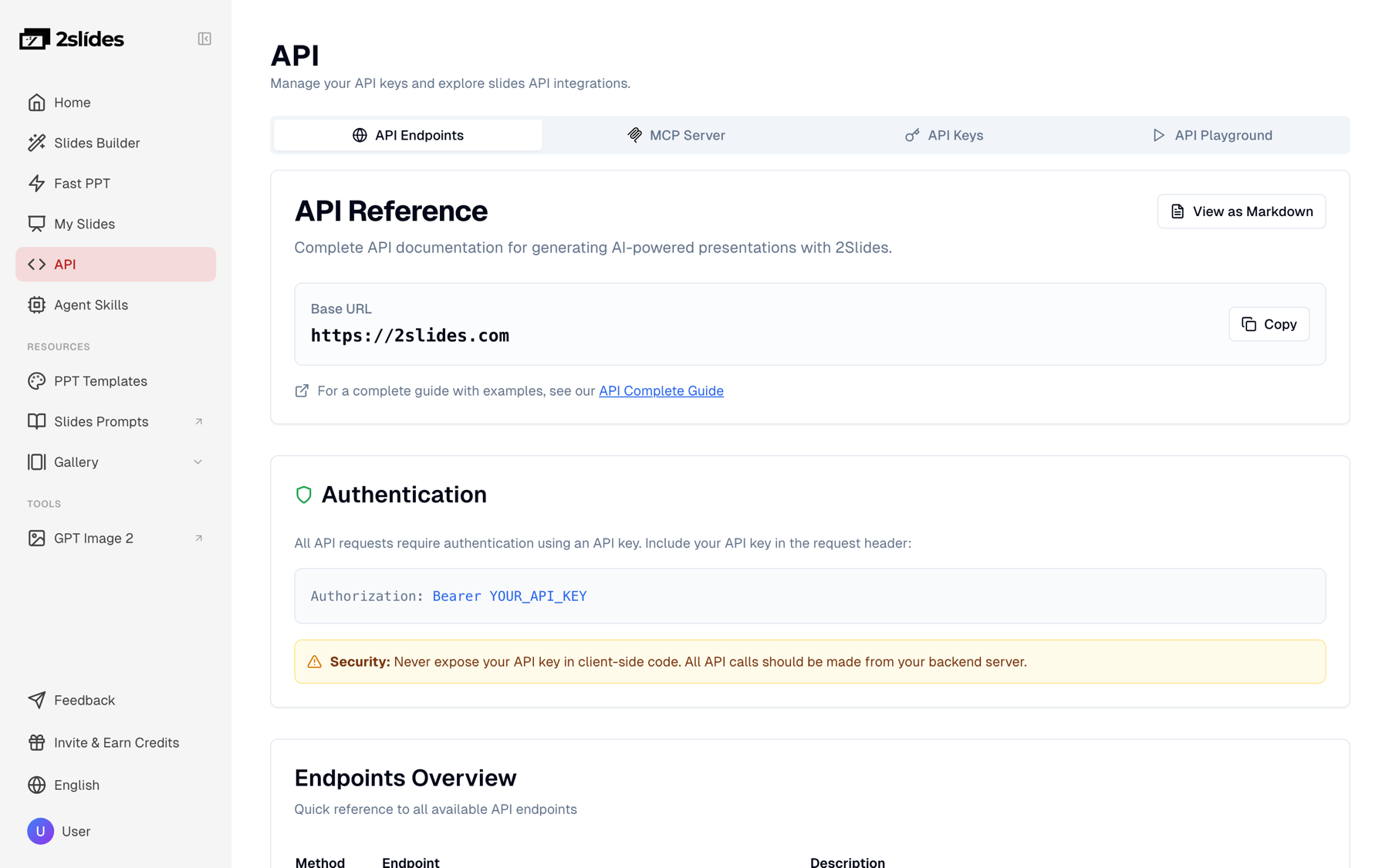
For the trigger, a GitHub Actions workflow with on: schedule: - cron: "0 6 * * 1" is enough for a handful of clients. For 50 or more, put clients in a queue and let one worker drain it sequentially, which keeps you under the 6 requests per minute limit with room for retries.
The 2Slides API does not know what a good weekly recap says; that part is yours, and it decides the quality of the deck. Pull last week's numbers from your ad platforms or warehouse into one flat JSON object per client, then prompt your LLM to return exactly eight titled sections:
Ask for plain sentences with the numbers inline and under 60 words per section. create-pdf-slides treats your text as the source of truth for copy and layout, so a clean 400 to 500 word narrative produces a tighter deck than a 3,000 word dump of every metric.
// narrative.mjs: shape the LLM output before it reaches 2Slides
export function toUserInput(client, sections) {
  const header = `Weekly paid media recap for ${client.name}, week of ${client.week}. ` +
    `Audience: ${client.stakeholders}. Tone: direct, numbers first.`;
  const body = sections
    .map((s, i) => `Slide ${i + 1}: ${s.title}\n${s.body}`)
    .join("\n\n");
  return `${header}\n\n${body}`;
}Send the narrative to create-pdf-slides. Set page: 8 so the slide count matches your eight sections, aspectRatio: "16:9" for screens, and resolution: "2K" so the PNGs hold up at 1920×1080 without upscaling. designStyle is where your brand lives: colors, type feel, layout rules, and what to avoid.
curl -s https://2slides.com/api/v1/slides/create-pdf-slides \
  -H "Authorization: Bearer $SLIDES_API_KEY" \
  -H "Content-Type: application/json" \
  -d '{
    "userInput": "Weekly paid media recap for Northwind Outdoor, week of 2026-09-01 to 2026-09-07. Audience: CMO and ecommerce lead. Tone: direct, numbers first.\n\nSlide 1: Headline result\nCPA fell 18% to $31.40 at flat spend of $48,200; 1,535 purchases vs. 1,301 the prior week.\n\nSlide 2: Spend vs. plan\nPlanned $50,000, spent $48,200 (-3.6%). Month pacing at 97% of plan.\n\nSlide 3: Top channels\nMeta $22,100 spend, 812 purchases, $27.20 CPA (-22%). Google Search $18,400, 571 purchases, $32.20 CPA (-9%). YouTube $7,700, 152 purchases, $50.66 CPA (+4%).\n\nSlide 4: Creative winners\n\"Trail-ready in 3 layers\" UGC video: 334 purchases, 3.1% CTR. \"Fall sale, free returns\" static: 218 purchases.\n\nSlide 5: Audience and geo notes\nPacific Northwest DMAs up 31% on purchases; 25-34 women now 41% of Meta conversions.\n\nSlide 6: Tests running\nBroad vs. interest targeting on Meta, day 9 of 14, read on Sept 12. Search brand exclusion test paused for tracking fix.\n\nSlide 7: Risks and blockers\nGA4 and Meta purchase counts diverge by 11%; YouTube CPA trending up two weeks straight.\n\nSlide 8: Next week plan\nShift $3,000 from YouTube to Meta UGC (owner: Priya). Launch two new UGC variants (owner: Sam). Close the GA4 tagging gap by Wednesday (owner: Dev).",
    "designStyle": "Northwind Outdoor brand: deep forest green #1F3D2B, sand #E8DCC4, white; bold geometric sans-serif headlines; one large number per slide; clean data cards and simple bar comparisons; generous margins; no stock photography, no gradients",
    "aspectRatio": "16:9",
    "resolution": "2K",
    "page": 8,
    "contentDetail": "concise",
    "imageModel": "gemini-3-pro-image",
    "responseLanguage": "English",
    "mode": "async"
  }'
The response is { "jobId": "..." }. Poll GET https://2slides.com/api/v1/jobs/{jobId} every 5 to 10 seconds until status is success (the PDF is at downloadUrl) or failed. Expect a few minutes for eight 2K pages. Cost: 10 planning credits plus 100 per page, so 810 credits for the 8-page deck.
create-pdf-slides exposes over the API.
To match an existing brand slide instead of a text description, swap to create-like-this with referenceImageUrl pointing at a public image of one on-brand slide. Body, cost, and limits are otherwise identical.
Once the deck job reports success, call generate-narration on the same jobId. Use mode: "multi" with two named speakers and two of the 30 available voices; Kore and Puck sit far enough apart that listeners can follow who is talking without a visual cue. includeIntro: true adds a short opener that names the client and the week.
curl -s https://2slides.com/api/v1/slides/generate-narration \
  -H "Authorization: Bearer $SLIDES_API_KEY" \
  -H "Content-Type: application/json" \
  -d '{
    "jobId": "<deck jobId from step 3>",
    "mode": "multi",
    "speaker1Name": "Maya",
    "speaker2Name": "Theo",
    "speaker1Voice": "Kore",
    "speaker2Voice": "Puck",
    "contentMode": "standard",
    "includeIntro": true
  }'
The endpoint answers 202 and the job goes back to processing. Poll the same jobId until it returns success again. Narration costs 210 credits per page (10 for the script, 200 for the audio), so 1,680 credits for eight slides. For script length and pacing guidance, see Slides narration and video best practices.
One comparison, since people ask: Gamma's developer site (https://developers.gamma.app) documents a narrated-video recipe that chains n8n, Synthesia, ElevenLabs, and its own Generate API, and its API keys require the Pro plan. The 2Slides route above uses one vendor and one key that works on any account, with ffmpeg on your side for assembly; it does not produce an avatar presenter the way a Synthesia layer does. Disclosure: 2Slides is our product.
Call download-slides-pages-voices with the same jobId. It returns a free ZIP containing pages/page_01.png through page_08.png, voices/page_01.wav through page_08.wav, and transcript.txt with the spoken script for captions or an email summary.
curl -s https://2slides.com/api/v1/slides/download-slides-pages-voices \
  -H "Authorization: Bearer $SLIDES_API_KEY" \
  -H "Content-Type: application/json" \
  -d '{ "jobId": "<deck jobId>" }' \
  -o recap.zip && unzip -q -o recap.zip -d recap
Then stitch each PNG to its WAV and concatenate. This one-liner produces a 1920×1080 H.264 MP4 where each slide stays on screen exactly as long as its narration:
cd recap && for i in $(seq -w 1 8); do ffmpeg -y -loop 1 -i pages/page_$i.png -i voices/page_$i.wav -c:v libx264 -tune stillimage -pix_fmt yuv420p -vf "scale=1920:1080:force_original_aspect_ratio=decrease,pad=1920:1080:(ow-iw)/2:(oh-ih)/2" -c:a aac -b:a 192k -shortest clip_$i.mp4; done && printf "file 'clip_%s.mp4'\n" $(seq -w 1 8) > list.txt && ffmpeg -y -f concat -safe 0 -i list.txt -c copy weekly-recap.mp4The concat demuxer at the end is documented in the ffmpeg formats reference. For a vertical cut, change both 1920:1080 values to 1080:1920 and regenerate the deck with aspectRatio: "9:16".
No worker with ffmpeg? Open the same job in the 2Slides Workspace and use Export, then Generate Video. It renders the H.264 MP4 at 1920×1080 or 1080×1920 in the browser for 20 credits per page (160 for an 8-slide recap). That suits a one-off; ffmpeg suits 50 clients every Monday.
The whole thing as one Node 20 script with no dependencies beyond fetch. Replace loadMetrics and writeNarrative with your warehouse query and LLM call.
// weekly-recap.mjs: Node 20+, run from your Monday cron
import { writeFile } from "node:fs/promises";
import { execFile } from "node:child_process";
import { promisify } from "node:util";
import { toUserInput } from "./narrative.mjs";
import { loadMetrics, writeNarrative } from "./your-data-layer.mjs";

const BASE = "https://2slides.com";
const headers = {
  Authorization: `Bearer ${process.env.SLIDES_API_KEY}`, // server-side only
  "Content-Type": "application/json",
};
const sleep = (ms) => new Promise((r) => setTimeout(r, ms));
const run = promisify(execFile);

async function post(path, body) {
  const res = await fetch(`${BASE}${path}`, { method: "POST", headers, body: JSON.stringify(body) });
  if (!res.ok) throw new Error(`${path} -> ${res.status}: ${await res.text()}`);
  return res.json();
}

async function waitForJob(jobId, everyMs = 8000) {
  for (;;) {
    const res = await fetch(`${BASE}/api/v1/jobs/${jobId}`, { headers });
    const job = await res.json();
    console.log(`  job ${jobId}: ${job.status} ${job.progress ?? ""}`);
    if (job.status === "success") return job;
    if (job.status === "failed") throw new Error(`job ${jobId} failed: ${job.message ?? ""}`);
    await sleep(everyMs); // poll every 5–10 s; jobs/{id} allows 10 req/min
  }
}

export async function buildRecap(client) {
  // 1) metrics -> 8-section narrative
  const metrics = await loadMetrics(client);
  const sections = await writeNarrative(client, metrics);

  // 2) image-designed deck: 10 + 100 credits/page at 2K
  const { jobId } = await post("/api/v1/slides/create-pdf-slides", {
    userInput: toUserInput(client, sections),
    designStyle: client.designStyle,
    aspectRatio: "16:9",
    resolution: "2K",
    page: 8,
    contentDetail: "concise",
    responseLanguage: client.language ?? "English",
    mode: "async",
  });
  const deck = await waitForJob(jobId);
  console.log("deck PDF:", deck.downloadUrl);

  // 3) two-speaker narration: 210 credits/page
  await post("/api/v1/slides/generate-narration", {
    jobId,
    mode: "multi",
    speaker1Name: "Maya",
    speaker2Name: "Theo",
    speaker1Voice: "Kore",
    speaker2Voice: "Puck",
    contentMode: "standard",
    includeIntro: true,
  });
  await waitForJob(jobId);

  // 4) per-page PNG + WAV (free) -> MP4 via ffmpeg
  const zipRes = await fetch(`${BASE}/api/v1/slides/download-slides-pages-voices`, {
    method: "POST", headers, body: JSON.stringify({ jobId }),
  });
  if (!zipRes.ok) throw new Error(`download failed: ${zipRes.status}`);
  const zipPath = `out/${client.slug}.zip`;
  await writeFile(zipPath, Buffer.from(await zipRes.arrayBuffer()));
  await run("bash", ["./stitch.sh", zipPath, `out/${client.slug}-recap.mp4`]); // the ffmpeg loop from step 5

  return { jobId, pdf: deck.downloadUrl, video: `out/${client.slug}-recap.mp4` };
}

// Drain clients one at a time: 3 POSTs per client keeps you under 6 req/min
const clients = JSON.parse(process.env.CLIENTS_JSON ?? "[]");
for (const client of clients) {
  try {
    const out = await buildRecap(client);
    console.log(`done ${client.name}`, out);
  } catch (err) {
    console.error(`FAILED ${client.name}:`, err.message); // alert, do not retry blindly
  }
}
Each client costs three write requests (deck, narration, download) plus polling reads on a separate 10 requests per minute allowance.
If describing your brand in designStyle is not landing, use a reference image. The 2Slides Gallery hosts real-world decks you can browse for direction or pass to create-like-this as referenceImageUrl. These are reference decks, not API output: the slides below come from an Adobe Creative Trends 2026 deck in the Gallery and show the restrained, data-forward style that reads well in a weekly recap.

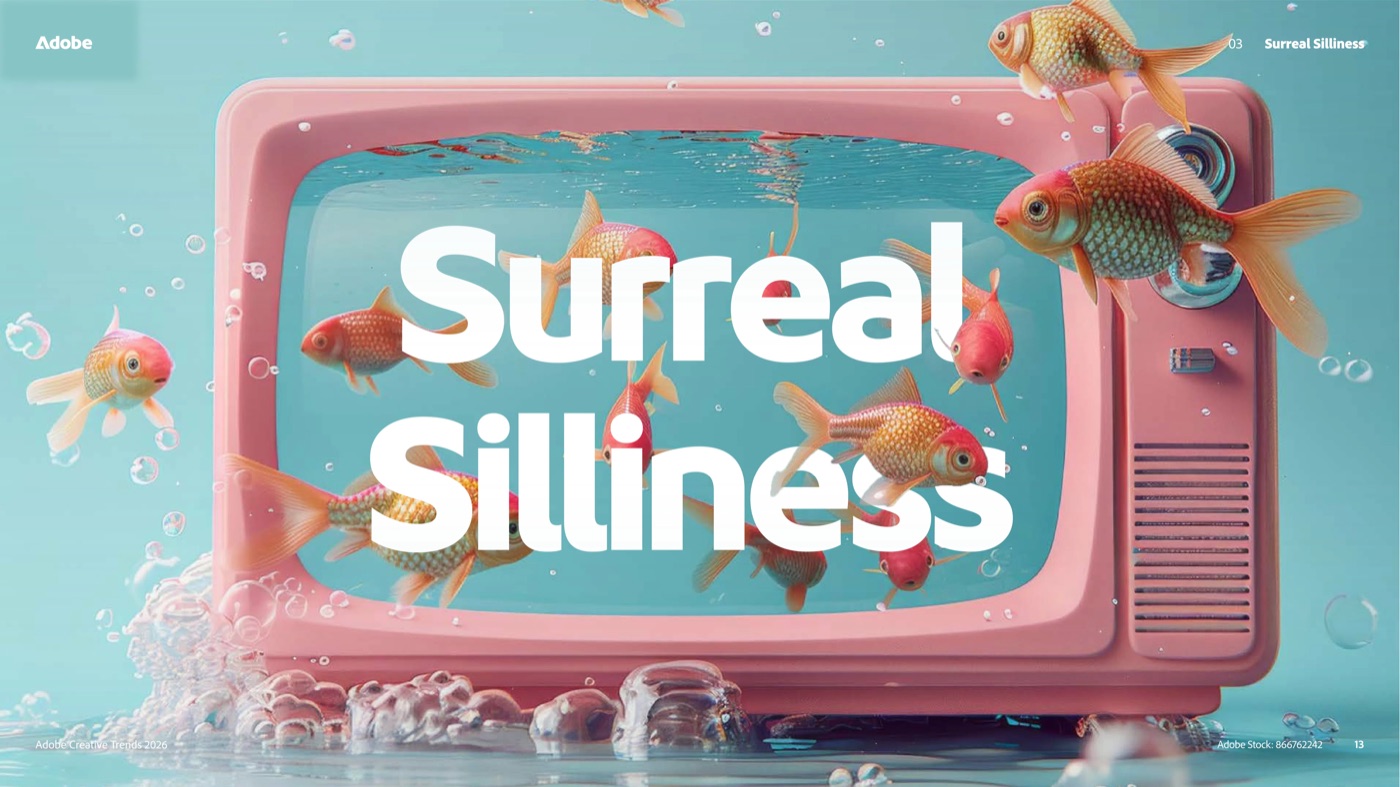
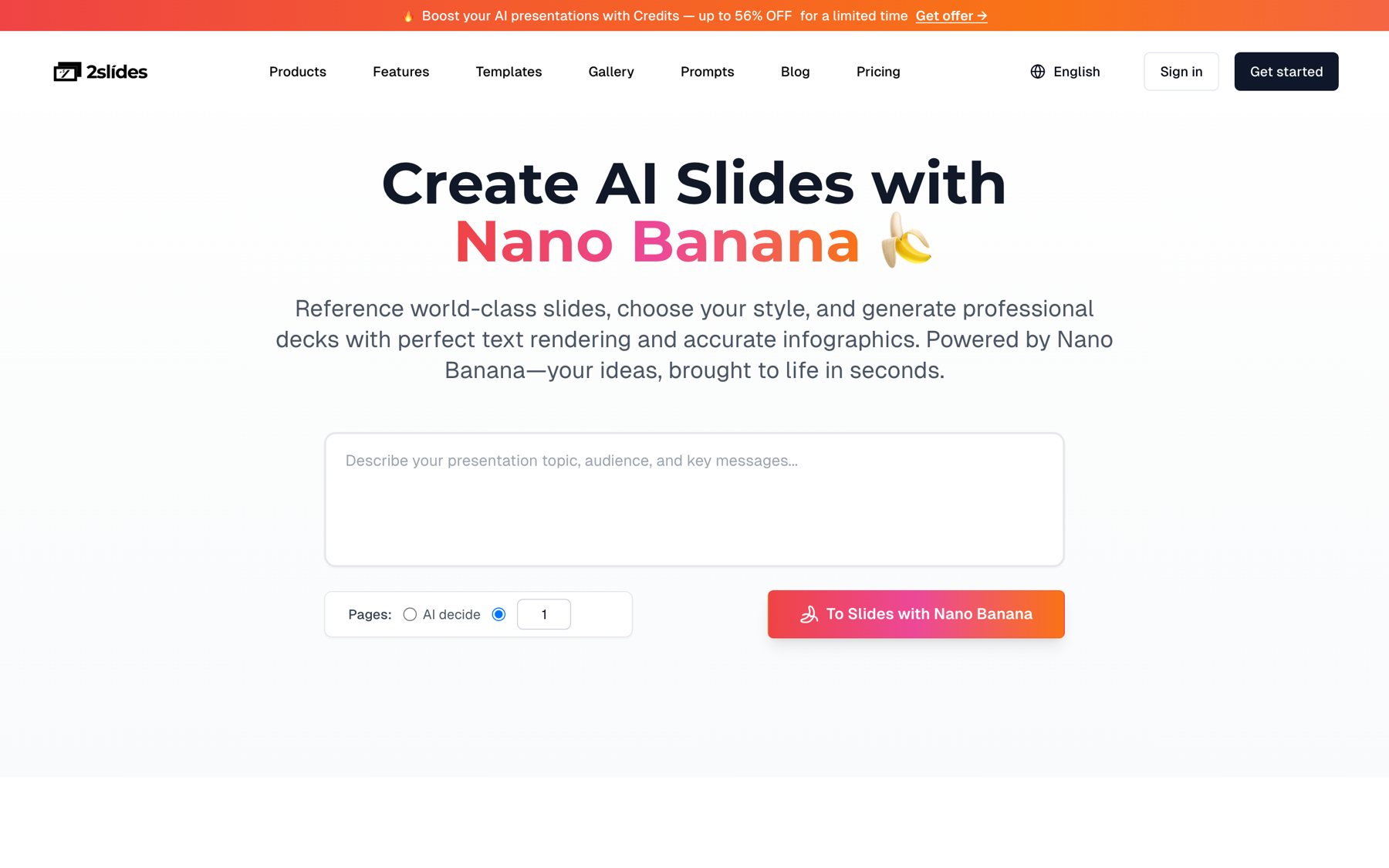
referenceImageUrl and create-like-this derives colors, type, and layout from it.
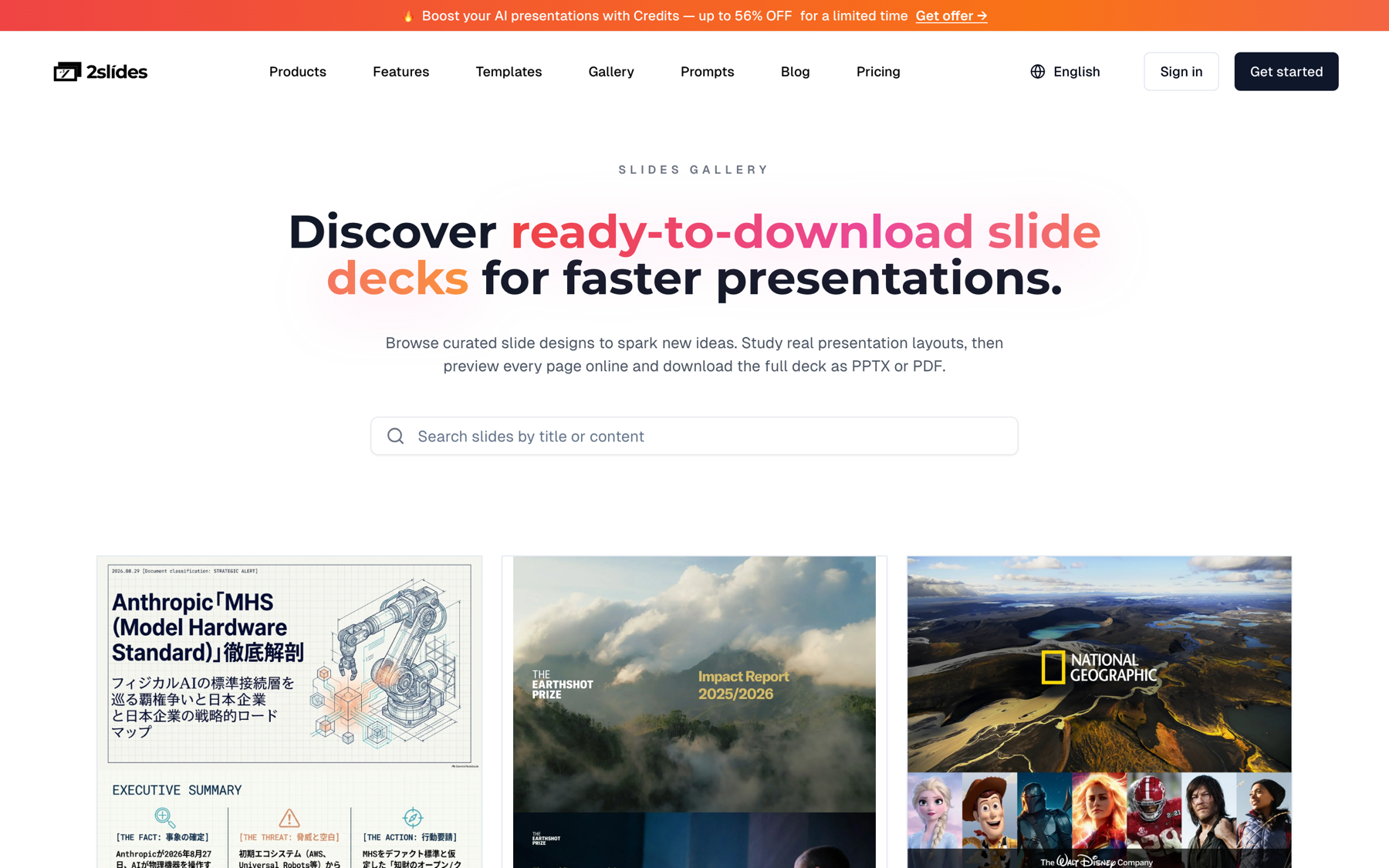
For agencies, store one reference slide URL per client next to their metrics config, and every Monday deck stays in that client's visual system.
Per 8-slide recap: 810 credits for the 2K deck, 1,680 for narration, nothing for the ZIP or for ffmpeg on your own worker. Credit packs run from $5 for 2,000 credits ($0.0025 each) to $80 for 40,000 credits ($0.002 each).
| Volume | Deck credits | Narration credits | Total credits | USD at $0.0025 | USD at $0.002 ($80 packs) |
|---|---|---|---|---|---|
| 1 narrated recap | 810 | 1,680 | 2,490 | $6.23 | $4.98 |
| 20 recaps / month (5 campaigns weekly) | 16,200 | 33,600 | 49,800 | $124.50 | $99.60 |
| 500 recaps / month (125 clients weekly) | 405,000 | 840,000 | 1,245,000 | n/a | $2,490 |
| 20 decks / month, no narration | 16,200 | 0 | 16,200 | $40.50 | $32.40 |
Two notes. Dropping to resolution: "1K" saves nothing (100 credits per page applies to 512px, 1K, and 2K; only 4K doubles it), so stay at 2K. Rendering the MP4 in the Workspace instead of ffmpeg adds 160 credits ($0.32 to $0.40) per recap.
| Need | Fast PPT generate | create-pdf-slides / create-like-this |
|---|---|---|
| Stakeholders edit the deck in PowerPoint | Yes, native PPTX from 1,500+ templates | No, output is PDF plus page images |
| Watch-instead-of-read video with voiceover | No, narration is not available | Yes, generate-narration then MP4 |
| Cost for 8 pages | 80 credits (about $0.20) | 810 credits deck, 2,490 with narration |
| Turnaround | About 30 seconds, sync by default | A few minutes, async by default |
| Brand control | Pick a themeId from GET /api/v1/themes/search | Free-text designStyle or a referenceImageUrl |
Many teams run both: a Fast PPT deck for the account manager who annotates it, and the narrated video for the client who watches on a phone. How marketing teams generate AI presentation decks at scale covers the editable side in depth.
generate-narration on a Fast PPT job. Narration only accepts jobs from create-pdf-slides or create-like-this; a generate job is rejected and cannot be converted.SLIDES_API_KEY on the server or in your scheduler's secret store. If a client-facing page needs the video, serve the MP4 you already rendered.page: 0 when you want exactly eight slides. 0 means auto-detect the page count. Set page: 8 so every week's video has the same shape and length.responseLanguage takes a name such as "Spanish", not "es". Store the name in each client's config.userInput produces a muddled deck. Summarize first, hand over a 400 to 500 word narrative, and keep the CSV as an attachment.A narrated 8-slide recap costs 2,490 credits, between $4.98 and $6.23 depending on the credit pack. That breaks down to 810 credits for the 2K image-designed deck (10 planning plus 100 per page) and 1,680 credits for two-speaker narration (210 per page). The per-page PNG and WAV download is free, and stitching with ffmpeg on your own machine adds nothing.
Yes. generate-narration with mode: "multi" takes speaker1Name, speaker2Name, speaker1Voice, and speaker2Voice, and alternates the two speakers through the slides. There are 30 voices to choose from, including Kore, Puck, Zephyr, Charon, Aoede, and Leda. Use mode: "single" with speakerName and voice when one narrator is enough, at the same 210 credits per page.
Three, in order: POST /api/v1/slides/create-pdf-slides (or create-like-this with a referenceImageUrl) to design the deck, POST /api/v1/slides/generate-narration on the resulting jobId to add audio, and POST /api/v1/slides/download-slides-pages-voices to fetch the PNG and WAV pairs. Poll GET /api/v1/jobs/{jobId} every 5 to 10 seconds between steps. Fast PPT's generate is not part of this chain because it cannot be narrated.
Yes. Set responseLanguage on create-pdf-slides to a language name such as "Spanish" or "Japanese" and the slide copy is written in that language; narration follows the slide content. Over 20 languages are supported. Each language is a separate deck job, so a client who wants English and Spanish videos pays for two 2,490-credit runs.
Plan on several minutes per client: an 8-page 2K deck takes a few minutes to render, narration adds a few more, and ffmpeg assembly is typically under a minute for eight clips. Polling every 5 to 10 seconds and processing clients one at a time respects the 6 requests per minute limit, and a 50-client run started at 06:00 is normally finished before the first stand-up.
Create stunning AI-powered presentations in seconds. Transform your ideas into professional slides with 2slides AI Agent.
Try For FreeYour AI Agent for slides. Save time, shine faster with intelligent presentation creation.




© 2026 2slides. All rights reserved.