2Slides Team
13 min read

Quick answer: As of October 2026, one AI image costs anywhere from under a cent to about $1.35, depending on the tool, the plan and the model. On 2Slides Photo Effect Tools, a 2K photo effect costs 100 credits (about $0.25) and 4K costs 200 credits (about $0.50). What you really pay depends on how many attempts it takes to get one image you keep.
Price per image is hard to pin down because most tools don't sell images. They sell monthly plans paid in credits, "uses" or tokens, and each model spends that balance at its own rate.
We read the public pricing pages of the photo-to-art tools we could actually verify and worked out a cost per image wherever the page states one. Where it doesn't, the table says "not stated". We don't estimate. Every competitor figure is as of October 2026, with its source listed at the end.
Then we cover what pricing pages leave out: hit rate. A cheap image you generate five times can cost more than a pricier one that works first time.
List prices for one image run from a fraction of a cent (the best-case figures from OpenArt and Magic Hour) to $1.35 (Nano Banana Pro on Fotor's monthly Pro plan). Canva and Adobe Firefly publish allowances in "uses" or premium credits but don't say how many images those buy, so we can't give them a per-image figure.
| Tool | Entry paid plan (as of October 2026) | What the plan includes | Cost per image |
|---|---|---|---|
| 2Slides Photo Effect Tools | Credits from $5 for 2,000 | 100 credits per 2K image, 200 per 4K; 500 free credits for new accounts | About $0.25 (2K), $0.50 (4K) |
| Canva Pro | US$144/year | Up to 200 uses of Premium AI tools, or up to 20 uses of Ultra AI tools, pooled and reset monthly | Not stated per image (about $0.06 per Premium use or $0.60 per Ultra use at the full allowance) |
| Adobe Firefly Standard | US$9.99/month | 2,000 generative credits a month; unlimited standard image features | Not stated |
| Fotor Pro | $8.99/month, or $39.99/year | 100 credits a month; Nano Banana Pro costs 15 credits per image, GPT Image 2 costs 5 | Nano Banana Pro: $1.35 monthly, $0.50 yearly. GPT Image 2: $0.45 monthly, about $0.17 yearly |
| Picsart Pro | $15/month, or $126/year | 500 credits a month, which the page puts at about 100 Nano Banana Pro generations | $0.15 monthly, about $0.11 yearly |
| Magic Hour Creator | $19/month, or $12/month billed annually ($144/year) | 12,000 credits a month; 14,400 AI Image Editor or 28,800 AI Image Generator images a year; up to 1024 px on this plan | Editor: about $0.016 monthly, $0.01 yearly. Generator: about $0.008 monthly, $0.005 yearly |
| OpenArt Starter | $14/month | 4,000 credits a month, "up to ~4,000 images" | As low as about $0.0035 |
How we worked out the numbers: plan price ÷ the images that price buys. For credit-based plans, that's price per credit × credits per image. Fotor's $8.99 buys 100 credits, so each credit costs about $0.09, and a 15-credit Nano Banana Pro image costs $1.35. On the yearly plan, $39.99 buys 1,200 credits, so the same image costs $0.50. Picsart's calculator on the same page prices 40 Nano Banana Pro images at 200 credits, which is 5 credits each.
The cheapest list price per image doesn't tell you what one usable picture costs. Resolution, the model behind the credit, and the work you do yourself (writing the prompt, laying out the poster, fixing text) all differ between tools. And the number that matters most, how many attempts one keeper takes, appears on no pricing page.
Four things to compare besides the headline price:
We left out several popular tools on purpose. The official pricing pages for ChatGPT and Midjourney blocked our automated check, and we didn't want to repeat third-party numbers we couldn't confirm. Google's Gemini Apps help page lists image generation with Nano Banana 2 on every plan, including no plan, and Nano Banana Pro from Google AI Plus up. As of October 2026, though, it doesn't list a daily image number per plan, so there's nothing to divide by.
The cost of one image you keep is the price per attempt multiplied by the attempts it takes. If an effect comes out clean three times in four, one keeper takes about 1.3 attempts on average. If it comes out clean one time in three, one keeper takes about three. That makes a low hit rate a cost, not just an annoyance.
We regression-test every effect before it goes live, running its prompt 4 to 12 times on fixed test photos and scoring each output against written rules. Across the 35 live effects, 176 of 213 test runs (83%) were clean. Here's what that means for the cost of one 2K keeper:
| Effect (test result) | Clean rate | Average attempts per keeper | Credits per keeper | About |
|---|---|---|---|---|
| Torn Paper Collage Poster (6/6) | 100% | 1 | 100 | $0.25 |
| Ukiyo-e Woodblock Poster (5/6) | 83% | 1.2 | 120 | $0.30 |
| Storybook Illustration Poster (4/6) | 67% | 1.5 | 150 | $0.38 |
| Plaster Relief Travel Poster (3/5) | 60% | 1.7 | about 167 | $0.42 |
| Calligram Word Art Poster (2/6) | 33% | 3 | 300 | $0.75 |
These numbers come from small test runs on one or two photos, so treat them as a rough guide, not a guarantee. A 6/6 result doesn't promise your next image will be perfect, but it does tell you where to budget for retries.
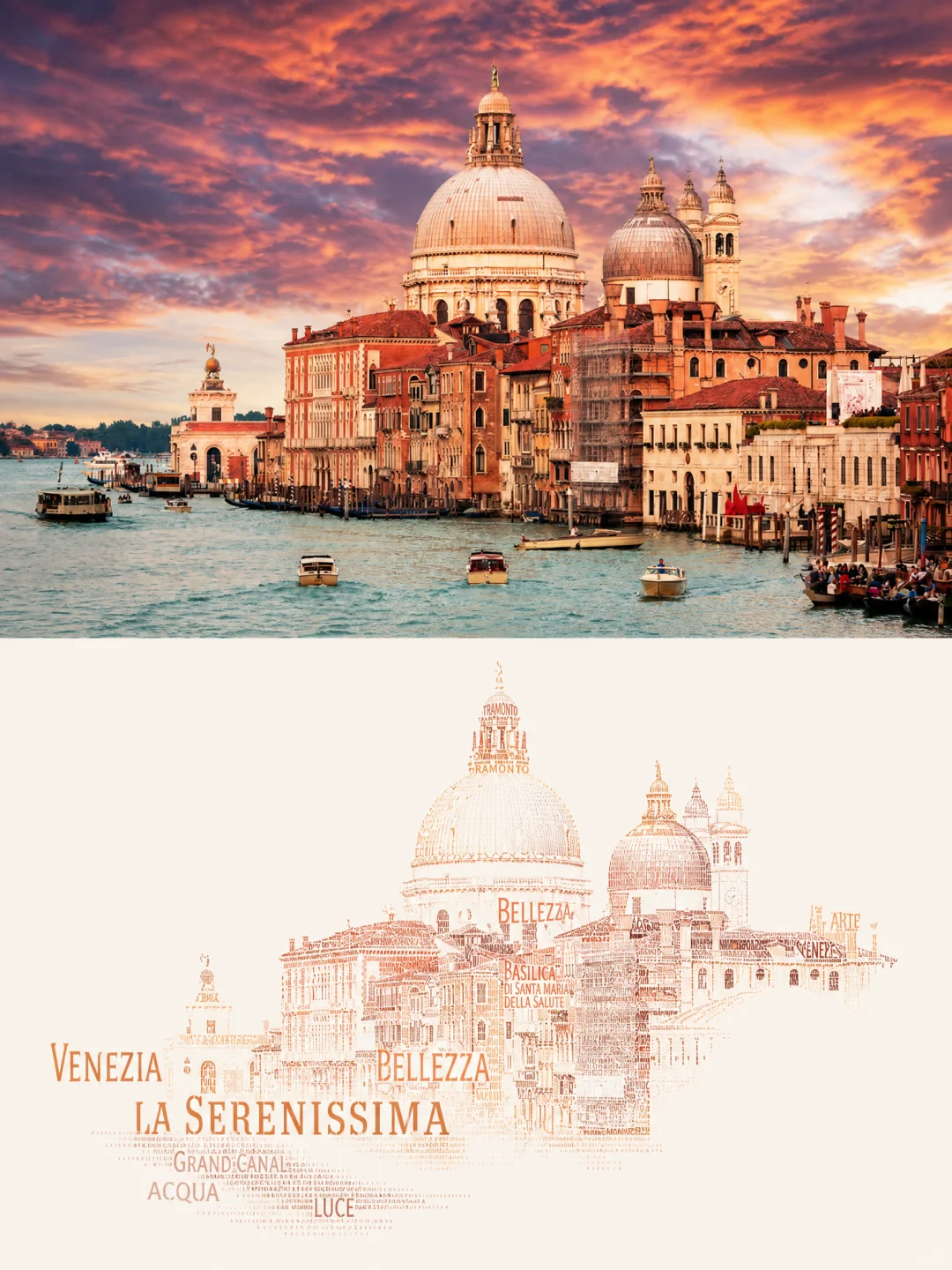
The calligram at its best: VENEZIA and LA SERENISSIMA carry the skyline, and smaller words build the domes. Getting one like this took about three attempts in our tests.
The calligram is the clearest example. In 6 test runs, 2 were clean. Two flooded the frame with type, one laid words over a posterized copy of the photo, and one misspelled two of the largest words. Your own words appeared in all 6 runs, and the photo was preserved every time. Budget roughly 300 credits for one finished 2K calligram. If you want 4K, budget about 600. Our guide on how to make a calligram from a photo goes through the failures in detail.
The same logic applies to every tool in the price table. A $0.01 image from a prompt you wrote yourself has an unknown hit rate. If it takes ten tries, it costs $0.10 and ten rounds of your time. Failed generations on 2Slides are refunded automatically. The hit-rate math above counts every finished image, flawed or not, as a paid attempt.
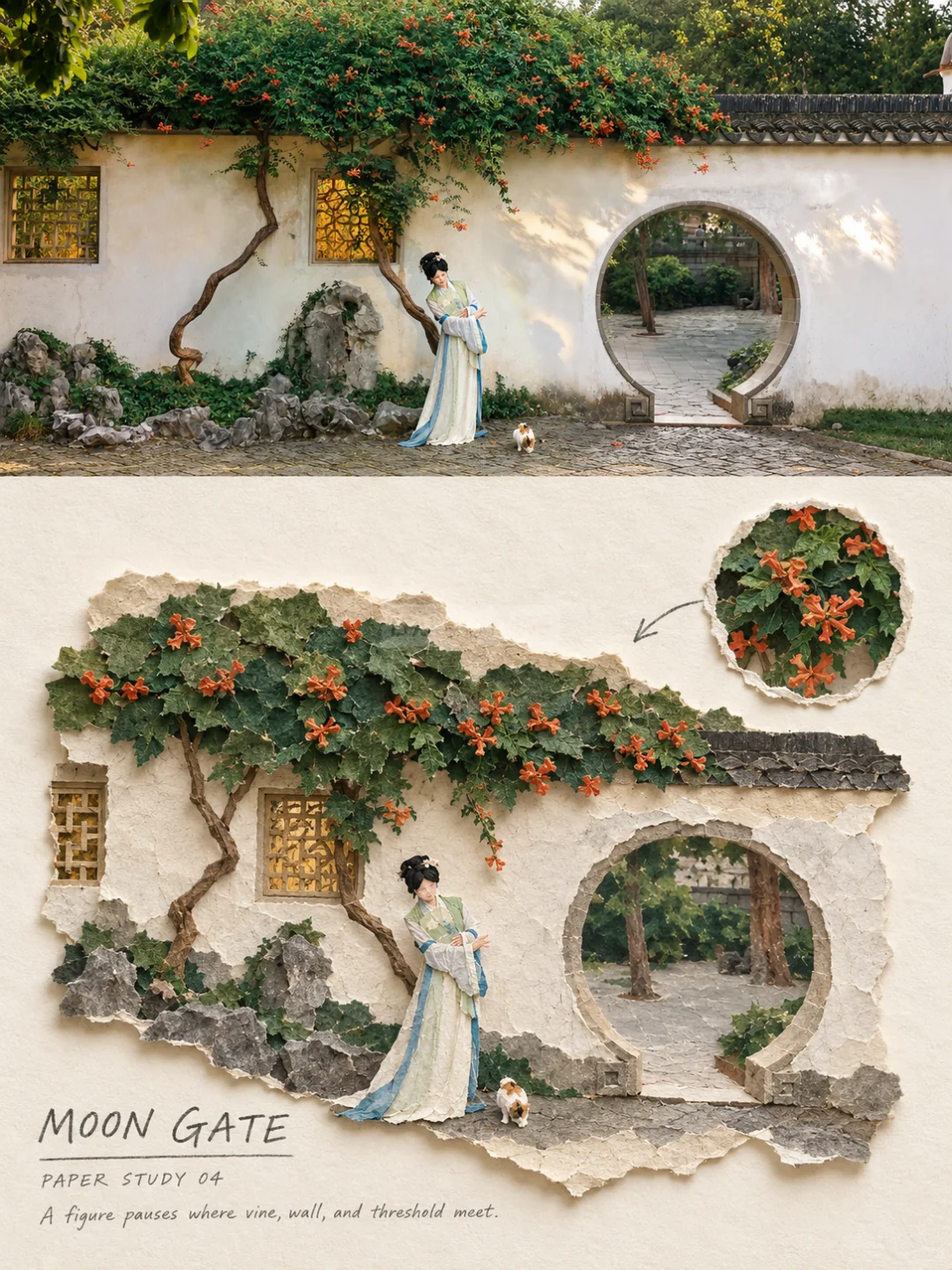
Torn Paper Collage was clean in 6 of 6 test runs. Here the trumpet vine keeps its orange, and everything else drops to grayed paper.
The cheapest keeper comes from matching the photo to the effect before you generate, not from the lowest price per credit. Each effect page lists the photos it handles well and the ones it struggles with. Follow that, start at 2K, and you avoid most paid retries.
Photo tips taken from the effects' own notes:
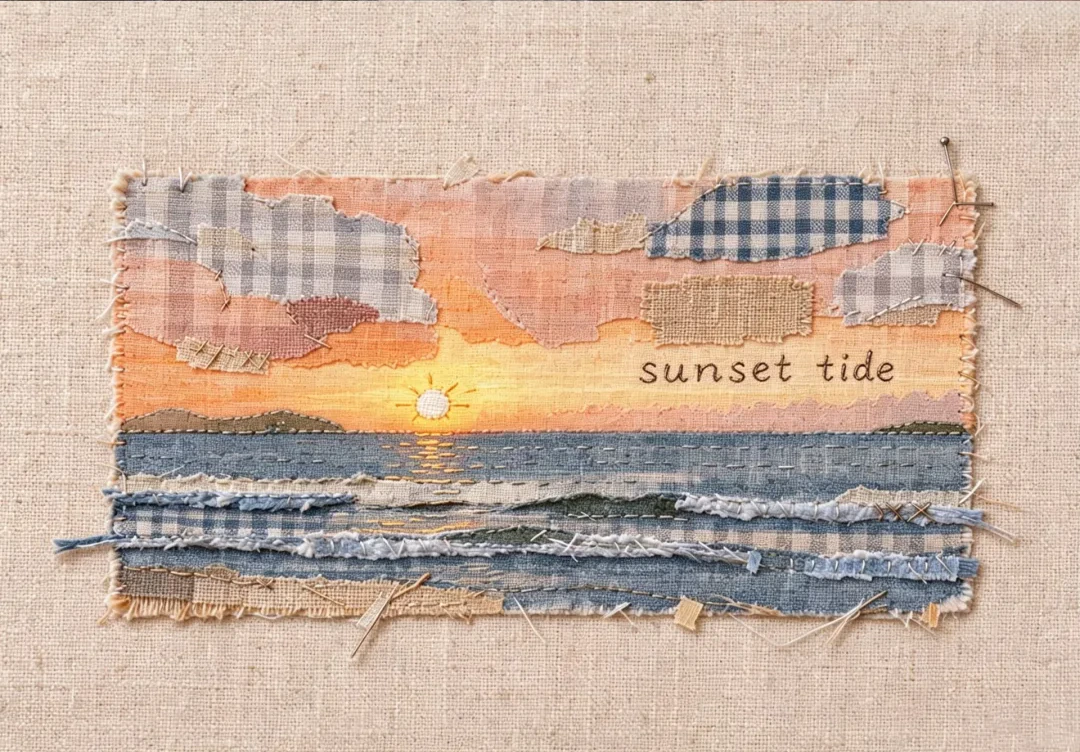
Fabric Collage, 6 of 6 clean in testing: the sun's path survives as one pale stitched line, and the clouds become gingham offcuts.
Yes. Every effect page publishes its full prompt, and no account is needed to copy it. The prompts work in image-to-image models such as Nano Banana and GPT Image 2, so you can paste one into any tool from the table that offers those models. Our test results come from our own setup, so your hit rate elsewhere may differ.
If you go this route, compare the per-image cost of the specific model you'll use, not the plan's headline. Our comparisons of Nano Banana 2 and Nano Banana Pro and of GPT Image 2 and Nano Banana explain how the models differ. For a guide to which style suits which photo, see all 35 AI photo-to-art styles compared.
On list price per image, the low-resolution plans are cheapest. Magic Hour's Creator plan works out to about a cent per AI Image Editor image when billed yearly, as of October 2026, but at up to 1024 pixels. If you want a printable poster with a tested prompt, a 2Slides 2K effect costs about $0.25, and new accounts get 500 free credits, enough for five.
A 2K image costs 100 credits, about $0.25. A 4K image costs 200 credits, about $0.50. Credits start at $5 for 2,000. Browsing the tools, viewing samples and copying prompts is free without an account.
Canva doesn't state an image count. As of October 2026, its pricing page says Canva Pro includes up to 200 uses of Premium AI tools or up to 20 uses of Ultra AI tools a month, pooled across tools. The number of uses depends on which tools you use and how complex the task is.
Image models don't return the same result twice, and some styles are harder than others. In our tests, effects ranged from clean every time to clean one time in three (the calligram). Budget for retries on the low-hit-rate effects, and pick photos that match the effect's "works best on" notes.
For screens and small prints, usually not: a 2K 3:4 poster is 1792 × 2400 pixels. 4K pays off for large prints and for effects with small type, such as the calligram, where the smallest words need the extra resolution. See our guide to printing AI art at 2K vs 4K.
Headline prices per image differ by more than a hundred times, but what one keeper costs depends on resolution, the model and above all your hit rate. Start with an effect that tested clean in every run, use a photo it's built for, and generate at 2K first. The Torn Paper Collage Poster is a good first try: 6 of 6 clean, so one keeper should cost about 100 credits.
All competitor prices and allowances were read from these pages as of October 2026. Prices can change, and some pages show prices in local currency depending on where you are.
Create stunning AI-powered presentations in seconds. Transform your ideas into professional slides with 2slides AI Agent.
Try For Free


