
2Slides vs SpeechSlide: AI Voice Narration for Presentations Compared
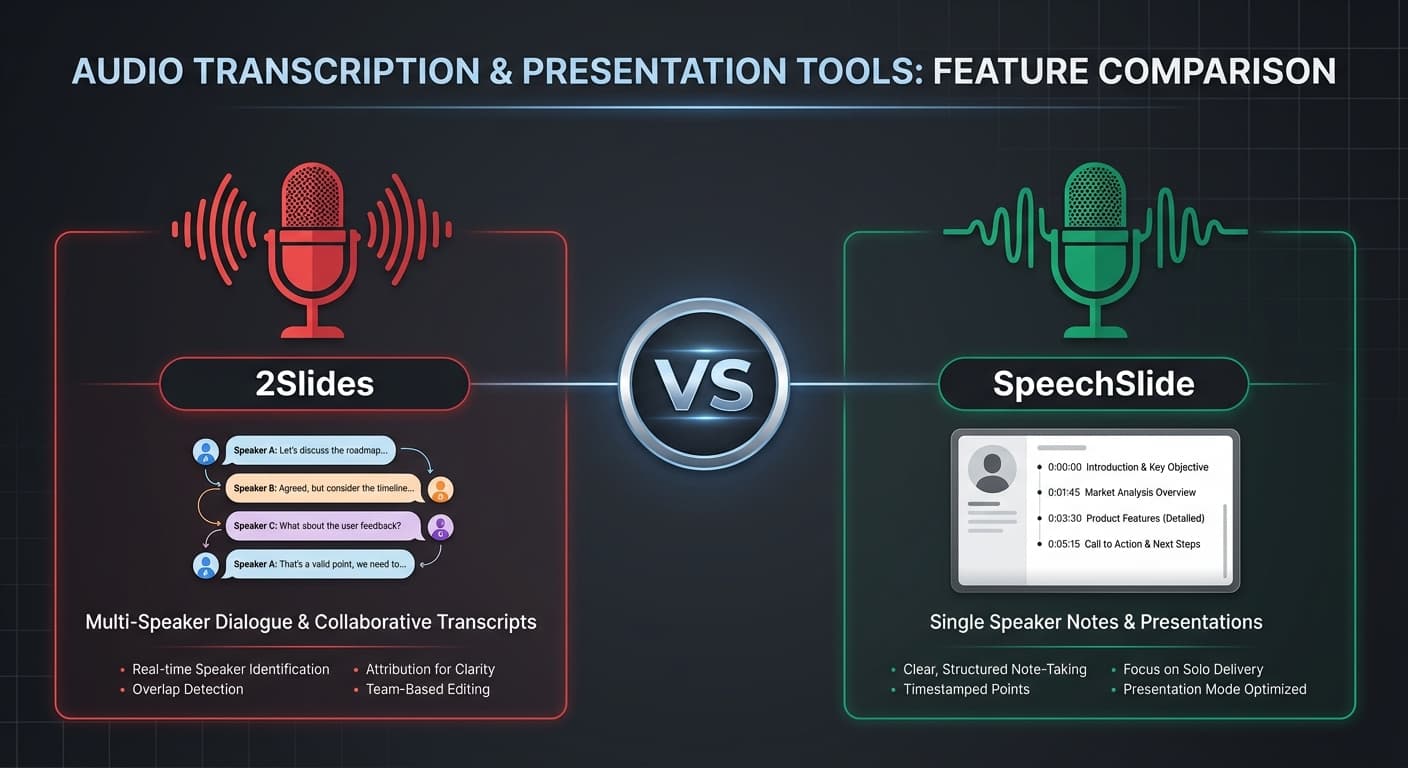
Both 2Slides and SpeechSlide specialize in adding AI voice narration to presentations — but their approaches and target users are different. 2Slides is a full-stack presentation platform with voice and video built in. SpeechSlide focuses specifically on converting text to narrated slides.
Here's a detailed comparison to help you choose.
Quick Comparison
| Feature | 2Slides | SpeechSlide |
|---|---|---|
| Pricing | Credits from $5; Pro $12.50/mo | Free; Starter $10/mo; Pro $30/mo |
| AI Voices | 30 voices (Google TTS) | High-quality TTS voices |
| Multi-Speaker | Yes (2-speaker dialogue) | No |
| Speaker Notes | AI generates narration scripts | AI generates speaker notes |
| Video Export | H.264 MP4 (16:9 & 4:5) | Narrated video creation |
| REST API | Full V1 API | No public API |
| Design Templates | 15+ designer templates + style cloning | Standard templates |
| Output Formats | .pptx, PDF, PNG, MP4 | PDF, PPT |
| Script Editing | Yes, edit before audio | Yes, edit speaker notes |
| AI Image Generation | Per-slide AI images (512px–4K) | Standard images |
| Data-to-Slides | CSV/Excel/JSON integration | No |
Voice Narration Approach
2Slides: Full-Stack Voice Pipeline
2Slides treats voice narration as an integrated part of the presentation workflow:
- Generate slides with AI (text, data, or reference image)
- Generate voice text — AI writes narration tailored to each slide (10 credits/page)
- Review and edit the script
- Generate voice audio — high-quality speech synthesis (200 credits/page)
- Export video — MP4 with synced slides and audio (20 credits/page)
Key advantage: Multi-speaker mode creates natural dialogue between two voices — more engaging than a single narrator reading bullet points.
SpeechSlide: Speaker Notes + TTS
SpeechSlide focuses on the speaker notes workflow:
- Input text or upload content
- AI generates speaker notes for each slide
- TTS synthesizes speech from the notes
- Export as narrated video
Key advantage: Simpler workflow focused specifically on adding voice to slides. Good for quick conversions.
Pricing Comparison
For 10 Narrated Slides
| 2Slides | SpeechSlide | |
|---|---|---|
| Text generation | 100 credits | Included |
| Audio generation | 2,000 credits | Included |
| Video export | 200 credits | Included |
| Monthly plan | $12.50 (Pro, 10K credits) | $10–30 (Starter/Pro) |
| Pay-as-you-go | Yes ($5 one-time packs) | No |
Plan Value Comparison
| Plan | 2Slides Pro ($12.50/mo) | SpeechSlide Starter ($10/mo) | SpeechSlide Pro ($30/mo) |
|---|---|---|---|
| Narrated videos/month | ~3 (10-slide each) | Limited | Unlimited |
| API access | Yes | No | No |
| Multi-speaker | Yes | No | No |
| Design cloning | Yes | No | No |
Verdict: SpeechSlide's free tier is good for testing. 2Slides Pro offers more features per dollar, especially for professional workflows.
Design Quality
2Slides
- 15+ curated designer templates (McKinsey, Apple, Saul Bass, etc.)
- Create-Like-This: Upload any slide → AI clones the design
- Per-page customization with different styles
- AI-generated images at up to 4K resolution
SpeechSlide
- Standard template library
- AI-driven layouts
- Functional but less design-focused
Verdict: 2Slides offers significantly more design control and professional output quality.
Developer & Automation Features
| Capability | 2Slides | SpeechSlide |
|---|---|---|
| REST API | Full V1 with narration endpoint | None |
| MCP Protocol | Yes (AI agent integration) | None |
| Async job processing | Yes | None |
| Bulk narration API | Yes (all pages in one call) | None |
| Asset download API | Yes (ZIP with images + audio) | None |
2Slides is the only option for developers who need to automate narrated video production.
Who Should Choose What?
Choose 2Slides if you:
- Need multi-speaker narration (dialogue format)
- Want API access for automation
- Need professional design control and brand consistency
- Want PowerPoint-native output plus video
- Need to generate slides from data (CSV/Excel/JSON)
- Want 4:5 vertical video for social media
Choose SpeechSlide if you:
- Want a free tier to get started quickly
- Need simple speaker notes generation without complex features
- Prefer a focused tool that does one thing well
- Don't need API access or multi-speaker mode
FAQ
Which tool has better voice quality?
Both use modern TTS engines with natural-sounding output. 2Slides uses Google's latest TTS models with 30 distinct voices. SpeechSlide uses high-quality TTS. Voice quality is comparable — the difference is in features (multi-speaker, content modes) rather than raw audio quality.
Can I switch from SpeechSlide to 2Slides?
Yes. Create your presentation in 2Slides (paste the same content), generate narration, and export. The workflow is different but the migration is straightforward.
Which is better for educational content?
2Slides — the multi-speaker mode is ideal for educational content where dialogue between a "teacher" and "student" voice makes learning more engaging. Plus, the design cloning feature lets you match institutional branding.
Conclusion
2Slides is the more powerful platform — better design control, multi-speaker narration, API access, and video export options. It's built for professionals and developers who need production-quality output.
SpeechSlide is a solid, focused tool for adding speaker notes and voice to basic presentations. Its free tier makes it accessible for casual users.
For most professional use cases, 2Slides delivers more value.
Experience the difference — create a multi-speaker narrated video with 2Slides today.
About 2Slides
Create stunning AI-powered presentations in seconds. Transform your ideas into professional slides with 2slides AI Agent.
Try For Free



