
2Slides Team
16 min read

The best AI presentation maker for healthcare depends on who is presenting and what they are allowed to upload. A physician turning a de-identified case into a grand rounds talk needs an editable PPTX that follows the clinical structure, and 2Slides Fast PPT builds a 12-slide version for 120 credits (about $0.30). A patient education team needs plain-language, multilingual decks. A quality team needs a board-ready story. In every case, only de-identified text goes in, and a clinician checks every dose and every citation before anything is presented.
Key takeaways
Most AI slide advice assumes the worst outcome is an ugly deck. In medicine the worst outcomes are a wrong dose on a teaching slide that a resident copies, a patient photo that leaves your network, or a fabricated reference that a reviewer catches during Q&A. Three rules follow, and the rest of this guide applies them by role:
2Slides has two product flows. They produce different files, so choose by what you need to do with the deck afterward.
| Need | Flow | Output | Cost |
|---|---|---|---|
| Editable deck you will refine in PowerPoint or Keynote (grand rounds, journal club, M&M) | Fast PPT with a template from /templates | Real PPTX, native text boxes | 10 credits/page |
| Polished visual deck from a document (CME module, conference talk, board summary) | Create Slides from File | Designed slides as images, PDF, PNG | ~10 planning + 100/page at 2K (200 at 4K) |
| Self-paced training or patient video | Create Slides from File, then narration | MP4 (16:9 or 9:16), per-page AI voice | + ~210 credits/page |
| Hundreds of decks from approved content | API or MCP server | PPTX or narrated decks per job | Same per-page credits |
The tradeoff to know before you start: designed slides look better but are images, so you cannot edit a dose in a text box. If a pharmacist might ask you to change one number the morning of the talk, use Fast PPT.
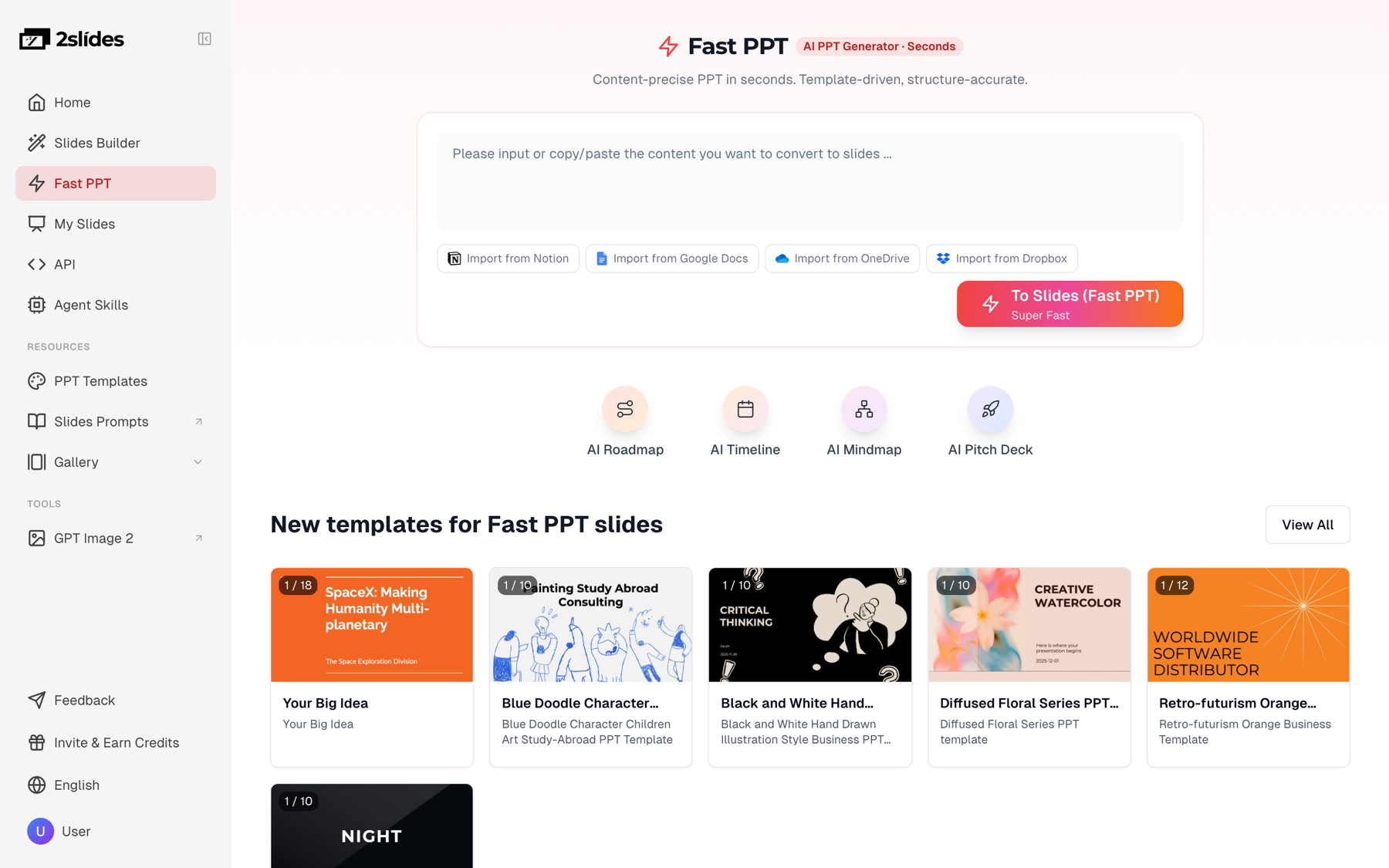
Figure 1: Fast PPT generates editable PPTX from a prompt or pasted text, which is the right flow for clinical decks that need last-minute edits.
Physicians present more often than almost anyone and get the least prep time. The usual formats:
Use the classic sequence: chief complaint, HPI, PMH and meds, exam, initial data, differential, workup, diagnosis, management and course, teaching points, references. The CARE case report guidelines are a good checklist even if you never publish the case, because they force a timeline and a clear "what this case teaches."
Create a 12-slide grand rounds case presentation for internal medicine residents.
Structure: title; chief complaint and HPI; PMH, meds, social history; exam and vitals;
initial labs and imaging (as a table); differential diagnosis (ranked, 5 items);
workup and key result; final diagnosis; management and hospital course (timeline by
hospital day); 3 teaching points; 1 slide of discussion questions; references.
Use relative days only (Day 0, Day 2). Leave doses as [DOSE] placeholders.
Audience: PGY-1 to PGY-3. Tone: concise, one idea per slide.
The [DOSE] placeholder trick matters. You fill doses yourself from the label or your institution's formulary, so the model never has a chance to guess one.
M&M slides should be systems-focused and non-punitive. Ask for: case summary, timeline, decision points, contributing factors (patient, team, system), what went well, and action items with owners. Strip names of staff as well as patients, and remember that many institutions treat M&M material as peer-review protected. Check your policy before any of it goes into a cloud tool, de-identified or not.
Paste the abstract and your own appraisal notes, not the PDF of a paywalled article you have no rights to redistribute. A good journal club deck covers the clinical question in PICO form, design, population, intervention and comparator, primary outcome with effect size and CI, bias and limitations, applicability to your patients, and a bottom line. If you discuss authorship, conflicts or reporting quality, the ICMJE Recommendations are the shared reference most journals follow.
An accepted abstract becomes a 7 to 12 minute oral presentation: title, COI disclosure, background, objective, methods, results (2 to 3 slides), limitations, conclusion. Most societies require a conflict-of-interest disclosure slide right after the title. Japanese societies require a 利益相反 (COI) 開示 slide too, so include it in your prompt for a 学会発表 deck. Set the output language to Japanese and 2Slides writes the slide text in Japanese. For the full paper-to-talk workflow, see how researchers turn papers into conference presentations and how to make conference talk slides with AI.
Turn this accepted abstract into a 10-minute oral presentation, 10 slides.
Slide 2 must be a COI disclosure slide with placeholder text.
Results: one slide per primary/secondary outcome, numbers exactly as given.
Do not add any statistic, reference or study name not in the abstract.Nurse educators run orientation, annual competency validation, skills fairs, and in-services on new equipment or protocols, often for CE contact hours. The structure that works is learning objectives, background, the procedure step by step, common errors, a competency checklist, and a short knowledge check. Fast PPT is good for the facilitator deck. Narrated MP4 suits the self-paced version that night shift can watch at 3 a.m. We cover this in depth, including CE documentation, in AI slides for nurse educators.
Create an 8-slide in-service on the new IV smart pump for med-surg RNs.
Include: 3 learning objectives, setup steps, drug library selection,
the 4 most common alarms and responses, a 5-item competency checklist,
and 3 knowledge-check questions. Reference: our unit policy text below.Quality and operations teams present to department meetings, the quality committee and the board. The board wants three things: what moved, why, and what you need from them.
For a QI project, follow the Model for Improvement and PDSA cycle; the IHI PDSA worksheet lays out the questions each slide should answer. A board-ready QI deck runs to about 8 slides: aim statement, baseline run chart, root cause (fishbone or Pareto), change ideas tested, PDSA cycles and results, current performance against aim, sustainability plan, and the ask.
Upload aggregate data only (unit-level CLABSI rates, door-to-needle medians, readmission percentages) as an XLSX or CSV through Create Slides from File. Never upload the patient-level extract. Some metrics have small denominators, and in a small unit a single patient can be identified from one data point. Suppress small cells the way your quality department already does for public reporting. For governance decks more broadly, see how to create a board deck with AI.
Field medical and commercial teams have a different constraint: every slide shown to a healthcare professional goes through medical, legal and regulatory (MLR) review, and claims must match the label and approved references. AI fits before review, for drafting MSL scientific exchange decks, internal training and congress debriefs, not for producing promotional material that skips review. Keep claims verbatim from approved source text and track every reference. More detail, including what to keep out of prompts, is in AI slides for pharma sales and MSLs.
Patient decks need plain language (aim for grade 6 to 8), large type, one action per slide, and the languages your community speaks. Write and approve the text first, then generate. 2Slides outputs 20+ languages from one source, so a single approved English explainer can produce Spanish, Vietnamese and Arabic versions. Each still needs review by a qualified medical translator or bilingual clinician before release. Teams producing this at scale should read the API recipe in patient education slides automation and the notes on creating slides in multiple languages.
This section applies to every cloud AI tool you might use.
De-identify first. HHS describes two methods in its guidance on de-identification of protected health information: Safe Harbor and Expert Determination. For slides, Safe Harbor is the practical one. Remove all 18 identifier types, including:
Safe Harbor also requires that you have no actual knowledge the remaining information could identify the person. A rare disease in a small town, the hospital name and the month can identify someone even after you remove the name. Generalize until a colleague from another hospital could not guess the patient.
Never upload patient images or files. Clinical photos, DICOM screenshots with burned-in headers, scanned notes, EHR screenshots and discharge summaries do not go into the tool. Add a de-identified image to the editable PPTX afterward, on your hospital-managed device, with your institution's consent process followed.
Know the contract position. 2Slides makes no HIPAA compliance claim and does not publicly offer a Business Associate Agreement. If a workflow requires PHI, it requires a BAA-covered tool, and 2Slides is not one. Ask your compliance or privacy office before you use any AI tool with clinical content. For a broader comparison of vendors and contract terms, read GDPR and HIPAA compliant AI presentation tools.
Large language models produce plausible text, and a plausible dose can still be wrong. In a medical deck, check these every time:
| Item | Verify against |
|---|---|
| Drug doses, frequencies, renal adjustments | FDA label / DailyMed, your formulary, pharmacist |
| Guideline recommendations and class/level of evidence | The current guideline PDF from the society |
| Trial names, effect sizes, NNT | The primary paper, not a review or the AI summary |
| References | PubMed: every PMID or DOI should resolve to the claimed paper |
| Lab reference ranges | Your own lab's ranges |
Two prompt habits reduce the risk: tell the model "do not add any number, study or reference not in the text I provide," and use placeholders for anything you will fill in by hand. Our AI presentation hallucinations fact-checking guide has a full review checklist.
Source material. A PGY-2 has a Thursday noon conference slot. Their de-identified case summary, pasted into Fast PPT:
Man in his 60s with type 2 diabetes presents with 10 days of low back pain, new fevers, and on Day 0 new bilateral leg weakness. Exam: midline thoracic tenderness, 4/5 strength bilateral lower extremities. Labs: leukocytosis, markedly elevated ESR and CRP. Blood cultures Day 0 grew MSSA. MRI Day 0: T8-T9 discitis-osteomyelitis with dorsal epidural abscess. Neurosurgery decompression Day 1. IV antibiotics per ID. Strength improved by Day 5. Discharged to rehab Day 9 with planned prolonged IV course.
No name, no dates, no hospital, no MRN, age banded to a decade. The resident ran the prompt from the grand rounds section above with a clean clinical template.
What came back (about 30 seconds, 120 credits):
What the resident still did by hand (about 45 minutes):
[DOSE] placeholders and antibiotic duration from the ID consult note and the IDSA guideline, then had the pharmacy resident check them.The AI saved the blank-page hour and the formatting. The clinical judgment and verification took the same time they always do, which is how it should be.
No single tool wins every healthcare use case. As of October 2026:
| Tool | Best for | Healthcare caveat |
|---|---|---|
| Copilot in PowerPoint | Hospitals already licensed for Microsoft 365 Copilot. Works inside PowerPoint and can draft from Word files in your tenant (Microsoft support) | If PHI is involved, it is usually the only option here that may fall under an existing institutional BAA. Your IT team confirms whether your tenant's agreement covers it. Requires a paid Copilot license. |
| Gamma | Fast, web-native decks and documents with good default design | Card-based layouts, and PPTX export may need cleanup. Check its data terms with compliance. |
| Canva | Visual patient handouts, posters and social content, plus a large template library | Strong on design, but clinical structure is up to you. |
| BioRender | Scientific and mechanism figures (pathways, cell biology, study schematics), with presentation templates and PPT export | A figure tool, not a talk outline tool. Pair it with a slide generator. |
| 2Slides | Editable PPTX at 10 credits per page, designed decks from documents, narrated MP4 training, 20+ languages, API and MCP for scale | No HIPAA claim, no BAA. De-identified, non-confidential text only. Designed slides are images. |
| ChatGPT / Claude / Gemini chat | Outlining, drafting speaker notes, critiquing your argument | You still build the slides elsewhere. The same PHI rules apply. |
A common combination: draft the structure in 2Slides Fast PPT, build mechanism figures in BioRender, assemble in PowerPoint, and present from the hospital laptop. For tool-by-tool detail, see 2Slides vs Microsoft Copilot in PowerPoint.
Institutions producing decks at scale, such as patient education libraries in several languages, unit-level quality packets every month, or onboarding modules, can call the 2Slides API. It accepts approved, de-identified text and returns PPTX or narrated decks, and the same operations are exposed as an MCP server for AI agents. The full design, with a PHI pattern check, review queue and audit table, is in the patient education automation recipe. Pricing is credit-based with no per-seat charge; see pricing.
It depends on your constraints. If PHI must be involved, use a tool your organization covers under a BAA, often Copilot in PowerPoint on an enterprise Microsoft 365 tenant. For de-identified clinical teaching decks, 2Slides Fast PPT gives editable PPTX at 10 credits per page. For scientific figures, add BioRender.
2Slides makes no HIPAA compliance claim and does not publicly offer a Business Associate Agreement. Use it only with de-identified, non-confidential text, and check with your compliance office before using any AI tool with clinical content.
It can produce the structure and first draft in under a minute if you give it a de-identified case summary and the format you want. You still verify doses, add references, insert de-identified images, and write the teaching points you actually believe.
Yes. Set the output language to Japanese, include a COI disclosure (利益相反開示) slide in the prompt, and paste your abstract. Check that terminology matches your society's conventions before submission.
Tell it not to add any study, number or reference that is not in your source text, leave the references slide as a placeholder, and add citations yourself after confirming each one in PubMed.
A 12-slide Fast PPT deck costs 120 credits, about $0.30 on the $5 pack, and new accounts get 500 free credits. Designed slides from a file cost about 100 credits per page at 2K, and narration adds about 210 credits per page.
To build your next case presentation from a de-identified summary, open Fast PPT and start with the grand rounds prompt above.
Create stunning AI-powered presentations in seconds. Transform your ideas into professional slides with 2slides AI Agent.
Try For FreeYour AI Agent for slides. Save time, shine faster with intelligent presentation creation.


© 2026 2slides. All rights reserved.