Memory Jar Poster
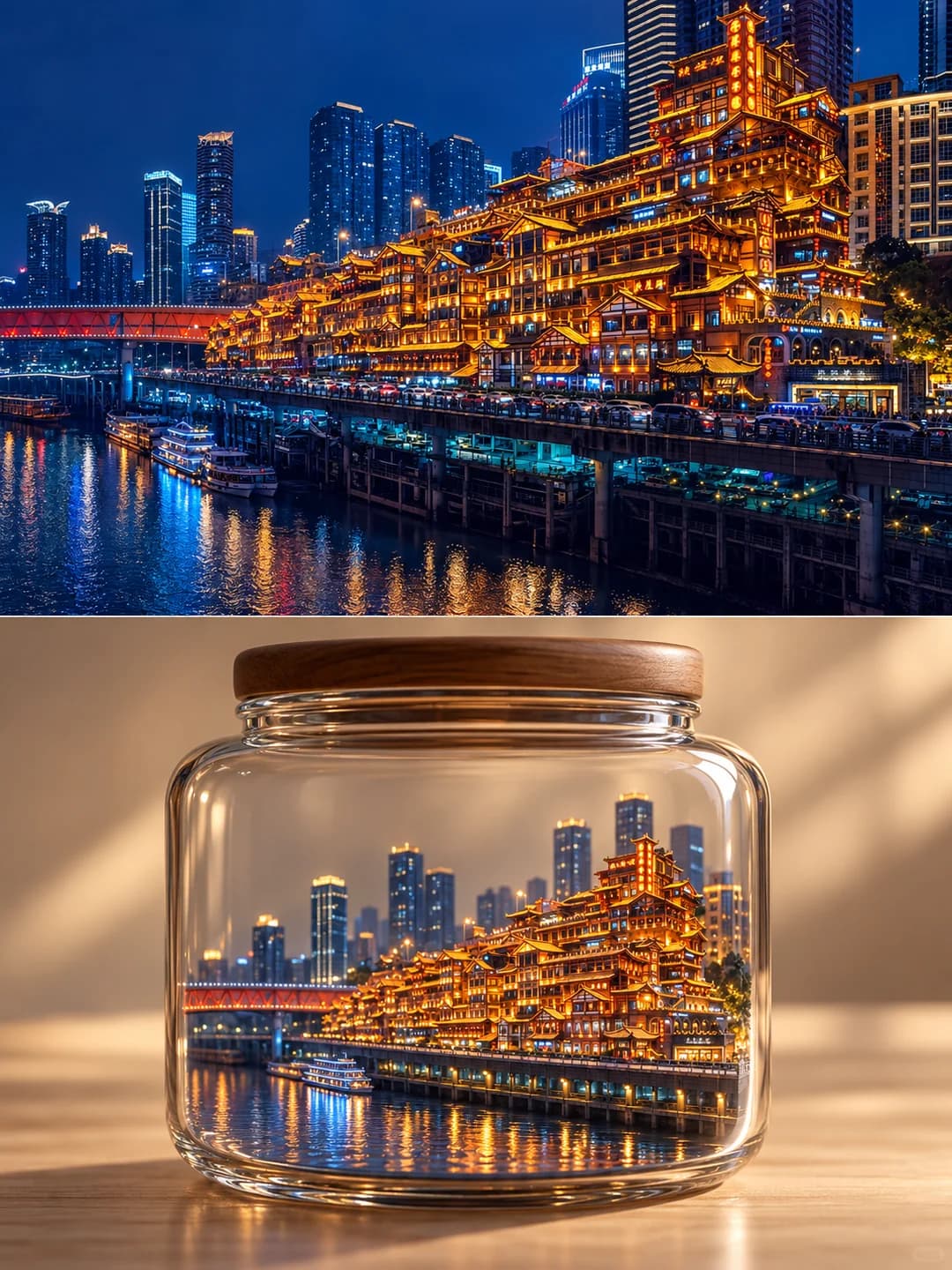
Your travel photo on top, and the same place sealed in a glass jar as a miniature below
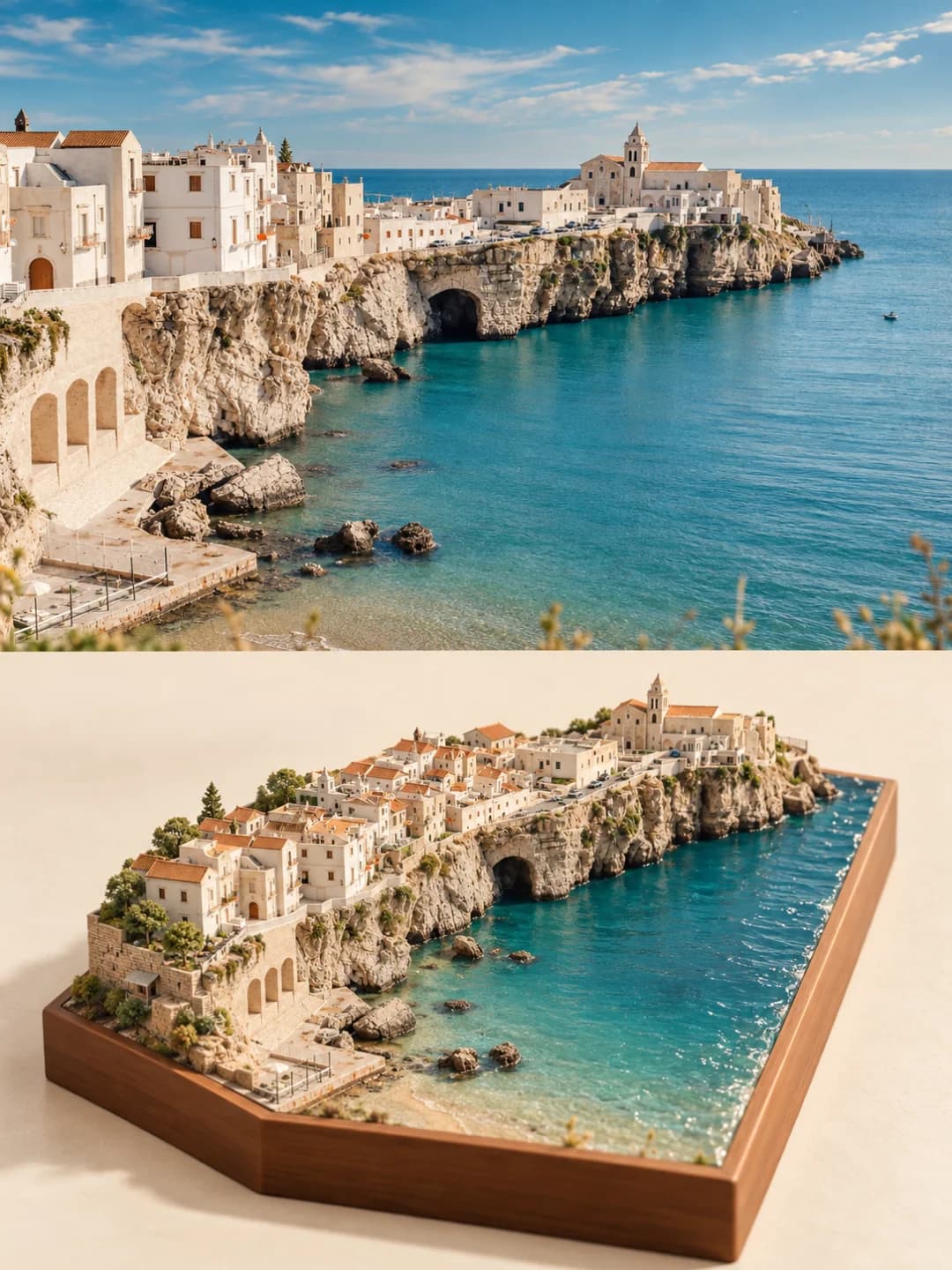
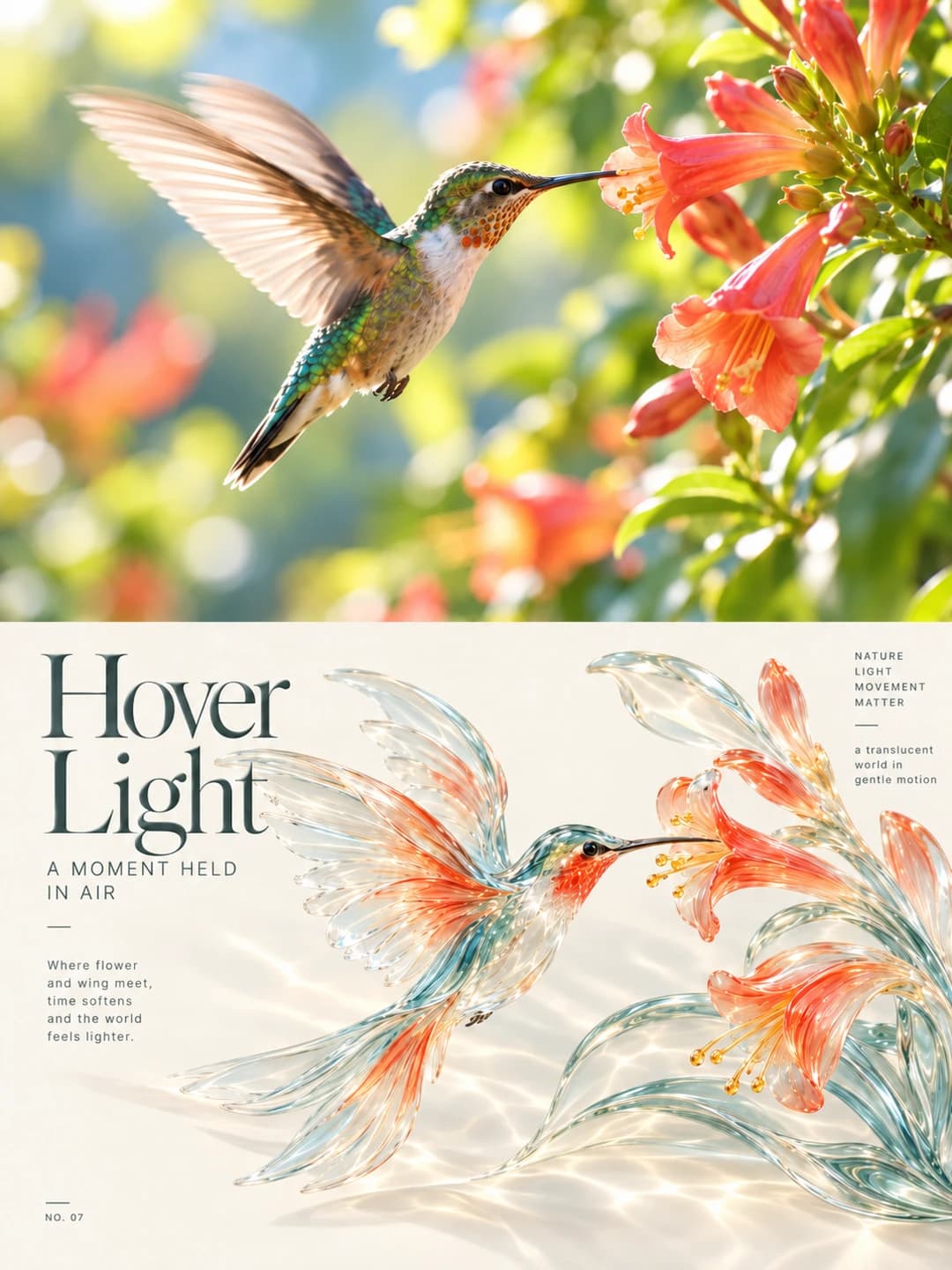
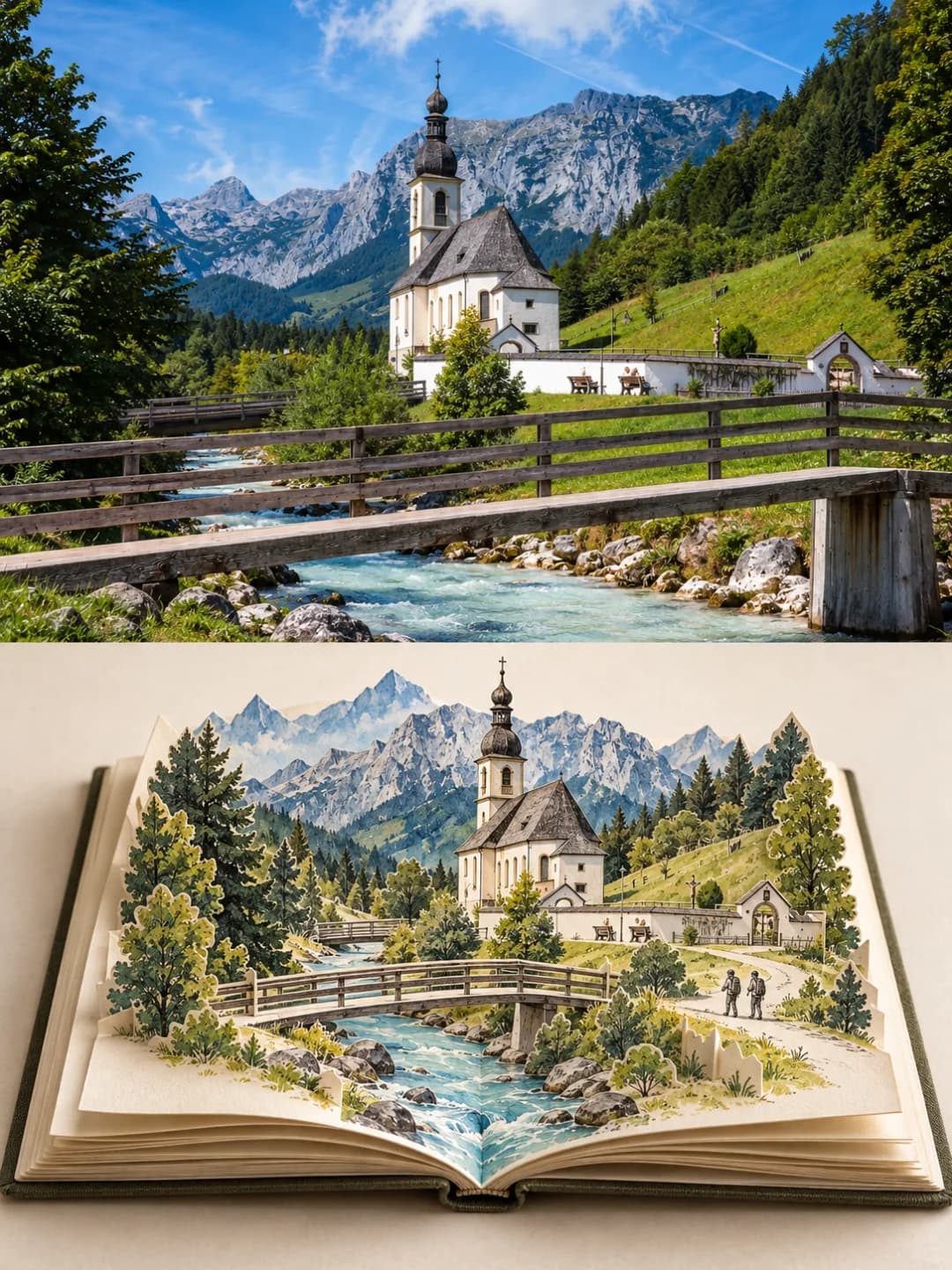
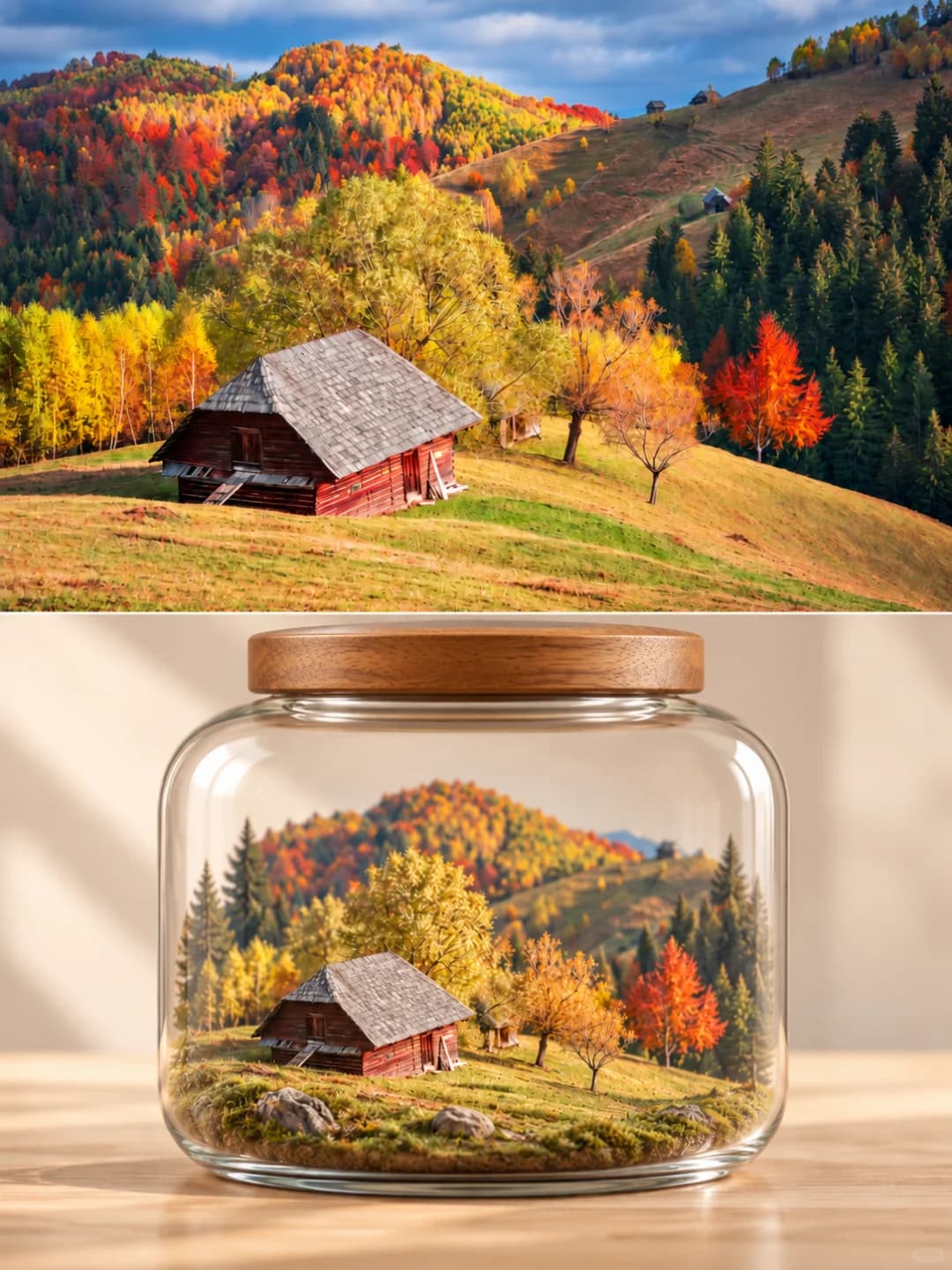
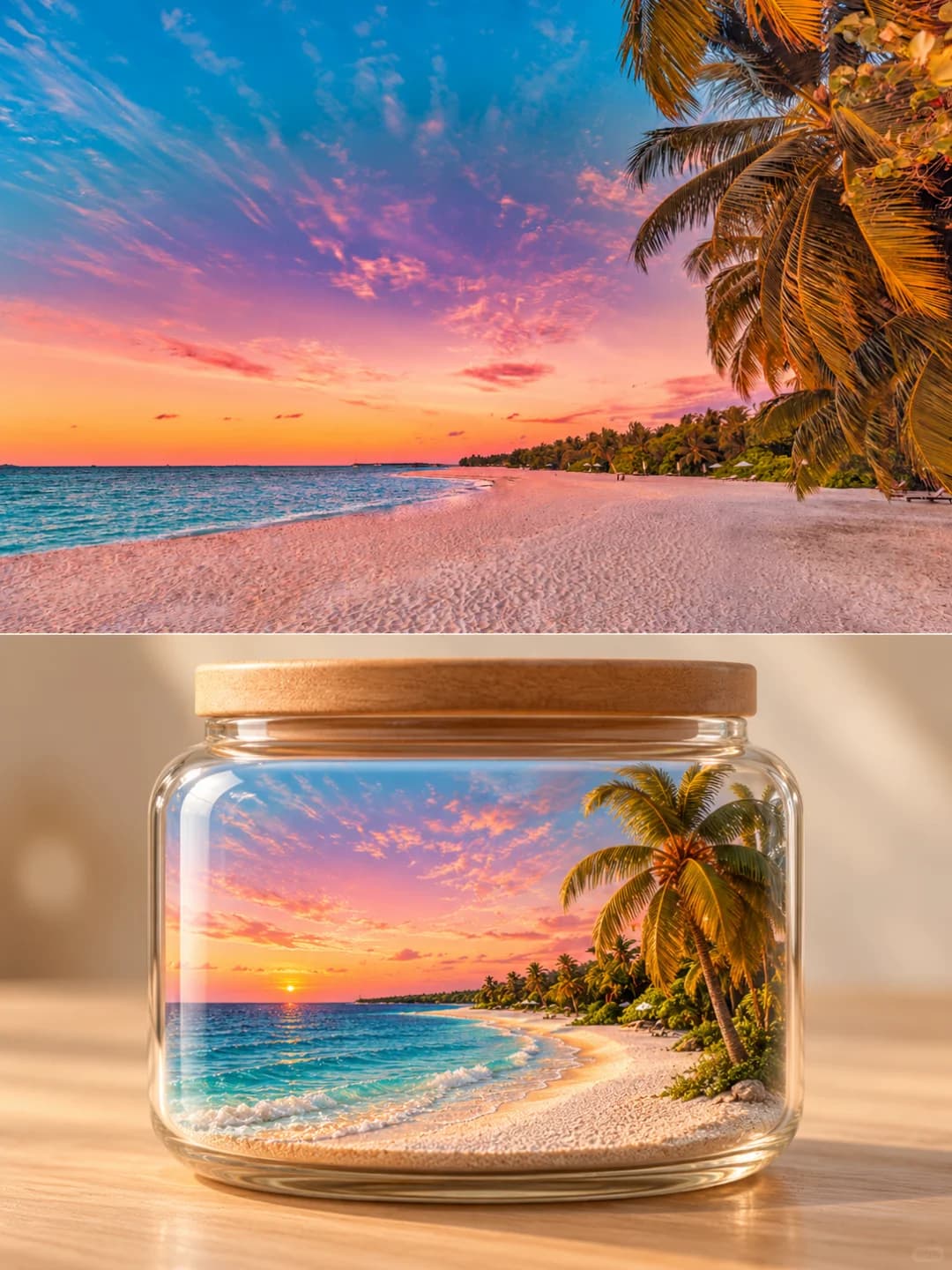
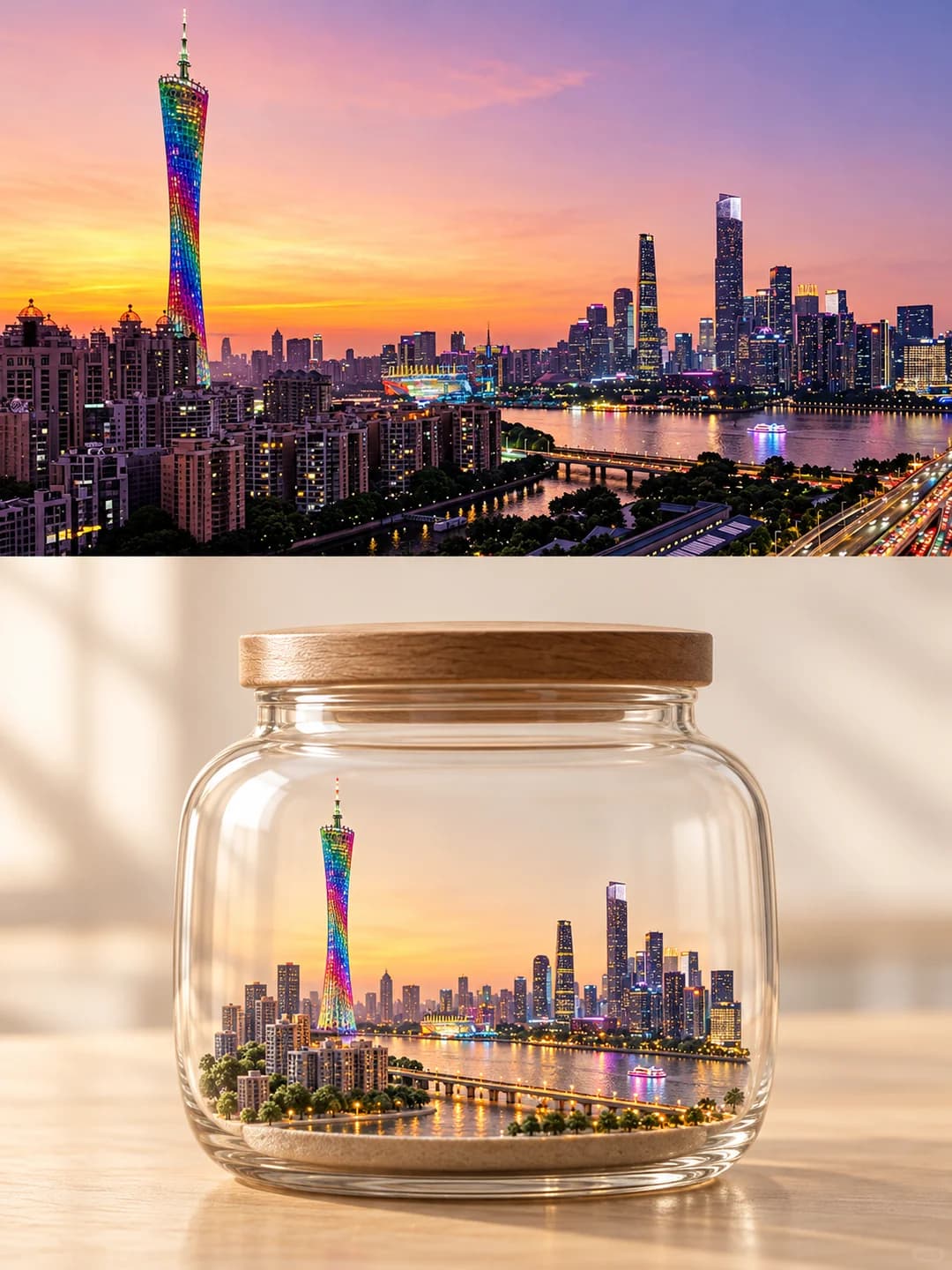
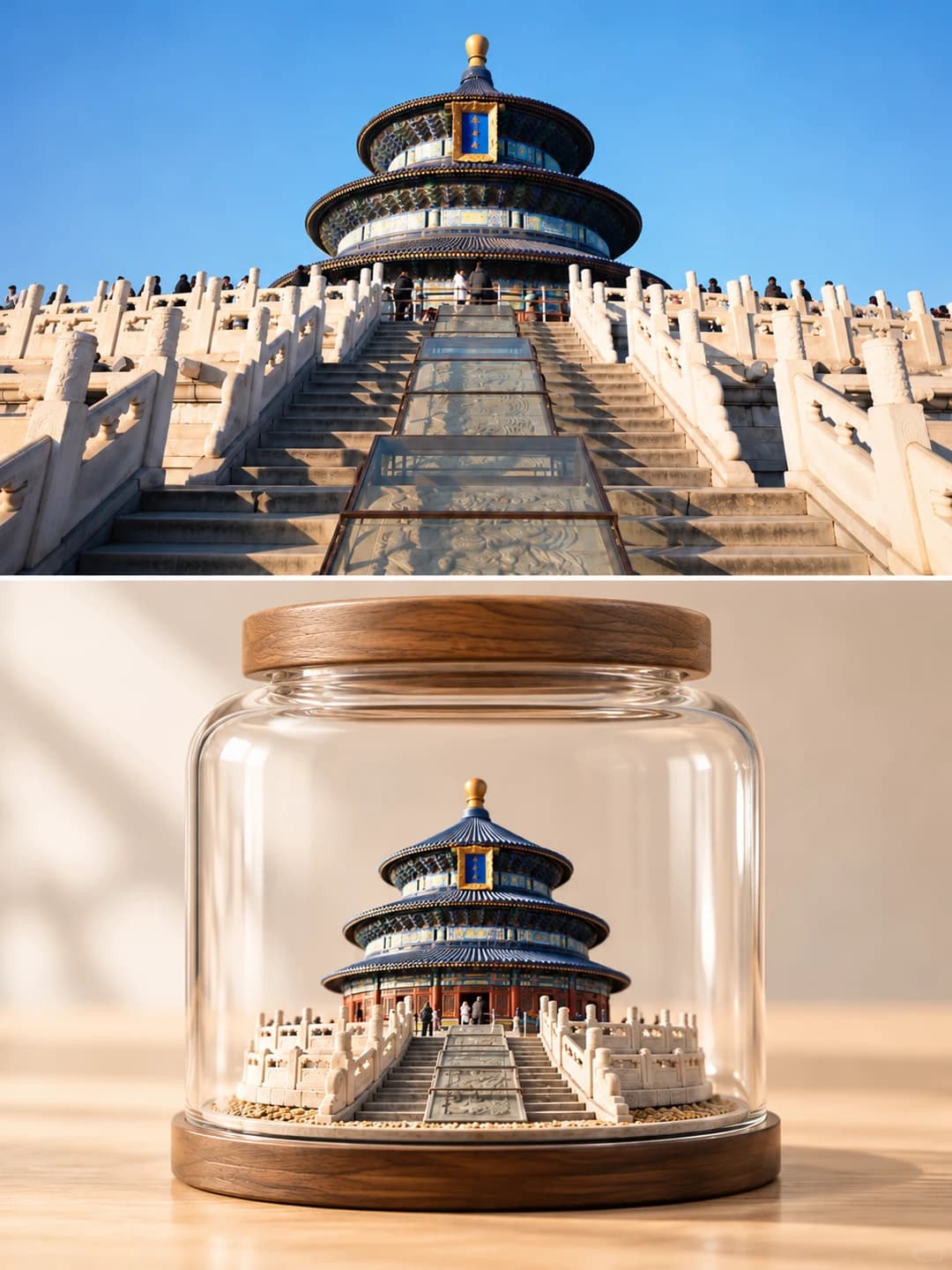
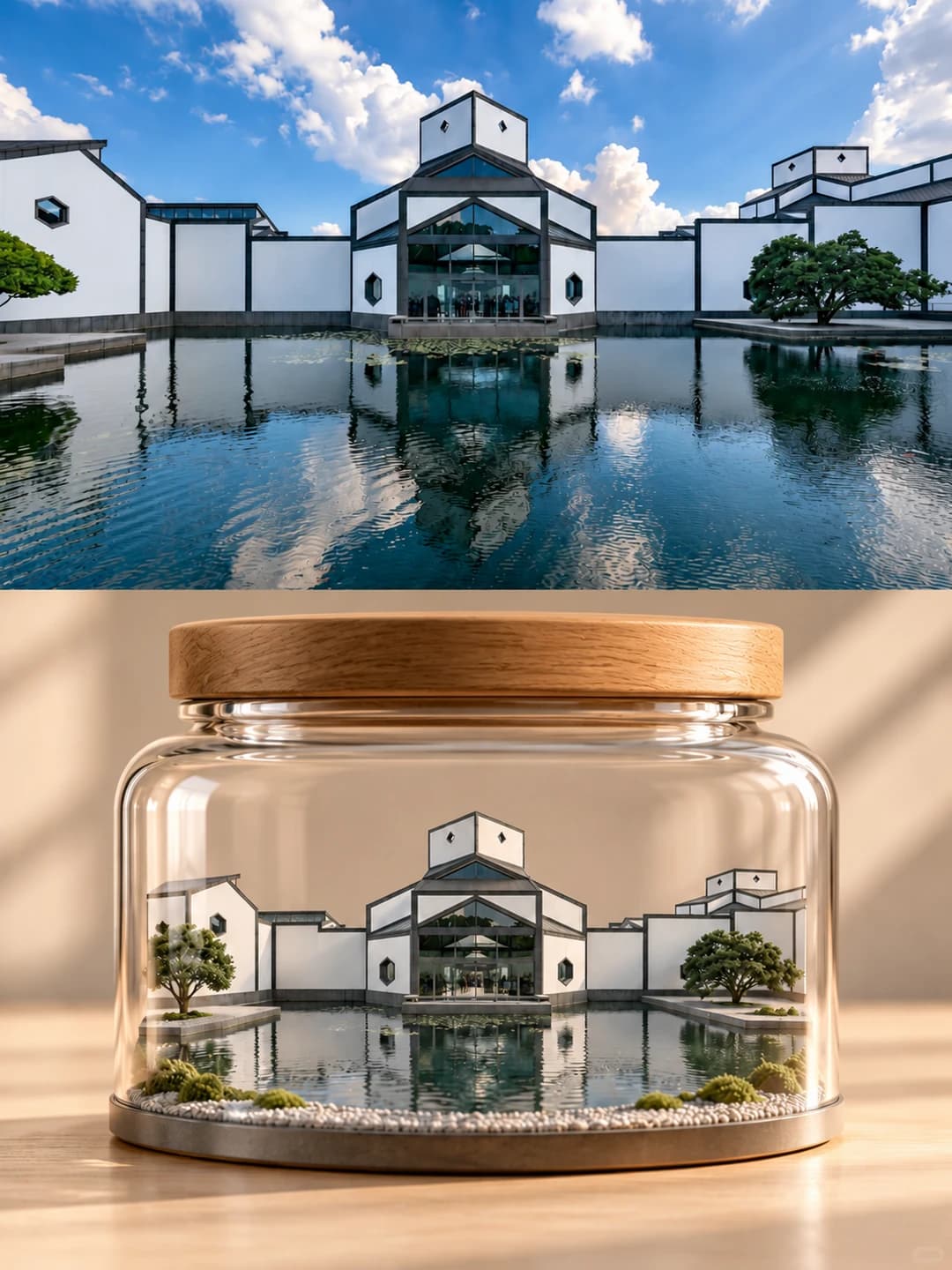
Upload a travel photo and get back a 3:4 poster. The top half is your photo; the bottom half is a clear glass jar with a wooden lid on a wooden table, holding a small physical model of the same place.
100 credits per image · about a minute · New accounts get 500 credits — 5 free images.
Try it with your own photo
New accounts get 500 credits — 5 free images.
Examples
Every image below was made with the prompt on this page.
What is a Memory Jar Poster?
A memory jar poster splits a 3:4 vertical frame into two equal halves along a horizontal line. The top half is your photograph, lightly graded but otherwise kept as it is. The bottom half is a studio still life: a clear, round-shouldered glass jar with a light wooden lid, standing on a pale wooden table against a warm white background, taking up about two thirds of the width. Inside it is a pared-back miniature of the photo's key subject — a landmark, a cabin, a skyline, a stretch of beach — on a thin base of grass, sand, stone or moss. It is meant to look like a model built from the photo, not a shrunken copy of it. There is no text.
Which photos work well?
Travel photos with one clear subject or a clear skyline: a temple or tower, a cabin on a hill, a beach with palms, a city across a river, a museum by a pond. Wide landscape photos suit the top slot best. Scenes that boil down to a few recognisable shapes give the jar the cleanest result.
Which photos struggle?
Portraits, selfies, food, products and pets — the jar holds a place, not a person, and people in the photo stay in the top half. Busy street scenes and crowds get simplified hard, so small details you care about may vanish. Portrait-shaped photos get cropped a lot. There is no title field; if you want a caption, try the watercolor journal poster. For a model that fills the frame with no jar, try the miniature model poster.
How to turn a photo into a Memory Jar Poster
- 1
Pick an effect
Browse the samples on each tool page to see exactly what you will get before you spend anything.
- 2
Upload your photo
JPEG, PNG or WebP, up to 12 MB. Your photo stays private and is never used to train anything.
- 3
Add your own caption
Most effects let you set the text that appears in the final image, in any language.
- 4
Download the result
You get a high-resolution image, yours to use. 2K is 100 credits, 4K is 200.
The prompt behind this tool
This is the full prompt, translated into English. Copy it and use it with any image model that accepts a reference photo.
Minimal miniature glass jar × high-end editorial magazine cover
Create one standalone poster from the photo I upload. The whole piece should feel like a high-end art publication: "real photography × a miniature landscape in a glass jar".
1. Layout
Use a strict 3:4 vertical frame, split exactly 50/50 along a horizontal line so the two halves are the same height, flowing naturally into each other in a clean, unified composition.
2. Top half: the original photograph
Faithfully keep the original subject, buildings, the people's features, terrain, composition, proportions, light, atmosphere and colour. Keep it fully photographic; only a light, refined colour grade is allowed. Do not distort, replace or stylise the subject; extend the background naturally where needed.
3. Bottom half: a minimal miniature glass jar
Rebuild the core landscape of the photo as a fine, realistic physical miniature, sealed entirely inside a clear glass jar standing on a light natural-wood tabletop.
1. Rebuilding the landscape: less is more. Keep the photo's most recognisable subjects, outlines and spatial relationships faithfully, and simplify the secondary elements.
For nature, keep the main mountains, lakes, coastline and a few trees; for architecture, bring out the landmark building and only the setting it needs; for a city, keep the main skyline and simplify ordinary buildings, roads and lights.
Cut down repeated vegetation, cluttered buildings, rocks and decoration. Use a thin, natural ground of grass, sand, a stone base or a little moss, and avoid a thick cut-away section of soil. The subject stands out, the layers read clearly and there is room to breathe: a refined, collectible miniature, not a crowded terrarium.
2. The jar: always a simple clear glass jar with rounded corners, well proportioned, with thin edges, clear glass and real but restrained refraction and reflections.
The jar must have a complete, closed lid in light natural wood that fits it exactly, sitting tight on the rim; it must not be missing, floating or left open.
The whole jar is in frame and takes up about 65–75% of the width of the bottom half, with plenty of space around it. Avoid busy highlights, lots of water droplets and thick glass edges.
3. Scene and light: a minimal studio background in warm white or pale beige, a light natural-wood tabletop, soft natural side light, real macro photography with a shallow depth of field.
The background is softly out of focus, clean and airy, with no books, cups, vases, potted plants or other clutter. The light is natural and brings out the glass and the miniature inside it.
4. Overall style
Colours echo the original photo naturally and stay clear, soft and restrained. Take the aesthetic of high-end still-life photography and museum collection pieces: quiet, poetic, refined and light.
Avoid oversaturation, a plastic look, dense decoration, heavy effects and an artificial collage feel. No text by default.
The end result: the real world on top, and below it a distilled miniature world sealed in a glass jar with a wooden lid. Real, simple, clear and refined, with the consistent feel of an editorial magazine cover. Do not let the landscape in the jar look like a shrunken copy of the whole photo; make it look like a physical miniature model built from the photo and distilled by an artist.
Frequently asked questions
Will it change my photo?
- The top half should be your photo, lightly graded; the prompt tells the model not to distort, replace or stylise anything in it, only to extend the background if the crop needs it. Image models sometimes redraw a photo anyway, so check the top half before you use the result.
What goes inside the jar?
- The most recognisable part of your photo, simplified: the main mountain and lake, the landmark and a little of its setting, or the skyline without the ordinary blocks and roads. Repeated trees, clutter and rocks are thinned out, and the ground is a thin layer of grass, sand, stone or moss rather than a thick slab of soil.
Why doesn't the jar look exactly like my photo?
- On purpose. The prompt asks for a model built from the photo and pared back by an artist, not a shrunken copy of the whole picture. Expect fewer buildings, fewer trees and cleaner outlines than in the original.
Will there always be a lid?
- The prompt requires a closed, light wooden lid that fits the jar. Image models sometimes vary the container: in the post this effect comes from, some results came back as a glass dome on a wooden base and one had a cork stopper. If the container matters to you, check it.
Can I add a title or a place name?
- No. The prompt asks for no text by default, so there is no title field. If you want a caption written onto the poster, effects such as the watercolor journal poster take one and write it exactly as you type it.
Where do the colours come from?
- From your photo. A sunset stays pink and orange, autumn trees stay orange; the background and table are kept neutral — warm white and pale wood — so the jar is the only colourful thing in the bottom half.
What size do I get and how long does it take?
- A 3:4 vertical image: 2K (1792×2400) for 100 credits or 4K for 200 credits. It usually takes 60 to 90 seconds. The full prompt is on this page; you can't replace it with your own.
What happens to my photo?
- It is stored privately, used only to make your image, deleted on a schedule and never used for training.