
2Slides Team
18 min read

Product catalog to presentation automation means a script reads each SKU from your Shopify export, PIM, or CSV and calls the 2Slides API twice: POST /api/v1/slides/generate builds an editable PPTX sell sheet from a fixed brand template, and POST /api/v1/slides/create-like-this builds an image-designed launch deck that matches your campaign key visual. A 6-page sell sheet costs 60 credits (about $0.15); an 8-page 2K launch deck costs 810 credits (about $2.03). It is built for e-commerce ops, product marketers, and agencies serving retail brands.
Key takeaways
jobId next to the SKU.referenceImageUrl keeps every launch deck in the same campaign look, with aspectRatio "16:9" for buyers and "4:5" for social.responseLanguage: "German" or "Japanese" produces retailer-ready decks for cross-border marketplaces without a separate translation step.You run e-commerce operations or product marketing for a brand, marketplace, or agency, and every new SKU or seasonal drop means someone rebuilds the same sell sheet, line review deck, and launch deck by hand. The catalog already holds the name, features, specs, price, and hero image. This recipe makes it the source of truth and lets a script generate product decks from CSV rows on a schedule or on a Shopify event.
Do not use this recipe if you need one bespoke deck a quarter. The API pays off when the same structure repeats across dozens or hundreds of SKUs.
| Step | Tool | What happens | 2Slides endpoint / credits |
|---|---|---|---|
| 1 | Shopify export, PIM, or CSV | Normalize each SKU row into a plain-text brief (name, features, specs, price, retailer, image URL) | None |
| 2 | Node.js script | Build the retailer sell sheet as an editable PPTX from your brand template | POST /api/v1/slides/generate, 10 credits/page |
| 3 | Node.js script | Build the image-designed launch deck matched to the campaign key visual, 16:9 and 4:5 | POST /api/v1/slides/create-like-this, 10 + 100 credits/page (2K) |
| 4 | Node.js script | Space submissions 10 s apart, persist jobId to SKU mapping, poll, upload to S3 | GET /api/v1/jobs/{jobId}, free |
| 5 | Same script, extra rows | Generate German and Japanese variants for cross-border retailers | Same endpoints, responseLanguage set per market |
| 6 | Shopify + Make | Product created event fires an HTTP Request so new SKUs get decks within minutes | Same endpoints, same credits |
Whatever the source, flatten each SKU into a row with the same columns. A Shopify product CSV already has Title, Body (HTML), Variant Price, and Image Src; a PIM export usually has structured attributes. Add two columns of your own: target_retailer (which buyer sees this sell sheet) and market (which language the retailer reads).
sku,name,features,specs,price,hero_image_url,target_retailer,market
NB-TRAIL-042,Northbound Trail Runner 2,"Vibram outsole; 8 mm drop; recycled mesh upper","Weight 265 g; Sizes EU 39-47; Colors: Moss, Slate",139.00,https://cdn.example-brand.com/nb-trail-042.jpg,Decathlon DE,de
NB-TRAIL-042,Northbound Trail Runner 2,"Vibram outsole; 8 mm drop; recycled mesh upper","Weight 265 g; Sizes EU 39-47; Colors: Moss, Slate",139.00,https://cdn.example-brand.com/nb-trail-042.jpg,Xebio JP,ja
NB-PACK-018,Northbound Daypack 22L,"Roll-top closure; laptop sleeve; 420D ripstop","Volume 22 L; Weight 610 g; Colors: Sand, Black",89.00,https://cdn.example-brand.com/nb-pack-018.jpg,REI US,en
The prompt builder turns a row into userInput. Keep it under a few hundred words and state the audience and slide count in the text, since Fast PPT plans the deck from the brief.
function sellSheetPrompt(row) {
  return [
    `Retailer sell sheet for ${row.name} (SKU ${row.sku}), prepared for the buying team at ${row.target_retailer}.`,
    `6 slides: cover with product name and one-line positioning; key features; technical specs; pricing and margin talking points (retail price ${row.price} EUR); merchandising and launch timing; contact and next steps.`,
    `Features: ${row.features}. Specs: ${row.specs}.`,
    `Tone: factual, buyer-facing, no marketing superlatives.`,
  ].join("\n");
}

function launchPrompt(row) {
  return [
    `Product launch deck for ${row.name} (SKU ${row.sku}).`,
    `Audience: retail buyers and category managers.`,
    `Cover the hero story, the three headline features (${row.features}), the spec sheet (${row.specs}), retail price ${row.price} EUR, and the seasonal campaign window.`,
    `Use the product hero image at ${row.hero_image_url} as the visual anchor where appropriate.`,
  ].join("\n");
}Account managers need a PPTX they can open, edit a price, and forward. That is the Fast PPT path: POST /api/v1/slides/generate fills one of 1,500+ designed templates and returns a native PowerPoint file in about 30 seconds. Pick one themeId per brand and hard-code it so every sell sheet shares the same layout system. If your brand already has an approved template, On-brand AI slides with template fill covers how to standardize on it.
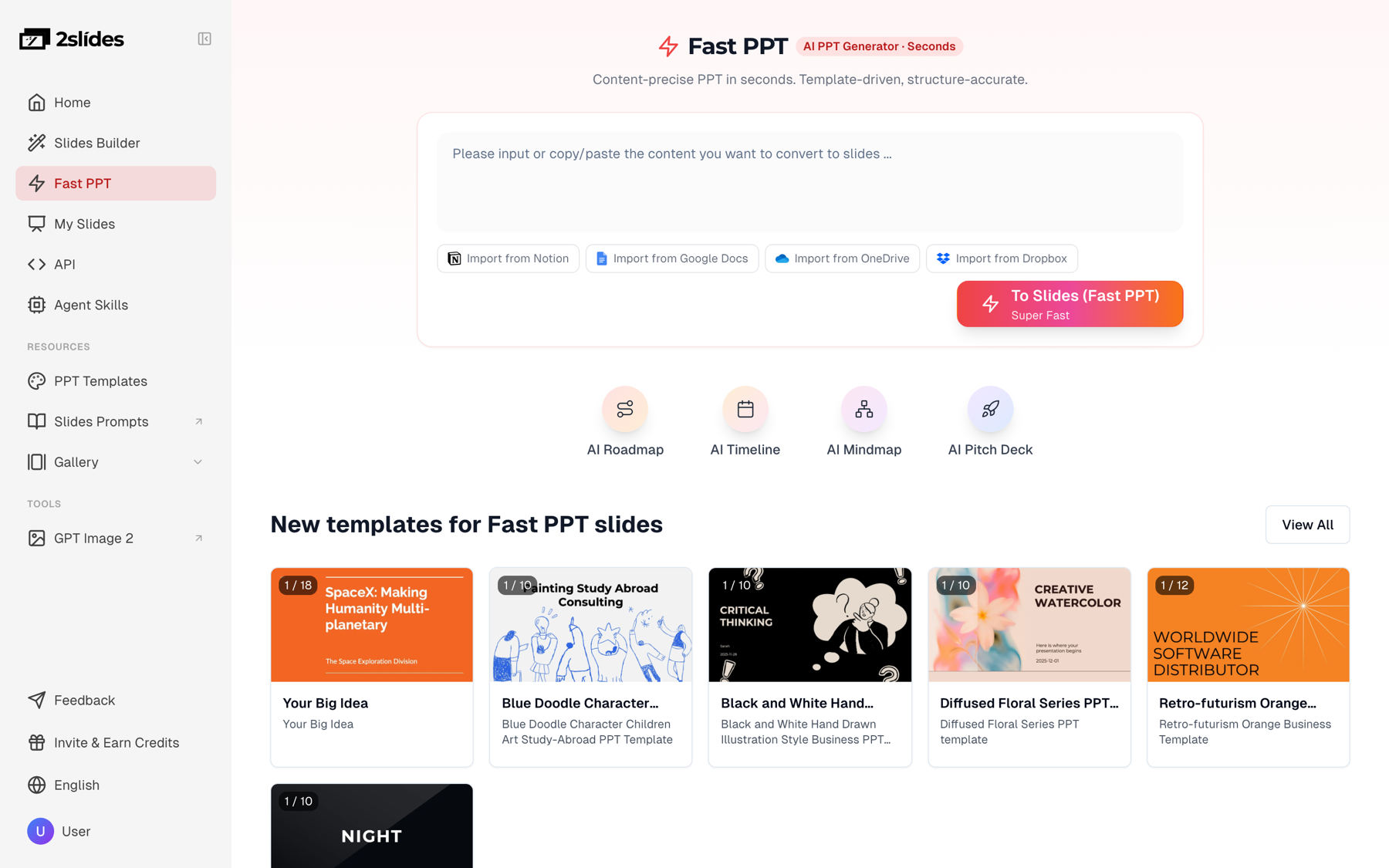
themeId fixed per brand.
Find the theme once and store the ID in your environment:
curl "https://2slides.com/api/v1/themes/search?query=retail%20product%20catalog&limit=5" \
  -H "Authorization: Bearer $SLIDES_API_KEY"
Then generate. The default mode is sync, which returns downloadUrl in one call. For batches use mode: "async" so the request returns a jobId immediately and your script keeps submitting.
curl -X POST https://2slides.com/api/v1/slides/generate \
  -H "Authorization: Bearer $SLIDES_API_KEY" \
  -H "Content-Type: application/json" \
  -d '{
    "userInput": "Retailer sell sheet for Northbound Trail Runner 2 (SKU NB-TRAIL-042), prepared for the buying team at REI US. 6 slides: cover; key features (Vibram outsole, 8 mm drop, recycled mesh upper); technical specs (265 g, EU 39-47, Moss and Slate); pricing and margin talking points (retail 139.00); merchandising and launch timing; contact and next steps. Tone: factual, buyer-facing.",
    "themeId": "YOUR_BRAND_THEME_ID",
    "responseLanguage": "English",
    "mode": "async"
  }'
A 6-page sell sheet costs 60 credits, roughly $0.15 at the $5 pack rate.
The launch deck is different. Buyers and social channels expect it to look like the campaign, not like a template, and nobody will edit it slide by slide. That is the image-designed path: POST /api/v1/slides/create-like-this takes a referenceImageUrl, derives a design system (palette, type, composition) from that image, and renders every page as an image inside a PDF. Point it at the season's key visual and every SKU deck inherits the campaign look. The product page for Create Slides Like This shows the same pipeline in the web workspace.
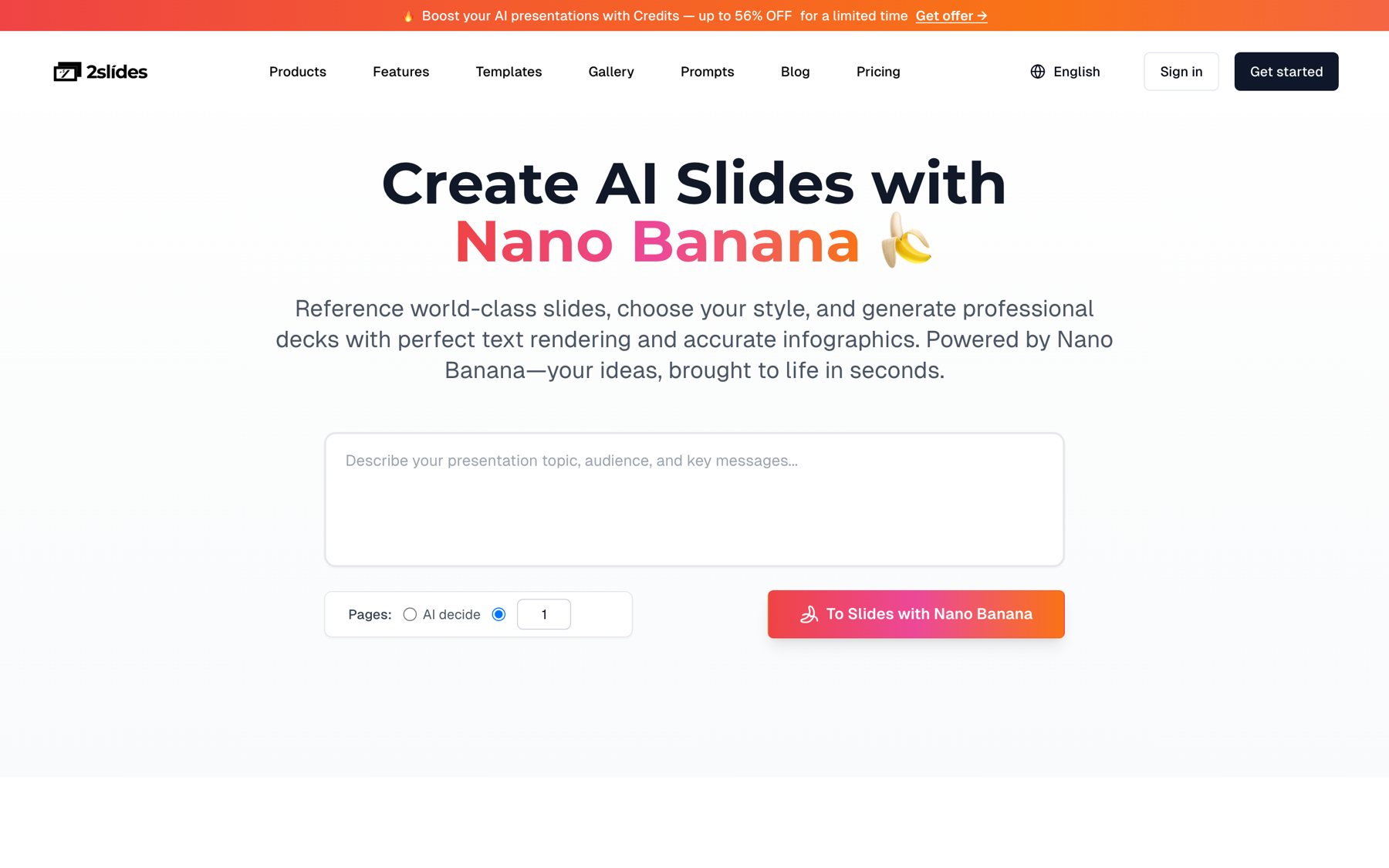
create-like-this is the API entry point; the reference image replaces a written style prompt.
Run it twice per SKU with different aspectRatio values: "16:9" for the buyer deck and "4:5" for the social carousel. Image pipelines default to mode: "async".
curl -X POST https://2slides.com/api/v1/slides/create-like-this \
  -H "Authorization: Bearer $SLIDES_API_KEY" \
  -H "Content-Type: application/json" \
  -d '{
    "userInput": "Product launch deck for Northbound Trail Runner 2 (SKU NB-TRAIL-042). Audience: retail buyers and category managers. Cover the hero story, three headline features (Vibram outsole, 8 mm drop, recycled mesh upper), the spec sheet (265 g, EU 39-47), retail price 139.00, and the FW26 campaign window.",
    "referenceImageUrl": "https://cdn.example-brand.com/campaigns/fw26/key-visual.jpg",
    "aspectRatio": "16:9",
    "resolution": "2K",
    "page": 8,
    "contentDetail": "standard",
    "imageModel": "gemini-3-pro-image",
    "responseLanguage": "English",
    "mode": "async"
  }'
For the social version change aspectRatio to "4:5" and page to 6, and shorten the brief to the hero story plus three features. An 8-page 2K deck costs 10 + 800 = 810 credits (about $2.03); the 6-page 4:5 version costs 610 credits (about $1.53). page: 0 lets the planner choose the count, but a fixed number keeps catalog costs predictable.
The rate limit is 6 requests per minute per API key, and GET /api/v1/jobs/{jobId} allows 10 per minute. A runner that respects both is short: submit one job every 10 seconds, write the jobId next to the SKU to disk as you go, then poll the pending set in round-robin at one check every 6 seconds. Each finished file is uploaded to cloud storage as soon as its job succeeds.
// catalog-to-decks.mjs (Node 20, run server-side; never ship SLIDES_API_KEY to a browser)
import { readFile, writeFile } from "node:fs/promises";
import { parse } from "csv-parse/sync";
import { S3Client, PutObjectCommand } from "@aws-sdk/client-s3";

const API = "https://2slides.com/api/v1";
const headers = {
  "Content-Type": "application/json",
  Authorization: `Bearer ${process.env.SLIDES_API_KEY}`,
};
const THEME_ID = process.env.BRAND_THEME_ID;
const KEY_VISUAL = "https://cdn.example-brand.com/campaigns/fw26/key-visual.jpg";
const s3 = new S3Client({ region: "eu-central-1" });
const sleep = (ms) => new Promise((r) => setTimeout(r, ms));
const LANGUAGE = { en: "English", de: "German", ja: "Japanese" };

async function submit(path, body) {
  const res = await fetch(`${API}${path}`, { method: "POST", headers, body: JSON.stringify(body) });
  if (!res.ok) throw new Error(`${path} -> ${res.status} ${await res.text()}`);
  return res.json(); // async mode returns { jobId, ... }
}

// 1. Submit: one request every 10 s stays under 6 requests/min
const rows = parse(await readFile("catalog.csv", "utf8"), { columns: true });
const jobs = []; // { sku, market, kind, jobId }

for (const row of rows) {
  const responseLanguage = LANGUAGE[row.market] ?? "Auto";

  const sheet = await submit("/slides/generate", {
    userInput: sellSheetPrompt(row),
    themeId: THEME_ID,
    responseLanguage,
    mode: "async",
  });
  jobs.push({ sku: row.sku, market: row.market, kind: "sell-sheet", jobId: sheet.jobId });
  await sleep(10_000);

  for (const [aspectRatio, page, kind] of [["16:9", 8, "launch-16x9"], ["4:5", 6, "social-4x5"]]) {
    const deck = await submit("/slides/create-like-this", {
      userInput: launchPrompt(row),
      referenceImageUrl: KEY_VISUAL,
      aspectRatio,
      resolution: "2K",
      page,
      contentDetail: "standard",
      responseLanguage,
      mode: "async",
    });
    jobs.push({ sku: row.sku, market: row.market, kind, jobId: deck.jobId });
    await sleep(10_000);
  }

  // jobId <-> SKU map on disk, so a crash mid-run never loses paid jobs
  await writeFile("jobs.json", JSON.stringify(jobs, null, 2));
}

// 2. Poll: jobs/{id} allows 10 requests/min, so check one job every 6 s in round-robin
const pending = new Set(jobs.map((j) => j.jobId));

while (pending.size > 0) {
  for (const job of jobs.filter((j) => pending.has(j.jobId))) {
    const res = await fetch(`${API}/jobs/${job.jobId}`, { headers });
    const state = await res.json(); // { status, progress, downloadUrl }

    if (state.status === "success") {
      pending.delete(job.jobId);
      const file = await fetch(state.downloadUrl);
      const ext = job.kind === "sell-sheet" ? "pptx" : "pdf";
      await s3.send(new PutObjectCommand({
        Bucket: "brand-sales-assets",
        Key: `decks/${job.sku}/${job.market}/${job.kind}.${ext}`,
        Body: Buffer.from(await file.arrayBuffer()),
      }));
      console.log(`uploaded ${job.sku} ${job.market} ${job.kind}`);
    } else if (state.status === "failed") {
      pending.delete(job.jobId);
      console.error(`failed ${job.sku} ${job.kind}`, state);
    }
    await sleep(6_000);
  }
}
Three jobs per SKU at 10 seconds apart means 100 SKUs submit in 50 minutes; polling 300 jobs at one check every 6 seconds adds about 30 minutes per pass. If you prefer Python, the same loop is in Automate presentation generation with Python and the 2Slides API, and the general queueing pattern is covered in How to batch-generate presentations with an AI API.
Cross-border is where automation earns its keep. A German buyer and a Japanese buyer should each receive a sell sheet in their language, with the same specs and the same brand template. You do not need a translation service: responseLanguage accepts a language name and the deck is written in that language from the same English brief.
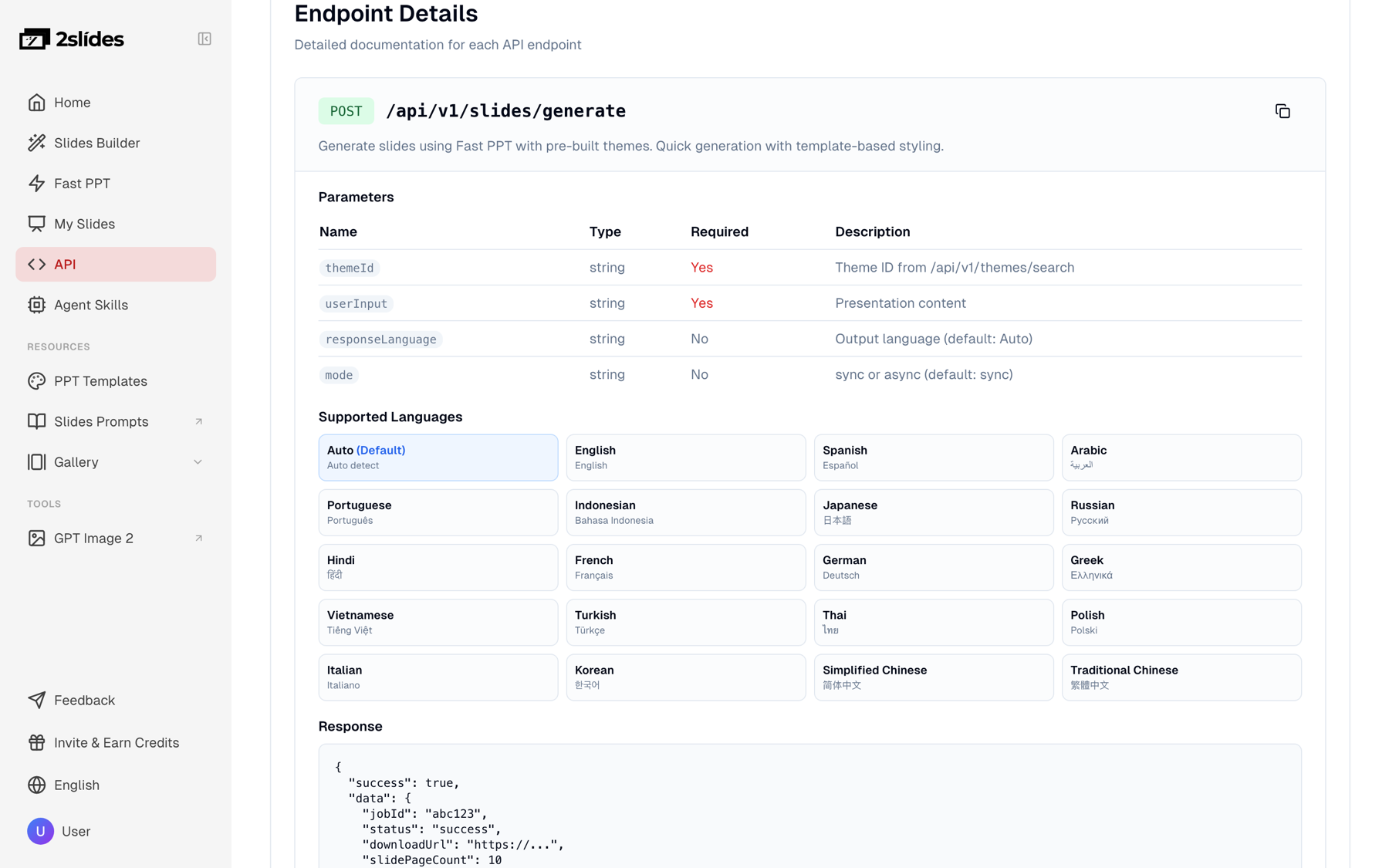
generate endpoint parameters and the supported output languages. Pass the language name, such as "German", never a code like "de".
The script above already maps market to a language name (de to "German", ja to "Japanese"). The 20+ supported values include Spanish, French, Italian, Portuguese, Polish, Korean, Simplified Chinese, Traditional Chinese, Arabic, and Turkish. Write prices in the market currency (EUR, JPY) and name the retailer in the brief so the numbers and context are localized, not only the words.
curl -X POST https://2slides.com/api/v1/slides/generate \
  -H "Authorization: Bearer $SLIDES_API_KEY" \
  -H "Content-Type: application/json" \
  -d '{
    "userInput": "Retailer sell sheet for Northbound Trail Runner 2 (SKU NB-TRAIL-042), prepared for the buying team at Xebio. 6 slides: cover; key features (Vibram outsole, 8 mm drop, recycled mesh upper); technical specs (265 g, sizes 25-30 cm, Moss and Slate); pricing and margin talking points (retail JPY 21,900); merchandising and launch timing; contact and next steps.",
    "themeId": "YOUR_BRAND_THEME_ID",
    "responseLanguage": "Japanese",
    "mode": "async"
  }'
Each language variant is a separate job at the same price, so a SKU sold in three markets costs three sell sheets: 180 credits, or about $0.45.
The batch runner handles seasonal drops. For a steady trickle of new SKUs, wire the store to the API so a deck exists minutes after a product is created. Make (see the Make help center) exposes Shopify product events directly; the same shape works in Zapier or n8n.
products/create webhook.variants[0].price and images[0].src, and assembles userInput as in sellSheetPrompt.POST https://2slides.com/api/v1/slides/create-like-this with the Step 3 body; the Authorization: Bearer <key> header comes from a scenario variable, never from product data.GET https://2slides.com/api/v1/jobs/{{jobId}}. A Router checks status: success continues, pending or processing loops back through the Delay, failed sends a Slack alert.downloadUrl, an upload node to Google Drive, Dropbox, or S3 under the SKU folder, and a sheet row with sku, jobId, status, and storage path.Shopify can fire several product events in a burst (bulk import, app sync). Add the same 10-second spacing here, or route events into a queue and let the Step 4 runner drain it, otherwise a burst of 20 imports fails on request 7.
create-like-this needs a reference image. Your own campaign key visual is the right choice when the goal is campaign consistency. When you are still deciding what a retail-sector deck should look like, the 2Slides Gallery hosts real-world reference decks you can study, or pass as referenceImageUrl to borrow their design system. These are reference decks, not API output.
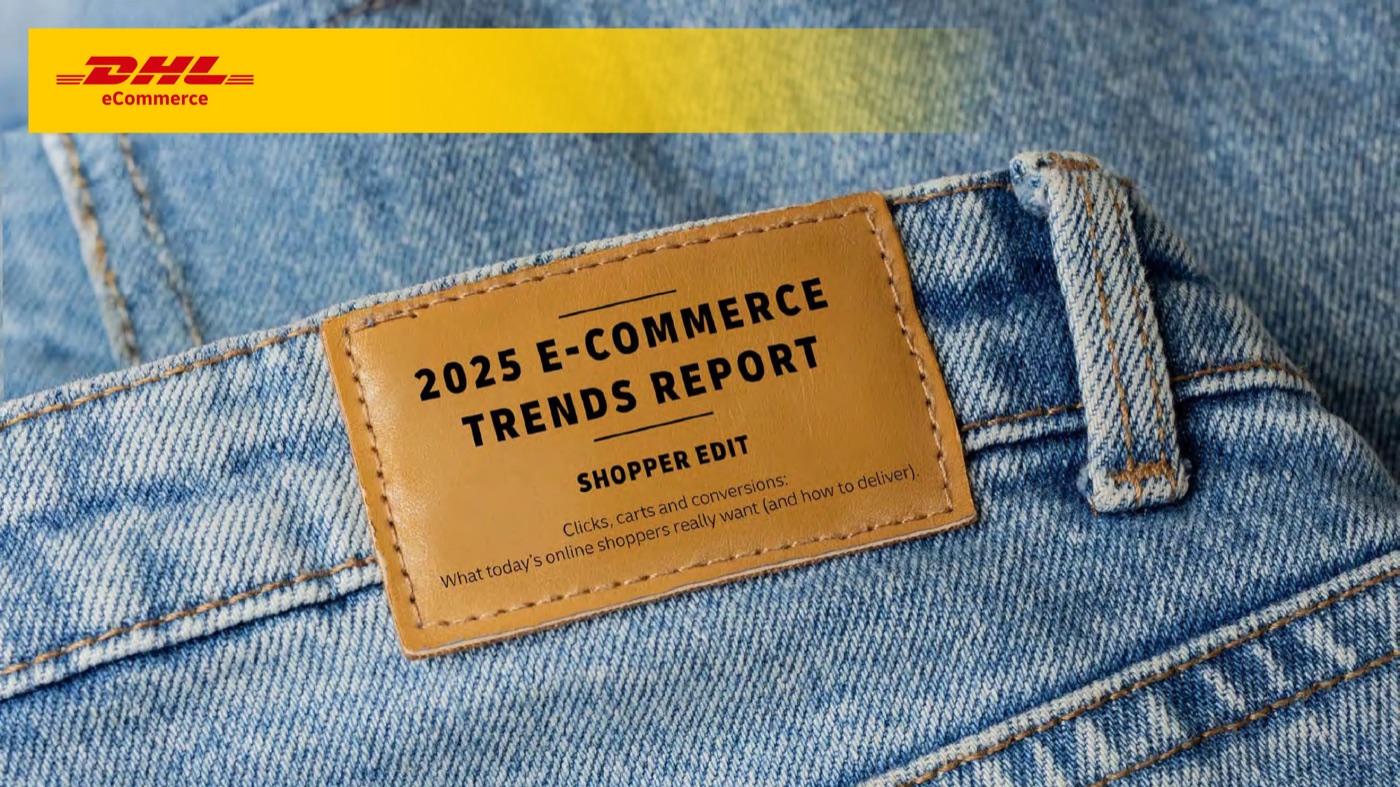
referenceImageUrl tells the model to reuse its grid, palette, and chart treatment.
Use a single reference image per campaign and per aspect ratio. Changing it between SKUs produces 40 decks that each look fine and do not look like a family.
Credits are pay-as-you-go: $5 buys 2,000 credits ($0.0025 per credit) and $80 buys 40,000 ($0.002 per credit). New accounts start with 500 free credits, about 8 sell sheets for a test run.
| Volume | Per SKU | Credits per month | Approximate USD |
|---|---|---|---|
| 20 SKUs/month: 6-page sell sheet + 8-page 16:9 launch deck | 60 + 810 = 870 | 17,400 | $42.50 (one 20,000-credit pack) |
| 20 SKUs/month: add a 6-page 4:5 social deck | 870 + 610 = 1,480 | 29,600 | $60 to $74 depending on pack size |
| 500 SKUs/month: sell sheet + 16:9 launch deck | 870 | 435,000 | about $870 at $0.002 per credit |
| 500 SKUs/month: all three decks | 1,480 | 740,000 | about $1,480 at $0.002 per credit |
Sell sheets alone are cheap: 500 six-page PPTX sell sheets cost 30,000 credits, about $60. The image-designed decks are where the budget goes, so generate the launch deck once per SKU and the sell sheet once per SKU per market.
For comparison, Gamma's API (see developers.gamma.app) offers similar automation but requires a Pro plan for API keys; 2Slides keys work on any account. 2Slides is our product, so weigh that when reading the comparison.
| Need | Use | Why |
|---|---|---|
| Account manager edits prices, swaps a slide, forwards to a buyer | Fast PPT generate | Native PPTX, 10 credits/page, fixed themeId per brand |
| Deck must match the campaign key visual exactly | create-like-this | Design system derived from referenceImageUrl |
| Social carousel or vertical format | create-like-this with aspectRatio "4:5" or "9:16" | PDF plus per-page images, ready to post |
| Narrated product walkthrough or MP4 for a marketplace listing | create-like-this then generate-narration (210 credits/page) | Fast PPT jobs cannot be narrated |
Promise.all.generate-narration only accepts jobs from create-pdf-slides or create-like-this. If a narrated product video is the goal, start from the image-designed deck.responseLanguage: "de". The parameter takes a language name: "German", "Japanese", "Spanish". Codes are not recognized.userInput. Long attribute lists produce cluttered slides. Summarize to the buyer-relevant features and specs first; the CSV columns in Step 1 are the filter.page: 0 is fine for a one-off, but a fixed page keeps the credit cost per SKU identical for budgeting.Yes. Shopify's product CSV contains the title, body, variant price, and image URL you need; the Step 1 builder maps those columns into userInput. Add target_retailer and market columns, or derive them from tags. The runner then calls generate for the PPTX sell sheet and create-like-this for the launch deck, one row at a time.
Pass the same campaign key visual as referenceImageUrl on every create-like-this call, and keep one reference per aspect ratio. The design system is derived from that image, so the decks share palette, type, and composition. For the editable sell sheet, hard-code one themeId per brand so every PPTX comes from the same template.
Submission is the bottleneck: at 6 requests per minute, three decks per SKU means one SKU every 30 seconds, so 100 SKUs submit in about 50 minutes. Fast PPT jobs finish in around 30 seconds each; image-designed decks complete in the background while you keep submitting. Polling at 10 requests per minute adds roughly 30 minutes per pass.
A 6-page Fast PPT sell sheet is 60 credits (about $0.15). An 8-page 2K image-designed launch deck is 10 planning credits plus 800 page credits, 810 in total (about $2.03). A 6-page 4:5 social deck is 610 credits. All three together are 1,480 credits, about $2.96 at the $80 pack rate of $0.002 per credit.
Yes. Set responseLanguage to "German" or "Japanese" on the same request body and the deck is written in that language from your English brief. Each language variant is a separate job at the same credit cost. Put market-specific prices and the retailer name in the brief so numbers and context are localized as well as the text.
Create stunning AI-powered presentations in seconds. Transform your ideas into professional slides with 2slides AI Agent.
Try For FreeYour AI Agent for slides. Save time, shine faster with intelligent presentation creation.




© 2026 2slides. All rights reserved.