2Slides Team
6 min read


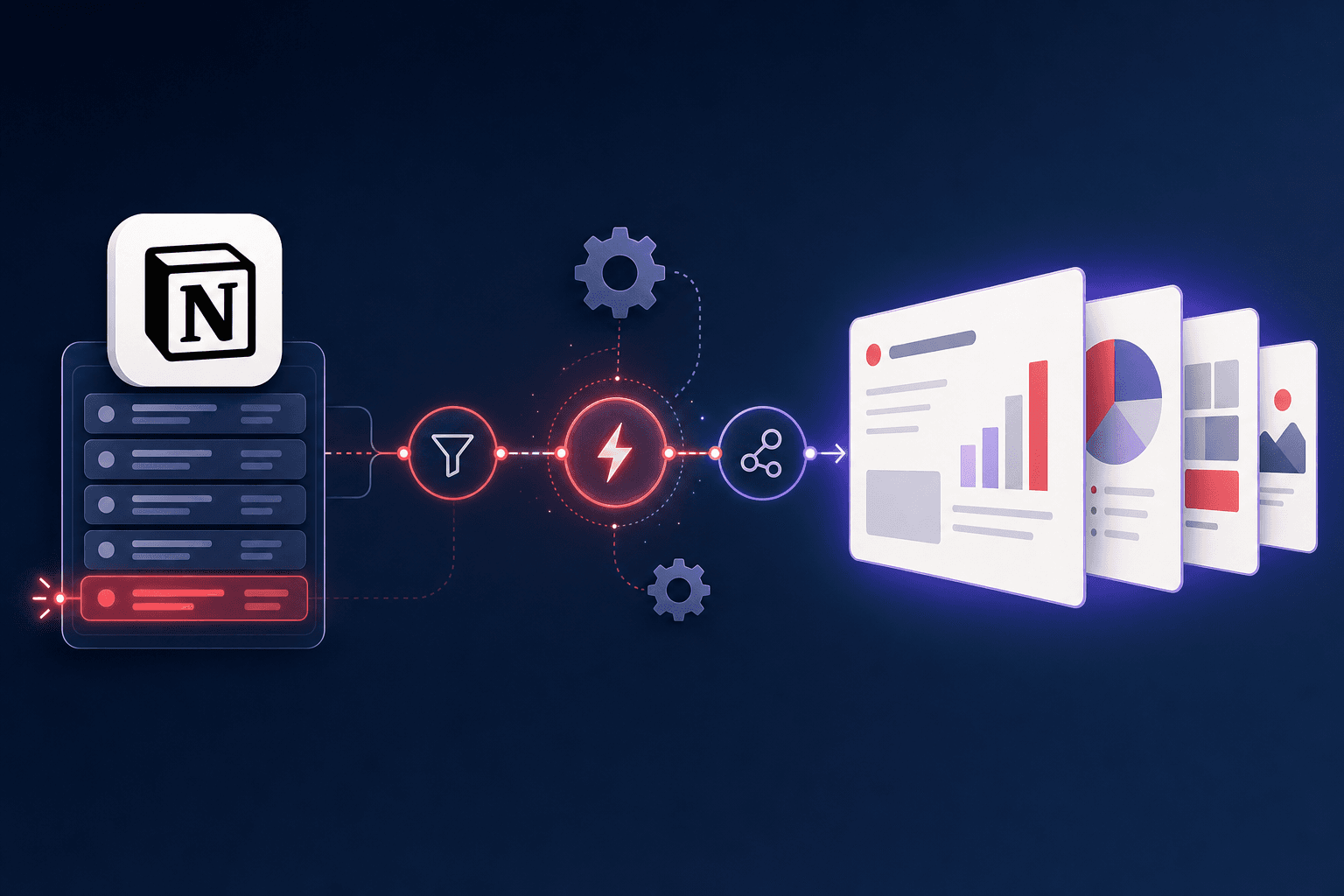
Quick Answer (≤60 words): You can automate Notion-to-slides at three levels. Level 1: connect Notion to 2Slides and generate a deck in one click. Level 2: trigger deck generation from Zapier, Make, or n8n when a Notion page changes. Level 3: a full API pipeline where every new Notion database entry calls the 2Slides API and returns a finished
.pptxautomatically - no human in the loop.
If you produce the same kind of deck over and over - weekly updates, per-client one-pagers, release notes, a deck per new database row - the manual version is a tax you pay forever. This guide shows how to automate it, from the simplest one-click flow to a pipeline that runs while you sleep.
If you're new to pulling slides from Notion at all, start with the basics in how to generate presentations from Notion. This article is about removing the clicks.
The fastest automation is the one you don't have to build. 2Slides connects to Notion with an official read-only OAuth integration, so the loop is:
For a "once a week I turn this page into a deck" cadence, this is already 90% of the value with none of the setup. When the trigger itself needs to be automatic, go to Level 2.
Here the automation tool watches Notion and kicks off the deck. The shape is the same across platforms:
Example - a Make/n8n HTTP node calling 2Slides:
curl -X POST https://2slides.com/api/v1/slides/generate \
  -H "Authorization: Bearer $TWOSLIDES_API_KEY" \
  -H "Content-Type: application/json" \
  -d '{
    "userInput": "{{ notion.page.content }}",
    "responseLanguage": "Auto",
    "aspectRatio": "16:9",
    "mode": "async"
  }'
You get back a jobId; poll GET /api/v1/jobs/{jobId} until it's done, then read the downloadUrl. No code beyond wiring the nodes.
At volume - a deck per new client, per release, per research entry - build it once with the API and let it run. The pattern:
POST /api/v1/slides/generate for prompt/outline content, or POST /api/v1/slides/create-pdf-slides if you're feeding a longer document body.GET /api/v1/jobs/{id}, grab the downloadUrl, and write it back to the Notion row (or push to Drive/Slack).Relevant 2Slides V1 endpoints for a pipeline:
| Endpoint | Use |
|---|---|
POST /api/v1/slides/generate | Generate a deck from text/outline |
POST /api/v1/slides/create-pdf-slides | Generate from a longer document body |
POST /api/v1/slides/create-like-this | Match a reference deck's style |
POST /api/v1/slides/generate-narration | Add per-page voiceover (Workspace jobs) |
GET /api/v1/jobs/{id} | Poll job status, get downloadUrl |
GET /api/v1/themes/search | Pick a template programmatically |
Because the jobs are async, the whole thing slots cleanly into webhook-driven backends. For a full code walkthrough, see the AI Presentation API comparison with code examples, and for agent-driven variants, the MCP server ecosystem.
| Cadence | Recommended level |
|---|---|
| Occasionally, by hand | Level 1 (one-click import) |
| Regular, triggered by a Notion change | Level 2 (Zapier/Make/n8n) |
| High volume, one deck per record | Level 3 (API pipeline) |
Don't over-build. Most teams never need past Level 2. Level 3 earns its keep when the deck count is high enough that even a two-click flow adds up.
Yes - at Level 3. Use Notion's API/webhook to detect the new entry, then call the 2Slides API (/api/v1/slides/generate or /create-pdf-slides) to render the deck and write the download link back to the row. Zapier, Make, or n8n can do the same with no code (Level 2).
No. The built-in Notion integration (Level 1) needs none, and Zapier/Make/n8n (Level 2) wire Notion to the 2Slides API visually. Code is only needed for a fully custom Level 3 pipeline.
The integration is for a person generating a deck in the Workspace. The API is for programs - triggered by a Notion change or your backend - to generate decks without anyone clicking. Same generation engine, different entry point.
Yes. After generating, call POST /api/v1/slides/generate-narration for Workspace jobs to add per-page voiceover, then export MP4. Narration applies to file/create-like-this jobs, not the template-driven Fast PPT path.
Yes - the integration is read-only and scoped to the pages you authorize. For API pipelines, your Notion API token controls what the backend can read; scope it to the specific database.
Automating Notion-to-slides isn't one thing - it's a ladder. Start at one-click import, add a Zapier/Make/n8n trigger when the timing should be automatic, and graduate to a full API pipeline only when volume demands it. The generation engine is the same at every level; you're just choosing how many clicks to remove.
Start simple: connect Notion. Build the pipeline: AI Presentation API with code examples · PowerPoint MCP server ecosystem · How to generate presentations from Notion
Last reviewed: 2026-07-08 by the 2Slides team.
Create stunning AI-powered presentations in seconds. Transform your ideas into professional slides with 2slides AI Agent.
Try For FreeYour AI Agent for slides. Save time, shine faster with intelligent presentation creation.




© 2026 2slides. All rights reserved.