2Slides Team
12 min read

Quick answer: To turn a photo into an oil painting with AI, pick the effect that matches what is in the photo. Use Oil Painting Diorama Poster for a scene with a sense of place, Palette Knife Painting Poster for a person or animal doing something, and Couple Diorama Poster for a full-length photo of two people.
Most AI oil painting generators apply a brushstroke filter over the whole photo. The three oil effects on 2Slides do something different. Each one keeps your photo in the top half of a 3:4 poster and rebuilds the same subject underneath as a small, three-dimensional miniature in thick oil paint, standing on a band of color on bright white paper.
The three share that painting language, impasto with palette-knife marks, but they are written for different photos. This guide explains the techniques, compares the three effects, says which photos work, and reports how each one did in our tests.
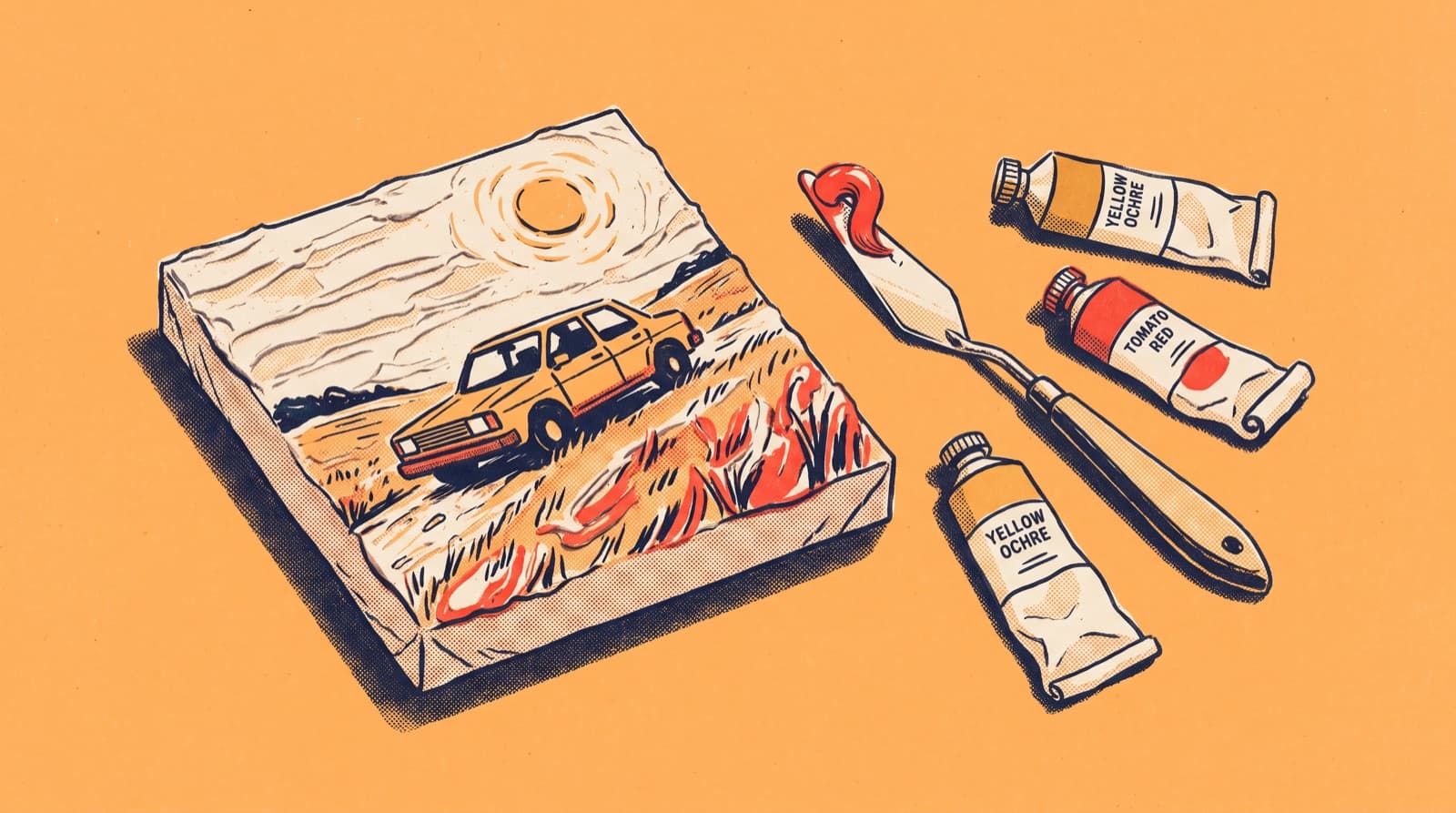
Impasto is oil paint applied thickly enough that it stands up from the surface and keeps the marks of the brush or knife that put it there. A palette knife is a flat, flexible blade used to mix paint and also to lay it on in broad, sharp-edged scrapes. Together they give a painting texture you could feel.
That texture is what these effects ask for. All three prompts call for visible paint build-up, palette-knife marks and raised edges, so the lower half reads as material paint rather than a smooth digital render. The palette knife effect makes this most explicit: its list of things to avoid includes "smooth strokeless surfaces, no paint build-up, no palette-knife marks".
The three effects differ in what they are built to paint. The diorama rebuilds a scene, the palette knife painting rebuilds a person, pair or animal in action, and the couple diorama rebuilds two people while holding their pose exactly. Only the last two carry text.
Oil Painting Diorama Poster takes a scene and turns it into a small world: a car in a field, a picnic on a blanket, a horse in a meadow. The subject is carried on a single thickly painted band of color that can read as water, ground, a path or a band of light, with reflections and a little impasto cloud or sun around it. The lower half is allowed to adjust the angle and proportions slightly to suit a miniature, so expect a likeness, not a copy. It has no caption fields, because the source prompt never mentions text.
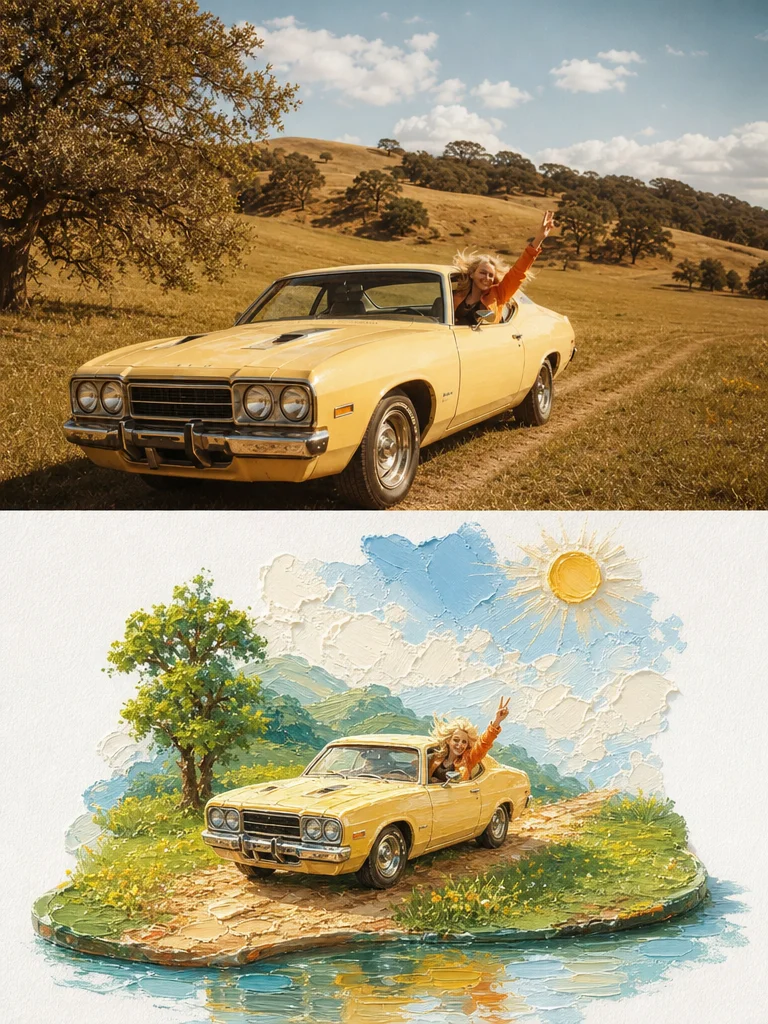
Oil Painting Diorama Poster: a yellow car in a dry meadow. The field becomes a small island on a pool of blue paint.
Palette Knife Painting Poster shares the diorama's idea but comes from a later rewrite of it. It is built for photos where someone is doing something: fishermen hauling nets, a vendor with a cart, a grandmother and her dog on a bench. It adds an English script title and a short line set in a thin Song typeface, and its color rules are stricter, banning grey, Morandi, dark-brown, neon and candy tones. A moody photo comes back sunnier than it went in.
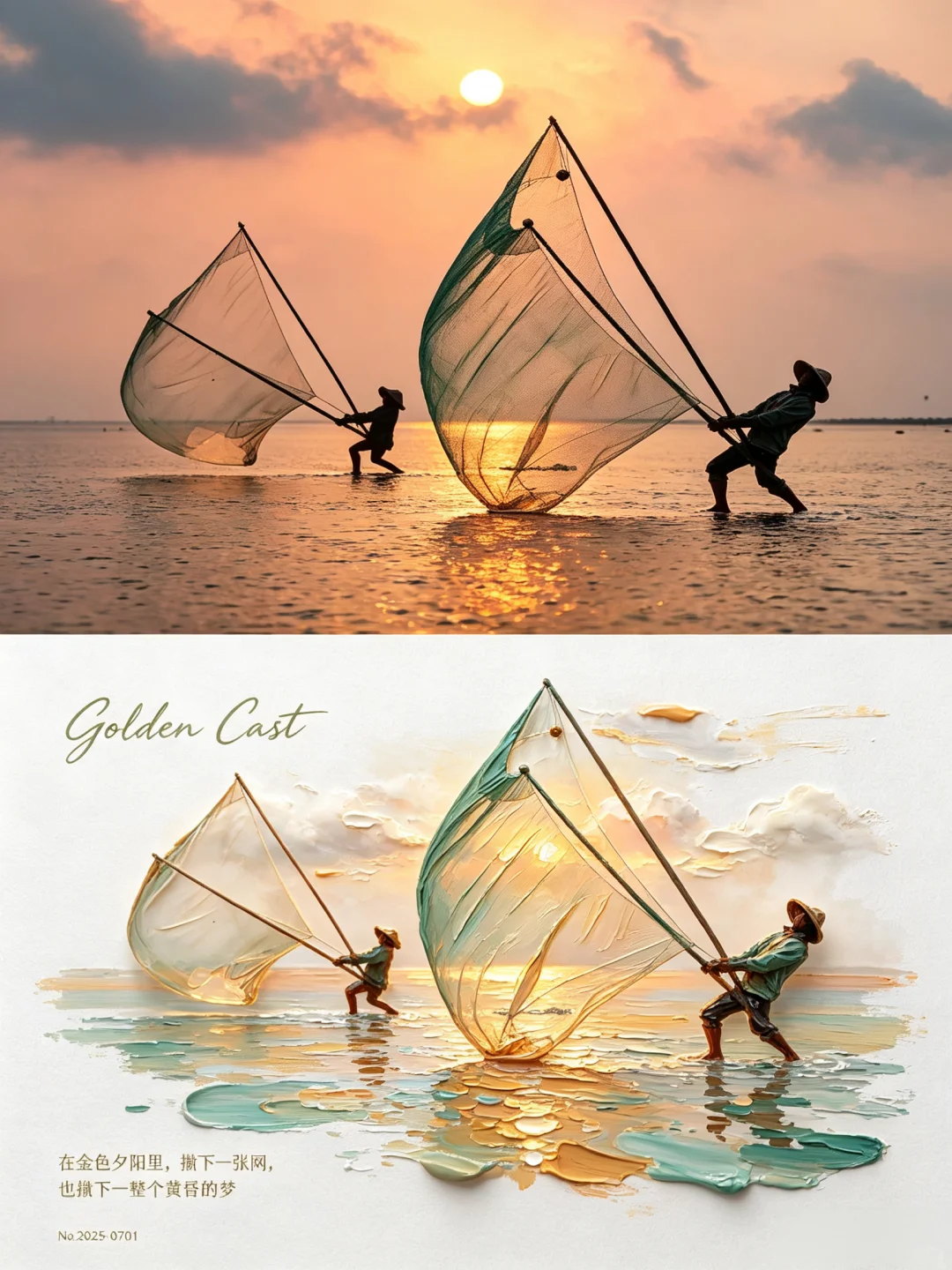
Palette Knife Painting Poster: both fishermen and their big triangular nets survive, the nets turned into translucent teal and gold paint.
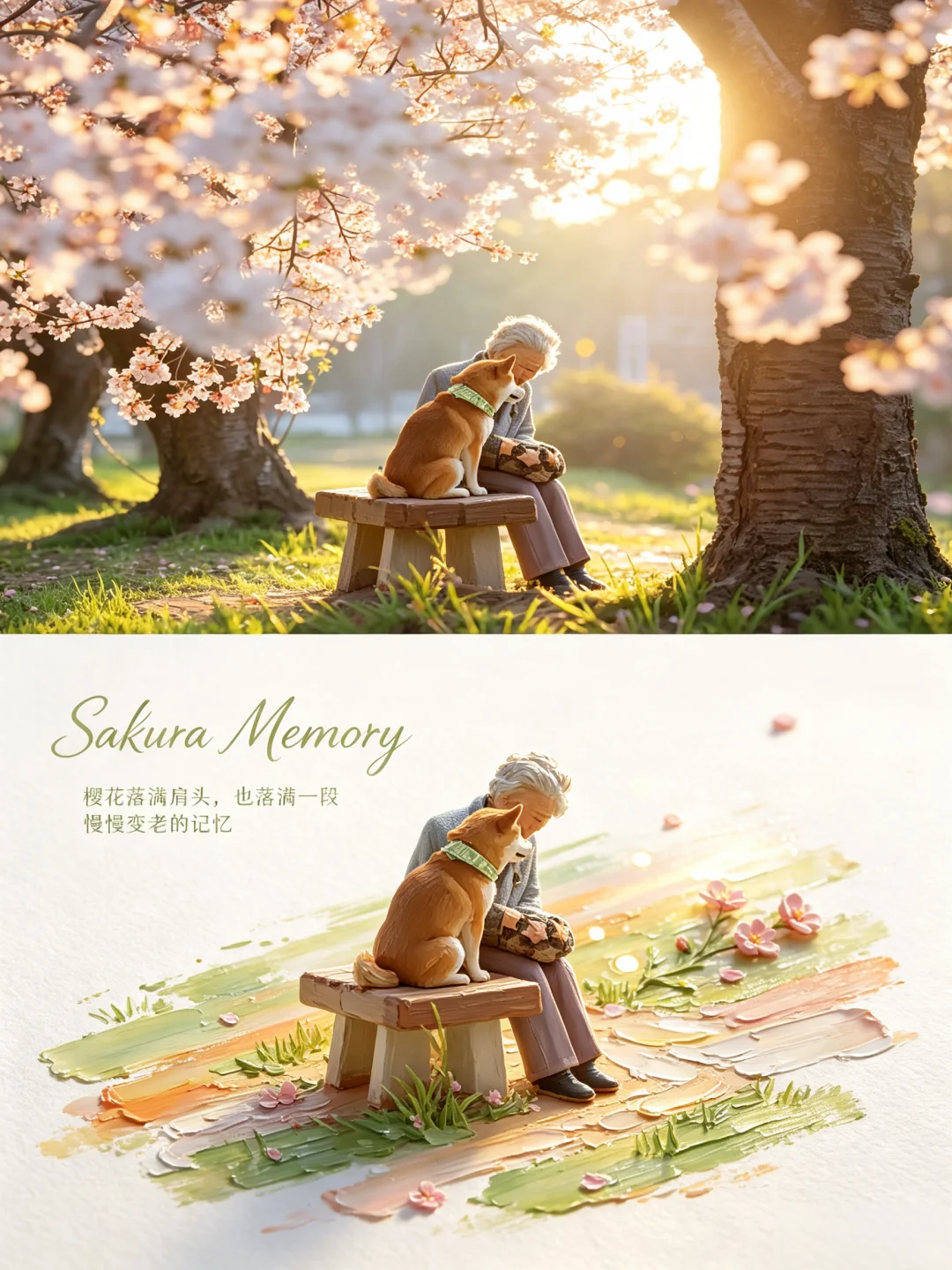
The grandmother, the shiba and the wooden bench are sculpted in paint on a green and peach band scattered with petals.
Couple Diorama Poster uses the same impasto miniature style for two people. Unlike the scene diorama, it forbids redesigning the pose: stance, hand gestures, body angle, gaze and who stands where must match the photo. The two of you become small sculpted figures on a translucent band of paint, the street or park behind thins to a few strokes, and a short headline plus a line of small notes sit in the white space.
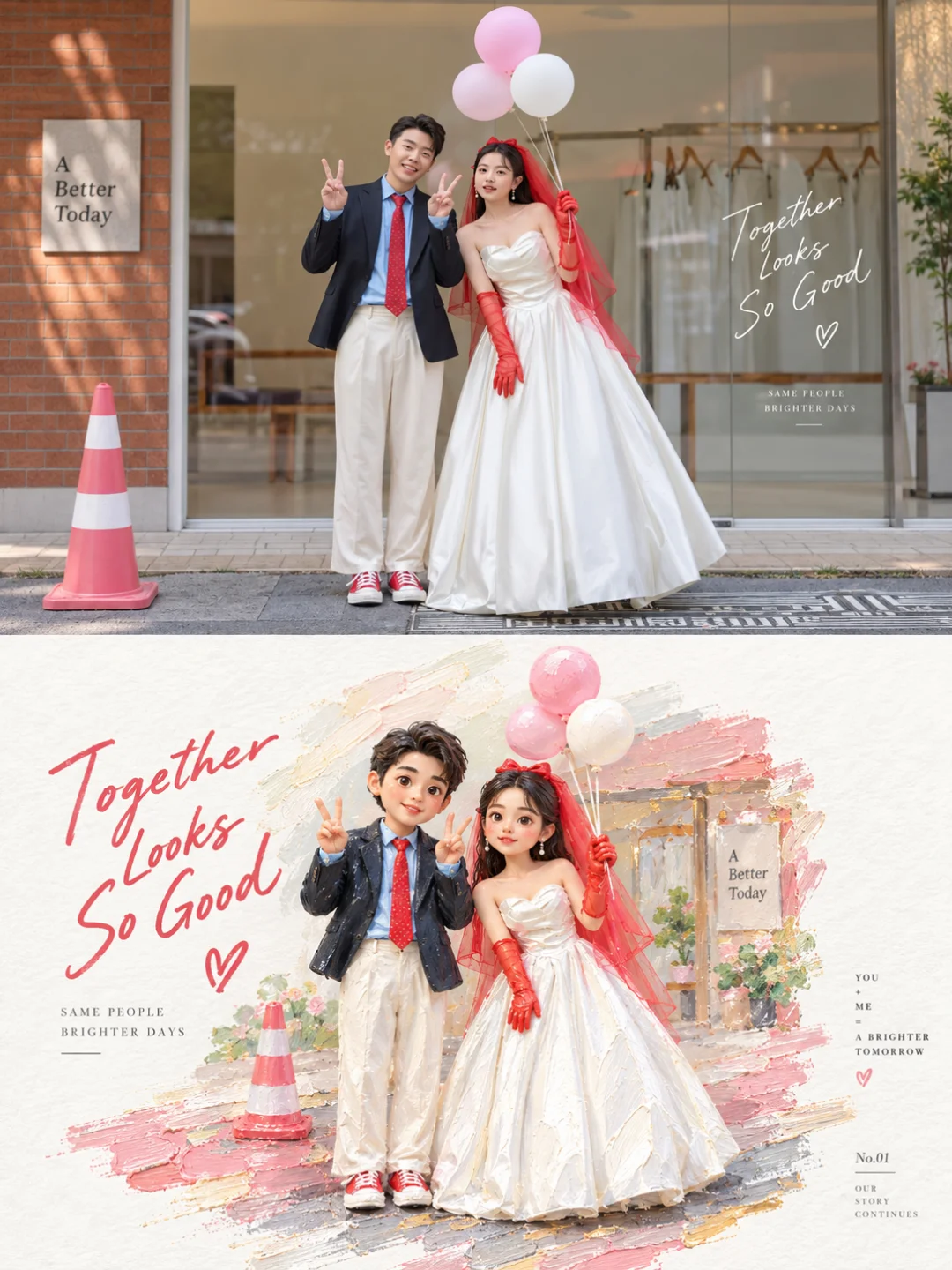
Couple Diorama Poster: the balloons, the red gloves and the doubled peace sign all make it into the miniature, on a band of pink taken from her veil.
All three are 3:4 posters (1792 × 2400 at 2K) with your photo on top and a bright, impasto miniature below. The differences are the subject each one is written for, how strictly it holds the pose, and whether you can add text.
| Oil Painting Diorama | Palette Knife Painting | Couple Diorama | |
|---|---|---|---|
| Built for | A scene with a sense of place | One or two people or an animal doing something | Two people, full length or knee-up |
| Best photos | A car in a field, a picnic, a person with an animal, a characterful interior | Fishermen, a street vendor, a grandmother and dog, a backlit lotus | Leaning on a sign, sitting on a bench, waving, holding hands |
| Avoid | Close-up portraits, flat frontal subjects, very dark photos | Crowds, small subjects on busy backgrounds, dark or night photos | Face close-ups, three or more people, dim or night photos |
| Pose in the painting | May be re-angled to suit a miniature | Adjusted slightly | Must match the photo exactly |
| Text | None | English script title plus a short line | Headline plus small notes |
| Colors | Liveliest colors from your photo, brightened | Same, with grey, Morandi and dark-brown tones banned | Brightest colors from your photo, lighter and cleaner |
| Clean test runs | 5/6 | 4/5 | 5/6 |
All three push colors brighter and purer, so daylight photos with some color in them work best. Beyond that, the right photo depends on the effect: a scene with ground and depth for the diorama, a clear action for the palette knife, and two whole bodies for the couple version.
Each prompt was run several times on a fixed test photo and every output was scored against written rules. All three were mostly clean, and each had one real failure worth knowing about. These are smoke tests of five or six runs, not precise rates.
If a result misses, a failed generation is refunded automatically and you can simply try again. Our comparison of all 35 AI photo-to-art styles puts these numbers next to every other effect.
New accounts get 500 free credits, enough for five 2K images. Your photo is stored privately, deleted on a schedule, and never used for training.
If your photo is architecture or landscape and you want restraint rather than thick, bright paint, try Chinese Ink Wash Poster. It distills the scene into black, grey and pale ink on xuan-paper tone, keeping only the silhouette and atmosphere, with a great deal of empty space. It suits a temple roofline, a mountain ridge or a bridge, not portraits or photos that live on their color. It was clean in all six test runs.
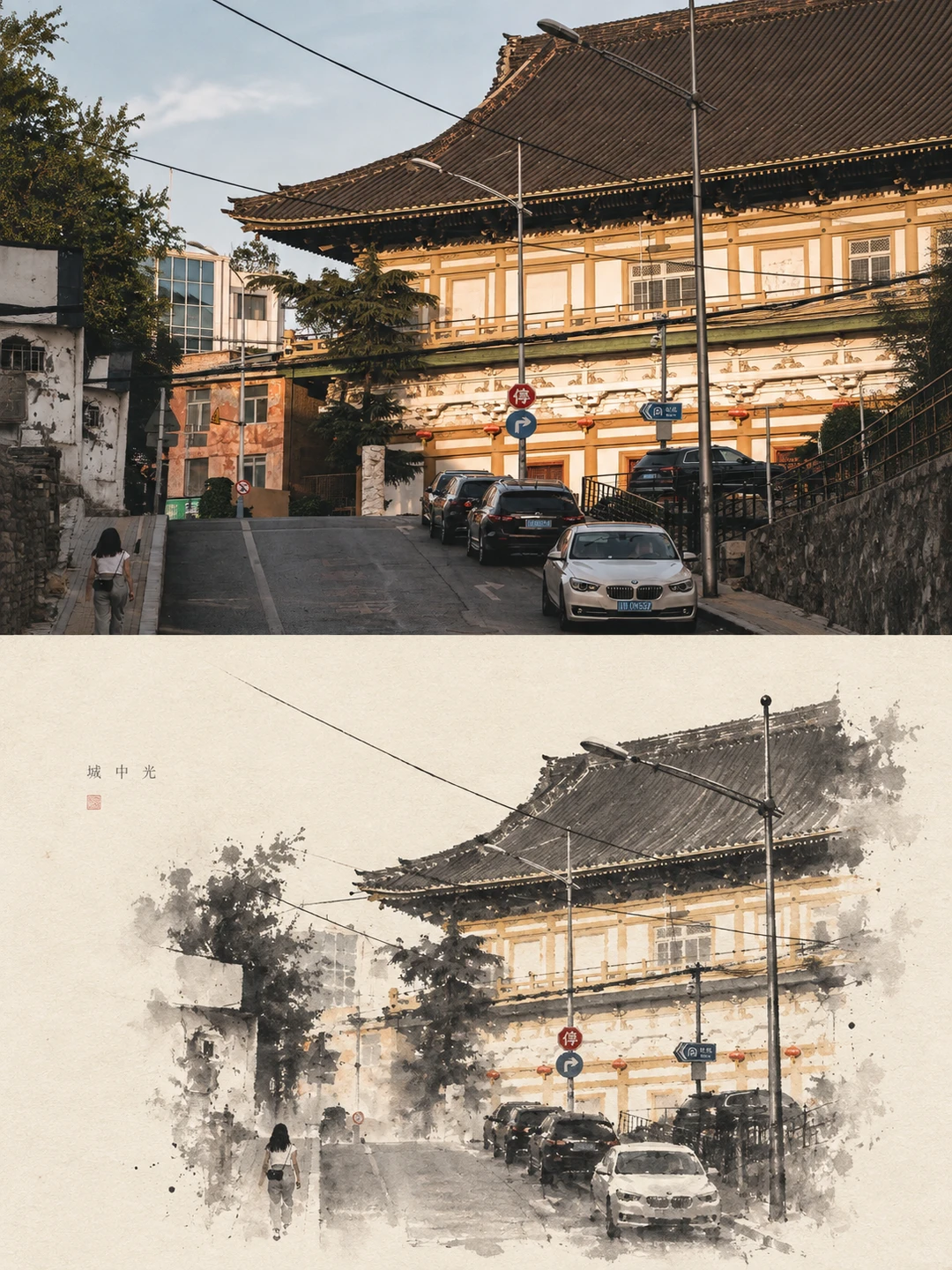
Chinese Ink Wash Poster: the overhead wires survive as three ruled lines, the parked cars dissolve into wash.
For one or two people or an animal doing something, use Palette Knife Painting Poster. For a full-length photo of a couple, use Couple Diorama Poster, which holds the pose, gestures and positions exactly. Both keep your photo on top, so the likeness is preserved there even though faces are simplified in paint.
Not well with these effects. All three need bodies, ground or a scene to sculpt, and a close-up face gives them nothing to build. For a single person, Marker Portrait Poster is written around faces, though it is bold marker rather than oil.
All three prompts take the liveliest colors from your photo and lift their brightness and purity rather than averaging them. The palette knife prompt also bans grey, faded, Morandi and dark-brown tones. A muted or night photo will come back sunnier.
It is the device that makes the miniature work. A single thick band of paint carries the subject and becomes water, ground, a path or a beam of light depending on the photo, with reflections and ripples where they fit.
Yes. Every effect page publishes its full prompt, which works in image-to-image models that accept a reference photo, such as Nano Banana and GPT Image 2. Results will vary by model.
A 2K poster costs 100 credits, about $0.25, and 4K costs 200 credits. Credits start at $5 for 2,000, new accounts get 500 free, and failed generations are refunded. The images are yours to use, including commercially.
Choose the oil effect by what is in your photo. A scene with a sense of place suits the diorama, a person or animal in action suits the palette knife, and two people suit the couple diorama. Use a bright daylight photo and type your own caption. If you have a photo of someone doing something, start with the Palette Knife Painting Poster.
Create stunning AI-powered presentations in seconds. Transform your ideas into professional slides with 2slides AI Agent.
Try For Freeस्लाइड के लिए आपका AI एजेंट। बुद्धिमान प्रस्तुति निर्माण के साथ समय बचाएं, तेजी से चमकें।




© 2026 2slides। सभी अधिकार सुरक्षित।