2Slides Team
11 min read

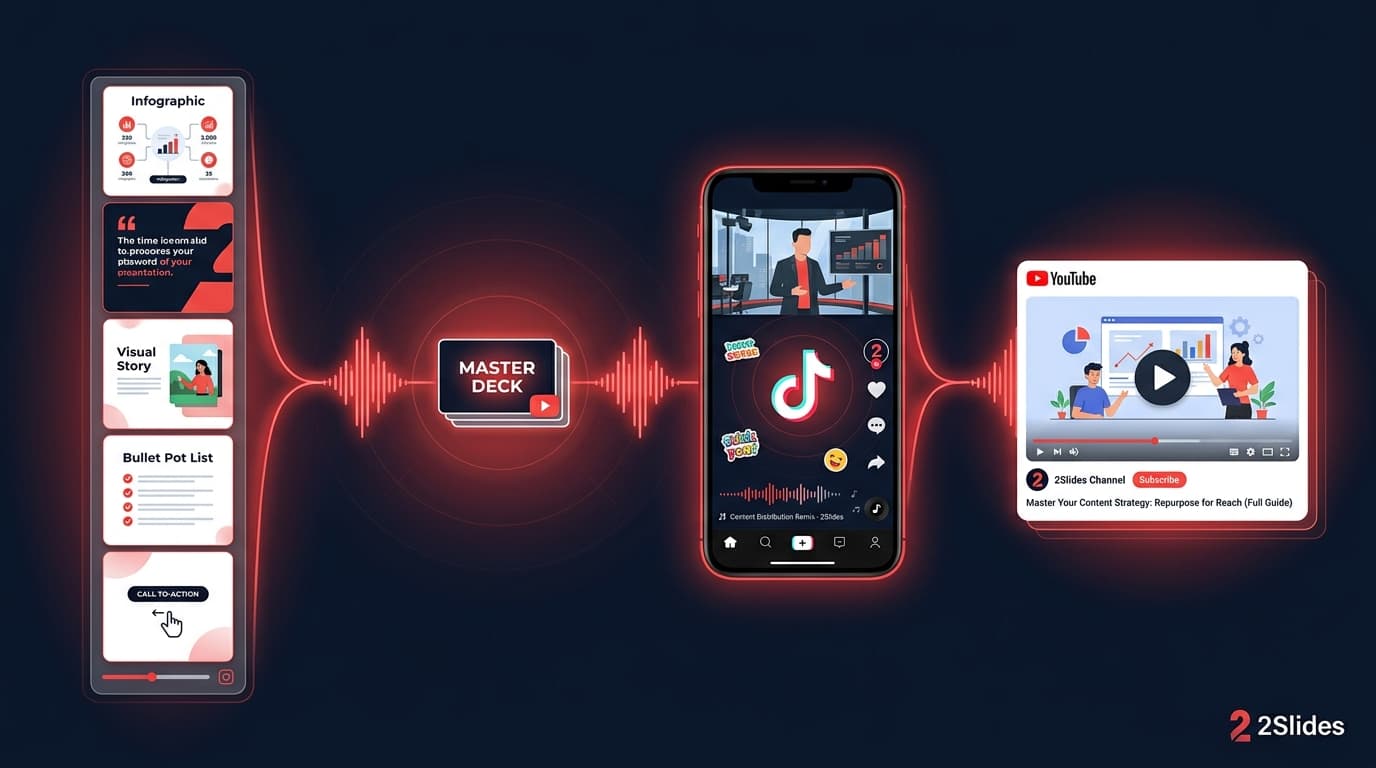
The single biggest leverage move for creators in 2026 is not making more content. It is shipping one idea in three formats — a 4:5 Instagram carousel, a 9:16 TikTok / Reels narrated video, and a 16:9 YouTube long-form or Shorts cut — without redoing the work three times.
This guide walks through the workflow that's quietly working for educators, finance creators, productivity accounts, and faceless niche channels: generate one infographic-style slide deck, narrate it once, then export every aspect ratio your channels need.
Three forces converged this year:
The bottleneck moved from production to format adaptation — and the creators who win are the ones who eliminate that step entirely.
| Flow | Output | Voice + MP4 | Use this when |
|---|---|---|---|
Fast PPT (/fast-ppt + /templates) | Template-driven PPTX | ❌ | You only need a silent PPTX deck — e.g., a stakeholder file you'll narrate live |
| Workspace flow (Create Slides Like This / Nano Banana presentation slides / Create Slides from File) | Image-generated slides editable per page | ✅ per-page voice; ✅ MP4 16:9 / 9:16 | The creator workflow in this post — carousel images, narrated 9:16 short, narrated 16:9, all from one deck |
Carousels and narrated shorts both depend on Workspace. Fast PPT templates won't get you the narration or the MP4. The rest of this guide is the Workspace flow.
A carousel works best between 6 and 10 slides. A 9:16 short typically lives on 30–60 seconds of audio, which translates to roughly 6–9 slides at 5–7 seconds each. So pick 8 slides as your default unit and write to it.
Open Create Slides Like This (paste a hook + reference layout) or Nano Banana presentation slides (prompt-only). For "I have a long-form blog post — turn it into a carousel," upload the markdown or PDF via Create Slides from File. All three drop you into the same Workspace.
A high-leverage prompt template:
Create an 8-slide infographic carousel on the topic [TOPIC]. Slide 1 is a strong hook. Slides 2–7 each deliver one tip with a one-sentence explanation and a supporting visual. Slide 8 is a CTA. Audience: [AUDIENCE]. Tone: [TONE]. End with a follow prompt.
Example for a productivity creator:
Create an 8-slide infographic carousel on "5 Notion habits that quietly destroy your productivity." Slide 1 is a hook with a contrarian claim. Slides 2–6 each deliver one habit with a one-sentence fix. Slide 7 is a "what to do instead" recap. Slide 8 is a follow CTA. Audience: knowledge workers. Tone: blunt, friendly.
The output is a coherent 8-slide story rather than 8 disconnected design objects.
In Workspace, configure voice per page. Workspace generates voice text first (from the slide content), then synthesizes audio. You can edit the voice text per slide before audio generation.
For platforms that prefer voiceover (TikTok, Reels, Shorts), two patterns:
Keep the narration per-slide rather than one long voiceover. This is what lets the same audio work on a silent carousel (audio off) and an autoplay vertical video (audio on).
This is the step that justifies the whole workflow. From the same source deck:
| Output | Platform | Why |
|---|---|---|
| PNG / JPG carousel, 4:5 | Instagram feed carousel | Highest reach format on IG |
| PNG / JPG carousel, 1:1 | LinkedIn document post | LinkedIn rewards document carousels |
| MP4 9:16 | TikTok, Reels, Shorts | Vertical autoplay |
| MP4 16:9 | YouTube long-form, X / Twitter video | Horizontal feeds |
| Lead magnet, gated download | Newsletter / mailing-list trade |
The same content, six placements. See the narrated presentation video guide for the export details.
The deck is universal. The caption is not.
A useful rule: the caption is the 9th slide.
A faceless finance channel produces 5 carousels a week. Each carousel turns into a 9:16 narrated short and a LinkedIn document post. The carousel funnels to a free PDF lead magnet ("8 Treasury terms in 8 slides") that captures emails. Total weekly production: 90 minutes of input, 15 outputs across 3 platforms.
A high-school history teacher posts a 9:16 narrated video three times a week. Each video is the 8-slide carousel exported as MP4 with a calm voiceover. The same carousel posts to Instagram on the off-days. The teacher's actual classroom decks (see knowledge cards for educators) double as social content with no extra production.
A founder repurposes one product-marketing thesis a week into:
One weekly idea, four placements, ~45 minutes total.
A creator generates a vocabulary recap deck (see English vocabulary cards) and exports both a 9:16 narrated MP4 for TikTok and a 4:5 Instagram carousel. The same content also becomes a printable PDF sold for $5 on a Stan Store / Gumroad.
A newsletter writer publishes a long-form post on Tuesday. On Wednesday they generate an 8-slide carousel summarizing the same idea — Instagram, LinkedIn, X. On Thursday they post a 9:16 narrated cut to TikTok and Shorts. The newsletter and the social stack reinforce each other; the audience growth flywheel runs on one writing sprint a week.
After studying patterns across creator niches:
For more on what makes AI-generated decks not look AI-generated, see How to Make AI Slides That Don't Look AI-Generated.
Tools like PostNitro, ContentDrips, and AICarousels are good at producing carousel images. They are not strong at:
For creators who only ship Instagram carousels, a dedicated carousel tool is fine. For creators repurposing across 3+ platforms with voice and video, a slide platform with narration and multi-aspect export removes the friction. Comparison details in 2Slides vs SlideSpeak and 2Slides vs Visme.
In the Workspace flow, the "template" is the prompt structure. Useful patterns:
If you only need a silent PPTX deck (no narration, no video) — for example, a stakeholder pitch you'll narrate live — Fast PPT with the template library is the faster route. Carousel + narrated MP4 outputs require the Workspace flow.
Yes — that's the entire point of the workflow. Generate once, export 4:5 for Instagram carousel and 9:16 MP4 for TikTok/Reels/Shorts from the same source deck.
No. 2Slides has built-in narration with 30+ voices and multi-speaker support. The voiceover is part of the same generation, not a separate tool in the stack.
For TikTok and Reels, 25–45 seconds is the sweet spot for completion rate. For YouTube Shorts, up to 60 seconds works. Match the slide count: 6–9 slides at 5–7 seconds each.
Yes. Export 1:1 for LinkedIn document posts and 4:5 for Instagram. Adjust the caption per platform — LinkedIn captions reward longer storytelling than Instagram.
3–5 per week is the most common shipping cadence for serious creators. Above 5/week, consistency drops. The compounding effect comes from sustained output over months, not from peak weeks.
Voice-only narration on top of slide content is not flagged. Both platforms have publicly stated they are fine with AI-generated voice as long as it is not impersonating a real person and is not used in deceptive contexts.
Generation is credit-based. An 8-slide deck plus narration plus multi-aspect export uses well under the monthly allotment of even the smallest paid tier. See the pricing page.
Yes — you can generate decks one by one or via the API. Programmatic generation lets agencies and content shops produce a month of content in an afternoon. The API tutorial covers authentication and batch patterns.
The creators who win in 2026 are not the ones producing the most content. They're the ones producing one piece of content five places.
Create stunning AI-powered presentations in seconds. Transform your ideas into professional slides with 2slides AI Agent.
Try For FreeYour AI Agent for slides. Save time, shine faster with intelligent presentation creation.




© 2026 2slides. All rights reserved.