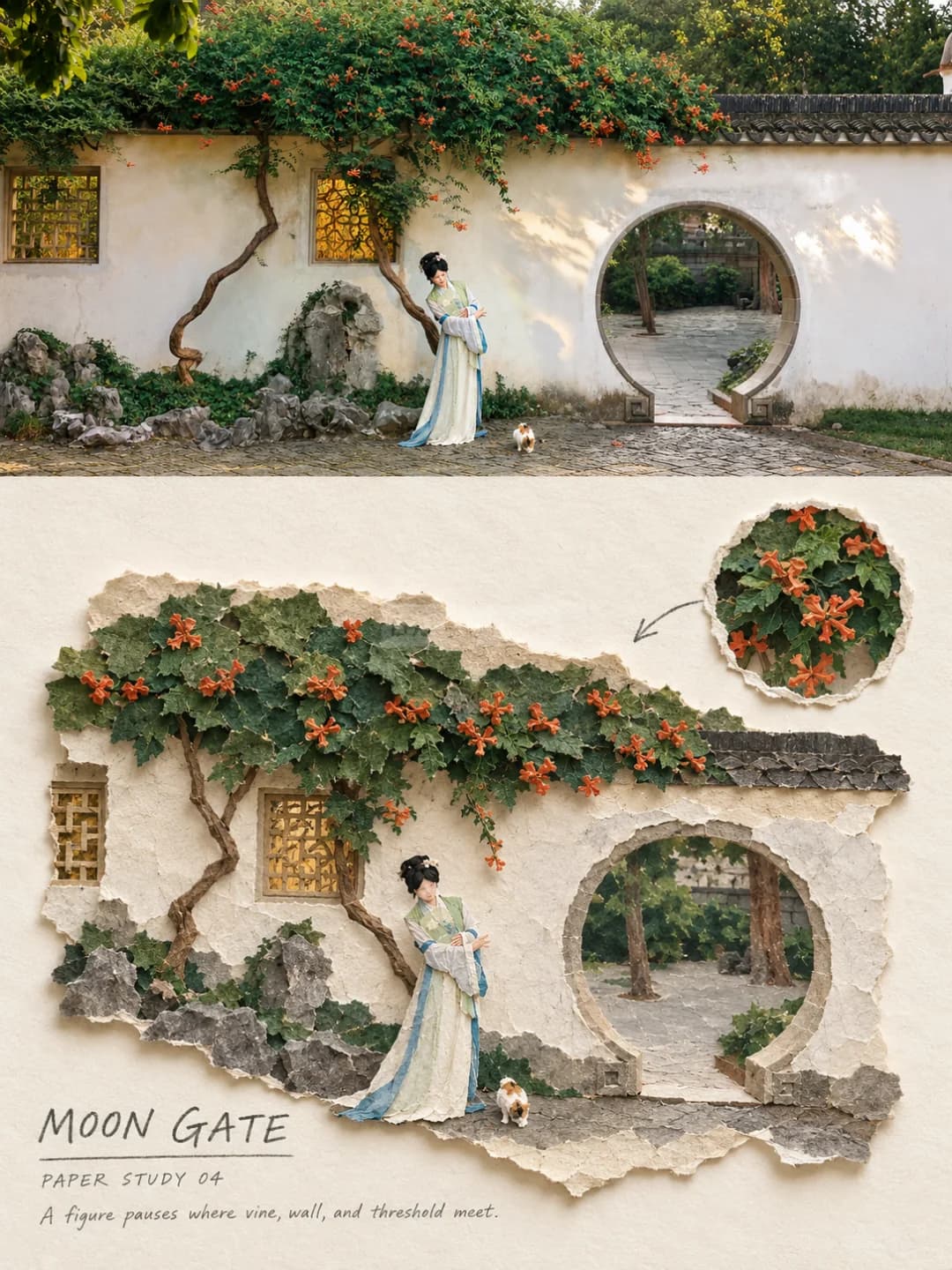
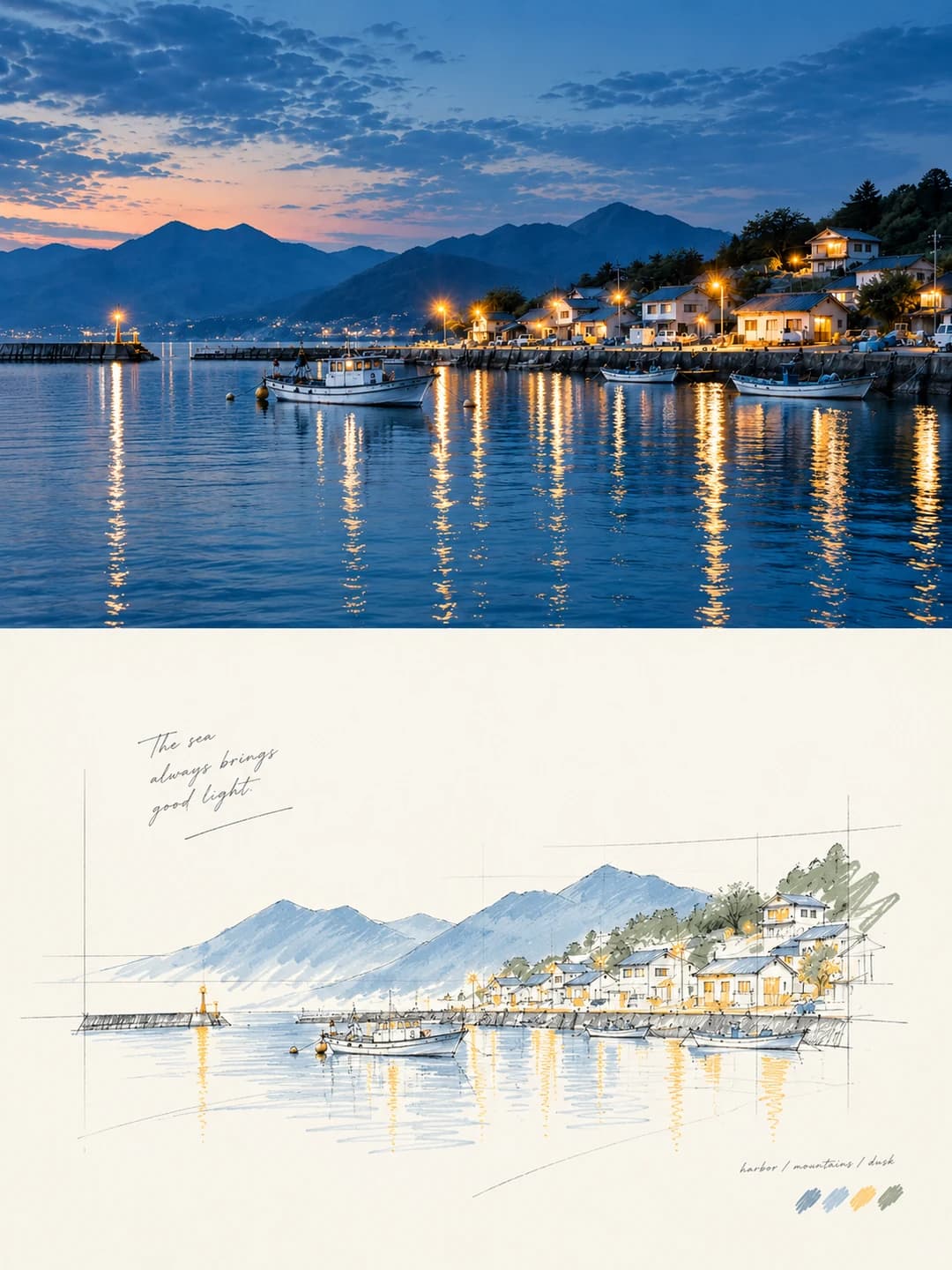
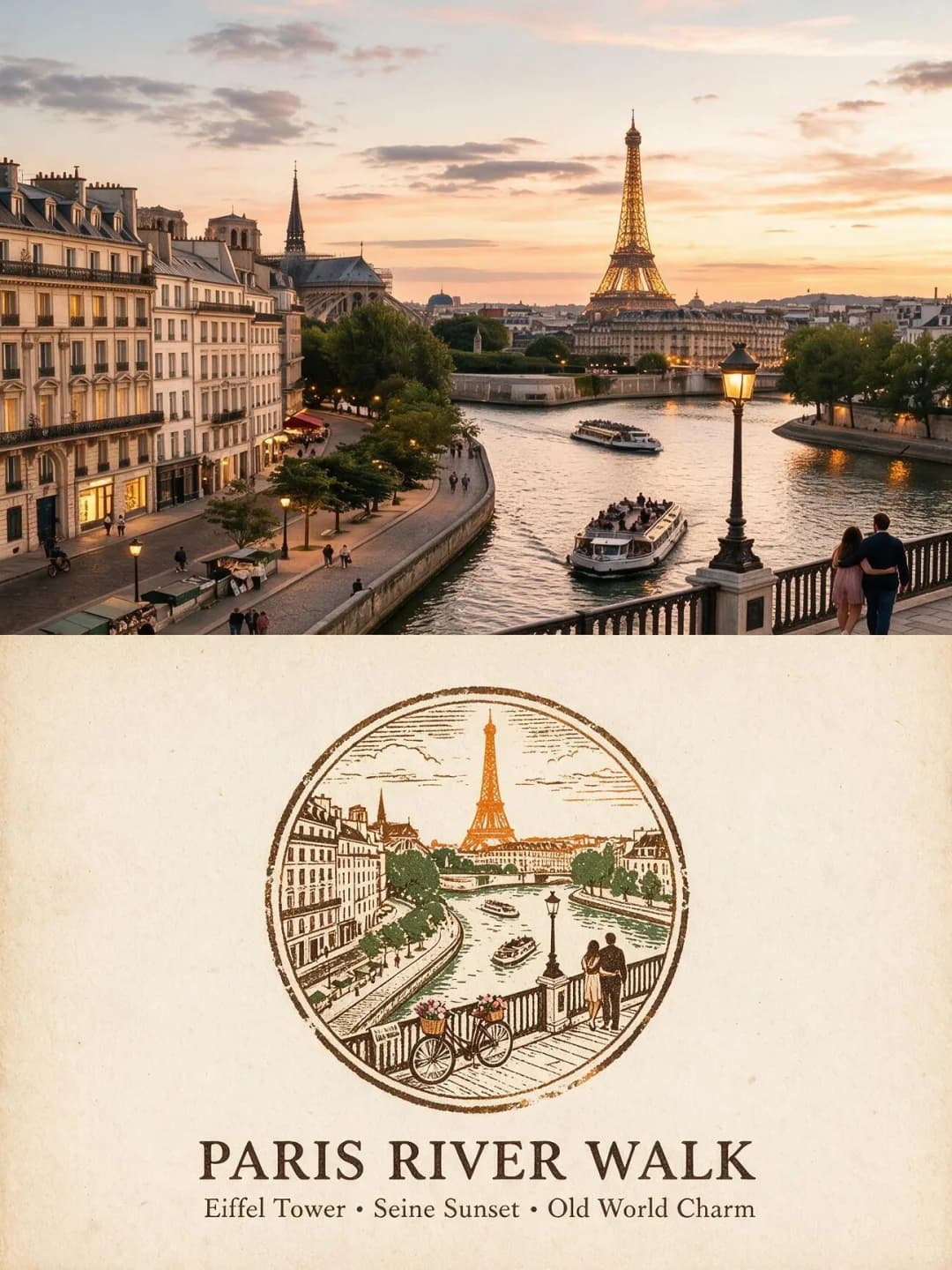
浮世繪木版畫海報
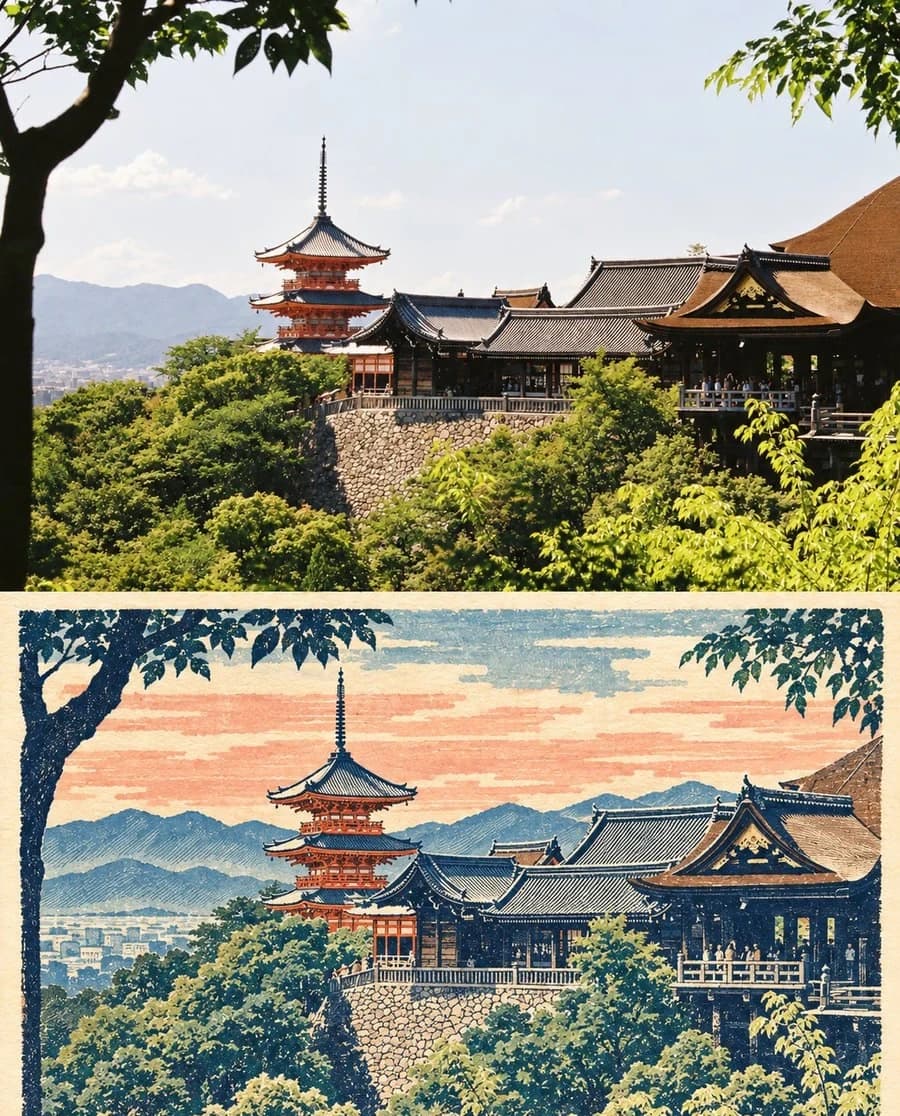
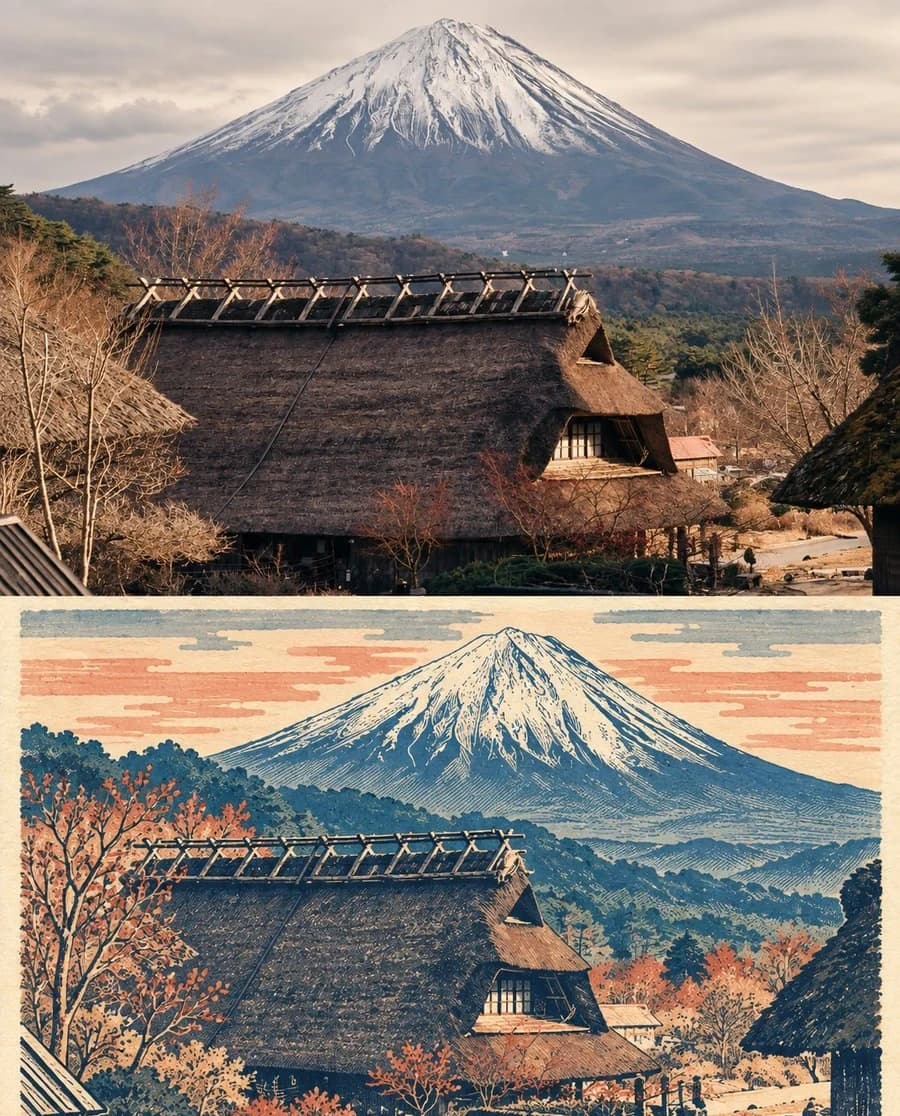
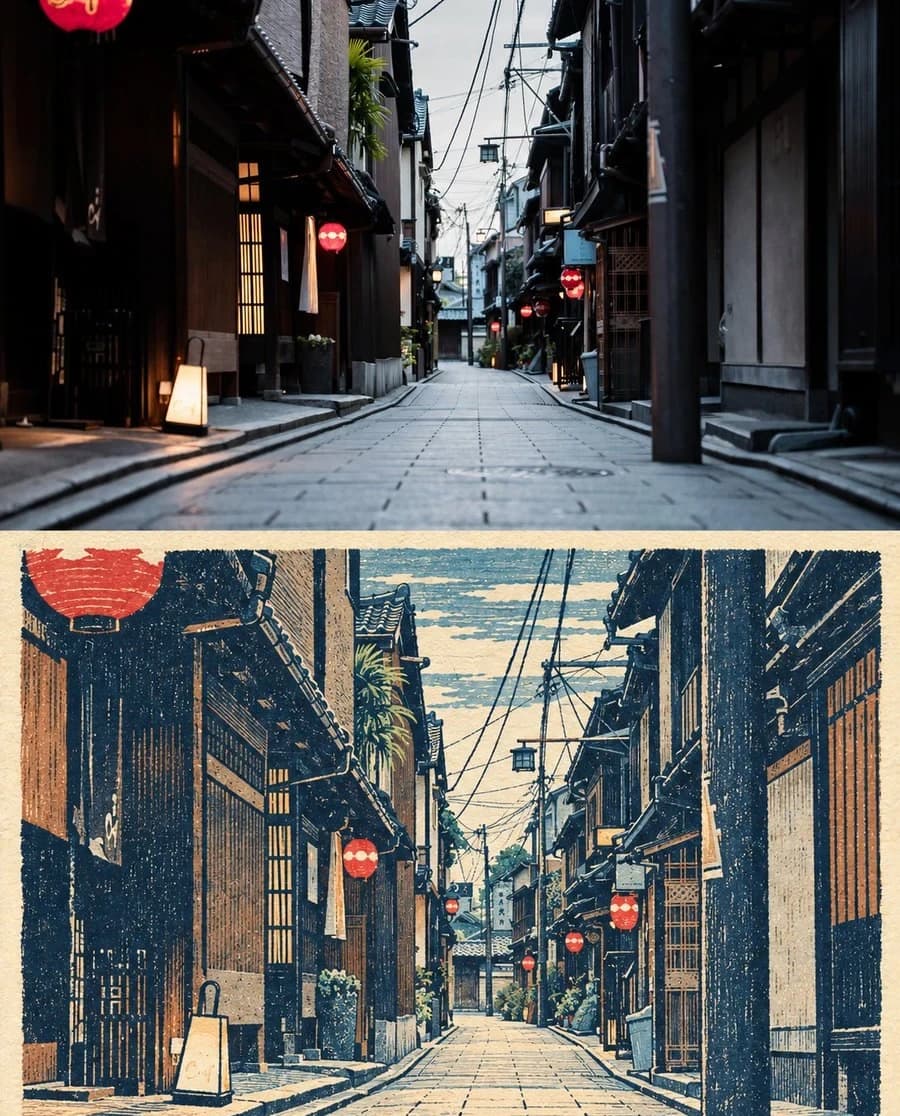
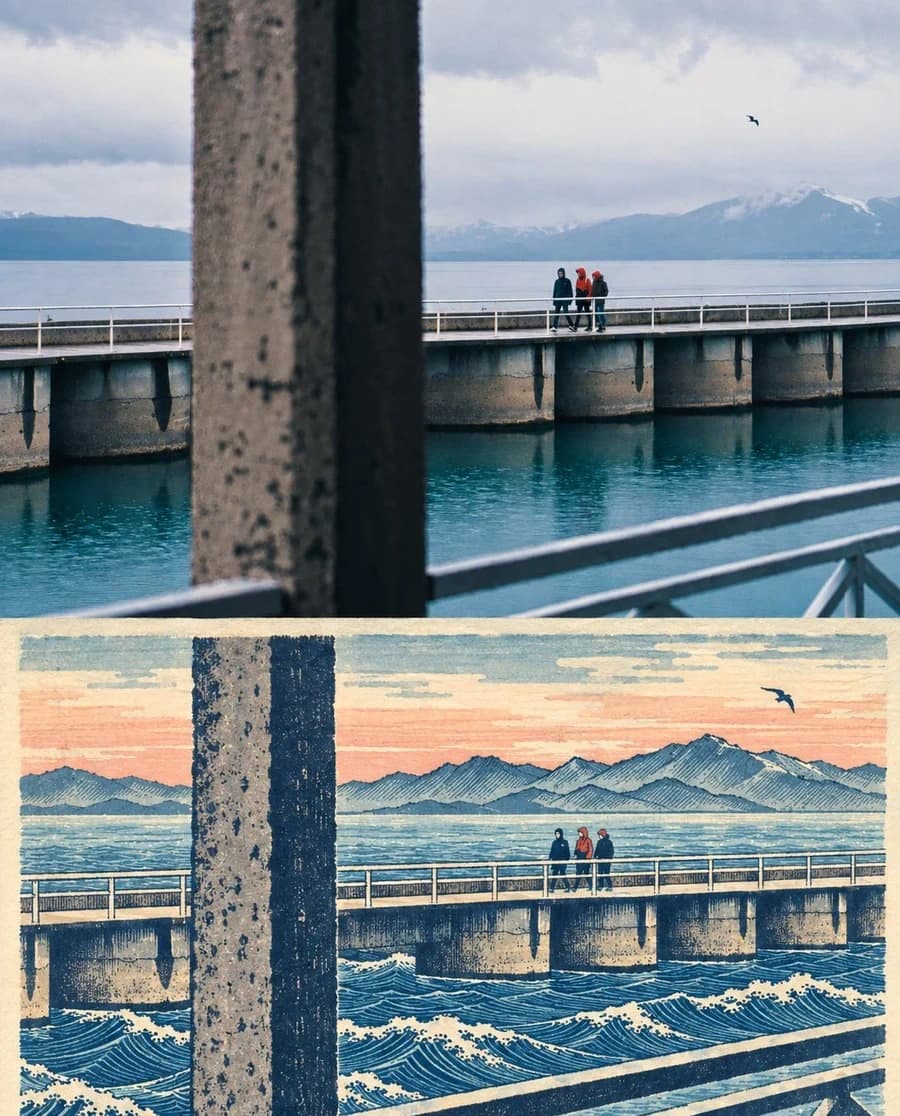
上方是您的照片,下方則是將同一場景刻製成江戶時代的浮世繪木版畫
上傳一張旅遊照片,即可獲得一張 3:4 的海報:上方是您的原始攝影,下方則是將同一地點重製為江戶時代的浮世繪版畫——包含和紙質感、靛藍與墨色輪廓、平塗疊色,以及真實木版雕刻特有的乾燥感與輕微套色偏移。
每張圖片 100 credits · 需時約一分鐘 · 註冊新帳號即贈送 500 credits — 可免費生成 5 張圖片。
用您自己的照片試試看
註冊新帳號即贈送 500 credits — 可免費生成 5 張圖片。
效果範例
以下所有圖片皆是使用本頁面的提示詞生成。
什麼是浮世繪木版畫海報?
浮世繪木版畫海報將 3:4 的畫幅平分為上下兩半,中間以一條簡潔的米白色水平線分隔。上半部保留您的原始照片,在主體、數量、構圖、透視與光影上僅進行輕微的出版級調色;下半部則將同一場景重製為道地的江戶時代木版畫:米白色的和紙底色、深靛藍與墨黑的雕刻輪廓、限量的硃砂、赭石、青藍與灰綠疊色、平塗色塊、斜紋陰影、短促的鑿刻痕跡、枯筆缺墨、滲入纖維的墨跡以及輕微的套色偏移。此效果不包含任何文字——無標題、無印章、亦無簽名。
哪些照片效果好?
適合風景與旅遊建築:寺廟屋簷、山脈、燈火通明的街道、水面上的碼頭、山脊下的村莊。浮世繪由平塗色塊與雕刻輪廓構成,因此具有強烈剪影感與層次深度的場景轉換效果最佳。
哪些照片容易出問題?
不適合人像與近照——這是風景畫的傳統,人臉簡化為色塊後會失去神韻。室內場景或缺乏結構的夜景效果也較弱。此外請注意:提示詞禁止虛構照片中不存在的地標、人物、動物、車輛或文化符號,因此它不會為空洞的場景增加裝飾。
如何把照片變成浮世繪木版畫海報
- 1
選擇特效
在各工具頁面瀏覽範例,在消耗任何點數前,先確認實際生成的效果。
- 2
上傳您的照片
支援 JPEG, PNG 或 WebP 格式,檔案最大 12 MB。您的照片會保持私密,絕不用於任何 AI 訓練。
- 3
加入自訂文字
多數特效允許您設定要在最終圖片中顯示的文字,支援任何語言。
- 4
下載生成結果
您將獲得可自由使用的高解析度圖片。2K 解析度需 100 credits,4K 解析度需 200 credits。
此工具背後的提示詞
這是完整的提示詞(已翻譯為英文)。您可以複製它,並在任何支援參考照片的影像生成模型中使用。
Turn the uploaded travel photograph into a single standalone 3:4 vertical before-and-after poster. The top half preserves the original photograph in full, holding the identity and number of the subjects, the composition, the perspective, the key architecture or natural outlines, the original light and the relationships within the scene, with only light publication-grade grading. A clean, restrained off-white horizontal rule separates the two halves. The lower half reorganises the same scene as a genuine Edo-period Japanese ukiyo-e woodblock print, keeping the most recognisable subjects and spatial relationships from the photograph while deliberately changing the information density, the areas of colour and the compositional centre of gravity. It is not a photo filter over the same framing.

Use an off-white washi paper-fibre ground, deep indigo and ink-black carved outlines, and a limited overprint palette of vermilion, ochre, cyan-blue and grey-green: flat fields of colour, diagonal hatching, short chisel marks, layered contours, slight ink starvation, dry-brush gaps, ink bleeding into the paper fibre and a little registration drift. Clouds, foliage, roof tiles, ridgelines, roads, lanterns, buildings and every other element of the setting are distilled into rhythmic woodcut pattern derived from the input photograph. The lower half does not reproduce the photograph's full framing; instead it builds Edo-print breathing space by enlarging or reducing the subject to its essentials, compressing the background and leaving continuous washi white space. Colour is extracted from the original photograph and compressed — do not apply a fixed sea-blue template, and if the original is not a seascape, do not add waves or coastline.

Use only elements genuinely visible in the original photograph. Do not invent landmarks, people, animals, vehicles or cultural symbols. The top half must stay real photography; the lower half must be a woodblock translation of the same place and the same subject. Do not produce an ordinary filter, modern flat vector, flat cartoon, realist oil painting, 3D render or gradient plastic texture; do not turn the whole photograph blue; do not alter the structure of buildings or the outline of mountains. No text, no title, no subtitles, no fake kanji, no seal, no logo, no watermark, no original/AI corner badge and no decorative border.
常見問題
這會改變我照片中的人物或主體嗎?
- 上半部不會改變。提示詞規定必須保留主體的身份與數量、構圖、透視以及關鍵的建築或自然輪廓,僅允許輕微的出版級調色。下半部則是轉譯,因此主體會以平塗的雕刻色塊呈現,但提示詞即便在該處也禁止更改建築結構或山脈輪廓。
為什麼沒有標題或說明文字的選項?
- 因為原始提示詞明確禁止出現文字。其最後一行排除了標題、副標題、偽漢字、印章、標誌、浮水印與裝飾邊框。真實的江戶木版畫通常會有簽名與印章,但此效果刻意不添加,因此版畫上不會有任何冒充藝術家標記的圖樣。這是本系列中唯一沒有標題控制選項的效果,且這是刻意為之的設計。
它會為我的照片加入海浪或海岸線嗎?
- 不會,提示詞特別禁止這麼做。最廣為人知的浮世繪多為海景,因此模型預設會傾向加入海浪與固定的海藍色調。此提示詞封鎖了這兩點:若您的原圖不是海景,就不會加入海浪或海岸線,且色彩會從您的照片中提取,而非使用固定模板。
這些顏色是從哪裡來的?
- 色彩取自您的照片,然後進行壓縮。版畫建立在米白色的和紙底色上,使用深靛藍與墨黑輪廓,以及限量的疊色調色盤(硃砂、赭石、青藍、灰綠),這些顏色是從您影像中的實際色彩取樣並簡化而來。
那些污點和沒對齊的邊緣是什麼?
- 這是刻意為之。提示詞要求呈現輕微的缺墨感、枯筆間隙、墨水滲入紙張纖維的效果以及些許套色偏移——這些都是真實多版印刷留下的痕跡。若沒有這些細節,下半部看起來會像向量插畫,而非從木塊雕刻出來的作品。
我可以得到什麼尺寸?
- 2K 解析度為 1792 × 2400 像素,足以印製成清晰的海報。4K 則是其兩倍大小,需消耗 200 credits 而非 100。
我可以使用自己的提示詞嗎?
- 在此工具中無法自訂,它執行的是一組固定的提示詞。完整的文字已發佈在此頁面上,您可以複製它並在任何接受影像提示詞的平台執行您自己的變體。
我的照片會如何處理?
- 照片會私下儲存以便產生器讀取,並按排程刪除。它絕不會公開,不會展示給其他用戶,也不會用於訓練模型。