2Slides Team
6 min read

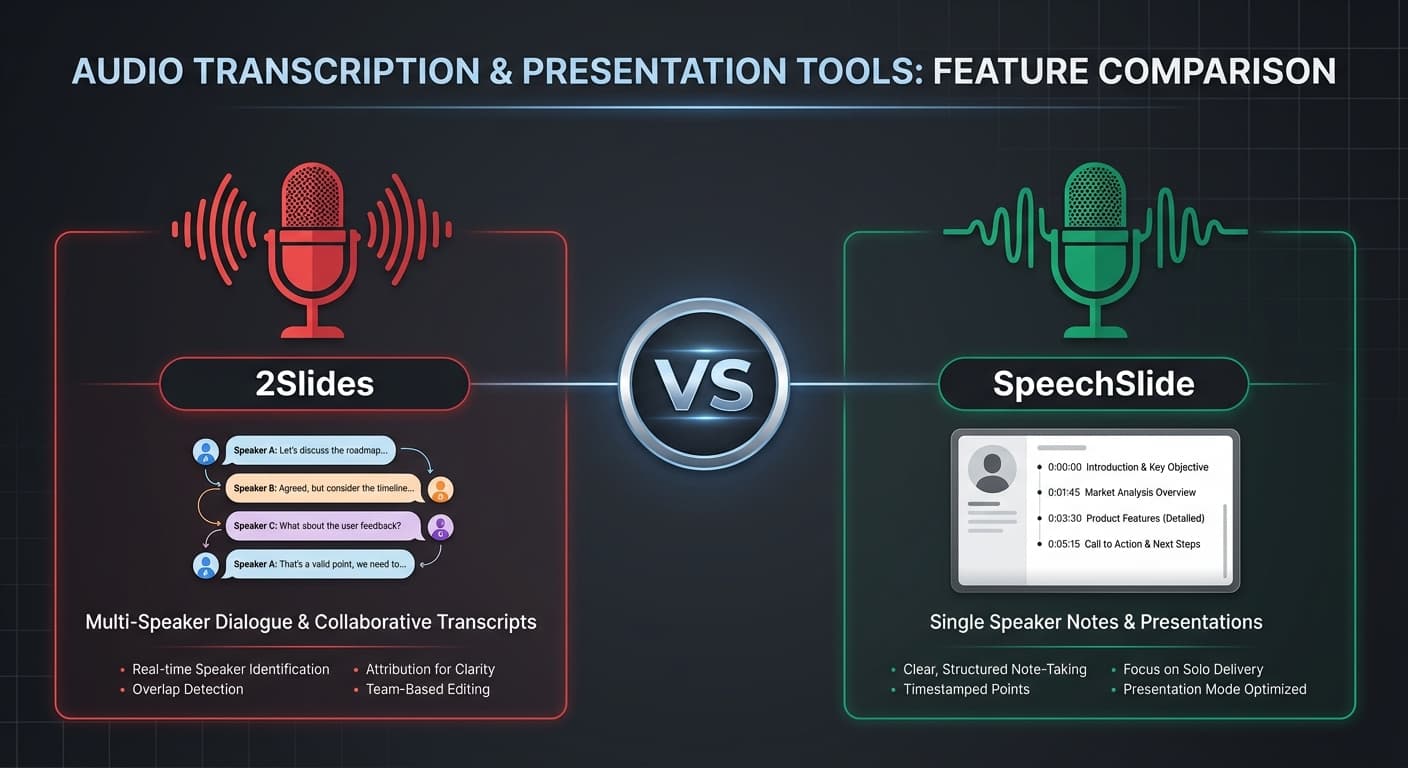
Sia 2Slides che SpeechSlide sono specializzati nell'aggiungere narrazione vocale AI alle presentazioni — ma i loro approcci e utenti target sono diversi. 2Slides è una piattaforma di presentazione full-stack con funzionalità vocali e video integrate. SpeechSlide si concentra specificamente sulla conversione di testo in diapositive narrate.
Ecco un confronto dettagliato per aiutarti a scegliere.
| Funzionalità | 2Slides | SpeechSlide |
|---|---|---|
| Prezzi | Crediti da $5; Pro $12.50/mese | Gratuito; Starter $10/mese; Pro $30/mese |
| Voci AI | 30 voci (Google TTS) | Voci TTS di alta qualità |
| Multi-speaker | Sì (dialogo a 2 voci) | No |
| Note del relatore | L'AI genera script di narrazione | L'AI genera note del relatore |
| Esportazione video | H.264 MP4 (16:9 e 4:5) | Creazione video narrato |
| REST API | API V1 completa | Nessuna API pubblica |
| Modelli di design | Oltre 15 modelli di designer + clonazione stile | Modelli standard |
| Formati di output | .pptx, PDF, PNG, MP4 | PDF, PPT |
| Modifica script | Sì, modifica prima dell'audio | Sì, modifica note del relatore |
| Generazione immagini AI | Immagini AI per diapositiva (512px–4K) | Immagini standard |
| Dati a diapositive | Integrazione CSV/Excel/JSON | No |
2Slides considera la narrazione vocale come una parte integrata del flusso di lavoro della presentazione:
Vantaggio chiave: La modalità multi-speaker crea un dialogo naturale tra due voci — più coinvolgente di un singolo narratore che legge punti elenco.
SpeechSlide si concentra sul flusso di lavoro delle note del relatore:
Vantaggio chiave: Flusso di lavoro più semplice, focalizzato specificamente sull'aggiunta di voce alle diapositive. Ottimo per conversioni rapide.
| 2Slides | SpeechSlide | |
|---|---|---|
| Generazione testo | 100 crediti | Inclusa |
| Generazione audio | 2.000 crediti | Inclusa |
| Esportazione video | 200 crediti | Inclusa |
| Piano mensile | $12.50 (Pro, 10K crediti) | $10–30 (Starter/Pro) |
| Pagamento a consumo | Sì (pacchetti da $5 una tantum) | No |
| Piano | 2Slides Pro ($12.50/mese) | SpeechSlide Starter ($10/mese) | SpeechSlide Pro ($30/mese) |
|---|---|---|---|
| Video narrati/mese | ~3 (da 10 diapositive ciascuno) | Limitato | Illimitato |
| Accesso API | Sì | No | No |
| Multi-speaker | Sì | No | No |
| Clonazione design | Sì | No | No |
Verdetto: Il livello gratuito di SpeechSlide è ottimo per i test. 2Slides Pro offre più funzionalità per dollaro, specialmente per flussi di lavoro professionali.
Verdetto: 2Slides offre un controllo del design significativamente maggiore e una qualità di output professionale.
| Capacità | 2Slides | SpeechSlide |
|---|---|---|
| REST API | V1 completa con endpoint di narrazione | Nessuna |
| Protocollo MCP | Sì (integrazione agente AI) | Nessuno |
| Elaborazione asincrona dei lavori | Sì | Nessuna |
| API per narrazione in blocco | Sì (tutte le pagine in una sola chiamata) | Nessuna |
| API per download di risorse | Sì (ZIP con immagini + audio) | Nessuna |
2Slides è l'unica opzione per gli sviluppatori che necessitano di automatizzare la produzione di video narrati.
Entrambi utilizzano motori TTS moderni con output dal suono naturale. 2Slides utilizza i più recenti modelli TTS di Google con 30 voci distinte. SpeechSlide utilizza TTS di alta qualità. La qualità vocale è comparabile — la differenza sta nelle funzionalità (multi-speaker, modalità di contenuto) piuttosto che nella qualità audio grezza.
Sì. Crea la tua presentazione in 2Slides (incolla lo stesso contenuto), genera la narrazione ed esporta. Il flusso di lavoro è diverso ma la migrazione è semplice.
2Slides — la modalità multi-speaker è ideale per contenuti educativi dove il dialogo tra la voce di un "insegnante" e uno "studente" rende l'apprendimento più coinvolgente. Inoltre, la funzione di clonazione del design ti permette di abbinare il branding istituzionale.
2Slides è la piattaforma più potente — migliore controllo del design, narrazione multi-speaker, accesso API e opzioni di esportazione video. È stata creata per professionisti e sviluppatori che necessitano di un output di qualità per la produzione.
SpeechSlide è uno strumento solido e focalizzato per aggiungere note del relatore e voce a presentazioni di base. Il suo livello gratuito lo rende accessibile agli utenti occasionali.
Per la maggior parte dei casi d'uso professionali, 2Slides offre più valore.
Scopri la differenza — crea un video narrato multi-speaker con 2Slides oggi stesso.
Create stunning AI-powered presentations in seconds. Transform your ideas into professional slides with 2slides AI Agent.
Try For FreeYour AI Agent for slides. Save time, shine faster with intelligent presentation creation.




© 2026 2slides. All rights reserved.