
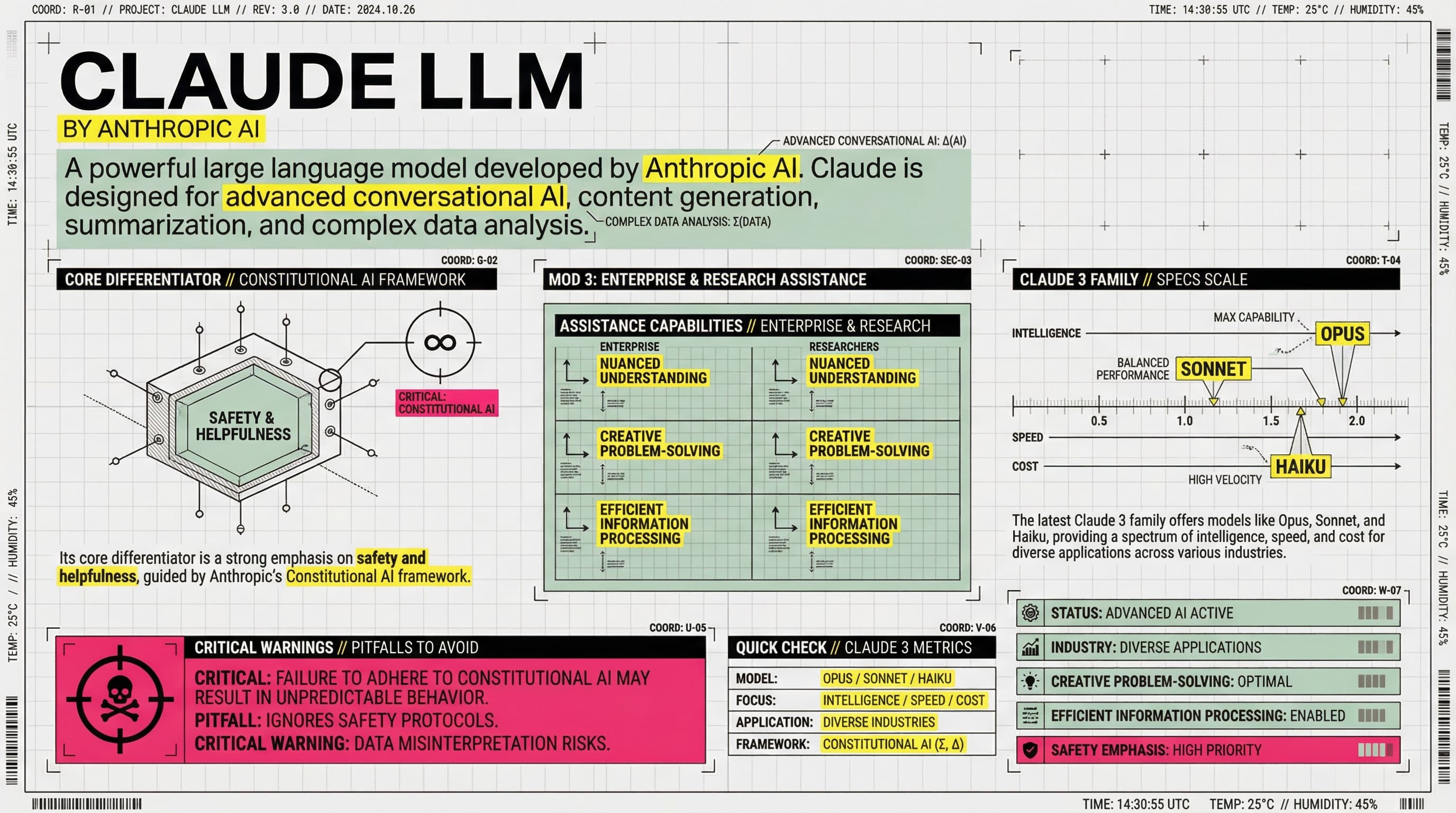
【COLOR PALETTE - BLUEPRINT & POP LOGIC】
- BACKGROUND: Professional grayish-white or faint blueprint grid texture (#F2F2F2).
- SYSTEMIC BASE: Muted Teal/Sage Green (#B8D8BE) for major functional blocks and stable data zones.
- HIGH-ALERT ACCENT: Vibrant Fluorescent Pink (#E91E63) strictly for "Pitfalls", "Critical Warnings", or the single most important "Winner" data point.
- MARKER HIGHLIGHTS: Vivid Lemon Yellow (#FFF200) used as a translucent highlighter effect for keywords.
- LINE ART: Ultra-fine Charcoal Brown (#2D2926) for technical grids, coordinates, and hair-lines.

【LAYOUT & INFORMATION DENSITY】
- INFORMATION AS COORDINATES: Every module must have a coordinate-style label (e.g., R-20, G-02, SEC-08).
- THE "LAB MANUAL" AESTHETIC: Use a mix of microscopic details (technical drawings) and macroscopic data (large bold headers).
- HIGH DENSITY: Pack 6-7 distinct modules per image. Minimize margins; every corner should contain metadata like tiny bar codes, time stamps, or technical parameters.
- VISUAL CONTRAST: Use massive bold typography for primary headers, contrasted with tiny, ultra-crisp technical annotations (8pt look).

【ILLUSTRATION & GRAPHIC ELEMENTS】
1. TECHNICAL DIAGRAMS: Instead of cute icons, use exploded views, cross-sections with anchor points, and architectural skeletal lines.
2. COORDINATE SYSTEMS: Use vertical/horizontal rulers with precise markers (e.g., 0.5mm, 1.8mm, 45°) to show quality levels.
3. DATA BLOCKS: Use "Marker-over-Print" look—color blocks should be slightly offset from the text they highlight, creating a postmodern print feel.
4. SYMBOLS: Include cross-hair targets, mathematical symbols (Σ, Δ, ∞), and directional arrows (X/Y axis).

【SPECIFIC MODULE STRUCTURE - MUST HAVE 6-7】
- [MOD 1: BRAND ARRAY] - Reference Figure 1's grid: A 4x4 or 3x3 matrix of options, with one "Best Choice" highlighted in Fluorescent Pink.
- [MOD 2: SPECS SCALE] - A technical ruler or gauge showing "Standard" vs "Premium" with precise numerical increments.
- [MOD 3: DEEP DIVE] - A technical sketch of the product with "zoom-in" callout circles showing internal components.
- [MOD 4: SCENARIO GRID] - Comparison cards separated by fine 0.5pt hair-lines.
- [MOD 5: WARNING ZONE] - A high-contrast Pink/Black area for "Pitfalls to Avoid".
- [MOD 6: QUICK CHECK] - A small, dense summary table resembling a lab data sheet.
- [MOD 7: STATUS BAR] - A vertical or horizontal stack of information blocks like Figure 2's class schedule.

【TYPOGRAPHY】
- Headers: Bold Brutalist Chinese characters, high impact.
- Body: Professional sans-serif or crisp handwritten technical print.
- Numbers: Large, highlighted with Yellow or Blue to stand out.

【AVOID】
- ❌ NO cute/cartoonish doodles.
- ❌ NO soft pastels or generic textures.
- ❌ NO empty white space.
- ❌ NO flat vector stock icons.
Questo è un prompt Nano Banana PPT accuratamente progettato per aiutarti a creare presentazioni professionali con generazione slide alimentata da IA. Usa questo prompt con 2Slides per generare slide straordinarie che corrispondono alla tua visione.
I prompt Nano Banana sono ottimizzati per creare slide di presentazione di alta qualità con stili di design e temi specifici. Questo prompt include istruzioni dettagliate per generare slide che seguono le migliori pratiche nel design delle presentazioni.
Parole chiave: Blueprint, pop logic, grid, technique, system, architecture,
Il Tuo Agente IA per le slide. Risparmia tempo, brilla più velocemente con la creazione intelligente di presentazioni.




© 2026 2slides. Tutti i diritti riservati.