2Slides Team
2 min read

ลองจินตนาการว่าทุกเช้าวันจันทร์ ทีมของคุณจะได้รับงานนำเสนอที่สร้างใหม่สรุปตัวชี้วัดของสัปดาห์ที่แล้ว โดยไม่ต้องมีใครขยับนิ้วเลย ด้วย Zapier และ 2Slides API คุณสามารถสร้างระบบนี้ได้ใน 15 นาที
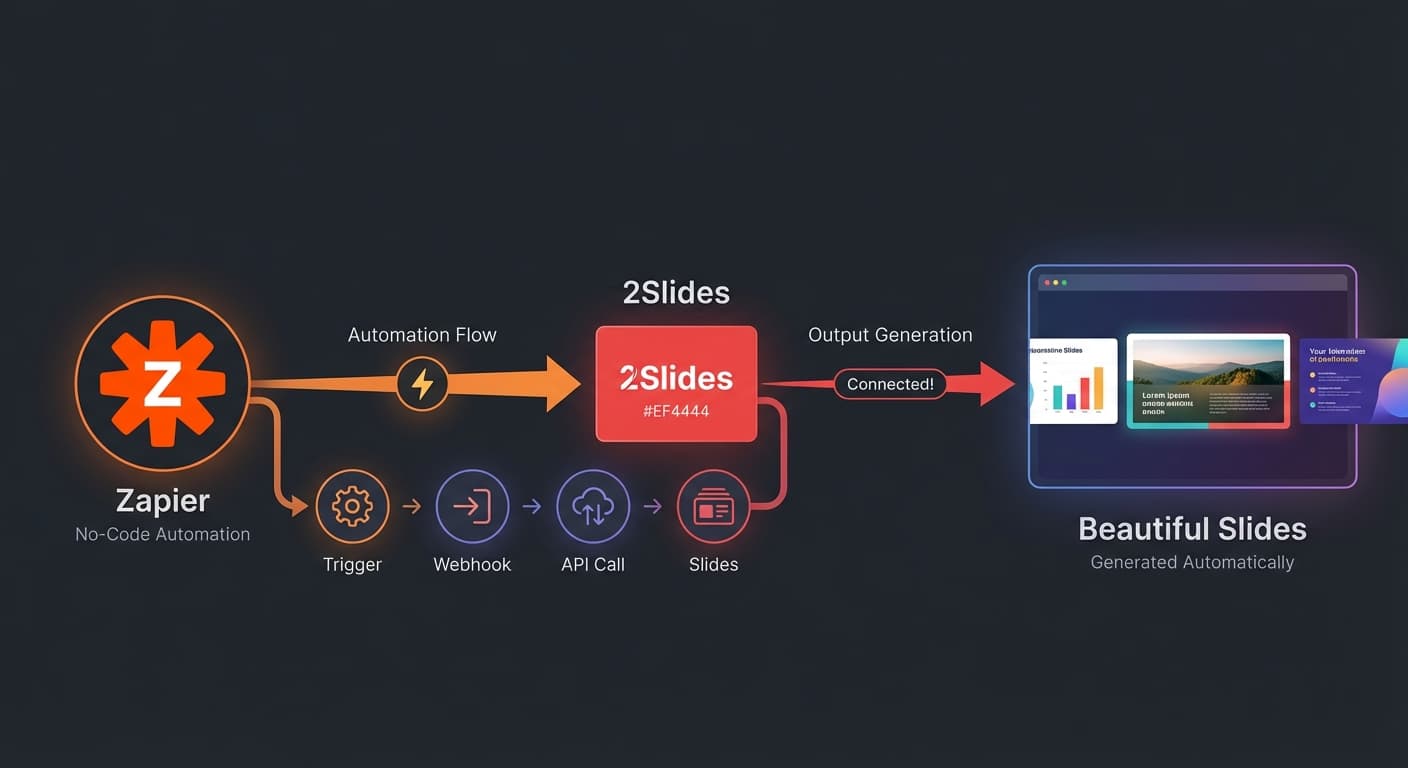
ตัวกระตุ้น (กำหนดเวลา/เหตุการณ์) → Zapier → 2Slides API → สร้างสไลด์ → ส่งมอบ (Slack/Email)Zapier ทำหน้าที่เป็นตัวควบคุม เชื่อมต่อแหล่งข้อมูลของคุณกับ 2Slides และส่งผลลัพธ์ไปยังที่ที่ทีมของคุณทำงาน
สำหรับรายงานประจำสัปดาห์:
สำหรับการสร้างตามเหตุการณ์:
เพิ่มแอคชัน: Webhooks by Zapier → Custom Request
กำหนดค่า:
https://2slides.com/api/v1/slides/generateAuthorization: Bearer sk-2slides-your-api-keyContent-Type: application/json{
"userInput": "รายงานยอดขายประจำสัปดาห์: รายได้ $420K (เพิ่มขึ้น 12%), ปิดดีลใหม่ 15 ดีล, pipeline อยู่ที่ $1.2M ผู้มีผลงานสูงสุด: Sarah ด้วยยอดปิด $180K",
"themeId": "your-theme-id",
"responseLanguage": "en",
"mode": "sync"
}เคล็ดลับมือโปร: ใช้การแมปข้อมูลของ Zapier เพื่อดึงค่าแบบไดนามิกจากตัวกระตุ้นของคุณ ตัวอย่างเช่น หากตัวกระตุ้นของคุณคือ Google Sheet ให้แมปค่าในเซลล์เข้าสู่ฟิลด์ userInput
เพิ่มแอคชันอื่นเพื่อส่งมอบสไลด์ที่สร้างขึ้น:
ตัวเลือก A: การแจ้งเตือนผ่าน Slack
ตัวเลือก B: อีเมล
ตัวเลือก C: Google Drive
ตัวกระตุ้น: กำหนดเวลา (ทุกวันจันทร์) ข้อมูล: ดึงจาก HubSpot/Salesforce สไลด์: รายได้, ไปป์ไลน์, ดีลที่ปิดได้, ประสิทธิภาพของพนักงานขาย ส่งไปที่: Slack #sales channel
ตัวกระตุ้น: ดีล HubSpot เปลี่ยนไปที่สถานะ "Proposal" ข้อมูล: ชื่อบริษัท, อุตสาหกรรม, ขนาดดีลจาก CRM สไลด์: งานนำเสนอที่ปรับแต่งตามผู้มีโอกาสเป็นลูกค้า ส่งไปที่: อีเมลถึงผู้บริหารบัญชี
ตัวกระตุ้น: กำหนดเวลา (วันจันทร์แรกของทุกเดือน) ข้อมูล: Google Analytics + เมตริกโซเชียลมีเดีย สไลด์: ปริมาณการเข้าชม, คอนเวอร์ชัน, ROI แคมเปญ, คำแนะนำ ส่งไปที่: โฟลเดอร์แชร์ Google Drive
ตัวกระตุ้น: เพิ่มฟีเจอร์ผลิตภัณฑ์ใหม่ (ปิดตั๋ว Jira) ข้อมูล: คำอธิบายฟีเจอร์, เอกสารประกอบ สไลด์: สไลด์อบรมสำหรับทีมขาย ส่งไปที่: อัปโหลด LMS หรือแจ้งเตือน Slack
Make.com เสนอฟังก์ชันที่คล้ายกันพร้อมเครื่องมือสร้างเวิร์กโฟลว์แบบภาพ ใช้โมดูล HTTP เพื่อเรียก 2Slides API ด้วยการตั้งค่าเดียวกัน
ปัจจุบันให้ใช้ Webhooks by Zapier action เพื่อเรียก REST API โดยตรง การผสานรวมแบบเนทีฟอยู่ในแผนงาน
ไม่มีจำกัดรายวัน — ขึ้นอยู่กับยอดเครดิต 2Slides และข้อจำกัดงานของแพ็กเกจ Zapier ของคุณ
ได้ — การแมปข้อมูลของ Zapier ช่วยให้คุณสามารถแทรกค่าจากขั้นตอนก่อนหน้าใดๆ ลงในเนื้อหาการเรียก API
ทำรายงานอัตโนมัติ — เชื่อมต่อ Zapier กับ 2Slides API และไม่ต้องสร้างสไลด์ด้วยตนเองอีกต่อไป
Create stunning AI-powered presentations in seconds. Transform your ideas into professional slides with 2slides AI Agent.
Try For FreeYour AI Agent for slides. Save time, shine faster with intelligent presentation creation.




© 2026 2slides. All rights reserved.