2Slides Team
4 min read

n8n एक ओपन-सोर्स, सेल्फ-होस्टेड विकल्प है Zapier का — और यह 2Slides API के साथ बेहतरीन तरीके से काम करता है। यह गाइड आपको दिखाता है कि बिना किसी कमर्शियल ऑटोमेशन प्लेटफॉर्म के लिए भुगतान किए स्वचालित प्रेजेंटेशन वर्कफ्लो कैसे बनाएं।
| विशेषता | n8n | Zapier |
|---|---|---|
| लागत | मुफ्त (सेल्फ-होस्टेड) | $20-60+/महीना |
| होस्टिंग | सेल्फ-होस्टेड या क्लाउड | केवल क्लाउड |
| डेटा प्राइवेसी | आपका सर्वर, आपका डेटा | तृतीय-पक्ष |
| जटिलता | असीमित वर्कफ्लो | प्लान-आधारित सीमाएं |
| ओपन सोर्स | हां (Apache 2.0) | नहीं |
जो टीमें पहले से n8n चला रही हैं, उनके लिए 2Slides प्रेजेंटेशन ऑटोमेशन जोड़ना सरल है।
# Docker (अनुशंसित)
docker run -it --rm --name n8n -p 5678:5678 n8nio/n8n

# या npm
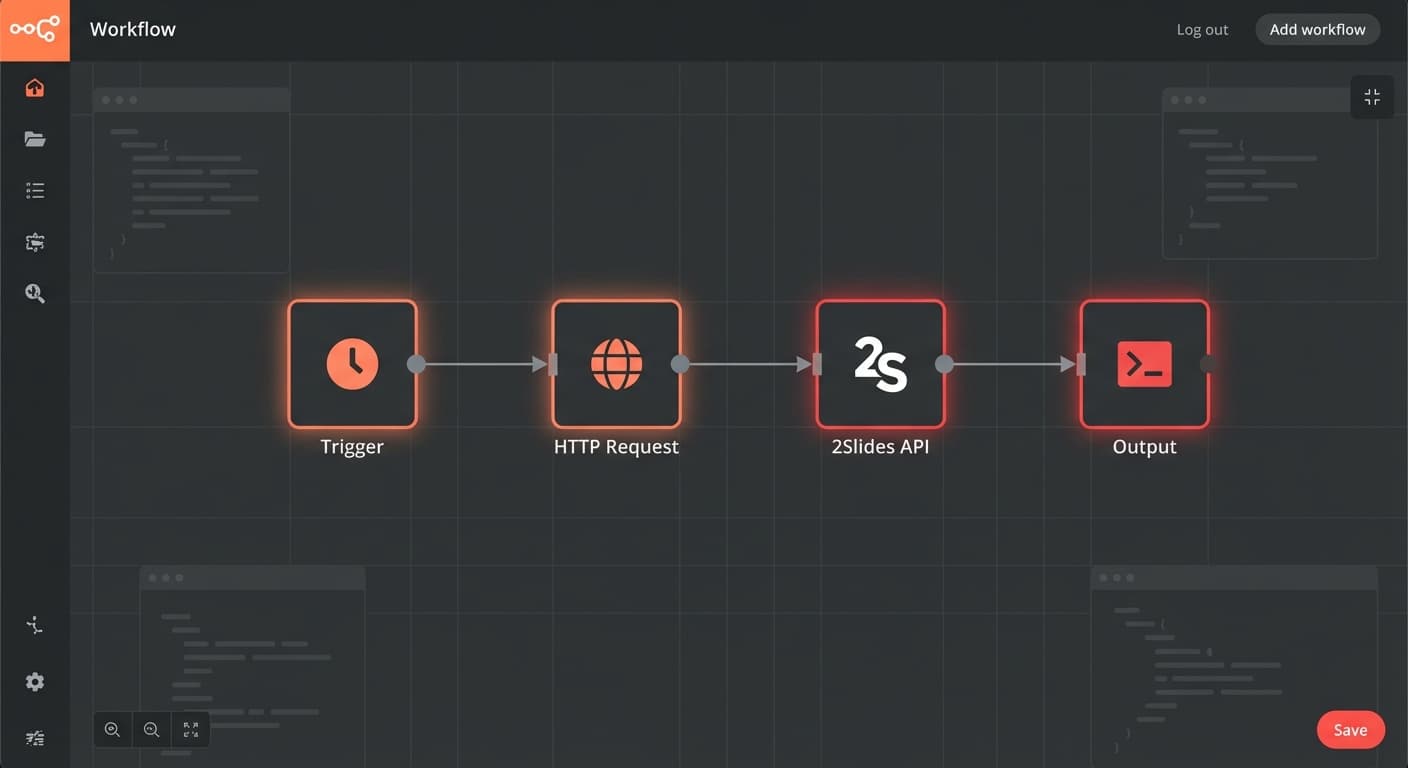
npm install n8n -g && n8n startn8n एडिटर में, इन नोड्स के साथ एक नया वर्कफ्लो बनाएं:
2Slides को कॉल करने के लिए HTTP Request node कॉन्फ़िगर करें:
https://2slides.com/api/v1/slides/generateAuthorizationBearer sk-2slides-your-api-key{
"userInput": "{{ $json.topic }}",
"themeId": "your-theme-id",
"mode": "sync",
"responseLanguage": "en",
"resolution": "2K"
}चुनें कि वर्कफ्लो क्या शुरू करता है:
Schedule Trigger — आवर्ती रिपोर्ट के लिए:
Webhook Trigger — ऑन-डिमांड जनरेशन के लिए:
Gmail/Slack Trigger — इवेंट-आधारित के लिए:
जनरेट की गई स्लाइड्स अपनी टीम को भेजें:
Schedule (सोमवार सुबह 9 बजे)
  → HTTP Request (2Slides API: साप्ताहिक रिपोर्ट स्लाइड्स जनरेट करें)
→ Slack (#team-updates में डाउनलोड लिंक पोस्ट करें)Google Drive Trigger (फोल्डर में नई फ़ाइल)
→ HTTP Request (2Slides API: create-pdf-slides)
→ Wait (जॉब पूर्णता के लिए पोल करें)
→ Gmail (अपलोडर को स्लाइड्स भेजें)HubSpot Trigger (deal stage = Proposal)
→ Get Deal Data (HubSpot API)
→ HTTP Request (2Slides API: pitch deck जनरेट करें)
→ HubSpot (डील से स्लाइड्स अटैच करें)
→ Slack (सेल्स रेप को नोटिफाई करें)लंबी जनरेशन जॉब्स के लिए, पोलिंग लूप के साथ async मोड का उपयोग करें:
HTTP Request (जॉब शुरू करें, mode: async)
  → Wait (5 सेकंड)
  → HTTP Request (जॉब स्टेटस चेक करें)
  → IF (status != 'success')
    → Wait पर वापस लूप करें
  → ELSE
→ परिणाम प्रोसेस करें (स्लाइड्स डिलीवर करें)हाँ — polling को implement करने के लिए Loop/Wait nodes का उपयोग करें। n8n conditional loops को natively सपोर्ट करता है।
Self-hosted n8n पूरी तरह से मुफ्त है। n8n Cloud में 5 active workflows के साथ एक मुफ्त tier है।
हाँ — n8n एक Docker container के रूप में चलता है और आपके server पर किसी भी अन्य services के साथ coexist कर सकता है।
Slides को मुफ्त में automate करें — n8n को 2Slides API से कनेक्ट करें और मिनटों में अपना पहला workflow बनाएं।
Create stunning AI-powered presentations in seconds. Transform your ideas into professional slides with 2slides AI Agent.
Try For FreeYour AI Agent for slides. Save time, shine faster with intelligent presentation creation.




© 2026 2slides. All rights reserved.