2Slides Team
4 min read

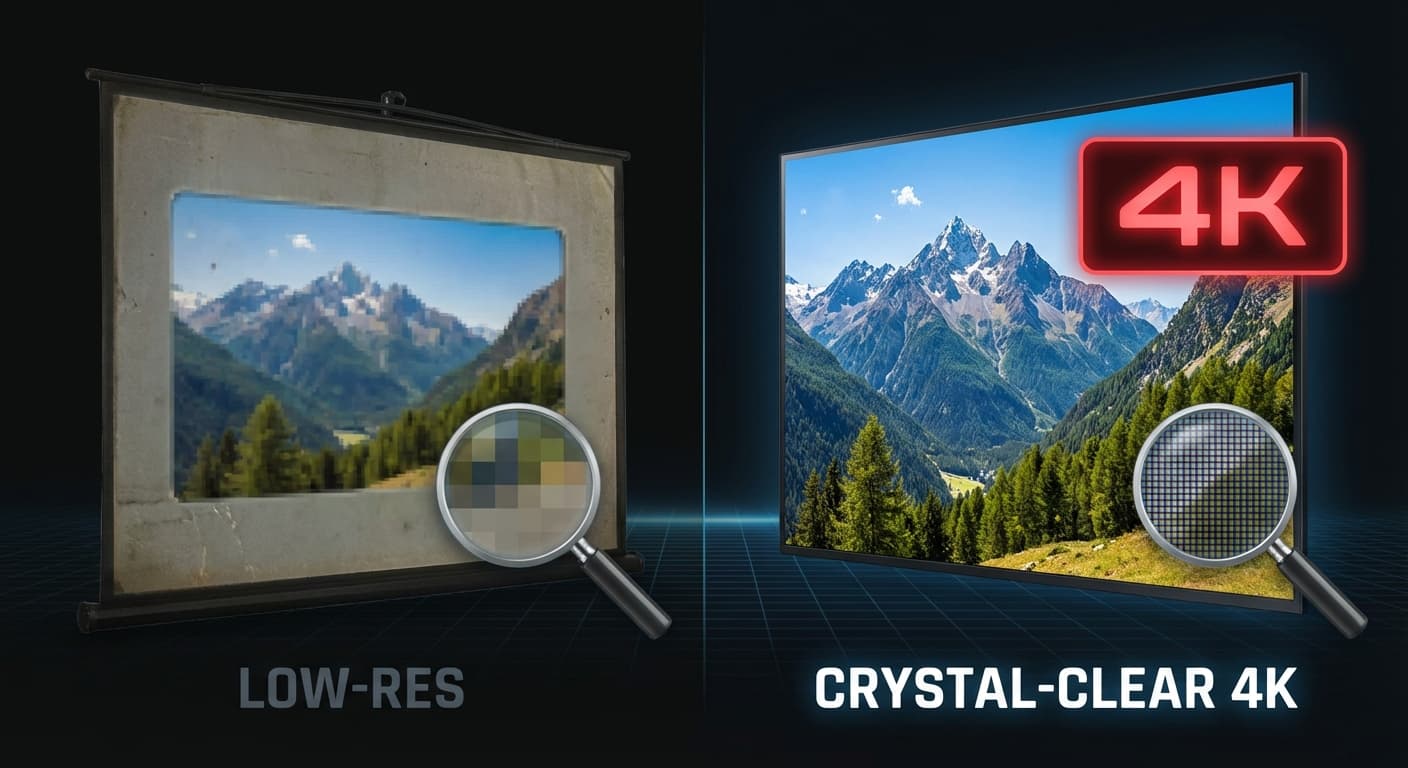
معظم أدوات العروض التقديمية بالذكاء الاصطناعي تنشئ شرائح بدقة عرض قياسية — مناسبة لشاشات أجهزة الكمبيوتر المحمولة، لكنها رديئة على شاشات العرض في قاعات المؤتمرات، أو المواد المطبوعة، أو إنتاج الفيديو. 2Slides هي الأداة الوحيدة لإنشاء العروض التقديمية بالذكاء الاصطناعي التي تنتج شرائح بدقة تصل إلى 4K (3840×2160).
يشرح هذا الدليل متى وكيف تستخدم شرائح الذكاء الاصطناعي عالية الدقة.
يوفر 2Slides أربعة مستويات من الدقة:
| الدقة | الأبعاد (16:9) | الأفضل لـ | تكلفة الرصيد |
|---|---|---|---|
| 512px | 912 × 512 | المسودات السريعة، المعاينات | الأقل |
| 1K | 1920 × 1080 | العروض التقديمية القياسية، مشاركة الشاشة | قياسية |
| 2K | 2560 × 1440 | العروض الموجهة للعملاء، غرف الاجتماعات | قياسية |
| 4K | 3840 × 2160 | الشاشات الكبيرة، الطباعة، إنتاج الفيديو | 200 رصيد/صورة |
شاشات العرض في الأماكن الكبيرة (أجهزة العرض، شاشات LED) تستفيد بشكل كبير من دقة 4K. تبدو الشرائح بالدقة القياسية محببة على الشاشات الأكبر من 70 بوصة.
إذا كنت تطبع الشرائح كنشرات، أو ملصقات، أو مواد تسويقية، فإن دقة 4K تضمن وضوح النص وحدة الصور بأي حجم طباعة.
عندما تكون الشرائح جزءًا من فيديو (تسجيلات الندوات عبر الويب، محتوى الدورات التدريبية، مقاطع الفيديو الترويجية)، تضمن مادة المصدر بدقة 4K أن يبدو الفيديو النهائي احترافيًا بأي دقة إخراج.
غرف مجالس الإدارة المجهزة بشاشات متميزة (Samsung The Wall، LG OLED) تستحق محتوى بدقة 4K. إنها إشارة جودة دقيقة لكنها ملحوظة.
يحتاج المصممون والمستشارون الذين يعرضون أعمالهم إلى أعلى جودة ممكنة لإظهار الاهتمام بالتفاصيل.
const response = await fetch('https://2slides.com/api/v1/slides/generate', {
  method: 'POST',
  headers: {
    'Authorization': 'Bearer sk-2slides-xxx',
    'Content-Type': 'application/json'
  },
  body: JSON.stringify({
    userInput: 'Product launch keynote for annual conference',
    themeId: 'apple-theme-id',
    resolution: '4K',
    aspectRatio: '16:9',
    mode: 'async'
  })
});السياقات المختلفة تتطلب نسب عرض إلى ارتفاع مختلفة:
| نسبة العرض إلى الارتفاع | حالة الاستخدام | أبعاد 4K |
|---|---|---|
| 16:9 | العروض التقديمية القياسية، الشاشات، أجهزة العرض | 3840 x 2160 |
| 4:3 | أجهزة العرض القديمة، iPad، بعض قاعات المؤتمرات | 2880 x 2160 |
| 1:1 | منشورات Instagram، وسائل التواصل الاجتماعي | 2160 x 2160 |
| 9:16 | الأجهزة المحمولة أولاً، Instagram Stories، TikTok | 2160 x 3840 |
| 21:9 | الشاشات فائقة العرض، العروض التقديمية السينمائية | 4536 x 2160 |
يكون الفرق أكثر وضوحاً في:
صور 4K تكلف 200 رصيد لكل منها (مقابل 100 للدقة القياسية). للتحسين:
قليلاً — تقريباً 20-30% أطول من الدقة القياسية. بالنسبة لعرض تقديمي مكون من 10 شرائح، توقع حوالي 3 دقائق إجمالاً.
نعم. أنشئ الشرائح الرئيسية بدقة 4K والشرائح الداعمة بدقة 2K. الفرق في الجودة البصرية ضئيل على الشاشات القياسية.
نعم — الصور مضمنة بدقة كاملة. سيكون ملف .pptx أكبر (50-100 ميجابايت لعرض تقديمي مكون من 10 شرائح) لكنه يحتفظ بجميع التفاصيل.
أنشئ شرائح تبدو مذهلة بأي حجم — قم بإنشاء عروض تقديمية بدقة 4K مع 2Slides.
Create stunning AI-powered presentations in seconds. Transform your ideas into professional slides with 2slides AI Agent.
Try For FreeYour AI Agent for slides. Save time, shine faster with intelligent presentation creation.




© 2026 2slides. All rights reserved.