
2Slides Team
9 min read

欢迎阅读 2slides API 综合指南!本教程将引导您了解所需的一切,以便将 AI 驱动的演示文稿生成功能集成到您的应用程序中。
2slides API 允许您使用 AI 以编程方式生成专业的演示文稿。它支持多种演示文稿类型,包括时间轴、路线图、思维导图等,您可以通过简单的文本输入创建精美的幻灯片。
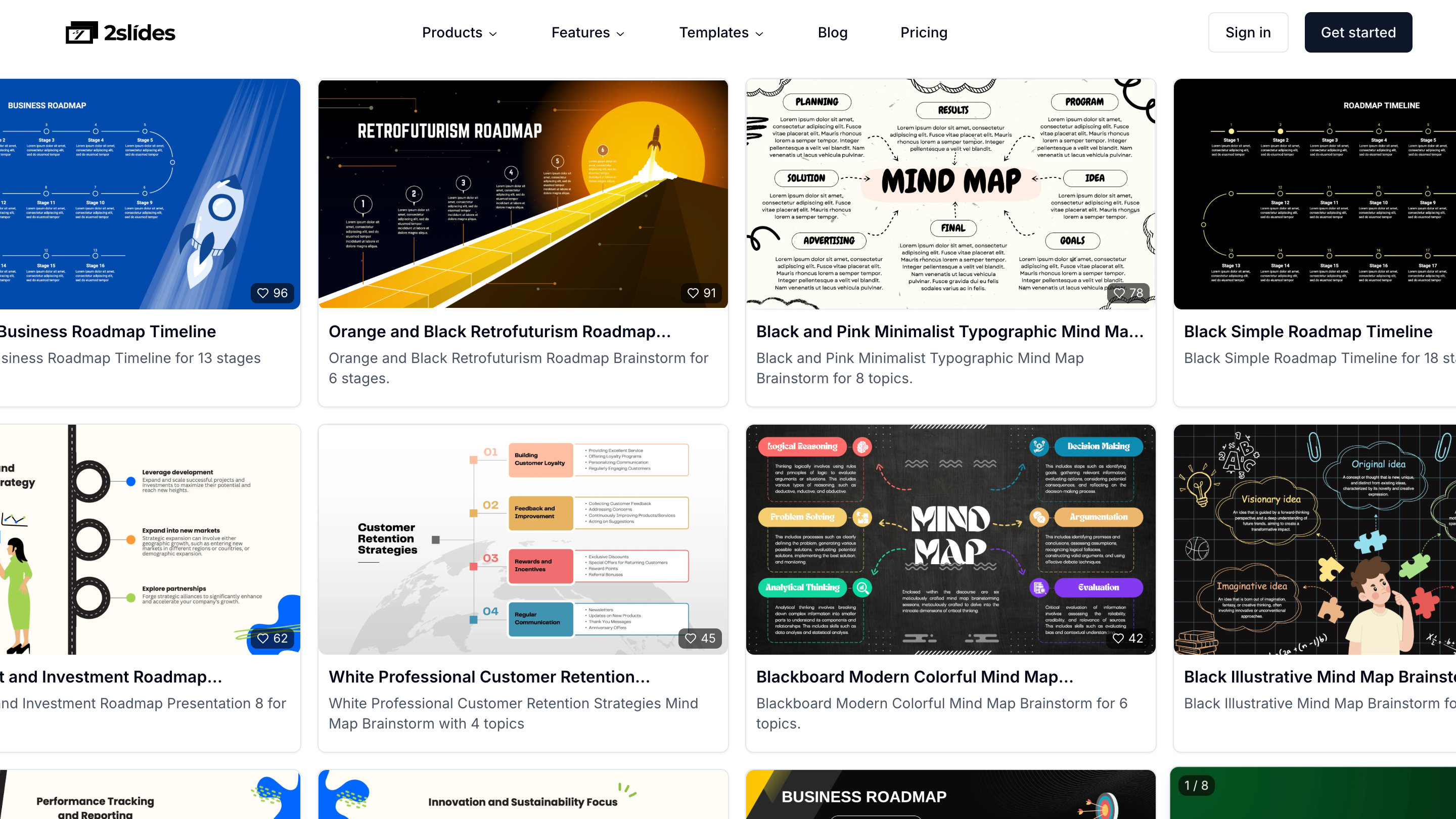
所有演示文稿模板均可在此处获取:2slides Templates。具体来说,有一些特色演示文稿类型非常适合特定目的和场景。
所有 API 请求都应发送至:
https://2slides.com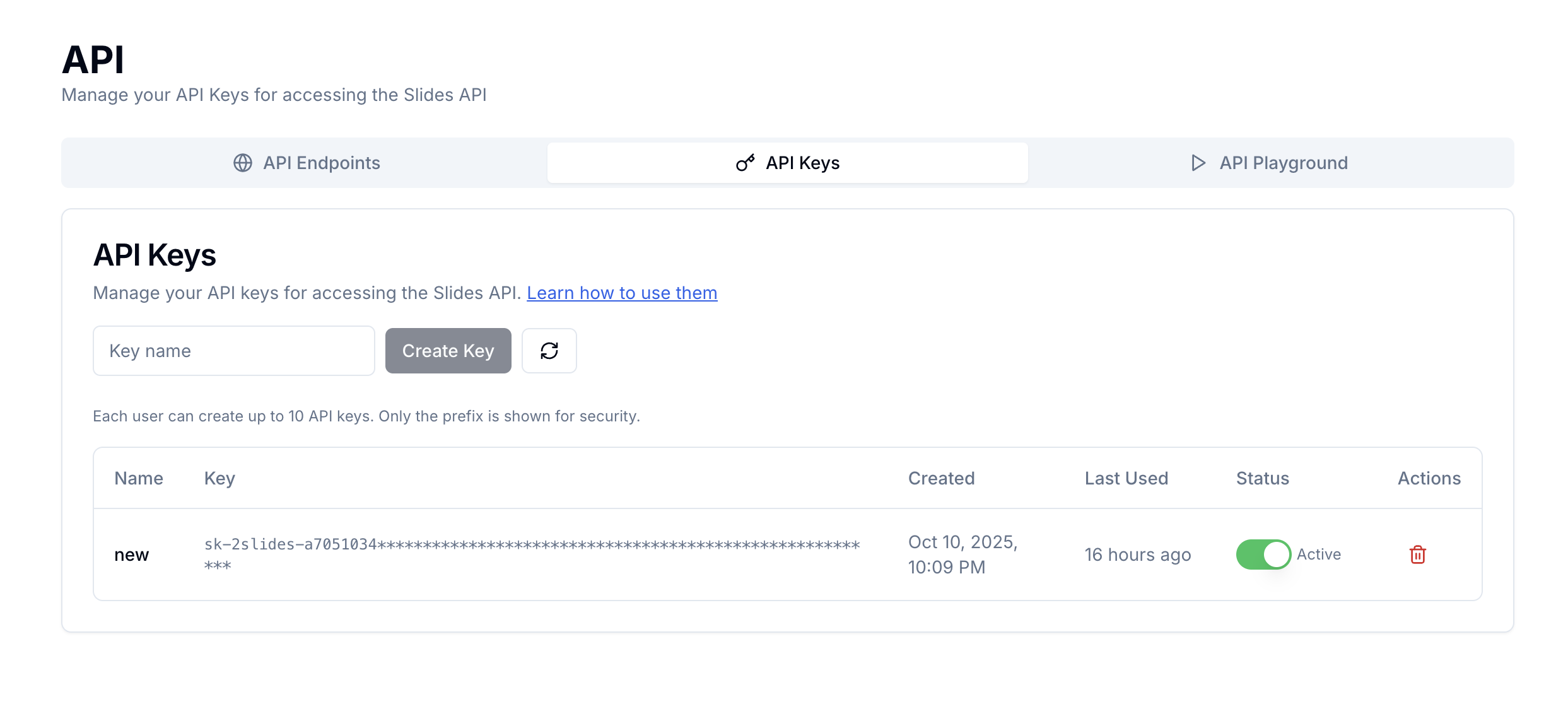
所有 API 端点都需要使用 API 密钥进行身份验证。您可以通过 API 管理界面 管理您的 API 密钥。
API 密钥遵循以下格式:
sk-2slides-{64-character-hex-string}Authorization: Bearer sk-2slides-your-api-key-here⚠️ 重要安全提示:出于安全原因,2slides 平台不会以明文形式存储您的 API 密钥。生成后,您必须立即复制并安全存储您的 API 密钥。如果您丢失了 API 密钥,则需要生成一个新的,因为原始密钥无法恢复。
使用特定主题从文本输入生成幻灯片 (Fast PPT)。
端点:POST /api/v1/slides/generate
请求头:
Authorization: Bearer sk-2slides-your-api-key-here
Content-Type: application/json请求体:
{
  "userInput": "Your presentation content here...",
  "themeId": "theme-uuid-here",
  "responseLanguage": "Auto"
}参数:
userInput (必需):您要生成幻灯片的内容themeId (必需):用于幻灯片生成的主题 ID。这可以是:
responseLanguage (可选):生成幻灯片的语言。使用“Auto”进行自动检测mode (可选):同步 (sync) 或异步 (async) 调用,默认为“sync”可用语言:
Auto - 从输入自动检测语言(默认)English - 英语Simplified Chinese - 简体中文Traditional Chinese - 繁體中文Spanish - 西班牙语Arabic - 阿拉伯语Portuguese - 葡萄牙语Indonesian - 印度尼西亚语Japanese - 日语Russian - 俄语Hindi - 印地语French - 法语German - 德语Vietnamese - 越南语Turkish - 土耳其语Polish - 波兰语Italian - 意大利语Korean - 韩语异步模式下的响应:
{
  "success": true,
  "data": {
    "jobId": "job-uuid-here",
    "status": "processing",
    "message": "Slides generation started. Use the jobId to check status.",
    "credits": {
      "current": 150,
      "required": 30
    }
  }
}同步模式下的响应:
{
  "success": true,
  "data": {
    "jobId": "1pFqIww3JjquQ1T3Ysmw1",
    "status": "success",
    "message": "Slides generated successfully",
    "downloadUrl": "https://presigned-url-here",
    "createdAt": 1760347015388,
    "updatedAt": 1760347048261,
    "duration": 32694,
    "slidePageCount": 9
  }
}检查幻灯片生成任务 (Fast PPT) 的状态,并在完成后获取结果。
端点:GET /api/v1/jobs/{jobId}
请求头:
Authorization: Bearer sk-2slides-your-api-key-here响应示例:
处理中:
{
  "success": true,
  "data": {
    "jobId": "job-uuid-here",
    "status": "processing",
    "message": "Slides generation in progress",
    "createdAt": 1703123456789,
    "updatedAt": 1703123460000
  }
}成功:
{
  "success": true,
  "data": {
    "jobId": "job-uuid-here",
    "status": "success",
    "message": "Slides generated successfully",
    "downloadUrl": "https://presigned-url-here",
    "createdAt": 1703123456789,
    "updatedAt": 1703123500000,
    "duration": 33211,
    "slidePageCount": 3
  }
}失败:
{
  "success": true,
  "data": {
    "jobId": "job-uuid-here",
    "status": "failed",
    "message": "Slides generation failed",
    "errorMessage": "Insufficient credits for generation",
    "createdAt": 1703123456789,
    "updatedAt": 1703123460000
  }
}从参考图片生成幻灯片 (Nano Banana Pro)。此端点使用同步模式,并在所有幻灯片完成后自动生成 PDF。
端点:POST /api/v1/slides/create-like-this
请求头:
Authorization: Bearer sk-2slides-your-api-key-here
Content-Type: application/json请求体:
{
  "userInput": "Your presentation content here...",
  "referenceImageUrl": "https://example.com/reference-image.jpg",
  "responseLanguage": "Auto",
  "aspectRatio": "16:9",
  "resolution": "2K",
  "page": 1
}参数:
userInput (必需):您要生成幻灯片的内容referenceImageUrl (必需):用于遵循设计风格的参考图片 URL。支持:
responseLanguage (可选):生成幻灯片的语言。使用“Auto”进行自动检测(默认:“Auto”)aspectRatio (可选):幻灯片的宽高比。格式:“width:height”(默认:“16:9”)resolution (可选):幻灯片图片的清晰度。选项:“1K”、“2K”、“4K”(默认:“2K”)page (可选):要生成的幻灯片数量。使用 0 进行自动检测。指定一个数字(>=1,最大值:100)以强制生成该数量的幻灯片。默认值:1。contentDetail (可选):幻灯片内容详细程度。选项:“concise”(简洁,侧重关键词)或“standard”(全面,详细)。默认:“concise”。响应:
{
  "success": true,
  "data": {
    "jobId": "job-uuid-here",
    "status": "success",
    "message": "Successfully generated 5 slides",
    "downloadUrl": "https://presigned-url-to-pdf.pdf",
    "jobUrl": "https://2slides.com/workspace?jobId=job-uuid-here",
    "createdAt": 1703123456789,
    "updatedAt": 1703123500000,
    "slidePageCount": 5,
    "successCount": 5,
    "failedCount": 0
  }
}状态值:
success:所有幻灯片成功生成,PDF 可用partial:部分幻灯片生成失败failed:所有幻灯片生成失败注意:此端点以同步模式运行,并将在所有幻灯片生成完毕后才返回。
通过关键词搜索可用的幻灯片主题 (Fast PPT)。这包括公共主题和您自己上传的自定义主题。
端点:GET /api/v1/themes/search
请求头:
Authorization: Bearer sk-2slides-your-api-key-here查询参数:
query (必需):用于在主题名称、描述和标签中搜索的关键词limit (可选):最大结果数量(1-100,默认 20)请求示例:
GET /api/v1/themes/search?query=timeline&limit=10响应:
{
  "success": true,
  "data": {
    "total": 25,
    "themes": [
      {
        "id": "theme-uuid-1",
        "name": "Modern Timeline",
        "description": "Clean and modern timeline template for project presentations",
        "tags": "timeline, modern, project, clean",
        "themeURL": "https://2slides.com/templates/st-1759917935785-nx0z6ae54"
      },
      {
        "id": "theme-uuid-2",
        "name": "Business Roadmap",
        "description": "Professional roadmap template for business planning",
        "tags": "roadmap, business, planning, professional",
        "themeURL": "https://2slides.com/templates/st-1755509077270-sftfm616s"
      }
    ]
  }
}API 实施了速率限制,以确保公平使用和系统稳定性。不同的端点有不同的速率限制:
| 端点 | 时间窗口 | 最大请求数 | 描述 |
|---|---|---|---|
/api/v1/slides/generate | 1 分钟 | 6 个请求 | 核心生成端点 |
/api/v1/slides/create-like-this | 1 分钟 | 6 个请求 | 从参考图片创建幻灯片 |
/api/v1/jobs | 1 分钟 | 10 个请求 | 任务状态检查 |
/api/v1/themes/search | 1 分钟 | 30 个请求 | 主题搜索 |
当超出速率限制时,API 将返回 429 Too Many Requests 响应,并包含以下请求头:
HTTP/1.1 429 Too Many Requests
X-RateLimit-Limit: 6
X-RateLimit-Remaining: 0
X-RateLimit-Reset: 1703123600
Retry-After: 45您需要仔细处理 API 调用速率限制,以下是 Javascript 中的一个示例。
async function makeApiRequest(url, options) {
  try {
    const response = await fetch(url, options);

    if (response.status === 429) {
      const retryAfter = response.headers.get('Retry-After');
      console.log(`Rate limited. Retry after ${retryAfter} seconds`);
      await new Promise(resolve => setTimeout(resolve, retryAfter * 1000));
      return makeApiRequest(url, options); // Retry
    }

    return response;
  } catch (error) {
    console.error('API request failed:', error);
    throw error;
  }
}2slides 使用基于积分的系统进行幻灯片生成。每页幻灯片消耗 10 积分。
您可以通过 账户仪表板 或查看 API 响应中的积分信息来查询您的积分余额。
可以通过 定价页面 使用各种支付方式购买额外积分。
以下是使用 2slides API 在 Javascript 和 Python 中生成幻灯片的完整示例:
const API_KEY = 'sk-2slides-your-api-key-here';
const BASE_URL = 'https://2slides.com';

async function generateSlides() {
  try {
    // Step 1: Search for a theme
    const themeResponse = await fetch(
      `${BASE_URL}/api/v1/themes/search?query=timeline&limit=5`,
      {
        headers: {
          'Authorization': `Bearer ${API_KEY}`,
          'Content-Type': 'application/json'
        }
      }
    );

    const themeData = await themeResponse.json();
    const themeId = themeData.data.themes[0].id;

    // Step 2: Generate slides
    const generateResponse = await fetch(
      `${BASE_URL}/api/v1/slides/generate`,
      {
        method: 'POST',
        headers: {
          'Authorization': `Bearer ${API_KEY}`,
          'Content-Type': 'application/json'
        },
        body: JSON.stringify({
          userInput: "Create a timeline for our product development: Q1 - Research and planning, Q2 - MVP development, Q3 - Beta testing, Q4 - Public launch",
          themeId: themeId,
          responseLanguage: "English",
          mode: "async"
        })
      }
    );

    const generateData = await generateResponse.json();
    const jobId = generateData.data.jobId;

    // Step 3: Poll for completion
    let jobStatus;
    do {
      await new Promise(resolve => setTimeout(resolve, 2000)); // Wait 2 seconds

      const statusResponse = await fetch(
        `${BASE_URL}/api/v1/jobs/${jobId}`,
        {
          headers: {
            'Authorization': `Bearer ${API_KEY}`
          }
        }
      );

      jobStatus = await statusResponse.json();
      console.log(`Status: ${jobStatus.data.status}`);

    } while (jobStatus.data.status === 'processing' || jobStatus.data.status === 'pending');

    // Step 4: Handle result
    if (jobStatus.data.status === 'success') {
      console.log('Slides generated successfully!');
      console.log('Download URL:', jobStatus.data.downloadUrl);
      console.log('Pages generated:', jobStatus.data.slidePageCount);

      // Download the file
      const downloadResponse = await fetch(jobStatus.data.downloadUrl);
      const blob = await downloadResponse.blob();

      // Create download link
      const url = window.URL.createObjectURL(blob);
      const a = document.createElement('a');
      a.href = url;
      a.download = 'presentation.pptx';
      a.click();
      window.URL.revokeObjectURL(url);

    } else {
      console.error('Generation failed:', jobStatus.data.errorMessage);
    }

  } catch (error) {
    console.error('Error:', error);
  }
}

// Run the example
generateSlides();import requests
import time
import json
API_KEY = 'sk-2slides-your-api-key-here'
BASE_URL = 'https://2slides.com'
def generate_slides():
headers = {
'Authorization': f'Bearer {API_KEY}',
'Content-Type': 'application/json'
}
try:
# Step 1: Search for a theme
theme_response = requests.get(
f'{BASE_URL}/api/v1/themes/search',
params={'query': 'roadmap', 'limit': 5},
headers=headers
)
theme_data = theme_response.json()
theme_id = theme_data['data']['themes'][0]['id']
# Step 2: Generate slides
generate_payload = {
'userInput': 'Create a product roadmap for our mobile app: Phase 1 - Core features, Phase 2 - Advanced features, Phase 3 - AI integration',
'themeId': theme_id,
'responseLanguage': 'English',
'mode': 'async'
}
generate_response = requests.post(
f'{BASE_URL}/api/v1/slides/generate',
headers=headers,
json=generate_payload
)
generate_data = generate_response.json()
job_id = generate_data['data']['jobId']
# Step 3: Poll for completion
while True:
time.sleep(2) # Wait 2 seconds
status_response = requests.get(
f'{BASE_URL}/api/v1/jobs/{job_id}',
headers=headers
)
status_data = status_response.json()
status = status_data['data']['status']
print(f'Status: {status}')
if status in ['success', 'failed']:
break
# Step 4: Handle result
if status == 'success':
print('Slides generated successfully!')
print(f'Download URL: {status_data["data"]["downloadUrl"]}')
print(f'Pages generated: {status_data["data"]["slidePageCount"]}')
# Download the file
download_response = requests.get(status_data['data']['downloadUrl'])
with open('presentation.pptx', 'wb') as f:
f.write(download_response.content)
print('File downloaded as presentation.pptx')
else:
print(f'Generation failed: {status_data["data"]["errorMessage"]}')
except Exception as error:
print(f'Error: {error}')
# Run the example
generate_slides()搜索主题:
curl -X GET "https://2slides.com/api/v1/themes/search?query=timeline&limit=5" \
  -H "Authorization: Bearer sk-2slides-your-api-key-here" \
-H "Content-Type: application/json"生成幻灯片:
curl -X POST "https://2slides.com/api/v1/slides/generate" \
  -H "Authorization: Bearer sk-2slides-your-api-key-here" \
  -H "Content-Type: application/json" \
  -d '{
    "userInput": "Create a timeline for our project milestones",
    "themeId": "theme-uuid-here",
    "responseLanguage": "English",
    "mode": "async"
}'检查任务状态:
curl -X GET "https://2slides.com/api/v1/jobs/job-uuid-here" \
-H "Authorization: Bearer sk-2slides-your-api-key-here"API 使用标准的 HTTP 状态码,并以 JSON 格式返回详细的错误信息。
400 错误请求:
{
  "success": false,
  "error": "userInput is required and must be a non-empty string"
}
401 未授权:
{
  "success": false,
  "error": "Authentication required"
}
403 禁止访问:
{
  "success": false,
  "error": "Access denied"
}
404 未找到:
{
  "success": false,
  "error": "Theme not found"
}
429 请求过多:
{
  "success": false,
  "error": "Rate limit exceeded"
}
500 内部服务器错误:
{
  "success": false,
  "error": "Internal server error"
}async function handleApiRequest(url, options) {
try {
const response = await fetch(url, options);
const data = await response.json();
if (!response.ok) {
switch (response.status) {
case 400:
throw new Error(`Bad Request: ${data.error}`);
case 401:
throw new Error('Authentication failed. Please check your API key.');
case 403:
throw new Error('Access denied. You may not have permission for this resource.');
case 404:
throw new Error('Resource not found.');
case 429:
throw new Error('Rate limit exceeded. Please try again later.');
case 500:
throw new Error('Server error. Please try again later.');
default:
throw new Error(`API Error: ${data.error || 'Unknown error'}`);
}
}
return data;
} catch (error) {
if (error.name === 'TypeError' && error.message.includes('fetch')) {
throw new Error('Network error. Please check your internet connection.');
}
throw error;
}
}2slides API 提供了一种强大而灵活的方式,以编程方式生成专业的演示文稿。凭借其全面的功能集、强大的错误处理能力和丰富的模板库,您可以将 AI 驱动的幻灯片生成功能集成到任何应用程序或工作流程中。
立即使用 2slides API 开始构建精美的演示文稿吧!访问 2slides.com/api 获取您的 API 密钥并开始创作。
Create stunning AI-powered presentations in seconds. Transform your ideas into professional slides with 2slides AI Agent.
Try For Free


