
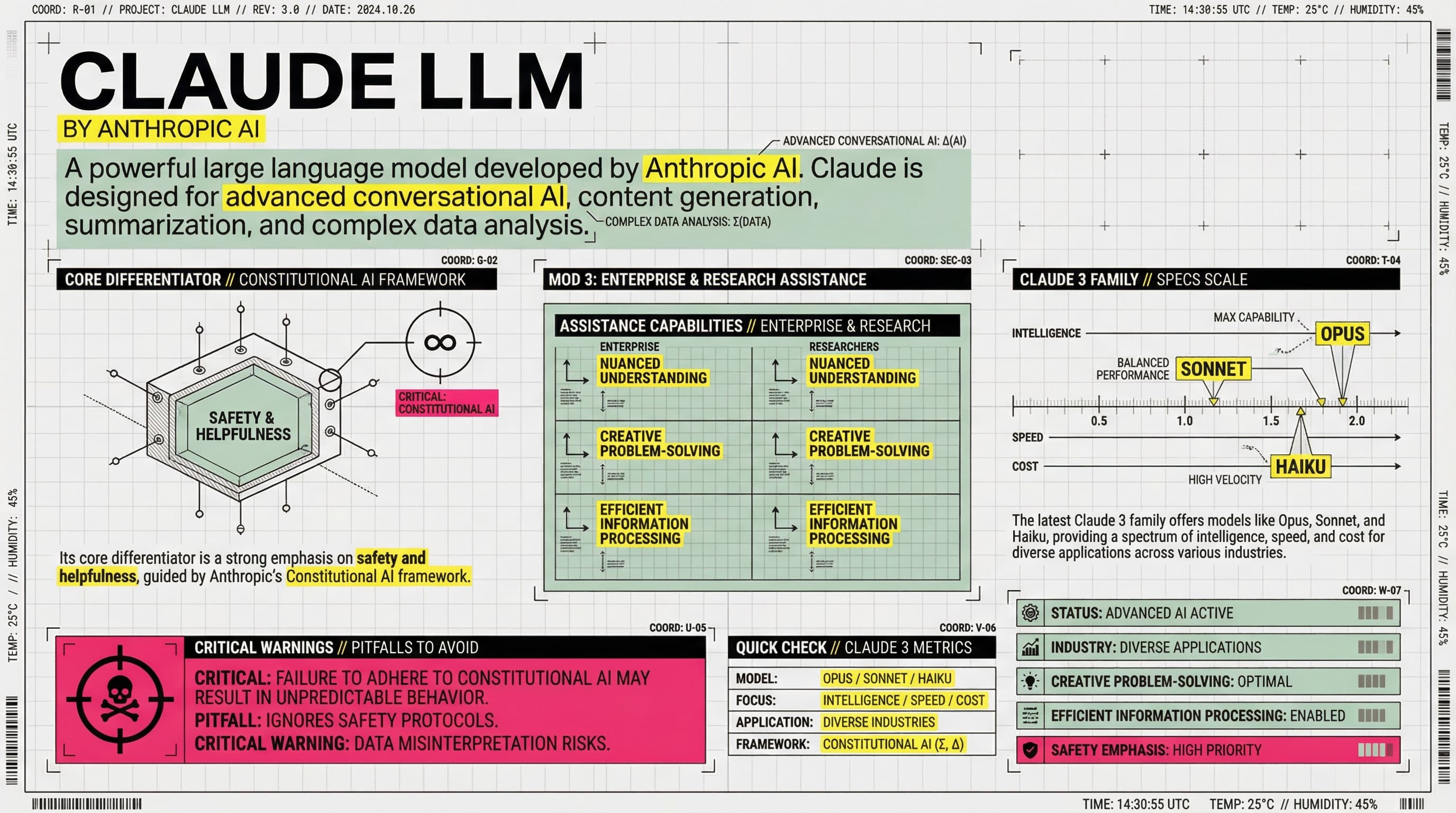
【COLOR PALETTE - BLUEPRINT & POP LOGIC】
- BACKGROUND: Professional grayish-white or faint blueprint grid texture (#F2F2F2).
- SYSTEMIC BASE: Muted Teal/Sage Green (#B8D8BE) for major functional blocks and stable data zones.
- HIGH-ALERT ACCENT: Vibrant Fluorescent Pink (#E91E63) strictly for "Pitfalls", "Critical Warnings", or the single most important "Winner" data point.
- MARKER HIGHLIGHTS: Vivid Lemon Yellow (#FFF200) used as a translucent highlighter effect for keywords.
- LINE ART: Ultra-fine Charcoal Brown (#2D2926) for technical grids, coordinates, and hair-lines.

【LAYOUT & INFORMATION DENSITY】
- INFORMATION AS COORDINATES: Every module must have a coordinate-style label (e.g., R-20, G-02, SEC-08).
- THE "LAB MANUAL" AESTHETIC: Use a mix of microscopic details (technical drawings) and macroscopic data (large bold headers).
- HIGH DENSITY: Pack 6-7 distinct modules per image. Minimize margins; every corner should contain metadata like tiny bar codes, time stamps, or technical parameters.
- VISUAL CONTRAST: Use massive bold typography for primary headers, contrasted with tiny, ultra-crisp technical annotations (8pt look).

【ILLUSTRATION & GRAPHIC ELEMENTS】
1. TECHNICAL DIAGRAMS: Instead of cute icons, use exploded views, cross-sections with anchor points, and architectural skeletal lines.
2. COORDINATE SYSTEMS: Use vertical/horizontal rulers with precise markers (e.g., 0.5mm, 1.8mm, 45°) to show quality levels.
3. DATA BLOCKS: Use "Marker-over-Print" look—color blocks should be slightly offset from the text they highlight, creating a postmodern print feel.
4. SYMBOLS: Include cross-hair targets, mathematical symbols (Σ, Δ, ∞), and directional arrows (X/Y axis).

【SPECIFIC MODULE STRUCTURE - MUST HAVE 6-7】
- [MOD 1: BRAND ARRAY] - Reference Figure 1's grid: A 4x4 or 3x3 matrix of options, with one "Best Choice" highlighted in Fluorescent Pink.
- [MOD 2: SPECS SCALE] - A technical ruler or gauge showing "Standard" vs "Premium" with precise numerical increments.
- [MOD 3: DEEP DIVE] - A technical sketch of the product with "zoom-in" callout circles showing internal components.
- [MOD 4: SCENARIO GRID] - Comparison cards separated by fine 0.5pt hair-lines.
- [MOD 5: WARNING ZONE] - A high-contrast Pink/Black area for "Pitfalls to Avoid".
- [MOD 6: QUICK CHECK] - A small, dense summary table resembling a lab data sheet.
- [MOD 7: STATUS BAR] - A vertical or horizontal stack of information blocks like Figure 2's class schedule.

【TYPOGRAPHY】
- Headers: Bold Brutalist Chinese characters, high impact.
- Body: Professional sans-serif or crisp handwritten technical print.
- Numbers: Large, highlighted with Yellow or Blue to stand out.

【AVOID】
- ❌ NO cute/cartoonish doodles.
- ❌ NO soft pastels or generic textures.
- ❌ NO empty white space.
- ❌ NO flat vector stock icons.
Ini adalah prompt Nano Banana PPT yang dirancang dengan hati-hati untuk membantu Anda membuat presentasi profesional dengan pembuatan slide berbasis AI. Gunakan prompt ini dengan 2Slides untuk menghasilkan slide yang menakjubkan yang sesuai dengan visi Anda.
Prompt Nano Banana dioptimalkan untuk membuat slide presentasi berkualitas tinggi dengan gaya desain dan tema tertentu. Prompt ini mencakup instruksi detail untuk menghasilkan slide yang mengikuti praktik terbaik dalam desain presentasi.
Kata kunci: Blueprint, pop logic, grid, technique, system, architecture,
Agen AI Anda untuk slide. Hemat waktu, bersinar lebih cepat dengan pembuatan presentasi yang cerdas.




© 2026 2slides. Hak cipta dilindungi.