
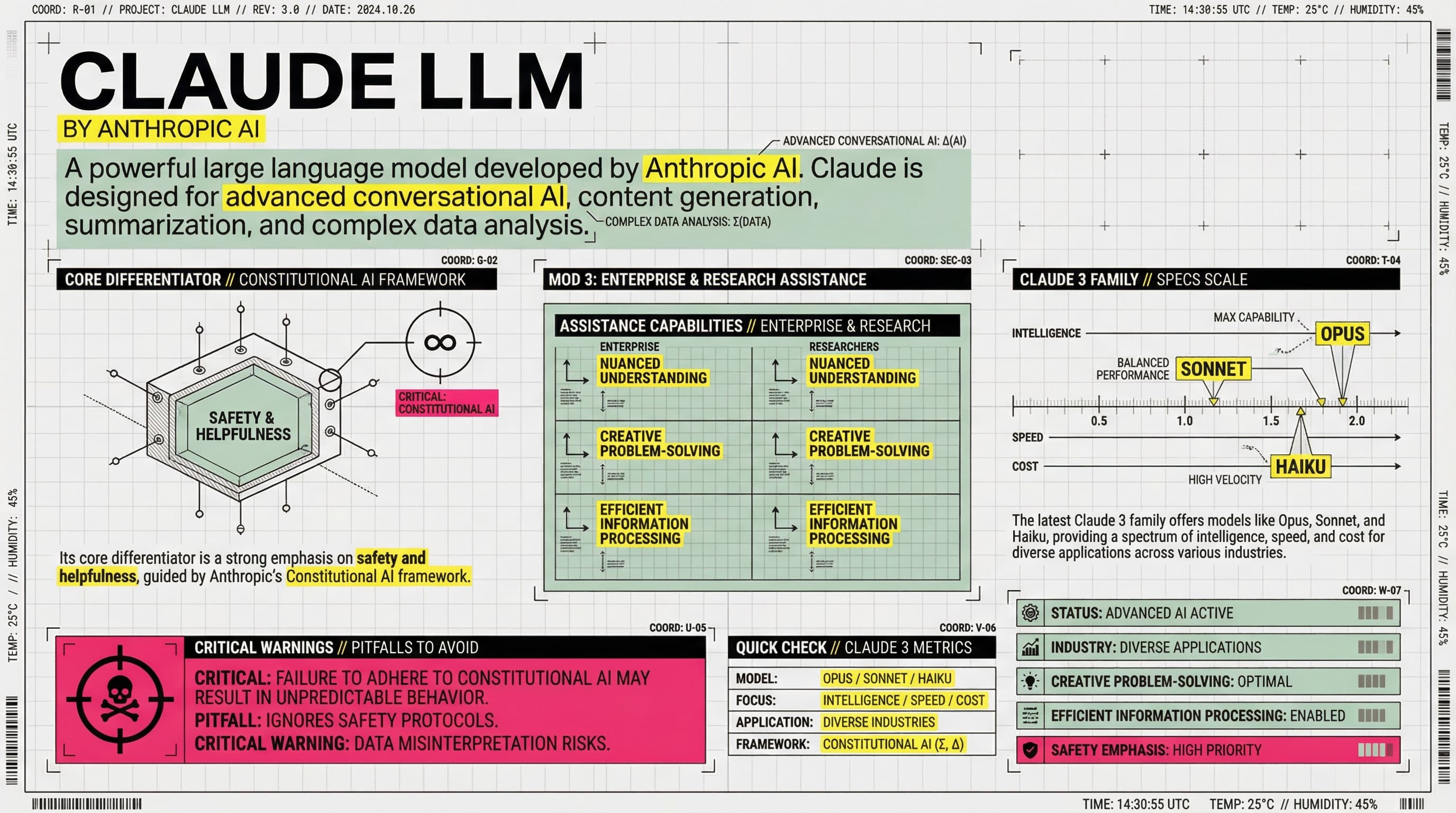
【COLOR PALETTE - BLUEPRINT & POP LOGIC】
- BACKGROUND: Professional grayish-white or faint blueprint grid texture (#F2F2F2).
- SYSTEMIC BASE: Muted Teal/Sage Green (#B8D8BE) for major functional blocks and stable data zones.
- HIGH-ALERT ACCENT: Vibrant Fluorescent Pink (#E91E63) strictly for "Pitfalls", "Critical Warnings", or the single most important "Winner" data point.
- MARKER HIGHLIGHTS: Vivid Lemon Yellow (#FFF200) used as a translucent highlighter effect for keywords.
- LINE ART: Ultra-fine Charcoal Brown (#2D2926) for technical grids, coordinates, and hair-lines.

【LAYOUT & INFORMATION DENSITY】
- INFORMATION AS COORDINATES: Every module must have a coordinate-style label (e.g., R-20, G-02, SEC-08).
- THE "LAB MANUAL" AESTHETIC: Use a mix of microscopic details (technical drawings) and macroscopic data (large bold headers).
- HIGH DENSITY: Pack 6-7 distinct modules per image. Minimize margins; every corner should contain metadata like tiny bar codes, time stamps, or technical parameters.
- VISUAL CONTRAST: Use massive bold typography for primary headers, contrasted with tiny, ultra-crisp technical annotations (8pt look).

【ILLUSTRATION & GRAPHIC ELEMENTS】
1. TECHNICAL DIAGRAMS: Instead of cute icons, use exploded views, cross-sections with anchor points, and architectural skeletal lines.
2. COORDINATE SYSTEMS: Use vertical/horizontal rulers with precise markers (e.g., 0.5mm, 1.8mm, 45°) to show quality levels.
3. DATA BLOCKS: Use "Marker-over-Print" look—color blocks should be slightly offset from the text they highlight, creating a postmodern print feel.
4. SYMBOLS: Include cross-hair targets, mathematical symbols (Σ, Δ, ∞), and directional arrows (X/Y axis).

【SPECIFIC MODULE STRUCTURE - MUST HAVE 6-7】
- [MOD 1: BRAND ARRAY] - Reference Figure 1's grid: A 4x4 or 3x3 matrix of options, with one "Best Choice" highlighted in Fluorescent Pink.
- [MOD 2: SPECS SCALE] - A technical ruler or gauge showing "Standard" vs "Premium" with precise numerical increments.
- [MOD 3: DEEP DIVE] - A technical sketch of the product with "zoom-in" callout circles showing internal components.
- [MOD 4: SCENARIO GRID] - Comparison cards separated by fine 0.5pt hair-lines.
- [MOD 5: WARNING ZONE] - A high-contrast Pink/Black area for "Pitfalls to Avoid".
- [MOD 6: QUICK CHECK] - A small, dense summary table resembling a lab data sheet.
- [MOD 7: STATUS BAR] - A vertical or horizontal stack of information blocks like Figure 2's class schedule.

【TYPOGRAPHY】
- Headers: Bold Brutalist Chinese characters, high impact.
- Body: Professional sans-serif or crisp handwritten technical print.
- Numbers: Large, highlighted with Yellow or Blue to stand out.

【AVOID】
- ❌ NO cute/cartoonish doodles.
- ❌ NO soft pastels or generic textures.
- ❌ NO empty white space.
- ❌ NO flat vector stock icons.
Este es un prompt Nano Banana PPT cuidadosamente diseñado para ayudarte a crear presentaciones profesionales con generación de diapositivas impulsada por AI. Usa este prompt con 2Slides para generar diapositivas impresionantes que coincidan con tu visión.
Los prompts Nano Banana están optimizados para crear diapositivas de presentación de alta calidad con estilos de diseño y temas específicos. Este prompt incluye instrucciones detalladas para generar diapositivas que siguen las mejores prácticas en diseño de presentaciones.
Palabras clave: Blueprint, pop logic, grid, technique, system, architecture,
Tu Agente IA para diapositivas. Ahorra tiempo, brilla más rápido con la creación inteligente de presentaciones.




© 2026 2slides. Todos los derechos reservados.